Can I go back and add markcfg7 or do I need to reinstall Lightburn?
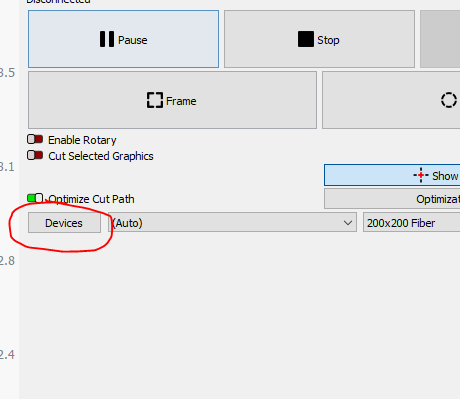
Yes, you can. Click the Devices Button in the Laser window, which will pull up a list of your configured devices. Select your JCCZ device, and click Edit and it will walk you through the config again. On the window to import your EZCad config, you can select your markcfg7 file there.
I think I got it. Any way to make sure?
Of what?
In the edit menu when creating a new device, if you click next it will not modify that part of the device unless you change it… So you can edit your device and just use the markcfg7 file for input.
Not sure of what you want to make sure of…
The markcfg7 file contains the information to adjust for distortion of the manufacturer supplied lens. Different lens, different information.
I have 4 lenses and 4 devices defined, each for a different lens… each had to be calibrated…
Good luck

So, it might be helpful if I start at the beginning…sorry. I’m trying to get a bright mark on some anodized aluminum. I can get it on the business sized cards no problem. On these parts I’m not having any luck. So I was playing with the kHz but couldn’t get over 80. I found the setting in Lightburn to change it but someone said I needed the markcfg7 file. Now it looks like I have the file installed but I have no way to know if 600kHz really is 600kHz. I still can’t get a bright white mark…A competitor can so I know it’s not all the anodizing.
Some machines have a more limited range of frequencies that are available. Some machines have a fixed pulse width or one related to the frequency and not user adjustable.
My source is a JPT MOPA M7 and will accept frequencies of 1 to 4000kHz, whereas many other machines have it limited to 600kHz and some to less than that.
Which machine/source do you have and what source is your device settings set?
50W JPT should be up to 600kHz
Is the device setting configured for a jpt source?
Check out this thread… maybe it will help…
Let us know what happens…
Good luck
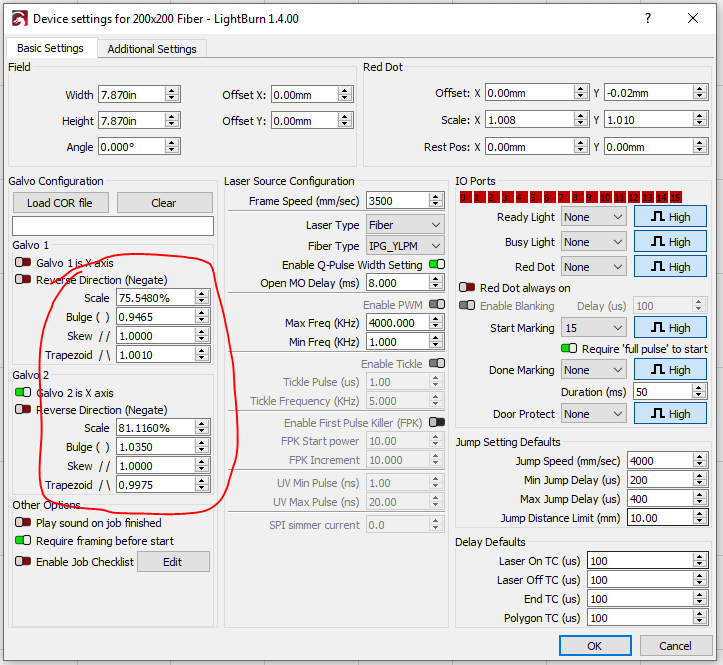

OP is asking about loading a markcfg7 file though, not a cor file. 
Yes, you are correct… I use both import markcfg file and cor file…
The best way is to drive it around or engrave a box or something… basically use it.