I can report that the camera on my Roly XW is still broken when going 1.6.03 → 1.7.0.3. In 1.7.0.3 the raw image is fine, but the overlay is grossly zoomed in. I tried to follow the procedure of doing Lens Calibration and selecting ‘Current calibration - reset resolution’ but this entry is missing from the dropdown. I’ve tried re-importing the factory calibration and my saved alignment file, but these don’t help. Rolling back to 1.6.0.3 resolves the issue.
I’ve also updated to the latest version of LightBurn and also purchased a new computer with Windows 11. I still can’t find the camera. I’ve tried going back to older versions of the software and that didn’t help. I’m not sure if the camera is even working. I wrote a note to Roly today to see if they can help me.
The next step I took was to change out the camera. With the 1.7.0.3 i still can’t even find the camera in the drop down box. The only thing showing up there is the computer camera. So I’ve bought a new computer and changed the camera and still am lost. I went back to older versions and that didn’t help. I even went back to the original version that came with the machine (1.3) and that didn’t work. I guess I could try changing the cord to the camera but I don’t know what kind of cord it is. This is really driving me nuts.
Ive had nothing but issues with my camera since 1.7+
Seems like it constantly ends up out of alignment and I have to constantly re-do alignment where with 1.6 I’d align it and it literally was perfect for weeks/months unless I changed materials. I don’t know what they changed, but its gone downhill.
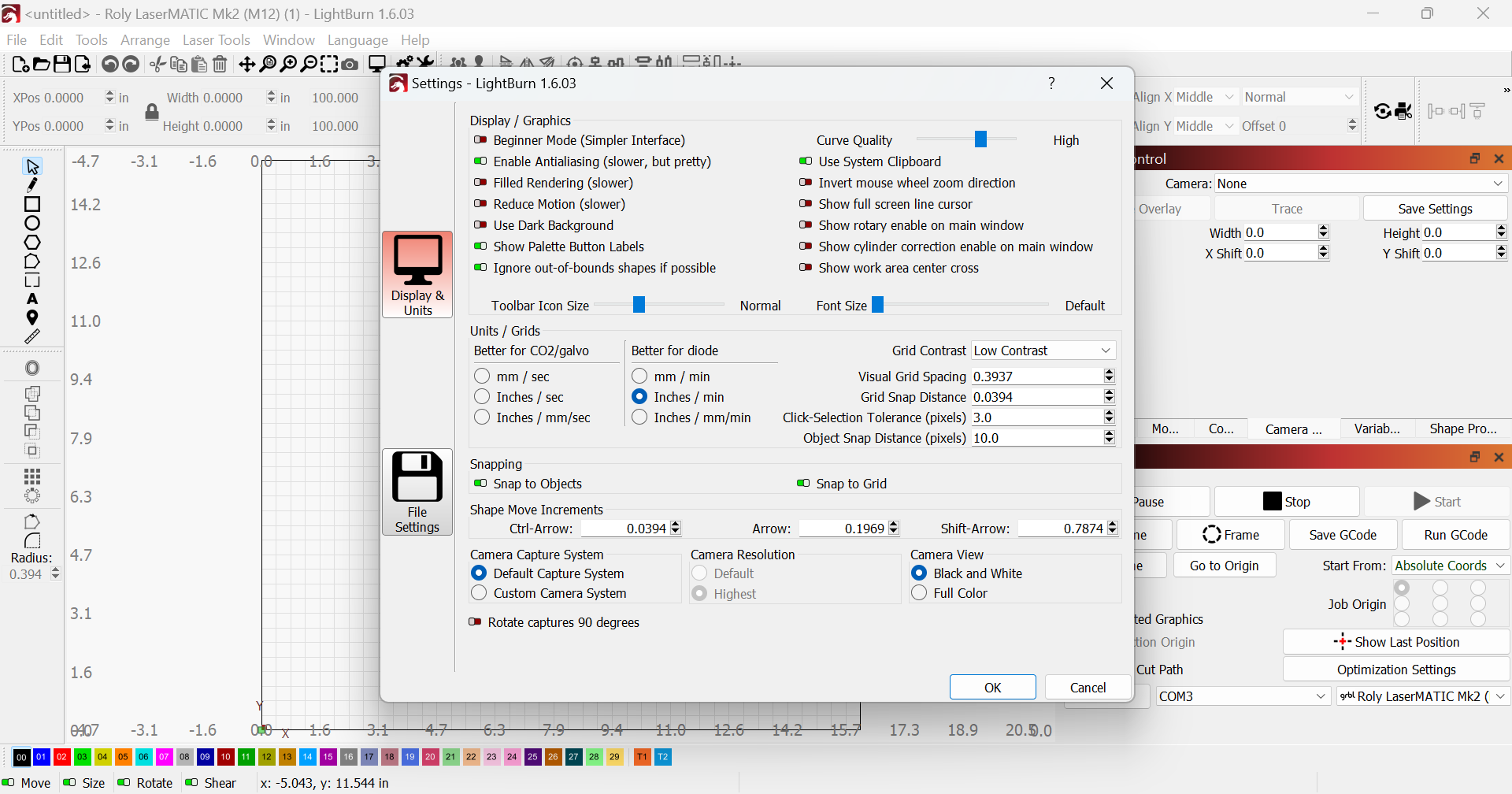
So my problem still exists with lightburn not seeing my camera. I have now gone back to version 1.6.03 thinking an older version worked for other people. Not so for me. Lightburn does not show my camera in the drop down box. It shows my computer camera and that may be where the problem is. In looking in the setting (attached) there is a section the states camera resolution. There is the option for default and highest resolution. It is LOCKED in the highest resolution which is my computer camera. How can I get this to let me choose default?
Well the problem has been solved. Since I changed out almost everything I could think of, I next got a new camera cable. That was the problem all along. With the way the cable is snaked thru the machine I felt there was no way that could be the problem. Sorry LightBurn for thinking it was the software and thanks to all that tried to help.