Update.
Today I took the time to take advantage of the camera and do some effectiveness tests. Also, regarding the drill support I’m currently working on, I noticed two anomalous situations.
- 1st When I did “Update Overlay” I noticed that the image doesn’t cover the entire usable work area. It stayed like that and I didn’t notice (apparently I wasn’t the only one
 )
)
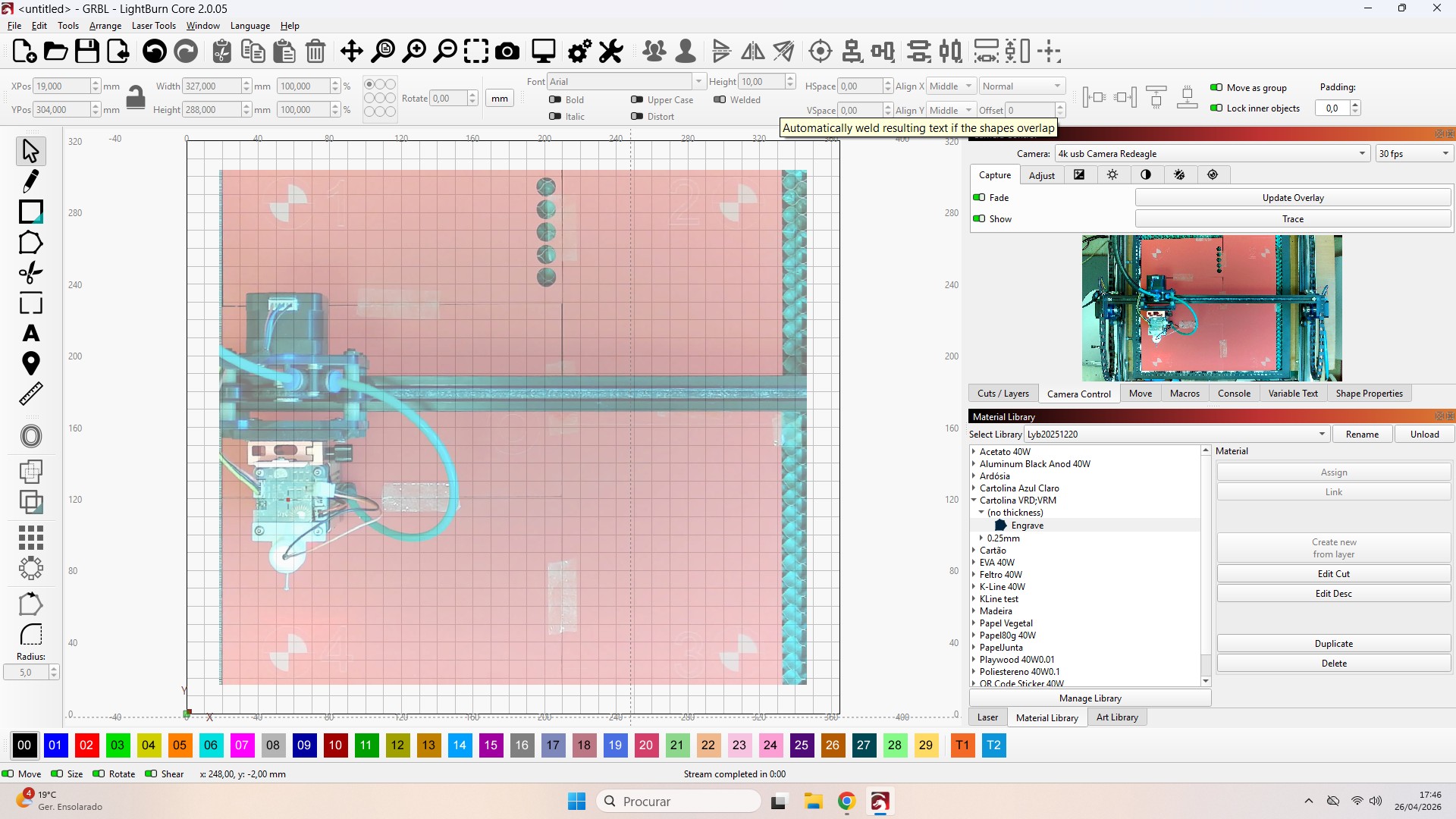
I did a new camera and lens alignment using the “april tags” by right-clicking in the “Camera control” window.
The camera alignment was done in the previous way (only through the “crosshairs”).
Bernd do you know if this is only available for Mac or for Windows too? 
How can this be corrected?
It’s certainly the same problem described in this topic.
- 2nd Misalignment.
I started by doing an “Update Overlay” in the “Camera Control” window, drawing an 18mm circle and engraving it onto a leftover piece of material.
I moved the leftover piece with the engraved cross to a location further to the side of the workbench, did another “Update Overlay,” drew an 18mm cross, centered it on the circle visible in the overlay image, and sent it to engrave.
The result is seen in the image; a deviation on the X-axis of +10mm (to the right) and +4mm (upwards) on the Y-axis. Very approximate values based on the image grid that don’t deviate much from the real value.
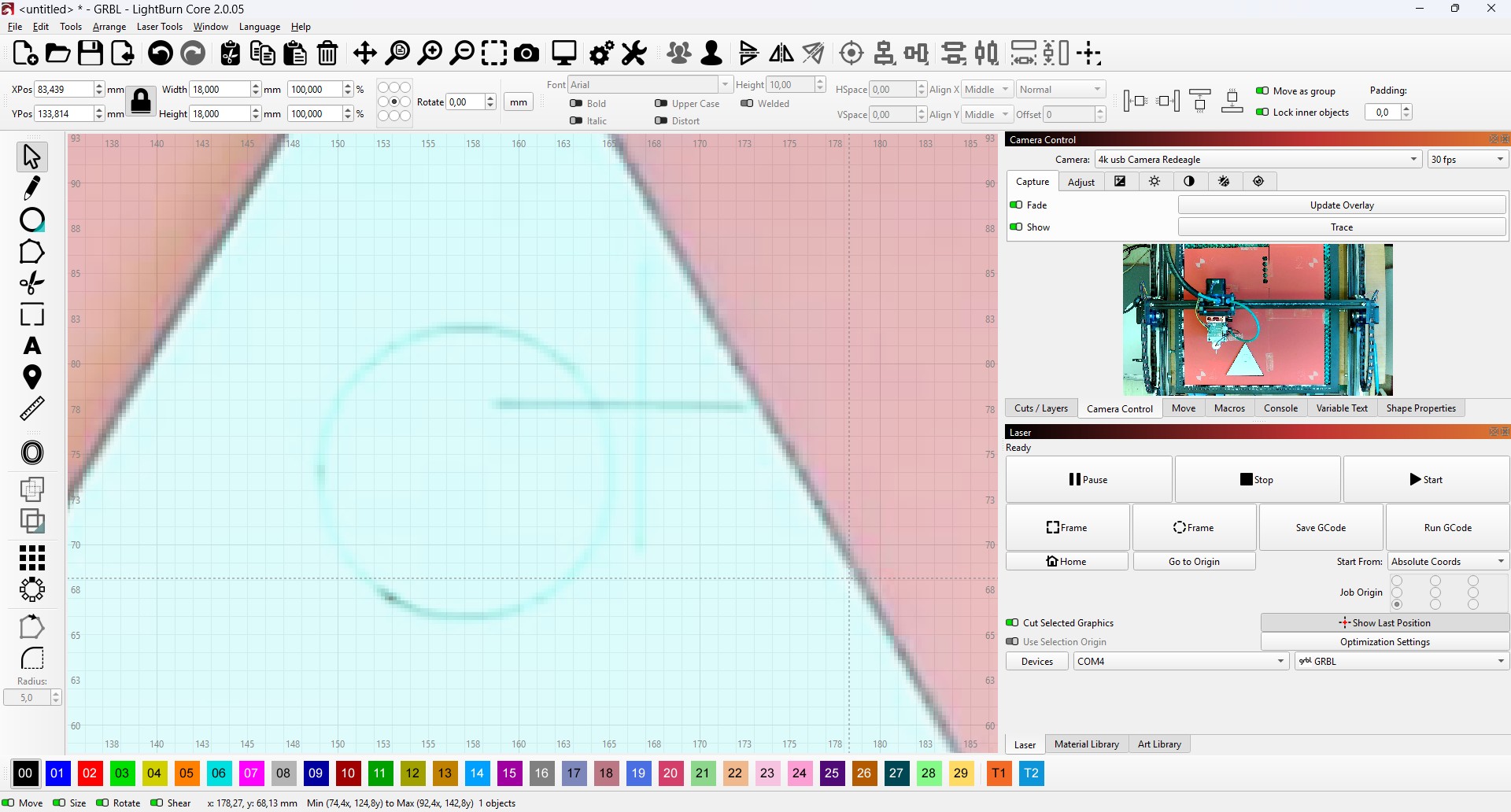
How can I correct this alignment discrepancy? I’ve been searching and either I don’t know how to search or I haven’t found anything enlightening.
If everything went perfectly the first time, it wouldn’t be fun!