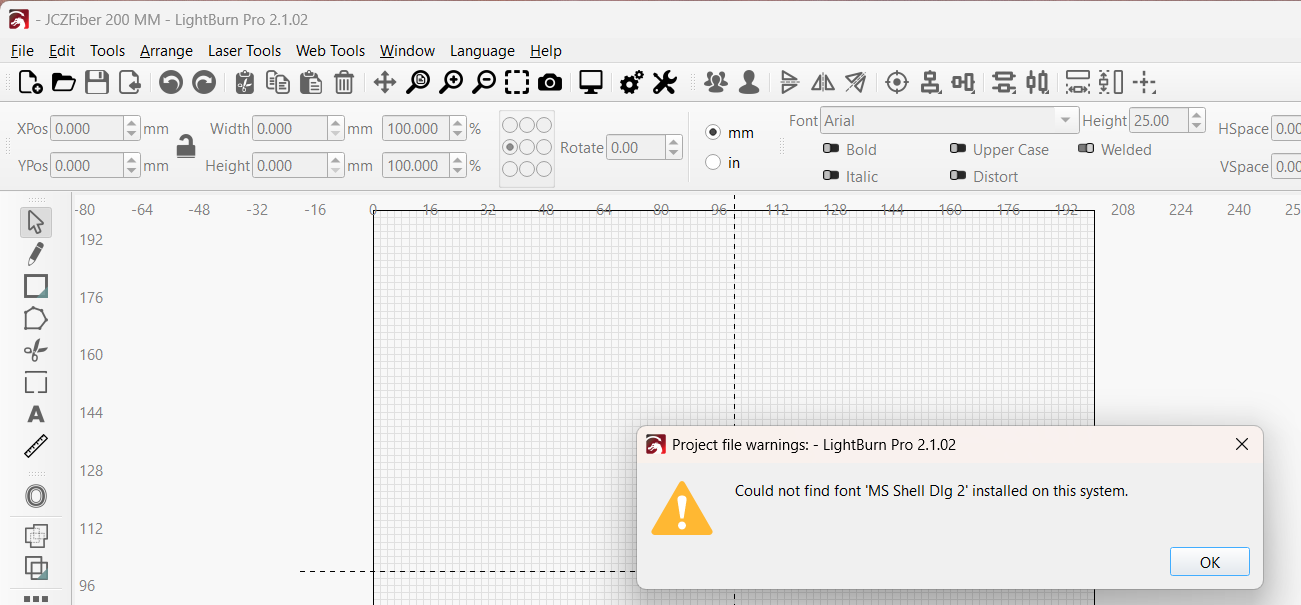
Not exactly sure where to post a bug I ran into in V2.1.02 so posting here.
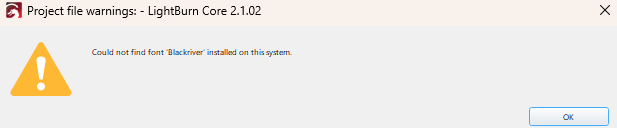
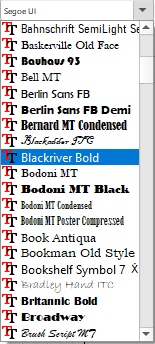
After updating to V2.1.02 when I open a saved project I get a project file warning error saying it cannot find a specific font. The font is installed on my system and even shows in the font selection dropdown list. I get the message on both laptops I use for LightBurn one running Win10 and the other Win11. Both laptops have the font installed. The file was created in V2.1.00 on the Win11 laptop which also has PreRelease V2.1.00 RC-11 installed. The Win10 laptop does not have the prerelease installed.
This happens to me frequently when I create a project on one PC and open it on the PC connected to the laser machine. It usually doesn’t affect the project itself, but the easiest way to fix it is to find the font online and install it on Windows. It’s worked 100% of the time for me.
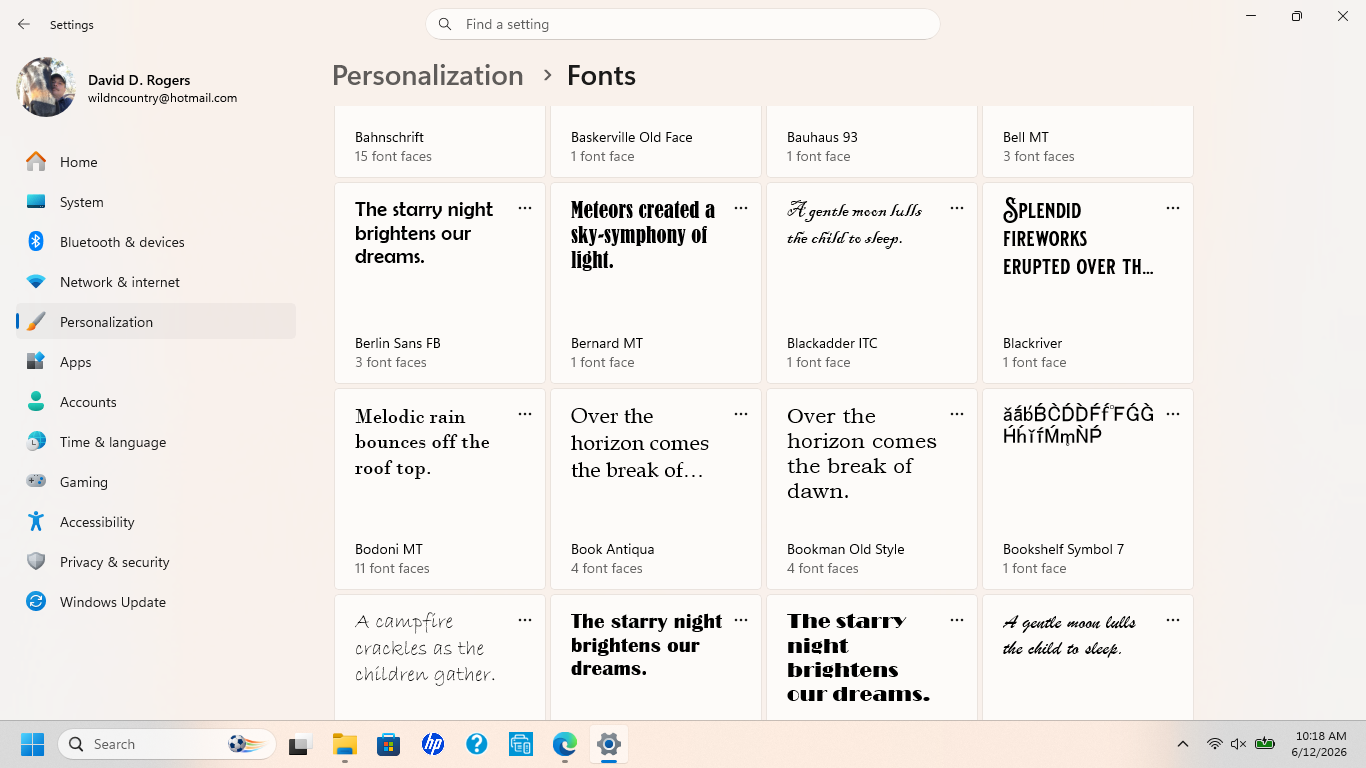
It’s happing on both PC’s and both have Blackriver Bold installed. Not even sure why the error is saying just Blackriver as I never installed Blackriver, just Blackriver Bold. I even reinstalled bold and still get the message.
After some analysis of the font in question, I’m unsure if the latest update will have any problems with the hyphen. I’ve seen installations of this font with and without hyphens. In any case, to rule out a bug in the update, simply reinstall the previous version. If the error disappears, it’s undoubtedly related to the update.
Can you email us the font file so we can have a look? Send it to support@lightburnsoftware.com and include a link to this thread so support knows where to direct it.
I only have Win11 to test on, but I installed your font file and it shows two fonts, Blackriver and Blackriver Bold, though they look identical to me.
I saved a project file with two text objects, one with each font, and loaded them back, in version 2.0.05 and again in 2.1.02, and both worked as expected.
One of our support staff says she was able to get a result similar to yours by saving the LightBurn project on MacOS and loading it on Windows, but that’s as close as we’ve been able to come to figuring anything out. Do you see both Blackriver and Blackriver Bold on your systems?
If I understood correctly what you mean, it’s: download the font from the system where the project originated and install it on the PC connected to the laser machine. Is that it?
If so, it would be executable if the PCs weren’t 20km apart when I realized I didn’t have the same font on both PCs.
What I started doing in the meantime was, when I install a new font on the PC where I start the project, I upload it to the cloud, and if I need it on another PC I know where to get the same font.
But I’m grateful for the tip, actually downloading a font online, if it’s not from the same source, can result in a slightly different font.
We’ve had this pop up on occasion in the past where “Arial” on a Windows machine and a Mac used slightly different versions of the font, and it was really only visible when someone offset the font and then loaded it on the other OS. Those are maddening to track down sometimes.
Here’s what my font list shows on my Win11 pc that the project was created on.
Also, I opened a similar project also created prior to upgrading with the same font and it opened without an error so that has me wondering if the file somehow got corrupted.
I have had the same problem with ver2.1. I have a number of files that I set up as templates, 2 or 3 years ago, in much earlier versions of LB. I use these files regularly, just changing some of the text to suit my customers. In ver 2.1 the editing process for my template text breaks down, because it cannot find the font! If I go back and re-install ver2.0 it works just fine.
The fonts I am using are Amsterdam & Roxborough CF. Ver 2.1 calls them Amsterdam One and Roxborough CF Medium. These are exactly the same fonts it’s just that ver2.1 uses more characters in the font names, so it can’t find the fonts that ver1.x and ver 2.0 have used happily for years.
I have been in email contact with LightBurn Support and they told me that I was the only person to report this issue.
We don’t directly parse or use the system font files - the framework we build on (Qt) does that for us, and it’s possible that changed with the updated version of Qt we’re now using, though that would be strange - Fonts dictate their own names with a title stored in the font file itself. It’s not something that I can see changing, unless Qt had/has a bug.
I looked through the font that David sent and can only see one of the two names (the longer one) that the font is reporting, so I’m not sure what’s happening or how. I’ll need to dig more. @TrevorA - Can you email those two fonts to support along with a link to this thread so I can get those files as well?
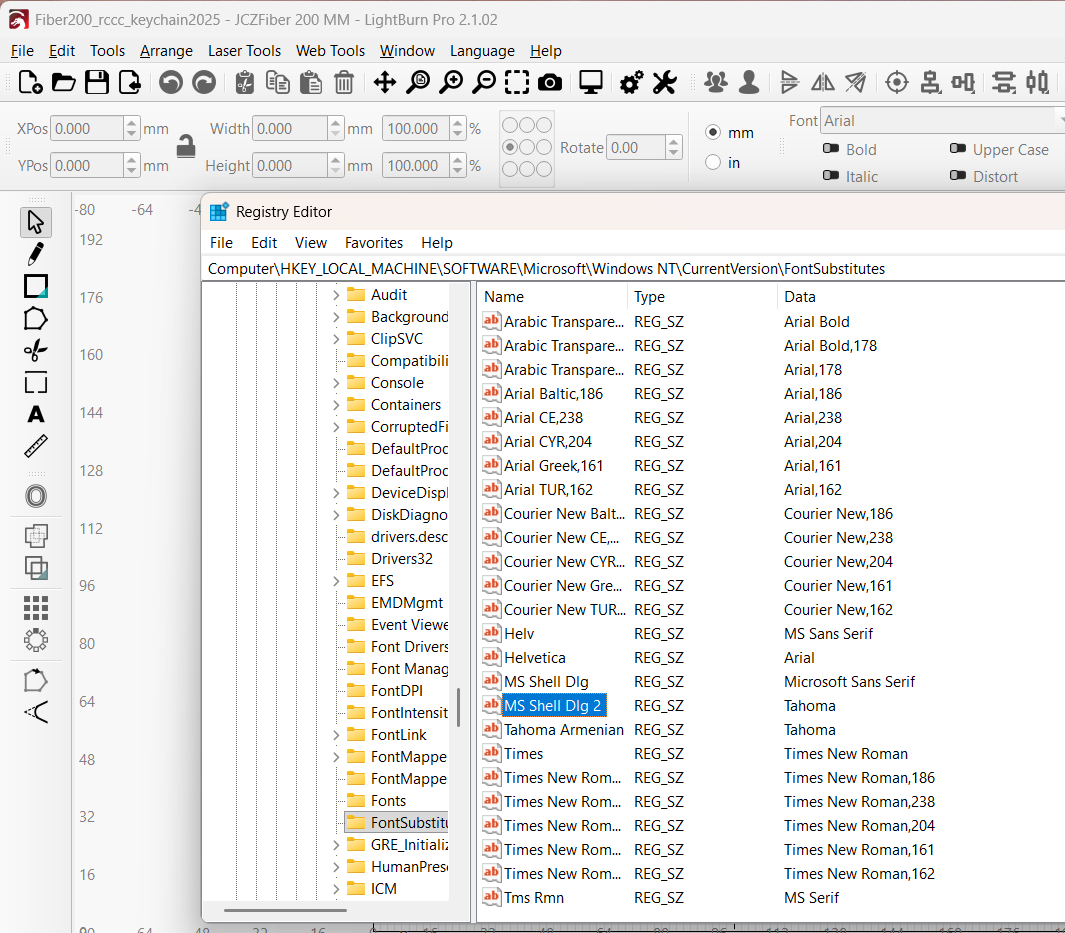
Same issue; Win 11 Pro, Lightburn 2.1.02. Older projects created on this machine. Error Could not find font ‘MS Shell Dlg 2’ installed on this system. This particular font is a substitute font in Windows and IS installed. I can pull it up in every program.
That’s interesting. As you show in your screenshot of RegEdit, “MS Shell Dlg 2” is just a pointer to an actual font file on your system (in your case it’s “Tahoma”), and as far as I’m aware, these “logical” fonts shouldn’t normally be exposed as a selectable font in any applications. I have checked on my system and although it appears in the “FontSubstitutes” list just like yours, it doesn’t appear in any of the fonts available in any of the applications I’ve tried (Affinity, Lightburn, MS Word 365, CorelDraw, Lazarus). I’m curious why this isn’t the case on your system.
I also googled it and had this “AI” reply, which indicates that Older Lightburn versions might have enabled it to be selected.:
MS Shell Dlg2 isn’t an actual physical font. It’s a special logical font mapping in Windows used to tell the operating system which default UI font (usually Tahoma) to use for dialog boxes. It occasionally shows up in font dropdowns due to how certain applications scan the registry. [1, 2, 3, 4, 5]
Why You See It
Logical Mapping: Windows uses this alias so older programs can dynamically pull the best system font.
Application Behavior: Programs like Affinity, LightBurn, or other software that pulls directly from the Windows API will display this system pointer in their font lists. [1, 2, 3]
Is It a Problem?
No: It is entirely normal behavior on Windows.
Effect: If you select it, the application will simply render your text using Tahoma.
Removal: You cannot “delete” or “uninstall” it, as it isn’t a true font file (like a .ttf or .otf). It is hardcoded into the operating system registry. [1, 2, 3, 4]
What You Should Do
Because it serves as a system placeholder, do not use it for your own text design or document creation. It is best to ignore it in the dropdown and format your documents or designs using standard fonts like Tahoma or Segoe UI, ensuring they render correctly and consistently.