Hey guys I’ve got a diy laser here I just built and having trouble sometimes with accuracy and circles closing etc.
Backlash and all that is not the problem because I can close then start a new file by importing the same SVG and it’s a correct and proper circle again.
Happening a lot more now. Even bought another year of updates and went from 1.1 to 2.0 with the same problem.
Is there something I should be doing differently?
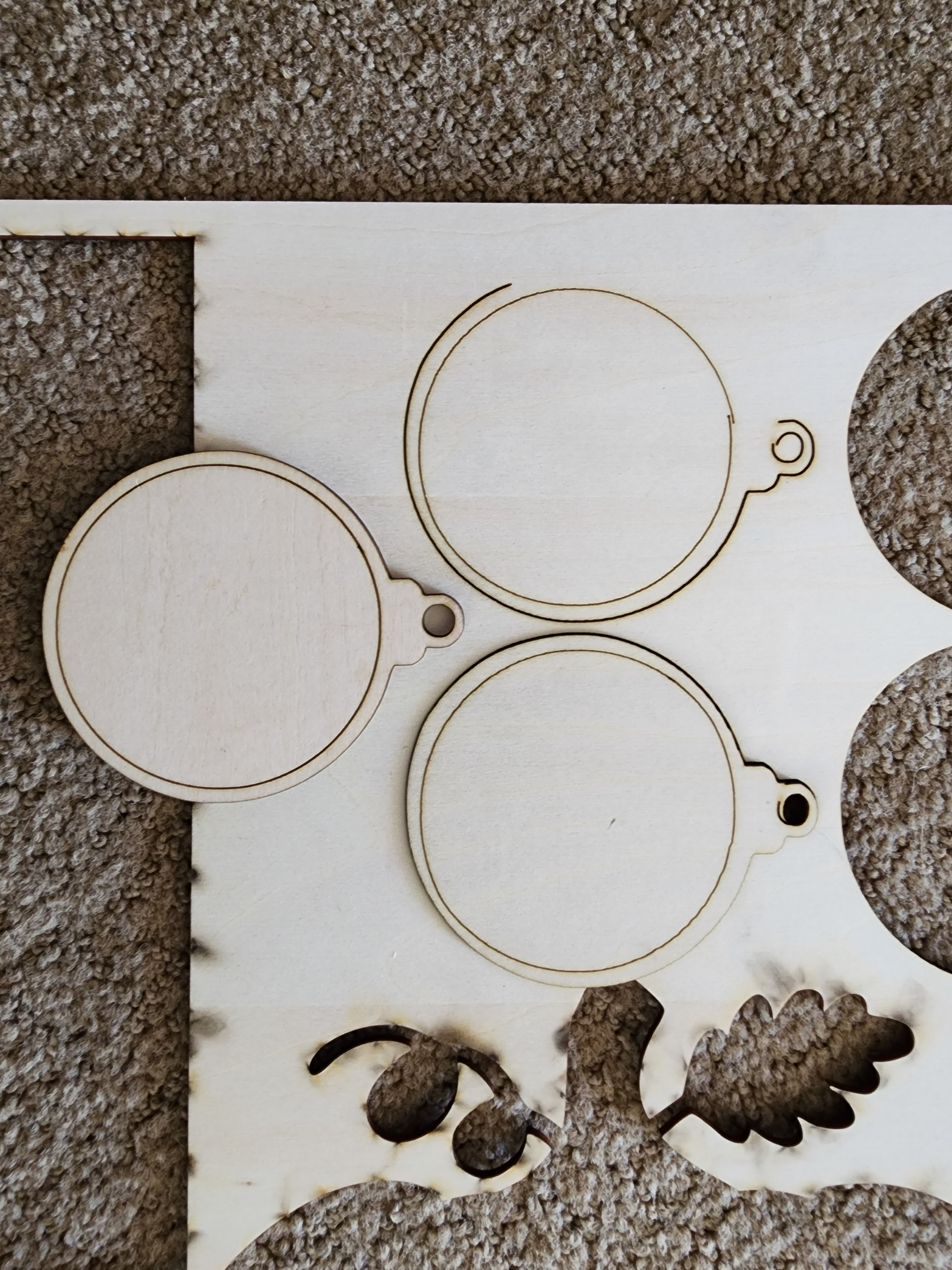
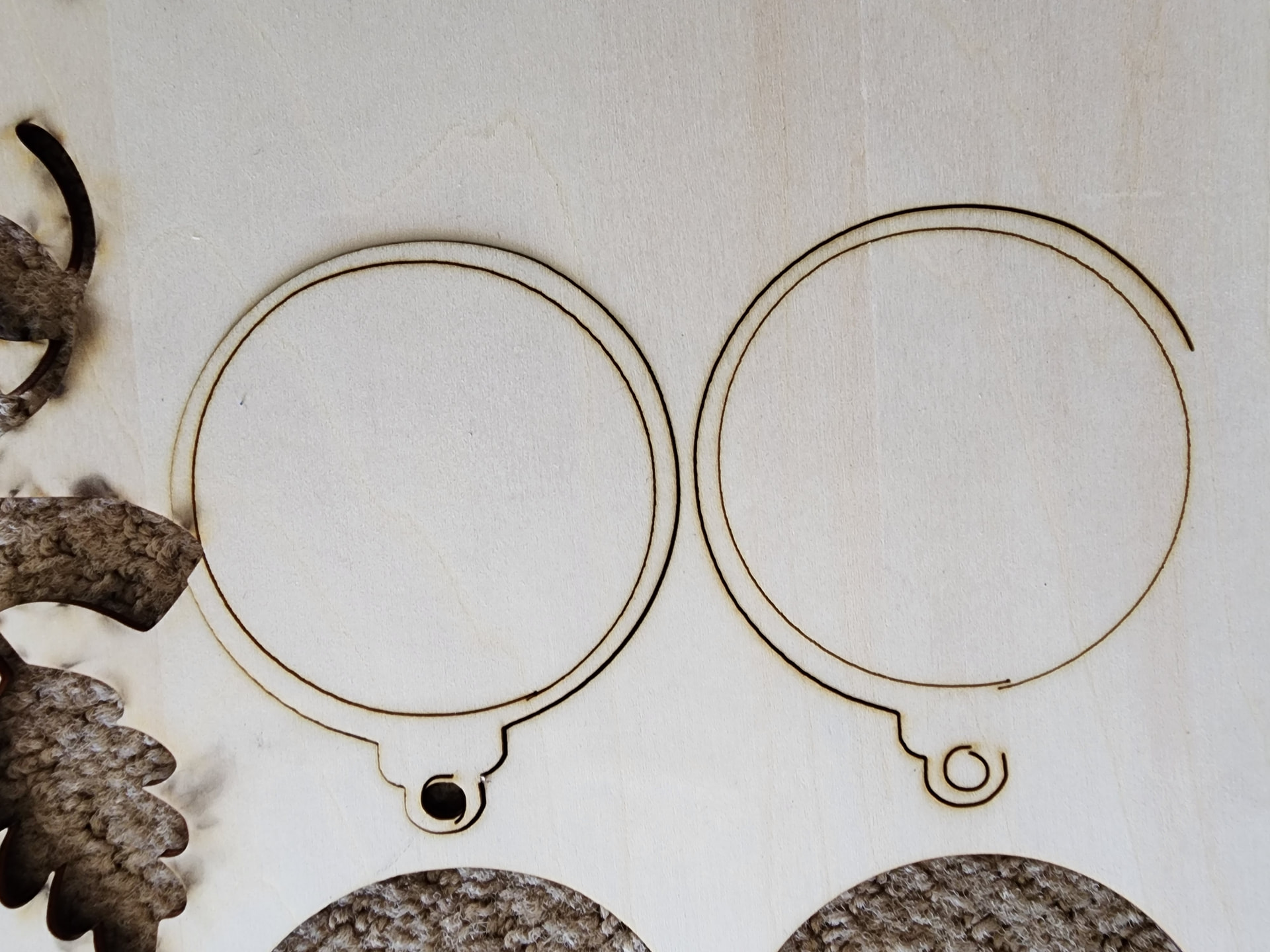
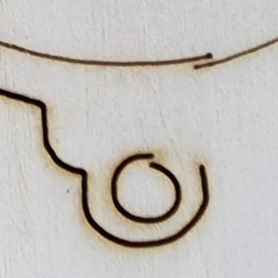
Check your drive for debris on the belt.
Check your set screws on your pulleys.
Check your laser head where it connects to your gantry.
2 Likes
It absolutely is the problem:
This test pattern is useful to identify mechanical problems:
Backlash.lbrn2
Scale it uniformly to fill the platform and run it as fast as it will go in Line layer mode with Enable optimizations turned off and power set to mark a sheet of cardboard. Any differences from the design will be informative; a crisp photo will let us look over your shoulder.
4 Likes
So again, if i restart lightburn i get perfect circles again. the first picture shows a completed blank after JUST restarting lightburn.
Same settings, same file etc. the ONLY thing i changed was i closed then opened lightburn again
Thanks for updating, Jeremy. Please do try the file @ednisley offered and reply with a crisp image. This will help us “see” what may be going on with this view.
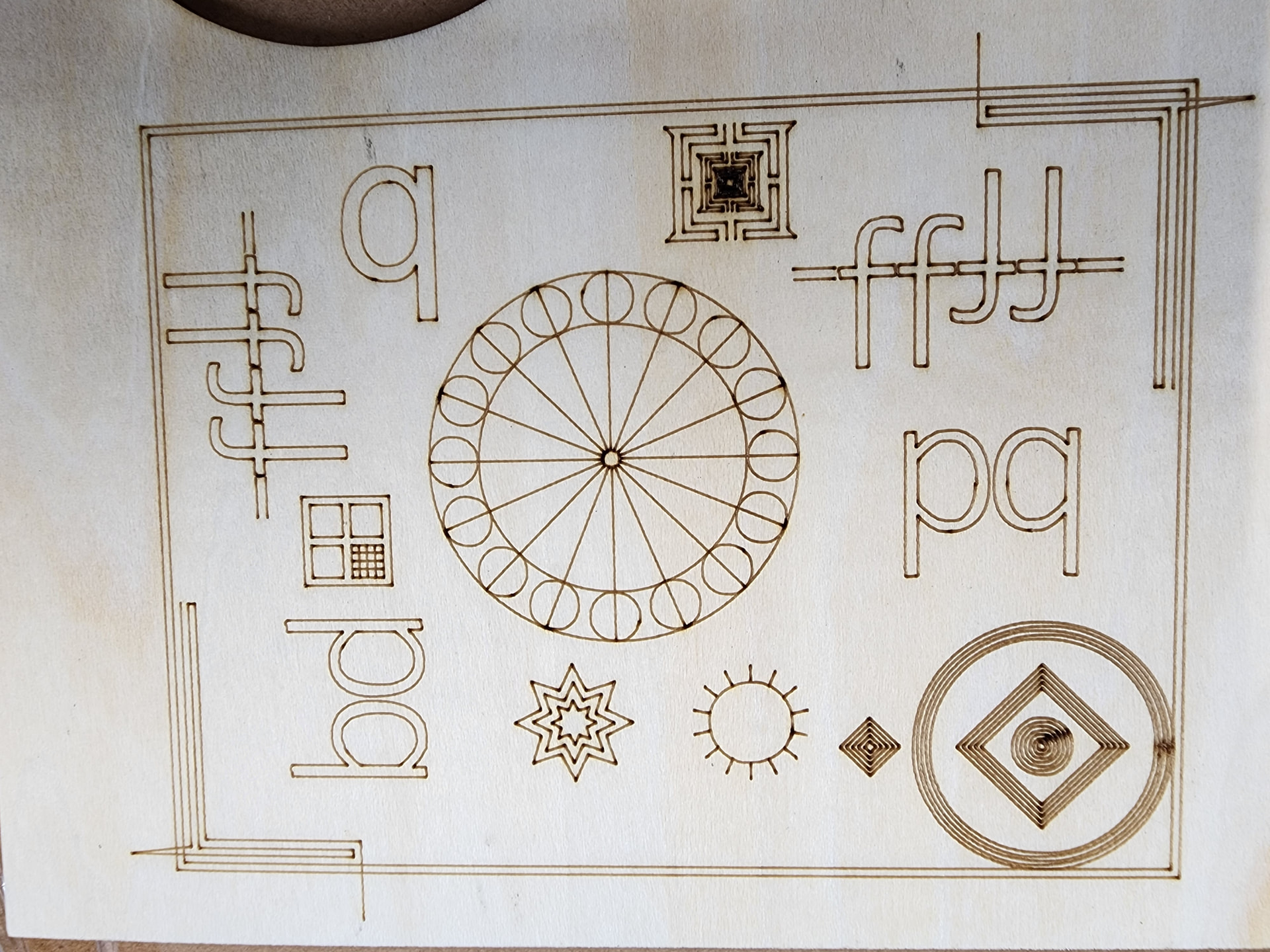
This is 50 mm/s which is the fastest I have the machine set to at the moment. The circles for the ornaments are cut at 5 mm/s to 50 with the same result. Sometimes
The point of going as fast as possible is to apply more force to the machinery than usual. If 50 mm/s is the machine’s maximum speed, so be it, but this should be a stress test, not a pleasure drive.
Assuming the Y axis = gantry moves vertically in the picture, the divergence at the top / bottom of this pattern shows the amount of backlash:
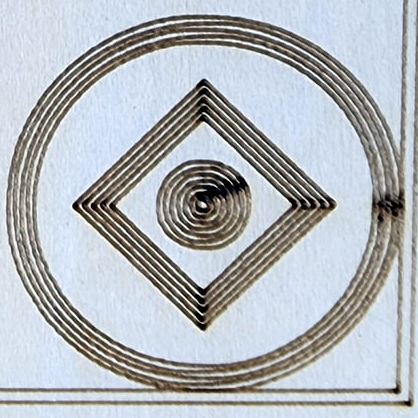
Assuming those circles are a few millimeters apart, then you’re looking for a millimeter of motion due to:
- Loose belt or belt anchor
- Belt slack
- Loose screw on a shaft flat
- Loose motor mount allowing slight rotation
- Loose roller / bearing mounts
If the Preview looks good, then LightBurn is sending the correct G-Code. You can confirm that by running the G-Code in another simulator; if it looks good there, too, the problem is mechanical.
3 Likes
I understand the test. If enough backlash would cause a circle not to complete and touch ends while burning at 5 mm/s, wouldn’t it show up at 50 too?
For context the sample is less than 1.2 inches across.
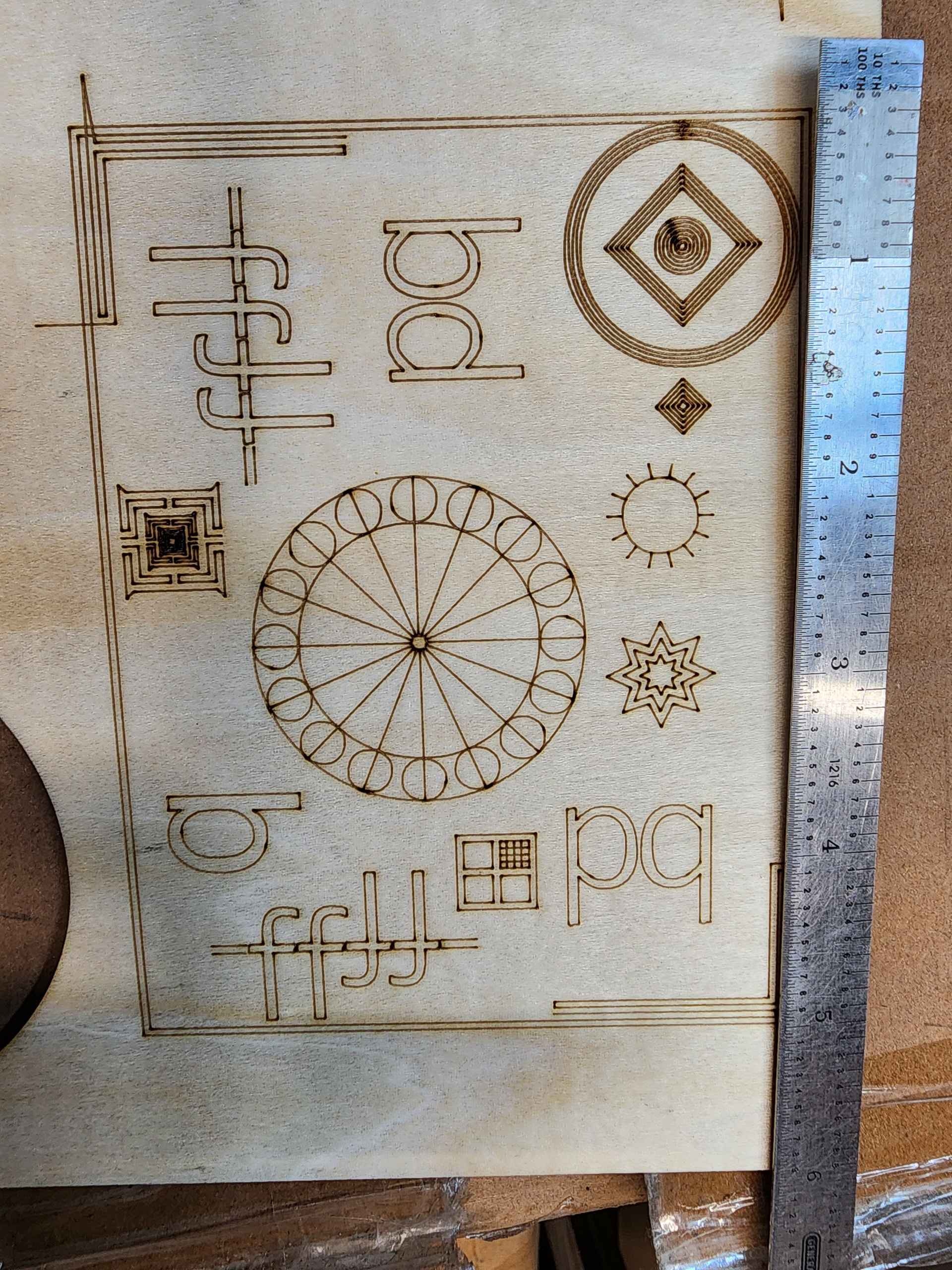
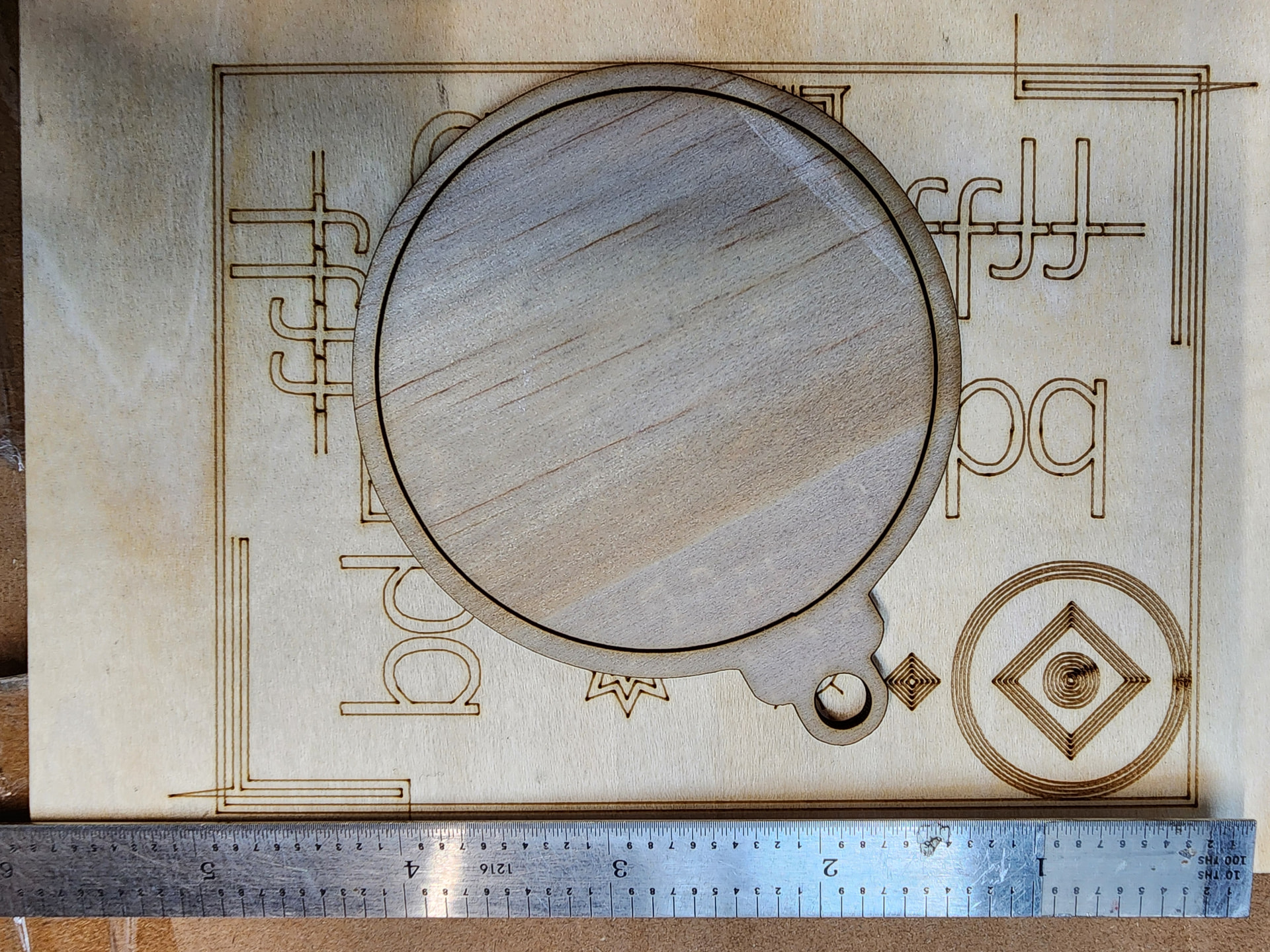
Trying to show scale to show level of backlash and have a direct comparison to current piece in question
What you are saying is that Lightburn goes bad after you run it a bit. If that were true, there would be 1000 postings complaining about this. That is not how Lightburn works for the other 999 of us.
Try this: first, do a Save GCode. Then run until it screws up. Then do another Save GCode and compare the two files. If they are the same, then @ednisley gave you the right answer.
As the laser works, all the parts warm up. A coupling might slip a bit. Reloading Lightburn can be a cool-down period, and the slip goes away.
Summary: A circle where the ends do not meet is a classic example of a mechanical backlash issue.
Backlash: The play between adjacent movable parts (as in a series of gears or shaft couplings).
There definitely are some. Ive gone over set screws for pullies and tested belt tension and even tried to move the axis by hand while motors are on and dont get more backlash than what i see in that test.
one example of many ive seen is here
im still open to checking something hardware wise but not much to go bad in my setup. belts are tight and pulley screws are tight
Make SURE the laser head is secure. Those little metal screws can work loose very easily and it does not take much movement to show up on the laser burn.
It has been pointed out that you have variance on the top and bottom of your test circles - ipso facto you have an issue on the Y axis; either in the gantry, frame or laser head mount plate.
Laser head is secure and mirrors/lens is secure as well.
I do see about a half mm of lash but that doesn’t account for the 2 or 3 mm to not complete circles or why when I restart lightburn it goes back to half mm.
I guess another test I can do is use other software to see if that ever does the same. I’ll try my router table software tomorrow and see how that works. Ty all for the guidance
It’s entirely possible you can find software with different settings that will hide the problem. The point of the advice you’re getting here is to use the failing testcase you have to find what’s wrong.
What did you find when you checked the LightBurn G-Code in a simulator?
1 Like
Take the test you ran earlier and turn the image 90 degrees. Run it again. Did the error move with the image rotation, or did the error remain in the same place on the workspace?
Then turn your scan angle 90 degrees and repeat the test on both orientations.
I suggest that you use old Amazon boxes for your test runs. Cardboard is cheap and abundant 
I’ve had with this issue many times over years. I normally look at three areas:
Is anything loose? Pulley to shaft or shaft to shaft in the drive train.
Is the belt tracking stable? Look for it riding up the pulley or teeth or sagging or twisting
Is the stepper drivers set at a low resolution? Or is your signal loosing steps if it’s streamed to the controller?
another good test of accuracy is to cut a circle out of 3mm wood then try to spin the inside piece you just cut out.
3 Likes
Mirrors on a DIY machine?
Add a loose mirror mount to the list of possibles.
2 Likes
Ooooh! And a loose focus lens, too! 
3 Likes
Maybe some pictures of your machine will help.
3 Likes
This topic was automatically closed 30 days after the last reply. New replies are no longer allowed.