Fiber is a different dragon, and I do not have one.
Go in to Machine settings and look for something related to both minimum power and minimum speed. A Fiber user will jump in and assist as soon as they spot this posting.
Fiber lasers do not have machine settings - Those are “settings that live in the machine itself”, and fiber lasers have no such thing. All settings are in the Device Settings within LightBurn, which stores them as part of your LightBurn preferences and applies them to the machine every time it connects or runs a job.
Hopefully someone with some fiber laser experience can tell me what’s going on.
Is this a new machine or one that you’ve had and used?
There isn’t much that is user accessible, besides the device settings. These may reside in the controller, but I think when you change devices or start the software up, it reloads them.
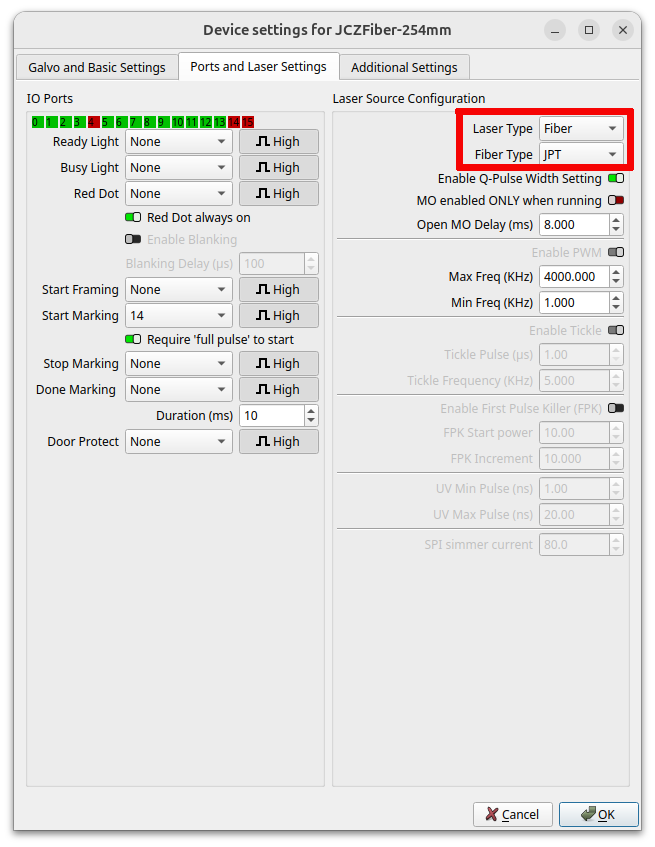
The only thing I know of to look at is the source type, is what’s in red correct? This is the device settings → ports and laser settings tab. If this has worked previously, then this isn’t likely to be the issue.
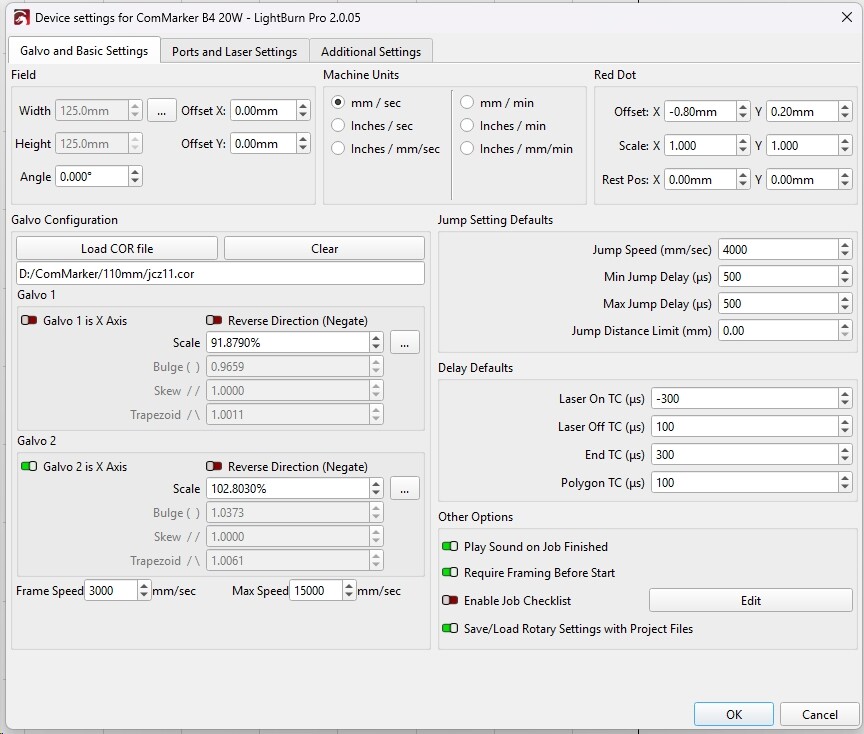
If you’re referring to the “.cor” file, yes I did. You can see that in the image grab of the device settings I posted earlier.
The laser has worked fine on projects I’ve done over the year I’ve owned it but this is the first time I attempted etching an image. Until then I never knew this issue existed.
Thanks for your help Jack. I’ll post again after (or if) I hear back from Commarker.
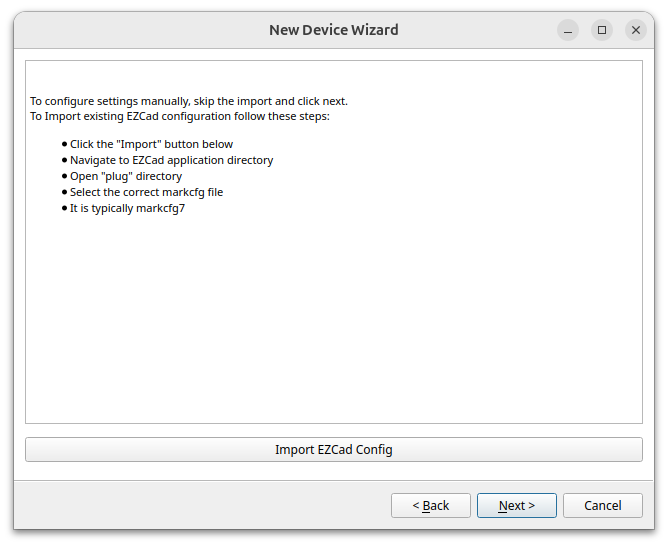
I’m referring to the configuration file, not the lens correction file. You enter it here at least for my machine. It should be pre-packaged with your machine. On mine, it’s called markcfg7
Based on your description, the laser actually has a “minimum output power” protection (usually 1%–10%). If the software is set below this value, the laser may automatically maintain output at the minimum level, which is normal.
Additionally, LightBurn engraving of grayscale images is typically used for 3D reliefs. Based on our experience, you usually need to engrave around 300 layers, which takes approximately 3–5 hours to achieve a visible effect.
Best regards,
Commarker Support Team
Seems there is no zero percent power. Not what I expected but I’ll live with it.
The tube is full of gas that must ionize to lase. The voltage must reach a certain voltage to glow, just like a neon bulb. Once lit up, it must have a minimum current to maintain ionization. Drop below that current and the light goes out.
If you want zero (actually about 0.2%) to 100% power range, you will need a diode laser.