You’re the best @Colin thank you so much!
Hi @Colin just wondering if you’ve learned anything additional at this point. Thanks so much!
I did some more research and it appears that LB would need to send the print keep colors data to gdi32.dll instead of the Cairo Win32 Printing Surface. This is why Inkscape has the extension Win32 Vector Print that sends the print data to gdi 32nd.dll
Windows 10 possible solution (please test on your systems and let us know):
-
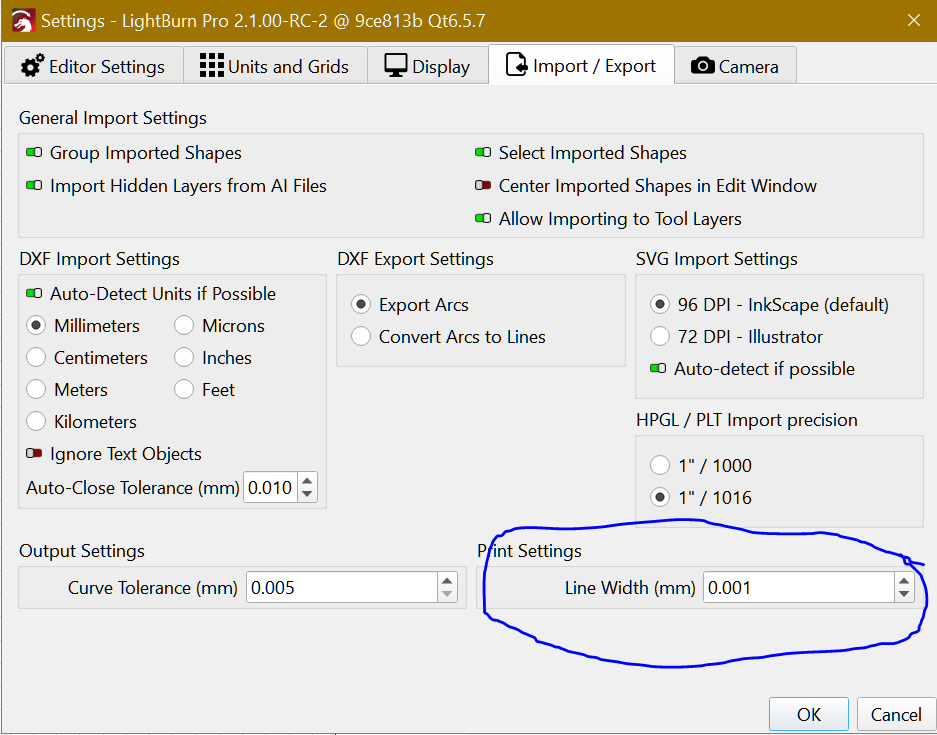
Set Print Line Width to 0.001mm
-
Install PDF Creator free PDFCreator – Fast, Reliable PDF Conversion Tool
I´m testing with Default Profile. -
Lightburn Print (Keep Colors) and select “PDF Creator” printer
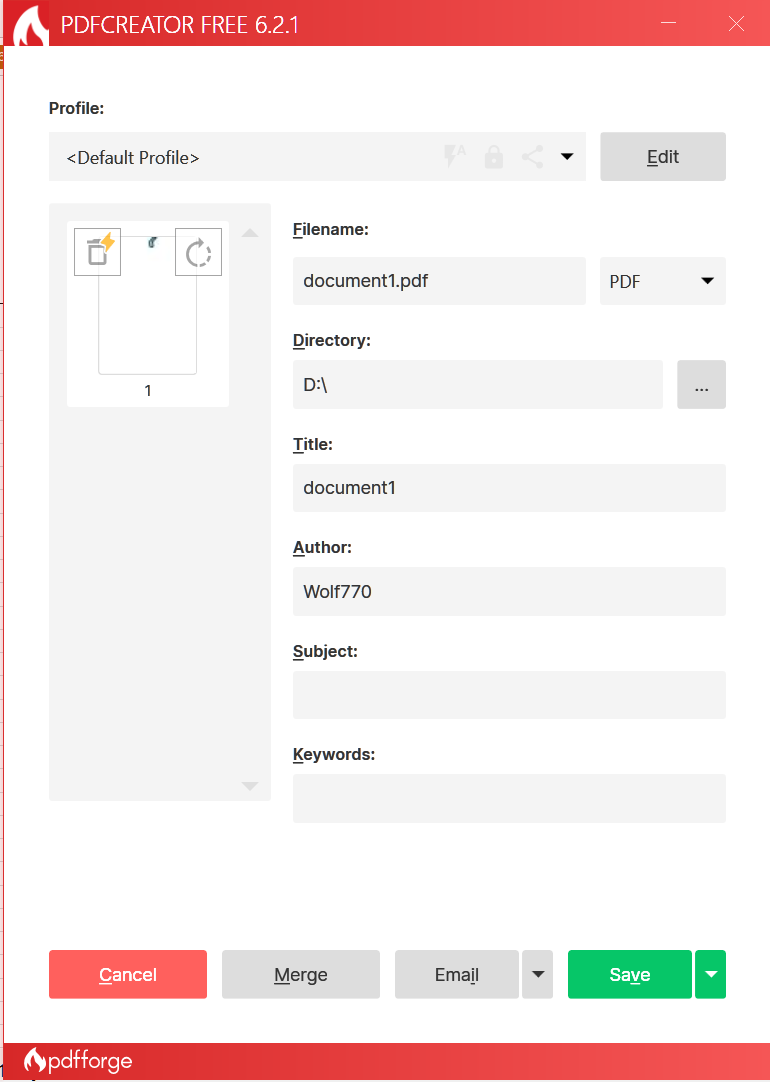

4.You can edit, automate print jobs, auto-open print folder and a few other options.
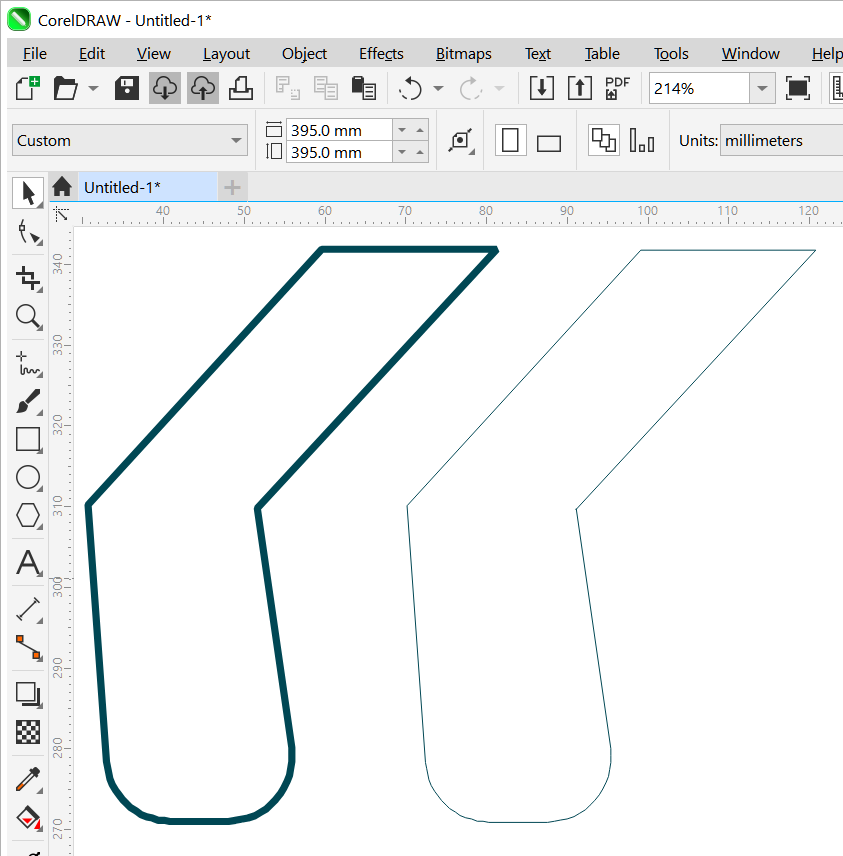
- A preview on CorelDraw 2024:
Left - Microsoft PDF
Right - PDF Creator
If LB is unable to resolve the print keep colors output like I described above, an easier solution would be for LB to allow the user to set a LineWidth for SVG exports, which is “stroke-width” in SVG files. Currently, LB outputs a stroke-width of 0.008333mm (in the Pre-Release LB).
If LB had a value in the Prefs.INI for SVG stroke-width, and the user could set it to 0.001mm, then you open the SVG file in Inkscape, and select Extensions>Export>Win32 Vector Print. It automatically sends it to the ULS UDP software.

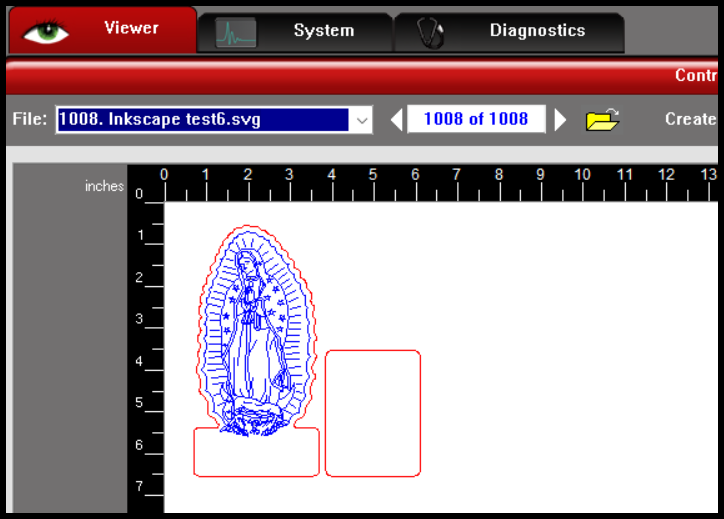
Below is a test SVG file that I exported from LB, and opened in Notepad++, and changed all values of 0.00833mm to 0.001mm
H
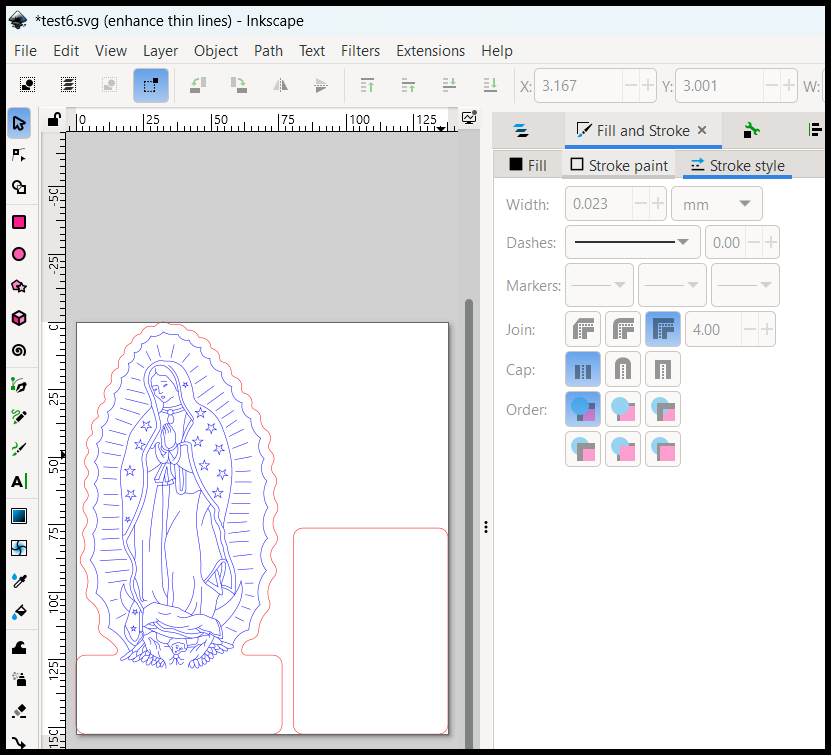
I then selected Extensions>Export>Win32 Vector Print

Here is how it looks in the ULS UCP software. Select the material I want and then select OK

Ready to send to the laser
1 Like
BTW, I tested @parsec option, and that also worked 
1 Like
It’s a good suggestion, I think a similar process works with the native windows print-to-pdf function as well and then printing from the free adobe reader if I’m not mistaken.
The goal that we’re trying to shoot for is having the function print directly to the laser without an intermediate piece of software. If we have to use another piece of software in between, then we’ll centralize around Corel Draw most likely so that users can print directly from Corel Draw to the laser and not use Lightburn. I know our environment is a bit unique, because we’re dealing with users who are coming to the table with varying skill sets, where many folks on here are just looking at a process which can work for them in a streamlined fashion. For us, we have a lot of training to help users understand how to use Lightburn and work with the four different lasers we have. This is adding a fifth into the mix and it gives users exposure to different kind of laser that might be similar to what they would find in a work environment, and it’s one of the actual industrial class lasers we have, so printing directly from Lightburn is the optimal situation for us.
2 Likes
Directly editing the SVG could also be a good suggestion for folks, but for the environment we’re working in and what we’re trying to accomplish, directly printing from Lightburn to the laser, it’s not the best option unfortunately. Good suggestion though and might help some other people.
I was reading an older post where you mentioned also having a GCC laser, which uses its own print driver.
In my opinion, you would be better off standardizing on CorelDraw for design. If users want to design in LB and send to a non LB laser, then export SVG and import into CorelDraw. If they design in CorelDraw, you can setup the LB icon within CorelDraw to automatically send the file from CorelDraw to LB.
I get what you are saying regarding directly printing and keeping colors using LB. It isn’t a high priority for LB, because they focus on Chinese controllers.
You’re right, we did have a GCC and a big part of the reason it was sold and isn’t part of the space any longer was the number of steps it took to get something to cut on it, and the complexity of learning other software solutions. It’s part of what is informing our efforts here, based on past experiences.
Hopefully, with Lightburn being so close to a solution, we’re not that far from being able to make this direct path work. At least that’s what we’re all hoping.
1 Like
I think the actual focus was and is on Hobby Class lasers, initially with GRBL controllers and later with Ruida, JCZ, and BSL boards. There are not enough industrial class machines to survive on a $60 to $100 software price point. Those machines drive software prices into the $5k - $10k range because sales will be very low.
I wasn’t referring to a $100K plus laser. I used to have to design for those, and we did have specialized software for them. I am referring specifically to Epilog, GCC, Trotec, and Universal Laser Systems. The newer Trotec’s have a web based platform, but the older ones work with a print driver.
I can drive the newer Epilog Dashboard software using their print driver with LB, because it will separate by colors. GCC and Universal Laser Systems use old software to drive them. These brands could easily be driven by Lightburn if LB sorted out the print keep colors functionality for these lasers.
Are any of those machines below $4000 new? And I consider that as extreme for Hobby Class. I do agree, the more machines Lightburn can support, the better.
No, they basically start on the low end around $10,000
We’re keen to improve this, and this is logged internally for review. We’re in the midst of launching MillMage, our second CNC software product, and that’s taking priority at this time.
4 Likes
We really appreciate it @Colin and thank you so much to the whole team. Good luck with with the MillMage launch and looking forward to more updates when you’re able!
This topic was automatically closed 30 days after the last reply. New replies are no longer allowed.