Version 2.1.03 I’ve just noticed that ANY file I open all of my cut layers and settings for each layer has changed and they are all wrong. Files that I have been working with for years the settings all wrong. Yes I made sure I am in the correct in/mm setting. Years of engraving and cut settings all out of whack no matter what file I open. Any ideas???
Yes, changes were made, but we have you covered. 
Thank you. Any way to manually go back to previous settings using the toggle you referenced in the above note? Ballpark timing on the patch? Can’t get much work done without correct settings. Lots of trial and error to get things just right.
Can you post an image of your cut settings so we can see what you mean by “out of whack”?
If it’s what Rick says, nothing has changed except how the values are displayed to you, and that’s trivial to change.
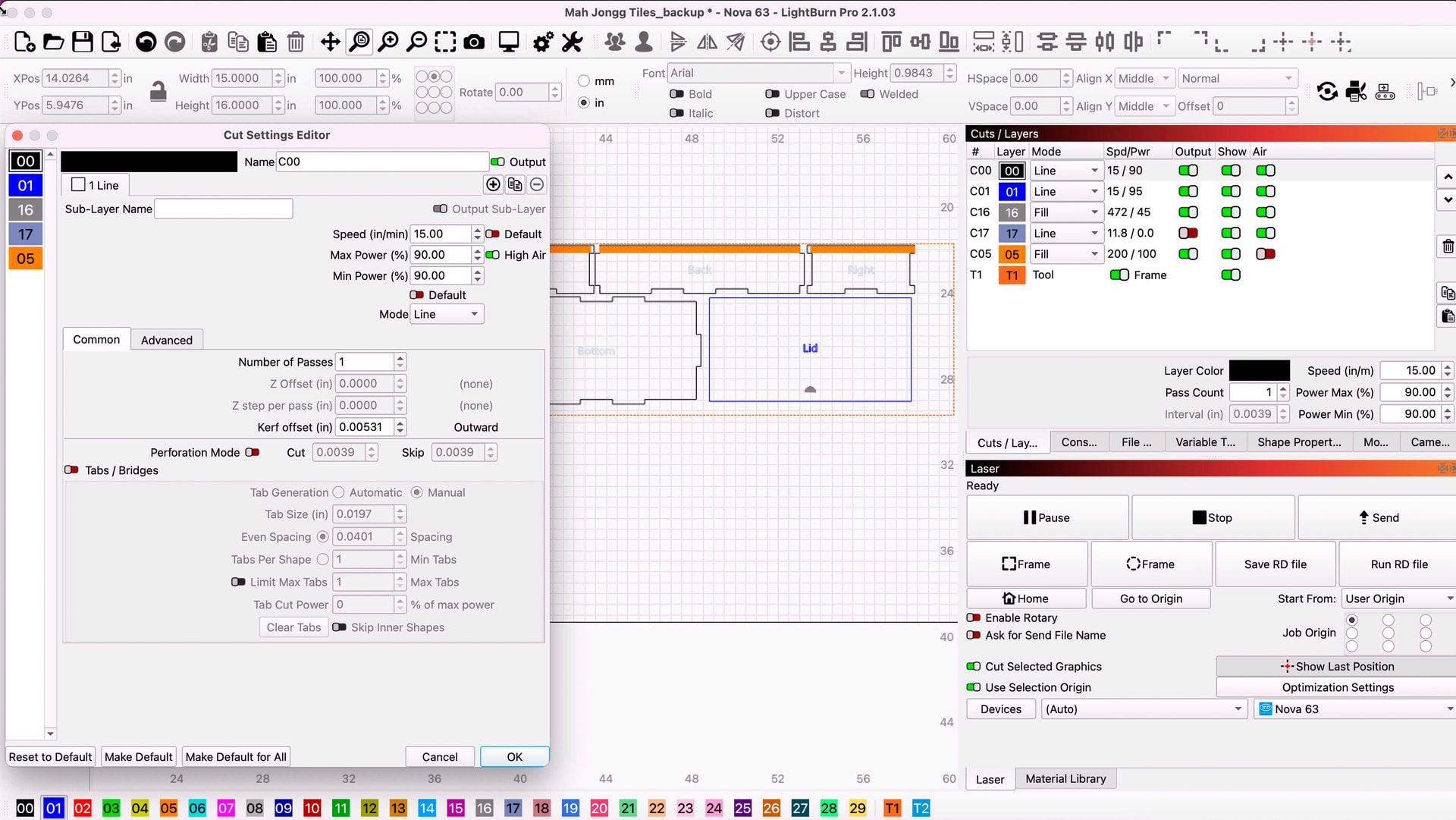
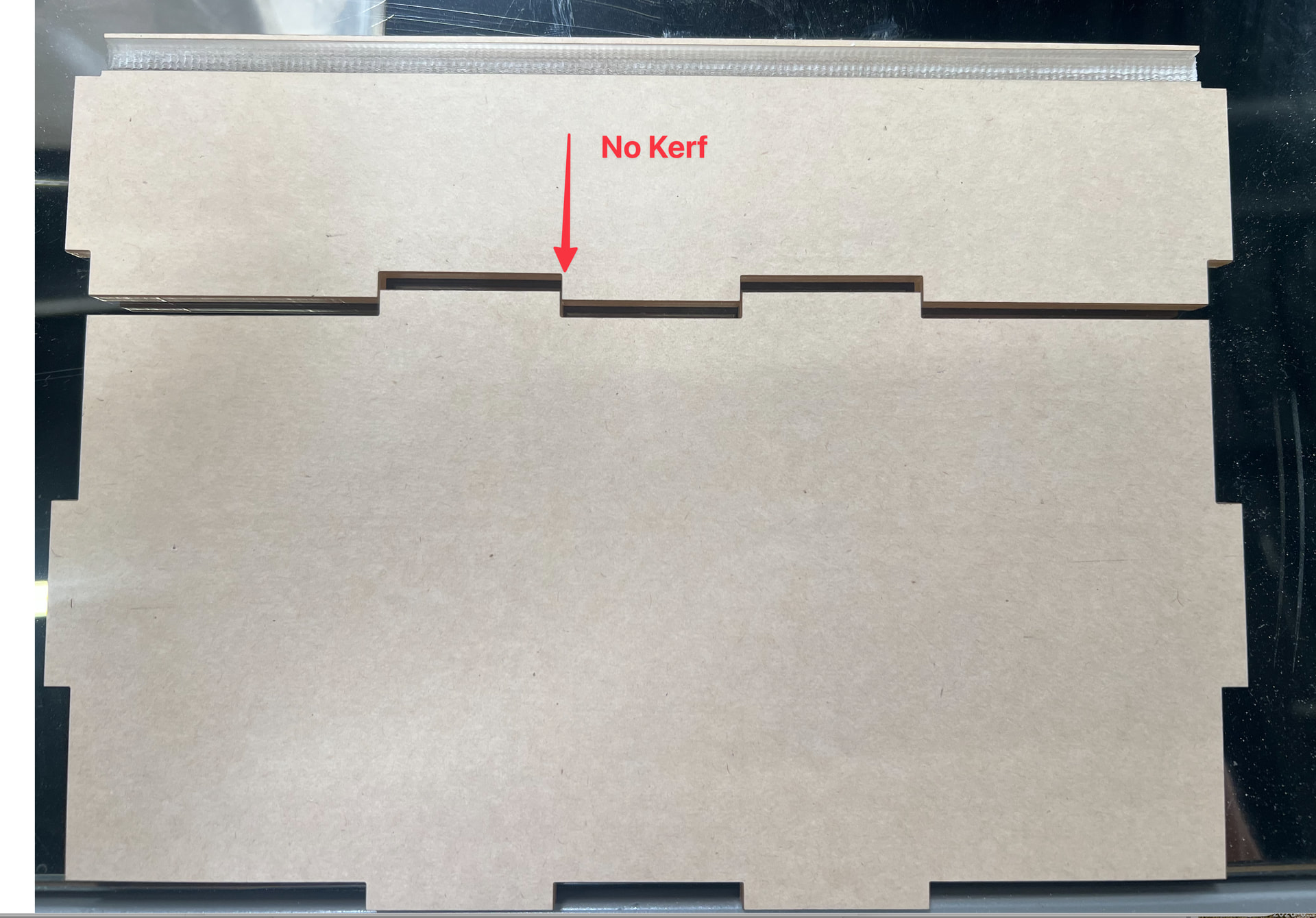
Here is screen shot of some boxes that I make. The first one referencing the fill is way off. This setting fills all the through my material now. Basically burns it all up. The second reference is a cut should be 15/90 and there is. kerf too that no longer applies. All of my files affected. Backups that I keep to these files open the same way.
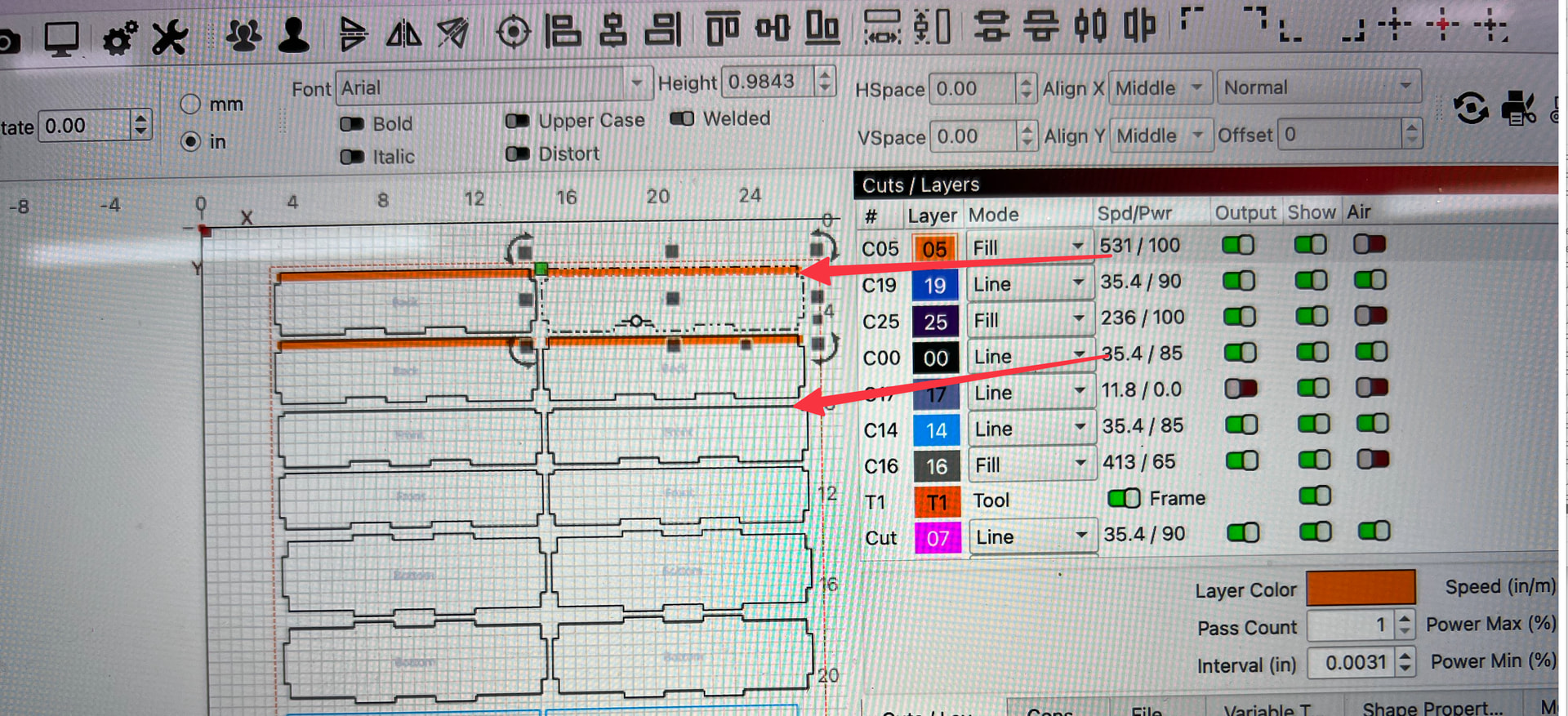
Can you open the layer settings for the C05 layer and the C00 layer specifically and https://www.take-a-screenshot.org/ of those Cut Settings for us
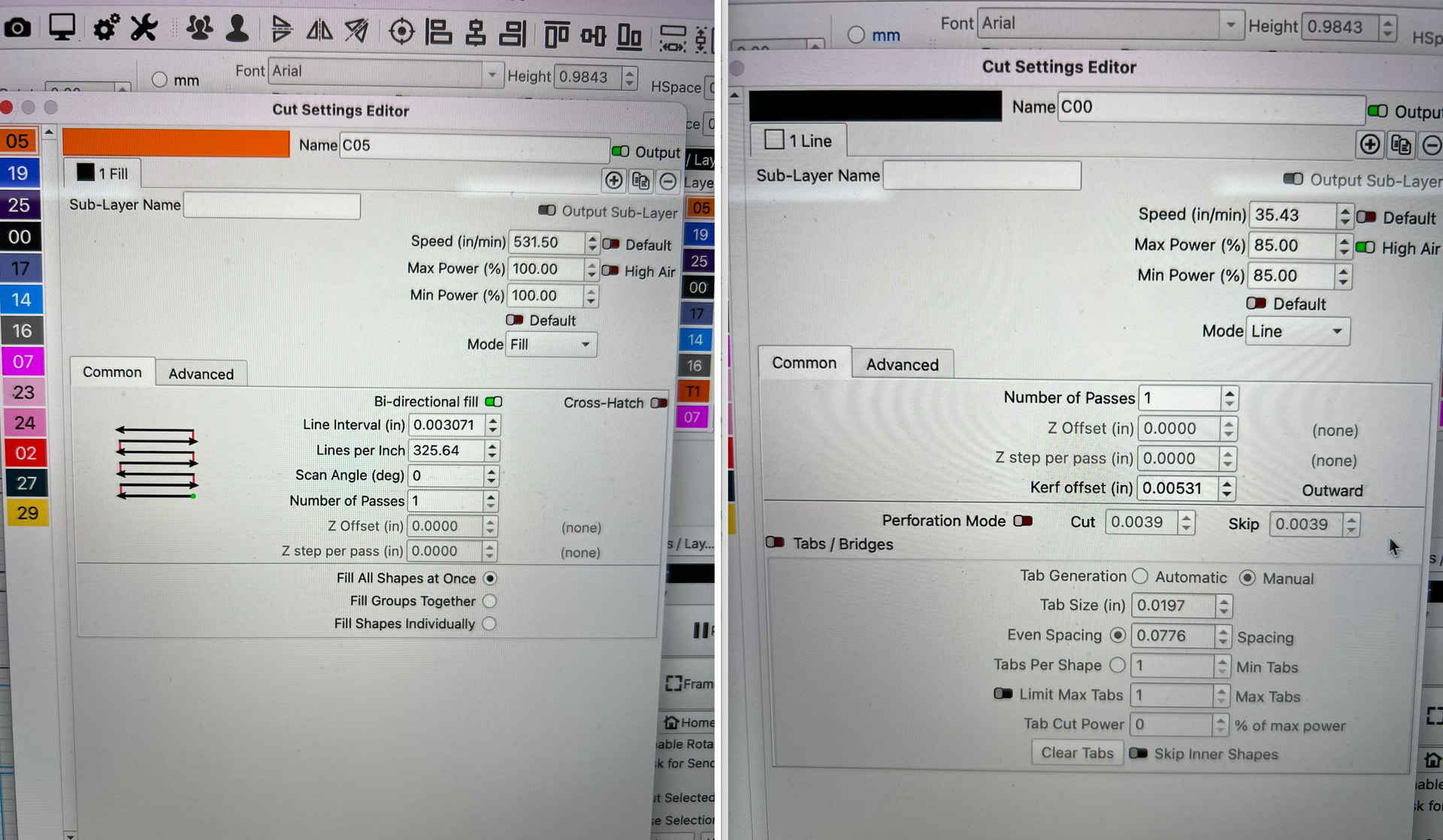
Thank you - could you also provide us with a copy of the .lbrn2 file? Can you also confirm you are opening these files, not importing them into a new project - because this would apply your Layer Defaults

RummiBox 2025_backup.lbrn2 (144.6 KB)
Attached is the file. Also not an import. Do you want me to reset everything to defaults per the video???
I did look at my settings and see that the “Load default layer settings on new or restart” is set in the off position. I did not toggle on/off though.
Any ideas???
Hi @epiclaser
I checked the file you attached, and the layer settings themselves have not changed — they’re being displayed in different units.
For example, C00 is still 15 mm/sec at 85%, which is exactly 35.43 in/min as shown in your screenshot. C05 is still 225 mm/sec at 100%, shown as 531.50 in/min.
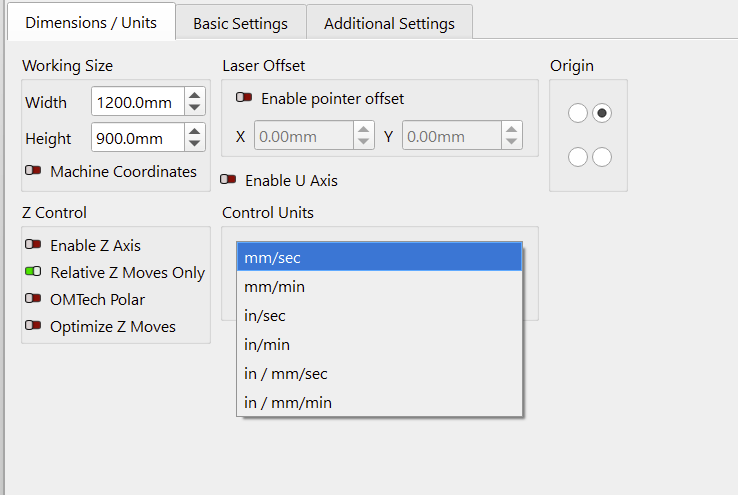
Go to Laser Tools → Dimensions/Units and change Control Units back to mm/sec.
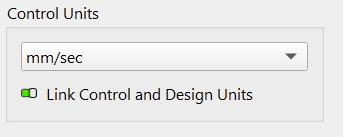
Leave Link Control and Design Units on green.
Your Design Units under Settings → Units and Grids are separate and can remain set to millimeters.
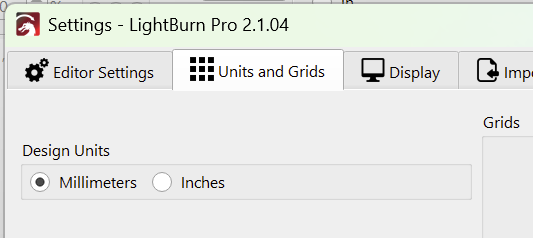
There’s no need to reset your layer defaults. If the laser is still actually cutting differently after correcting the Control Units, let us know and we can look at that separately.
The Load default layer settings on new or restart option is unrelated to this issue, so you can leave that as it is.
Your first screen shot clearly shows:
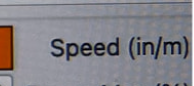
If you’re using a CO2 controller, you’re likely used to working in mm/sec.
The actual speeds have not changed - They’re identical to what they were before. The units they’re being displayed in have changed.
Similar to you driving 50mph and crossing the border into Canada - suddenly you’re driving 80km/h. Identical speed, different numbers.
Hi @epiclaser
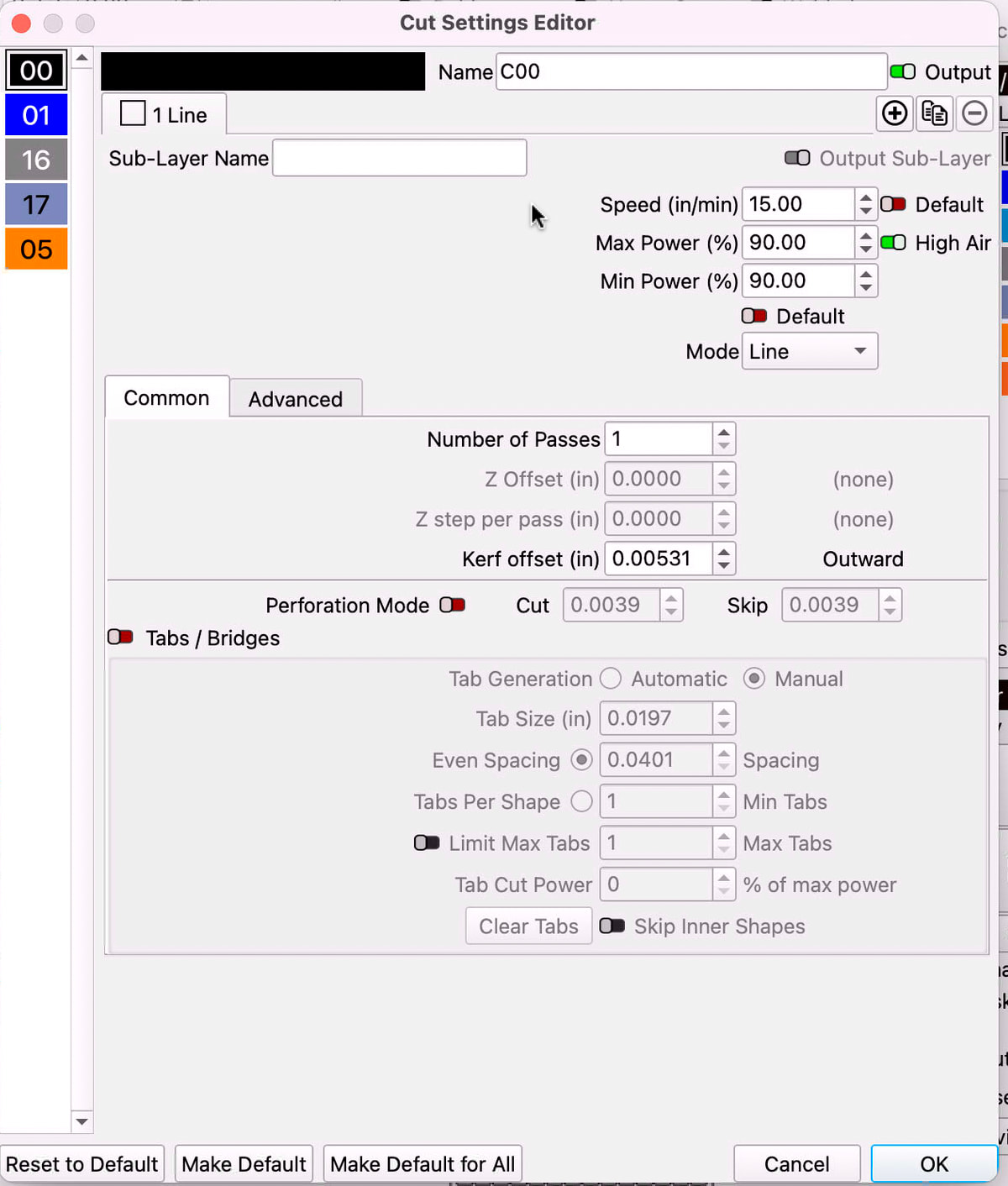
I can see the kerf value is still present, so let’s do one definitive test to check whether it’s actually being applied.
Please make a new file with two identical 20 mm squares:
- Square 1: Kerf Offset = 0
- Square 2: Kerf Offset = +1 mm (0.03937 in)
Use exactly the same speed/power for both, then Preview and cut them from the same material.
The second square should end up about 2 mm larger overall. If it does, kerf offset is working correctly and we can look at why your original kerf value no longer gives the same fit.
One other thing: your earlier screenshot showed C00 at 35.43 in/min / 85%, but the latest shows 15 in/min / 90%. Was that change intentional? Those are significantly different cutting settings, so they could also change the actual kerf.
Keeping track of your intended setting is becoming difficult.