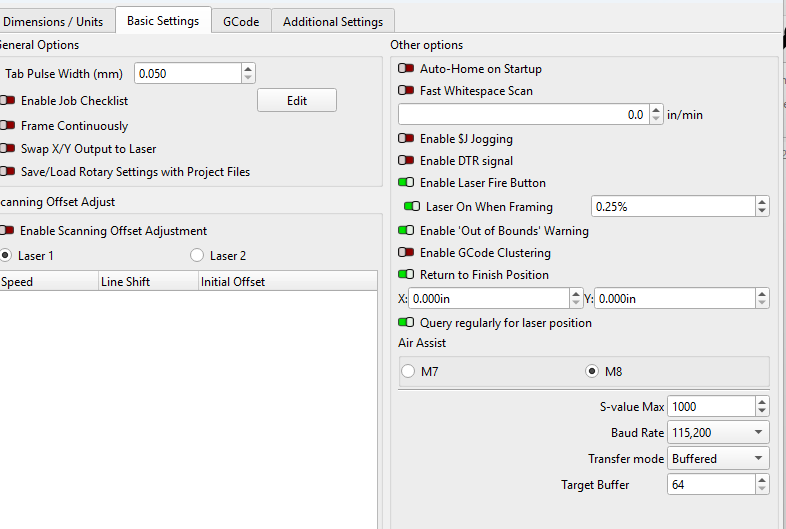
downloaded 2.1.01 and my laser will not come to full power. It comes on when moving, framing pr cutting. But is not coming to full power when cutting. This was not a problem several day ago when using 2.1.00.
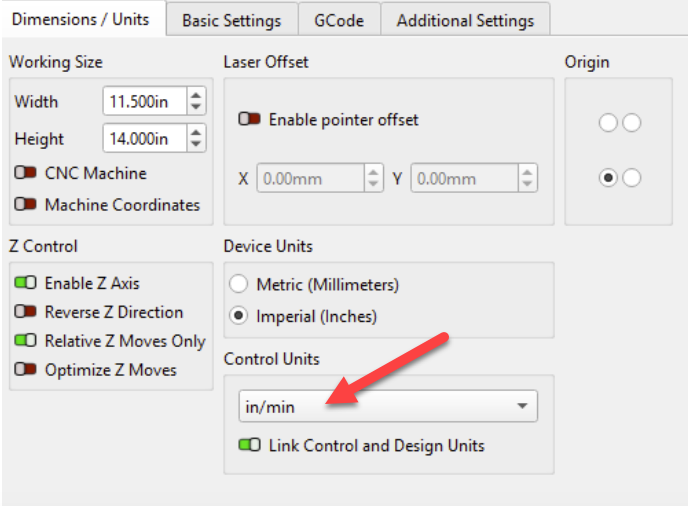
Check your Units settings. Not sure if .00 or .01 got it, but there is a switch linking design with control units. The upgrade might have flipped the switch.
thanks, where do I fined that?
We have full details here: PSA: Unit Settings Changes in LightBurn 2.1 – LightBurn Software
Here’s how to fix this issue now***:***
- Click the wrench icon in the top toolbar, or go to Laser Tools → Device Settings to open the Device Settings window.

2. In the Dimensions/Units tab you’ll see a dropdown menu under the words Control Units. Select your preferred units from that menu.

- Choose whether to enable or disable Link Control and Design Units.

- If you leave this switch enabled, the units you use to create and modify graphics in your Workspace will also change. You will also be able to change both Control and Design units again at any time by selecting from two radio buttons in the Numeric Edits Toolbar.
- If you disable the Link switch, you can adjust your Design Units using the radio buttons in the Numeric Edits Toolbar without affecting your Control Units.

How does this change the .00 / .01 setting mentioed above?
We are making suggestions on no provided screen snapshot (SHFT+WinKey+S) of your settings.
Using v2.1.01, please capture the Device Settings window and the Cuts/Layers window. Upload them in the Reply window.
Almost nothing has changed between 2.1 and 2.1.01. If you can provide a screen shot of your settings, we can point you at the issue most likely.
And you should mention what kind of laser - your profile says 3018 - is that still the case? Those are pretty slow, so if you entered a mm speed in inches the machine would hit max speed, and would lower the power output when it couldn’t reach the speed you asked it for.
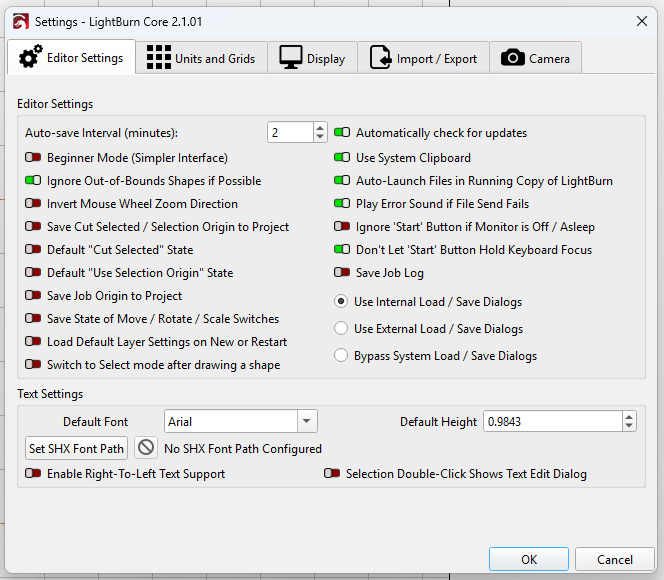
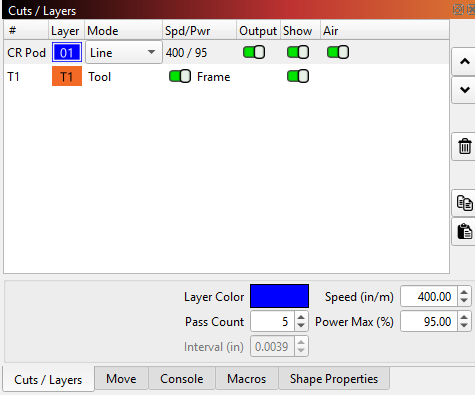
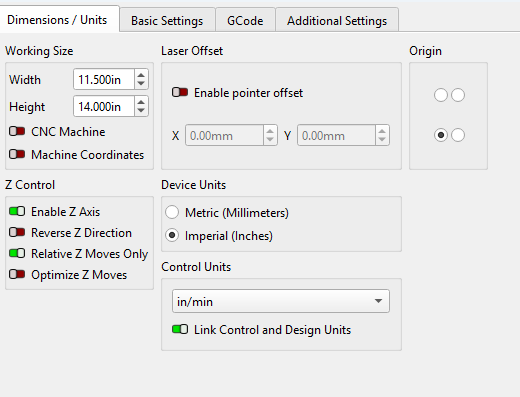
It looks like you need to change your device Control Units from ‘in/min’ to ‘mm/min’:
How does that affect the Laser coming to full power? but I’ll try it. Thanks
If you are using M4 laser mode the power is automatically lowered if the speed gets too low.
So if your job is set very fast at 400in/min and the machine can only physically manage a much smaller value the automatic power lowering will activate since it’s scaling the power based on the speed range.
No, that did not work. Laser still remaining at minimal power, it comes on but must be near 0%. Lightburn has been extremally reliable up to now. I’ve done a lot of stuff for church, scouts, school and the rocket club.
That’s where I’ve always ran it and its worked beautifully. Should I have different M setting?
Hmm, that should have fixed it, did you unlink the ‘Link Control and Design Units’? (you will need to do that if you design in inches).
Unlinking did not work
I dont think the power and speed was ever linked before.
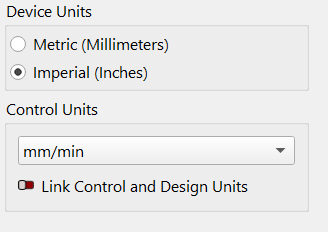
Yes - I did that and still did not work.