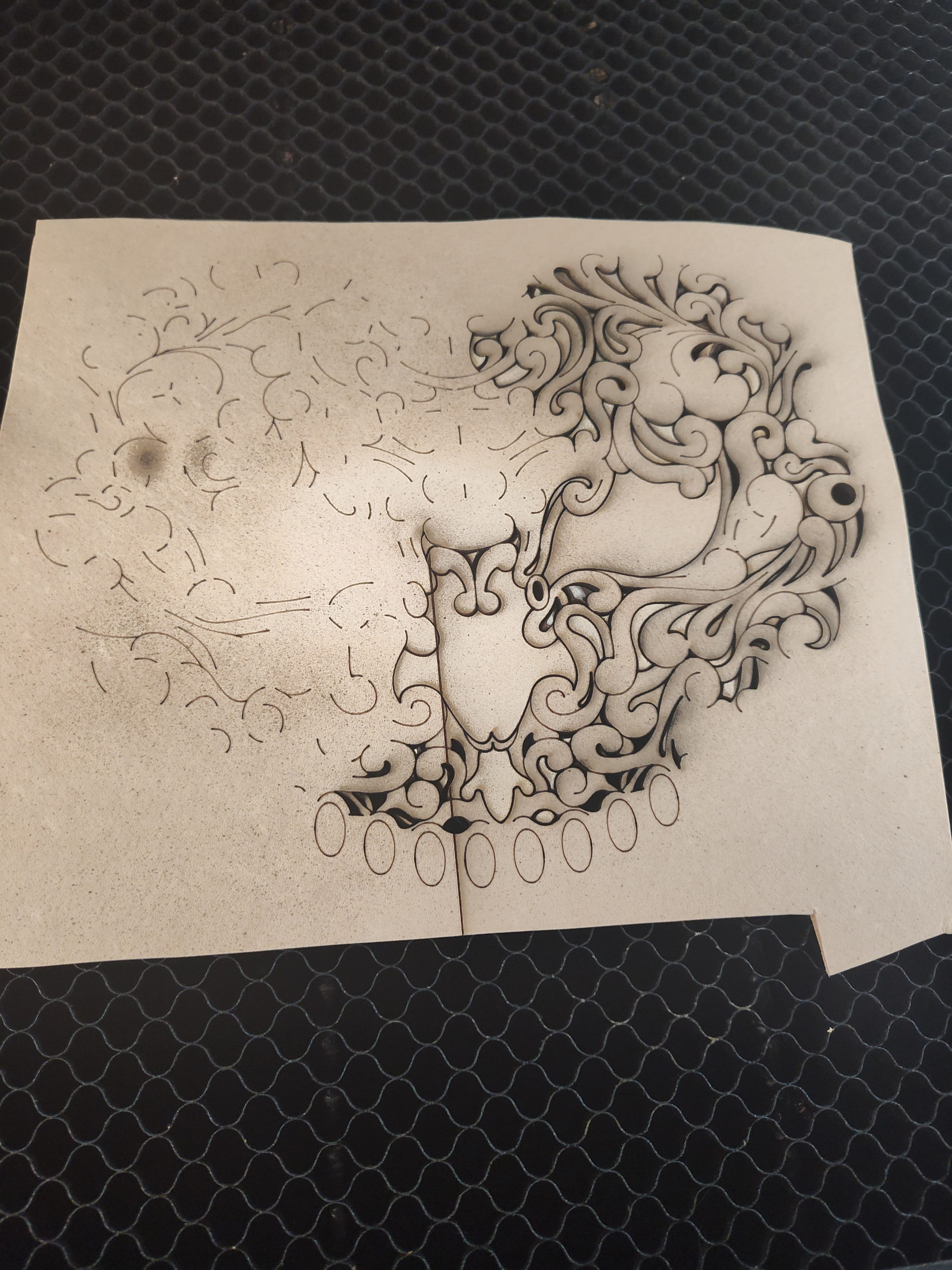
error: Gcode word repeated and engraving a line through my project before stopping
Using an Atomstack Kraft 20w Diode laser, most of the time it runs fine but sometimes in the middle of a project my laser will put a line through my project and stop in place with fans still running.
The door open error is from opening the lid after the laser has stopped, typically my laser will pause when open and resume when closed but not in this case.
Console Log:
Layer Decor Lines Pass 4 of 15

Layer Decor Lines Pass 5 of 15

Layer Decor Lines Pass 6 of 15

\[echo: G1X22X222.71Y162.594\]

error: Gcode word repeated

On or near line 96351:

Job halted

Stream completed in 30:17

ok

ok

ok

ok

ok

ok

ok

ok

ok

ok

ok

ok

ok

ok

<Idle|MPos:220.530,-153.230,3.500|FS:0,1000|APP:407|USB:1|LS:0>

\[MSG:Check door\]

ALARM:13

ALARM:Door Open

Grbl 16AAS11A0075-AB-V1.06 \['$' for help\]

Your Grbl may not support Variable Power mode (M4)

If your laser does not turn off between cuts,

switch to the GRBL-M3 device

\[MSG:Check door\]

\[MSG:'$H'|'$X' to unlock\]

\[MSG:Caution: Unlocked\]

ok

<Idle|MPos:220.530,-153.230,3.500|FS:0,0|APP:407|USB:1|LS:0>
I have now tried 4 different USB cables, including some with sheilding. USB C to C and USB A to C. Using 2 different ports. Now I have received this message and not even an error code.
[echo: 198.34G1X221.997Y196.814]
error: Expected GCodecommand letter
On or near line 76835:
Job halted
Does anyone have a specific USB cable they recommend? Or is this a different issue entierly?
PC is USB-A, laser is USB-C, How did the USB-C to USB-C get in here?
Do any of the cables you tried have a ferrite (big knot) on them?
How long is your USB cable run?
Have you gently wiggled the USB plug at each end while running a program, to see what happens? You can set the laser at zero power to do this testing.
76835 lines is pretty far into the program!
– Is it possible you have some A.C. device that is a heavy load when it starts up, causing the power line to drop?
– Do you have issues with powerline brownouts or serious dropouts?
– Is it possible your laser power supply is overheating?
Assuming that is a direct copy-n-paste, you have just seen a USB communication glitch in action:
[echo: 198.34G1X221.997Y196.814]
There should be an axis letter (probably a Y) preceding the 198.34, but it (and probably a newline and a big chunk of the previous command) was chopped out of the bitstream.
Unfortunately, this now becomes an Easter Egg hunt.
In addition to @MikeyH’s questions & suggestions, let us know specifically:
Which laser model you have
The laser module type (blue / IR / UV, etc)
Its power levels (20 W, etc)
That the PC is not a Mac, because the latter have a unique set of USB issues
Is there any chance you could put a small fan on it? It looks like you have ruled out a USB cable communications issue.
I am guessing you have turned off USB hibernate in windows?
To stop Windows from turning off your USB ports to save power, disable USB Selective Suspend in your power plan and uncheck the power-saving setting for your USB Root Hubs in the Device Manager.
Tried elevating the power supply for good ventilation, with a fan blowing on it. Even plugged it directly into an outlet instead of a power strip. Now I’ve got this grouping of errors:
[echo: 256.5Y98.075]
Successive errors show parts of the G-Code commands sent to the controller are missing, which means intermittent problems in the same job. Because you’ve tried several (presumably) better cables, suspicion now falls on the controller end of the link.
As @MikeyH notes, the power supply can often pose a problem. In this case, however, the controller is not completely restarting in the middle of the job, so the problem is likely elsewhere.
Protip: Run the tests on cardboard instead of fancy material until you find the source of the problem.
First, run the same design file with the laser power set to 1%, which will reduce the average load on the power supply.
Then switch to the IR laser and run *the same design file` twice, with the power set to 100% and 1% to see if that laser head produces different results.
For each of the three runs, copy-n-paste any error messages so the hive mind can see what’s going on. If possible, scroll to the top of the Console output to find the first error in each job, because that will show how far the controller got before having trouble.
I may have found a possible solution, and if so some further complications.
I noticed sometimes when stopping a project I would receive this error message:
Your Grbl may not support Variable Power mode (M4)
If your laser does not turn off between cuts,
switch to the GRBL-M3 device
My laser does turn off between cuts, but I tried disabling “constant power mode” in my layers and I have now successfully completed 3 runs of this project without any errors or stopping.
My new issue is I am cutting primarily leather, and without constant power mode the corners of my design are often hanging on by some fibers, rather than falling right out, making clean up much more time consuming on intricate projects. Is there a way around this? I don’t see GRBL-M3 as a device option.
If it works, it’s all good, but it does not explain the missing chunks of G-Code.
The controller ramps the power down at the corners to avoid overburning the cuts, but that can sometimes reduce the power below what’s needed to get all the way through. For a GRBL controller, the solution generally requires increasing the layer’s power level or decreasing the layer’s speed.
This Troubleshooting section explains what’s happening:
The Min power setting is not available for GRBL controllers.
More detail from @misken’s invaluable Sculpfun wiki: