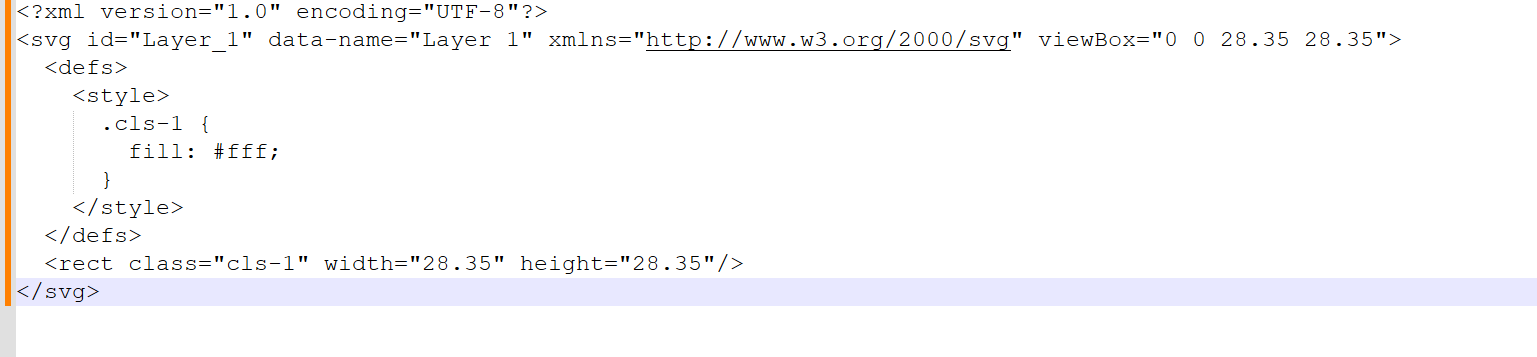
From what little I understand of this type of language/code, to understand the error in that line you would have to open the file in a reader where you could see what’s there. It could be something simple or not…
Update: If I enable the “Include SVG Code” option under IIllustrator > Preferences > Clipboard Handling (Windows), then copy the SVG content into a text editor first and paste it from there into Lightburn, it works correctly. This confirms there’s a compatibility issue between Illustrator 2026 and Lightburn when pasting directly—regardless of whether the option is enabled or not, the error still occurs.
@Rick I’ve tested this on two separate PCs, as well as on the pre-release RC1 of version 2.0.05, and can confirm the issue occurs across all versions of LightBurn. There is definitely a compatibility issue between LightBurn and Illustrator 2026 when pasting content.
Unfortunately “pasted into a text editor” first doesn’t guarantee that the content is the same.
What that tells me is that they’ve likely screwed up the “SVG” version that’s on the clipboard, but not altered the text version.
The system clipboard can have content in multiple formats. In LightBurn, we check to see if there’s “image/svg+xml” data on the clipboard, and if there is, we pass that data block directly to the SVG import code. If it worked before, and then updating to AI 2026 means it’s not working now, it’s likely something they’ve broken, which they seem to enjoy doing a regular basis for some odd reason.
I’m working on a change that let you enable debug logging and then drag or paste into LightBurn, and it will record the content to a file so I can look at it.
I’ve sent you a private message here with a version link that has some extra debug info and instructions that should help me figure out what’s happening.
We have a fix for this coming in the upcoming 2.1 release, and if there’s a patch release before then it’ll be included there too. We can’t control what Illustrator does on their end, but have updated our code to handle it.
Hi, i do work with Illustrator and this happened to me when I updated the Lightburn. I confirm the solution given by @morasool is valid and once you turn on the feature it is permanent and the copy/paste issue is resolved.

 hope someone will fix this issue, it’s kinda vital for workflow