I am using Lightburn and my creality falcon 5w (and if it matters, the gcode is on a mini sd card. The engraver isn’t connected to a PC).
For you, how accurate is the total time estimate in the preview page vs. actual for you?
For me, engraving just a small amount of vector single stroke fonts, I get something like 30 seconds in the preview window. But it actually took 1 minute? Yeah, just 30 seconds difference. But also 100% slower.
And would you think connecting the engraver to the PC would speed things up?
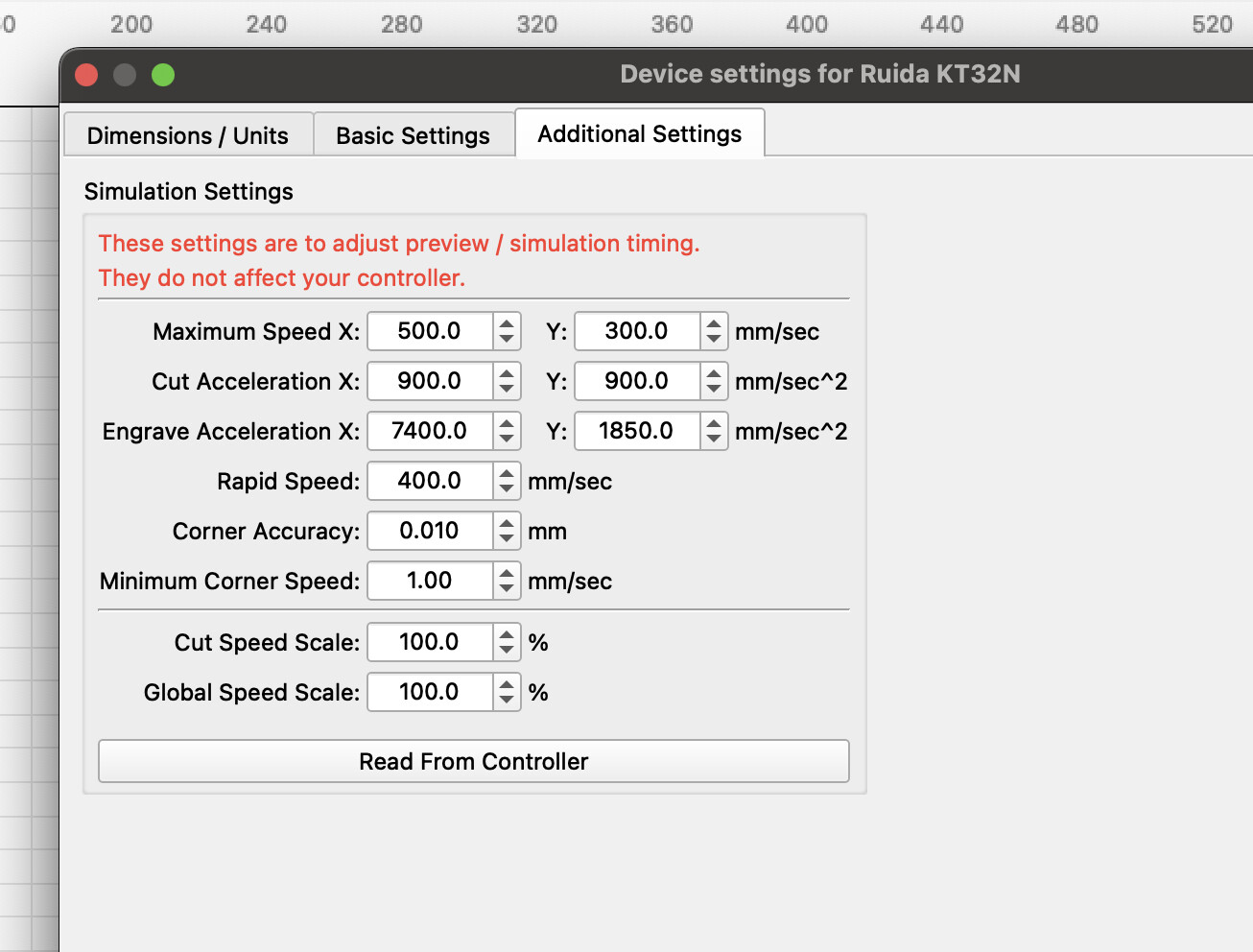
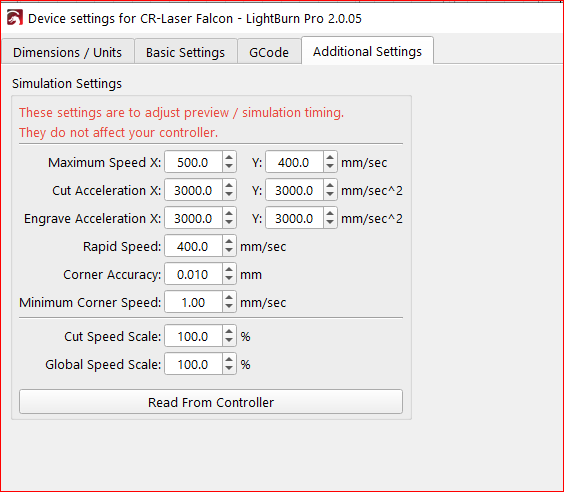
LightBurn needs information about your machine to be able to calculate the time. On DSP machines, LB retrieves this information via the function shown in the picture.
With my setup, the processing time fits reasonably well, and stays within 10%, which gave me a good indication.
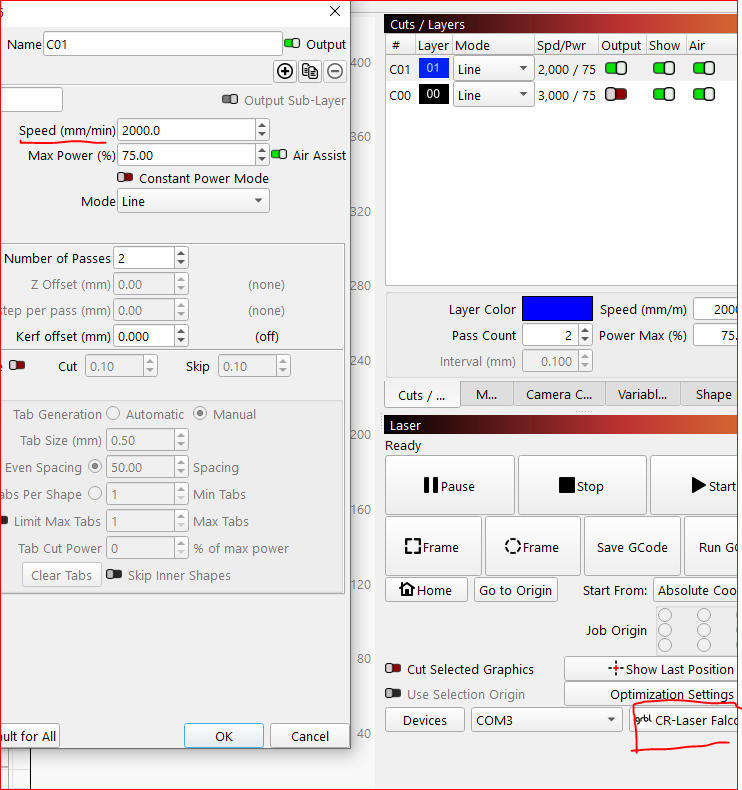
Intersting / disappointing… that image shows max speed of 400 - 500… I’ve been setting a layer to 2,000 - 3,000 - 4,000.in lightburn. And lightburn didn’t complain. Changed the 2,000 for the layer to 20,000. Yep, the total time in preview dropped. But it’s pointless - the engraver can’t go that fast.
I’d think the software would warn that the speef for that layer isn’t possible with the engraver that’s selected?
Am I doing something wrong? The device does talk about com3… but I am getting the gcode to the engraver with a micro sd card.
I know with 3d printers, you need to slice the design. and then the system will warn about errors. Am I missing a step to check layer speed vs. actual for the printer? A setting to warn / not warn if I choose a speed that’s too fast for the laser?
I have noticed error in total times shown between preview and actual, and have read from controller that is the same as shown in machine settings.
I have noticed if on a line say cutting on 2 passes or 3 the preview time is way off with the more passes set, but pretty acurate on images and one pass!
I have found the times on my Flacon A1 Pro to be about 2 mins longer than what it says. So really not the bad off. All though I have had one that was about 10 mins off. and for speeds on mine it can go 600 MM/min which equates out to 36000 mm/sec
I usally run in the 10000-12000 for engraving and have been playing with cutting speeds. started at 500 and have gone to 700 and 70% power.