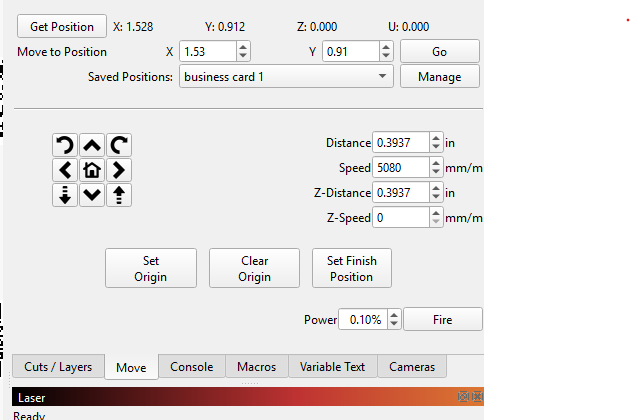
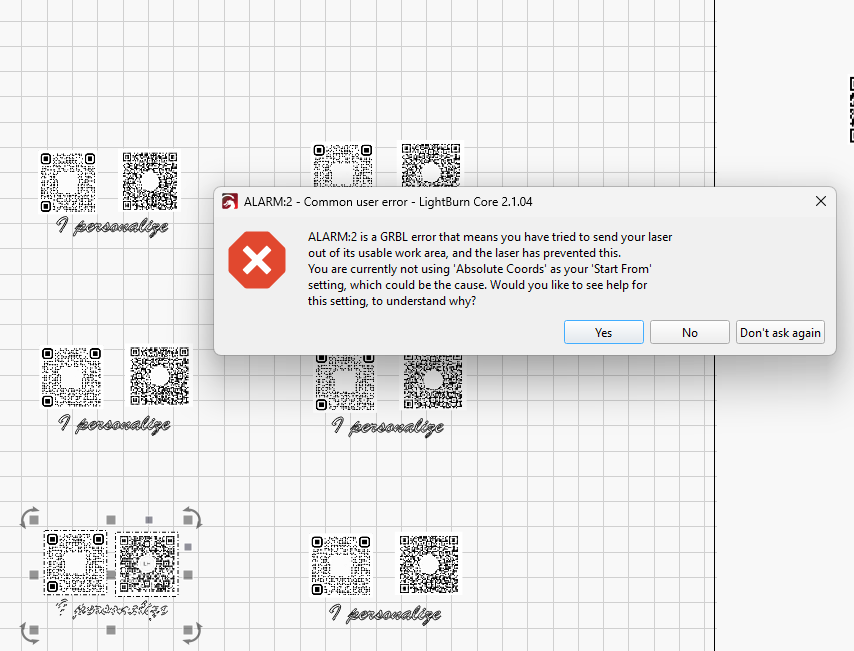
I can frame any project correctly, however when I hit start, it always starts to the right of the project it just framed, even with using any of the 3 options as to where to start. If it starts from the right, I then get a possible out of bounds when using Start here and also User Origin. I have screenshots of the Move window and also the error message when the setting was Start Here.
Without more detail, I’ll point out some causes that resulted in identical symptoms for me:
Having “Pointer Offset” enabled.
Hidden layers selected.
“Job Origin” (not “start from”) selected at a point outside the intended location.
This also happens to the left, which is how this all started. I tried to edit the posts to add this, but get an error message saying the post is too old to accept the edits.
- Does your machine have Homing switches?
- Stick with Absolute Coords for now.
- Left OR right suggests a coordinate issue.
Screen capture (no cell phone pix please) your screen showing the design grid.
This is something that the moderators should clarify.
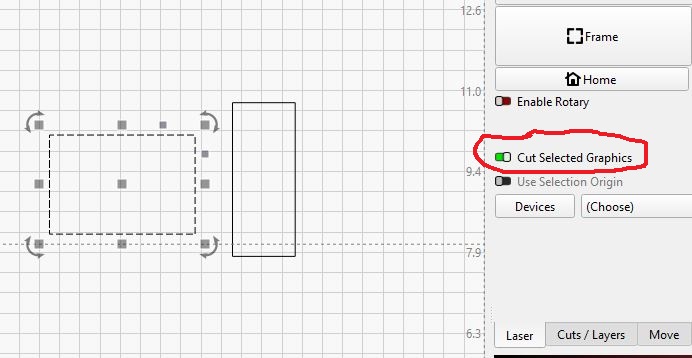
It does not matter if that is turned on or not. It does it anyway. Yes the image shows a selection, but again the problem occurs whether Cut Selected Graphics is selected or not. Logical question though. Thanks
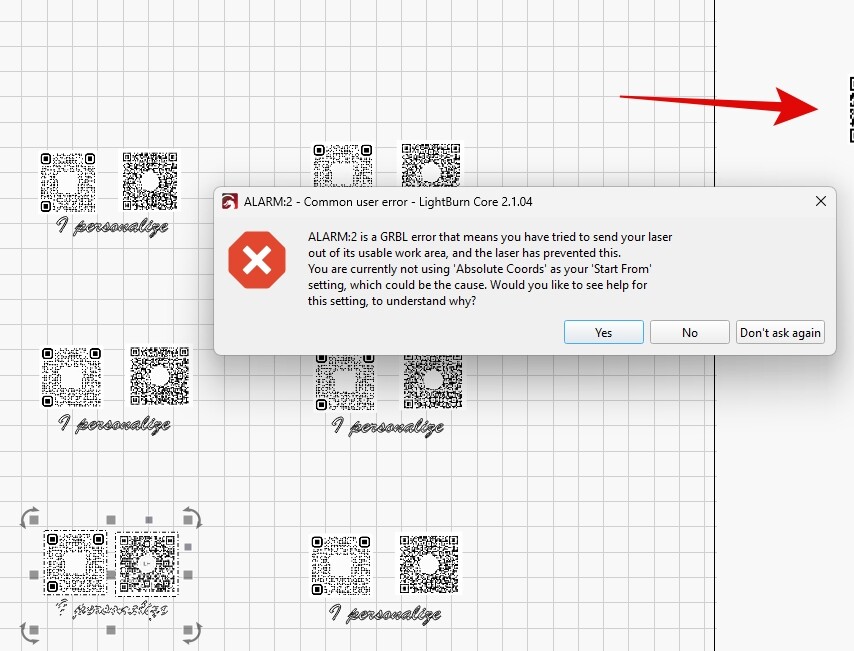
This is another page or group that is part of the file. It is totally off the desktop and those never affect the engraving or cutting
I only screenshot when I send these. I do not use my phone. My machine has boundary switches, yes. Enable Pointer offset is not enabled.
I don’t mean to sound pushy. We ask a lot of questions, and say stuff, because we cannot see what you see. You have to be our eyes, ears, and keyboard operator. 
If there is one person asking, there is a 50-50 chance of a solution. If 4-5 are asking, the wider points of view increase the odds dramatically. We all have the same goal, and that is to get you running.
I totally get what you are saying and I don’t think anyone is being pushy. You are wanting as much info as possible in order to help, and I so appreciate you and the others.
I found something interesting. I have not used the diode module on that machine since late spring, early summer. I was using the IR 2w, which is when I found this situation. I stopped using that machine totally over the summer, because it is out in my garage and it was far too hot to use it. Now that things have finally cooled off a bit, I was able to “attempt” to make some more of my business cards. That is when I found the problem. Today, I decided to test the diode to see if he was doing the same thing with that installed. Well, it did not, and I cut a full project with it doing exactly what it should do.
I am totally baffled and obviously do not know what the heck is going on. The 2 modules are both Laser Tree and the diode is a 30W and the IR is a 2W. I have been in communication with them and they sent me some commands to try in the consule, which Lightburn did not accept them. That is the extent of their help thus far.
Again, I appreciate everyone trying to help. I know it can be a crap shoot. I did tech support for a large school system for several years before I retired in 2005. My biggest problems with that was many times user errors like not plugging in the printer and other spacey things and I had hard drive failures or simply needed to reformat the drive to replacing the CD drives or floppy drives. Things are a bit more complex with the addition of complex peripherals and the software that work those.
So folks, ask away and suggest whatever, I am up for anything at this point.
Is it possible the beam is not in the same exact place when switching modules?
Put one on, Home the machine, and burn a spot on some wood. With the wood in the same place, mount the other module, Home the machine, and burn another spot. The spots should be in the exact same place.
I am assuming you make no other changes to Lightburn or the laser controller except for power settings.
One more thing to rule out.
I will look at doing that tomorrow. The IR module is about half the size of the diode. I don’t think the burn will be the same and it will be interesting to see what the difference will be. I will do a circle and square on top of one another.
If you use a crosshair laser pointer for framing (do you?) then its possible that the pointer offset should be enabled for one or other laser module since aligning the laser output to match the framing is its function.
I do not use the crosshair for framing. I only use the “beam”
Ok thats good. I’m not sure what else would cause a framing and output mismatch? The ‘current position’ mode is the one it sounds like you are using usually? Pay attention the the position of the small green dot which indicates the job origin - I could not see it in your screenshot? and as @Kuth and @MikeyH have been saying its important to know where that is. Enabling both “Cut Selected Graphics” and “Use selection origin” works well with the current position mode.
After reading all the comments and suggestions given so far, another idea came to mind to try to decipher the origin of the problem.
When simulating the job in the “Print Preview” window, is this deviation you’re referring reproduced?
Another thing I remembered, but this question is for those more familiar with the software’s features. I believe someone had a problem where the job didn’t start in the supposed location due to an “optional line” that wasn’t visible but divided the job. Does anyone have any idea what it could be? In the worst case scenario, I’m just dreaming, but it seems too far-fetched to be a dream…
Not sure what else either. I am betting it is something simple once we get the right clue.
Any idea? I am running out of them too. If the diode head positions properly, then it has to be something related to the I.R. head.
Is this our Kobayashi Maru? 