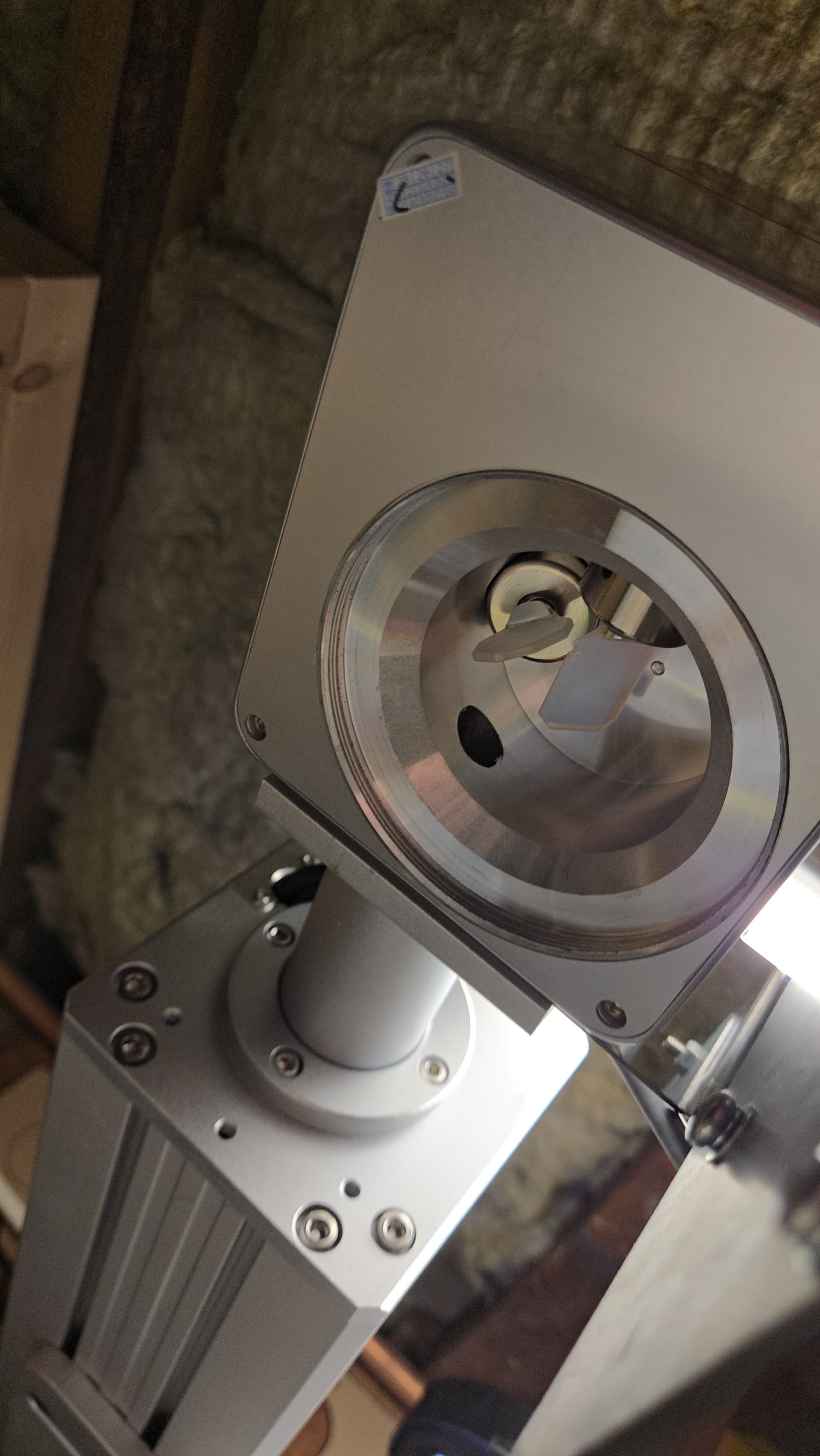
I received a new laser and as soon as I powered it on I heard a clicking in the Galvo head. Upon examination the mirrors were hitting each other. On mirror is now chipped and needless to say the laser does not work.
What would cause this?
I received a new laser and as soon as I powered it on I heard a clicking in the Galvo head. Upon examination the mirrors were hitting each other. On mirror is now chipped and needless to say the laser does not work.
What would cause this?
The two galvo mirrors are usually mounted so that they cannot touch each other, no matter how far they swing.
Unfortunately, it sounds like damage during transport.
You should contact the supplier.
This is the reply I got from the supplier and I don’t agree so that’s why I’m asking here.
we see it from your Video
this is caused by the unstable house voltage, this problem rare to happen
we suggest to change a new Galvo head , price at 150USD include shipping
waiting for your reply
best regards
I don’t agree with that either.
Can you show us the video you sent them?
Which brand and model is this?
I see where the mirror hit the other one and where it chipped off.
In my opinion, this should not be possible if they are mounted correctly.
Most, if not all laser galvo heads are a closed-loop system - The driver continuously compares commanded angle vs. actual angle and corrects any error.
Electrical noise, or a grounding issue could cause the feedback loop to become unstable and drive the galvos to the mechanical limits. (Which should not be where the two mirrors collide.)
“unstable house voltage” should be corrected by the power supply.
I recommend contacting the supplier again and pleading mechanical failure.
Thank you for you input and that’s what I thought about the power supply too.
When I do get a new Galvo head is it a simple swap or will there be an extensive calibration process?
The manufacturer should have sent you a config file named either markcfg7 BslCAD.cfg or LmcPar.cfg
that you import when you add your laser to LightBurn.
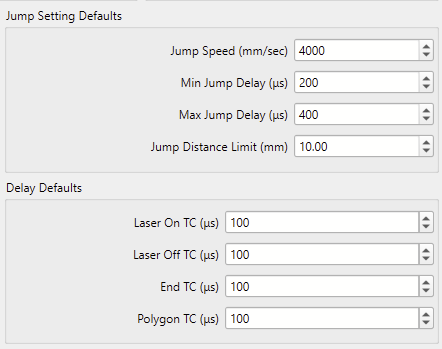
This config file ideally holds the correct timings for the Device Settings here:
This page explains the galvo timings well:
Most brands don’t care too much about the timing values. If you see 100us in the Delay Defaults, that’s an indication that you either didn’t import the config file, or that the config file didn’t contain any timing info, and LightBurn populated the settings with the default values.
Short answer: Yes.
It will still engrave with wrong timing settings. Take a look at this thread to understand what you need to look out for when chasing the perfect timings.
The video from MakrTheory is my preferred way to calibrate.