sejiro7, I hear you. I would like to offer a solution. I can not at this point. I do not understand the issue, the tests you conducted nor the results you have shared. But, I want to.
I understand you remember having some settings and have a memory of how these settings produced. I take you at your word and will not challenge this, as I was not there when you did these things. You remember seeing red/pink traversal moves in the Preview you saw. Got it.
‘Show traversal moves’ is purely a visual option in the Preview to show when and where the laser head will move when producing the job shown in the Preview. It shows when the laser moves when not firing. That is it. This is its only function. It does not alter the image, nor image output in any way. And it never has.
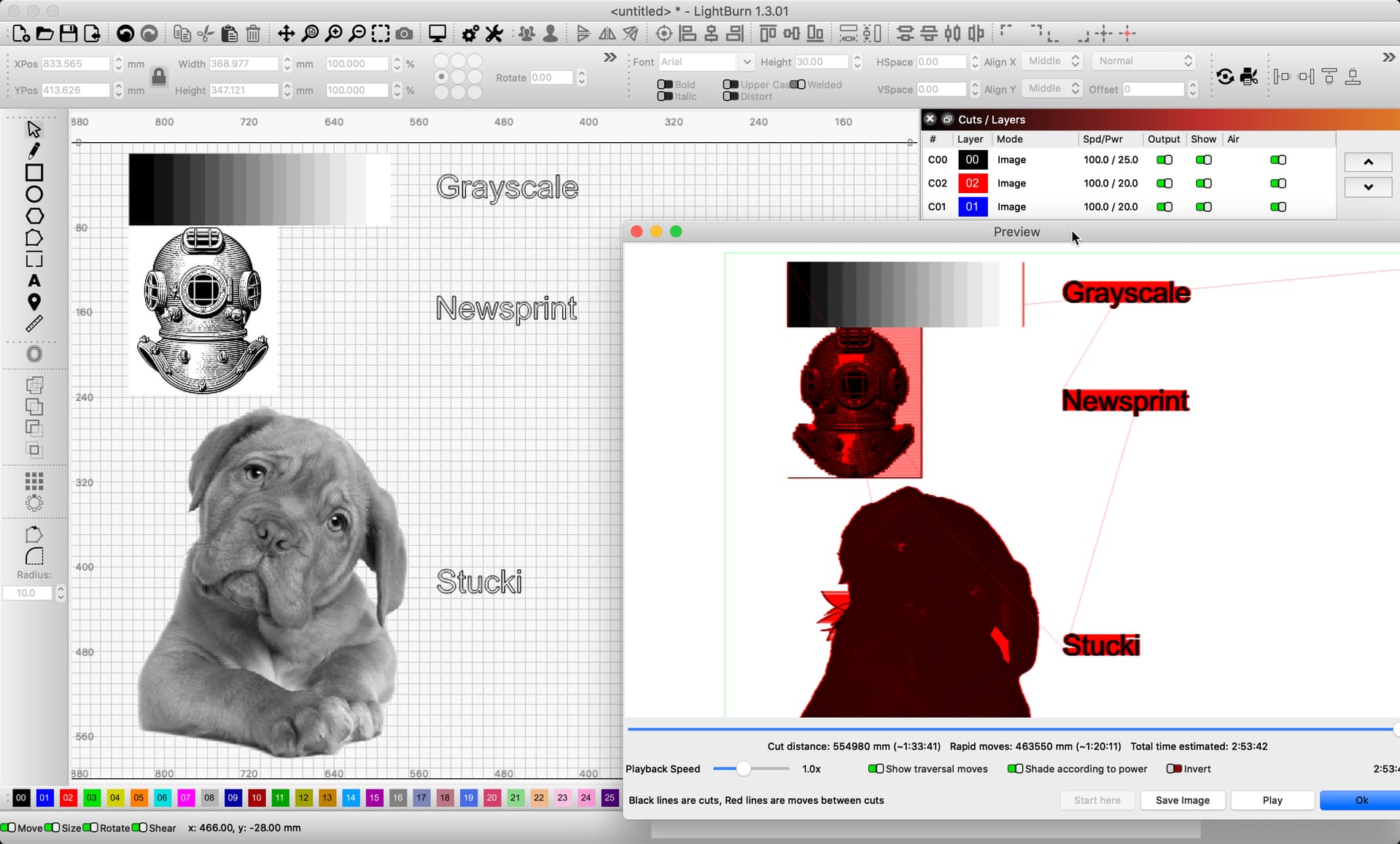
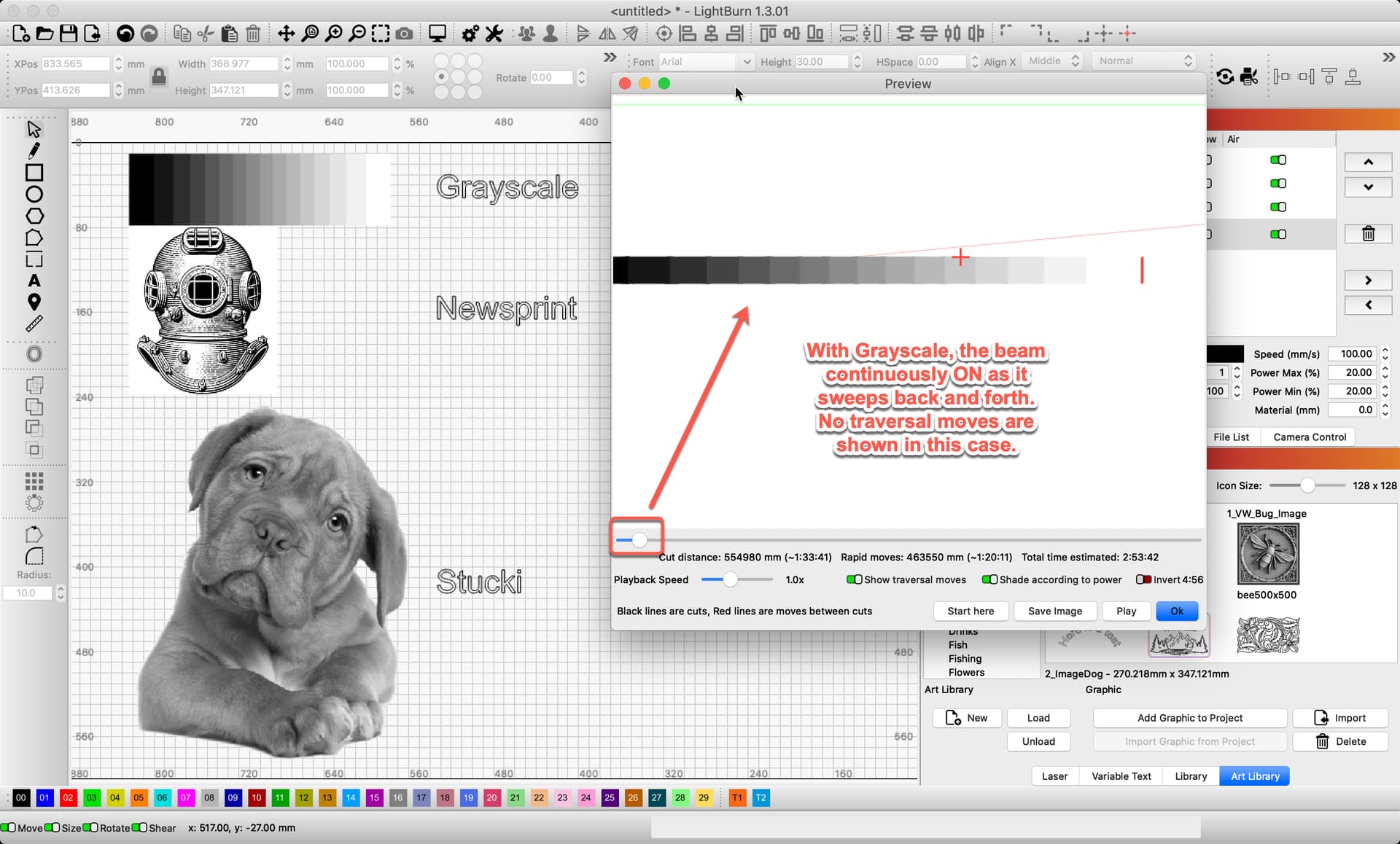
Here I show several images, the top is set to Grayscale, the middle set to Newsprint, and the bottom image is set to the default of Stucki. You should see how the traversal moves, shown in red, differ based on the image mode set to that layer. Laser moving while the beam is off shows in red. You will not see these red moves if the laser beam is firing at this point in the job.
Grayscale is produced with a continuous beam, while altering the power. The beam is not turned on and off while traveling, as the other modes do. You will see traversal for the overscan only.
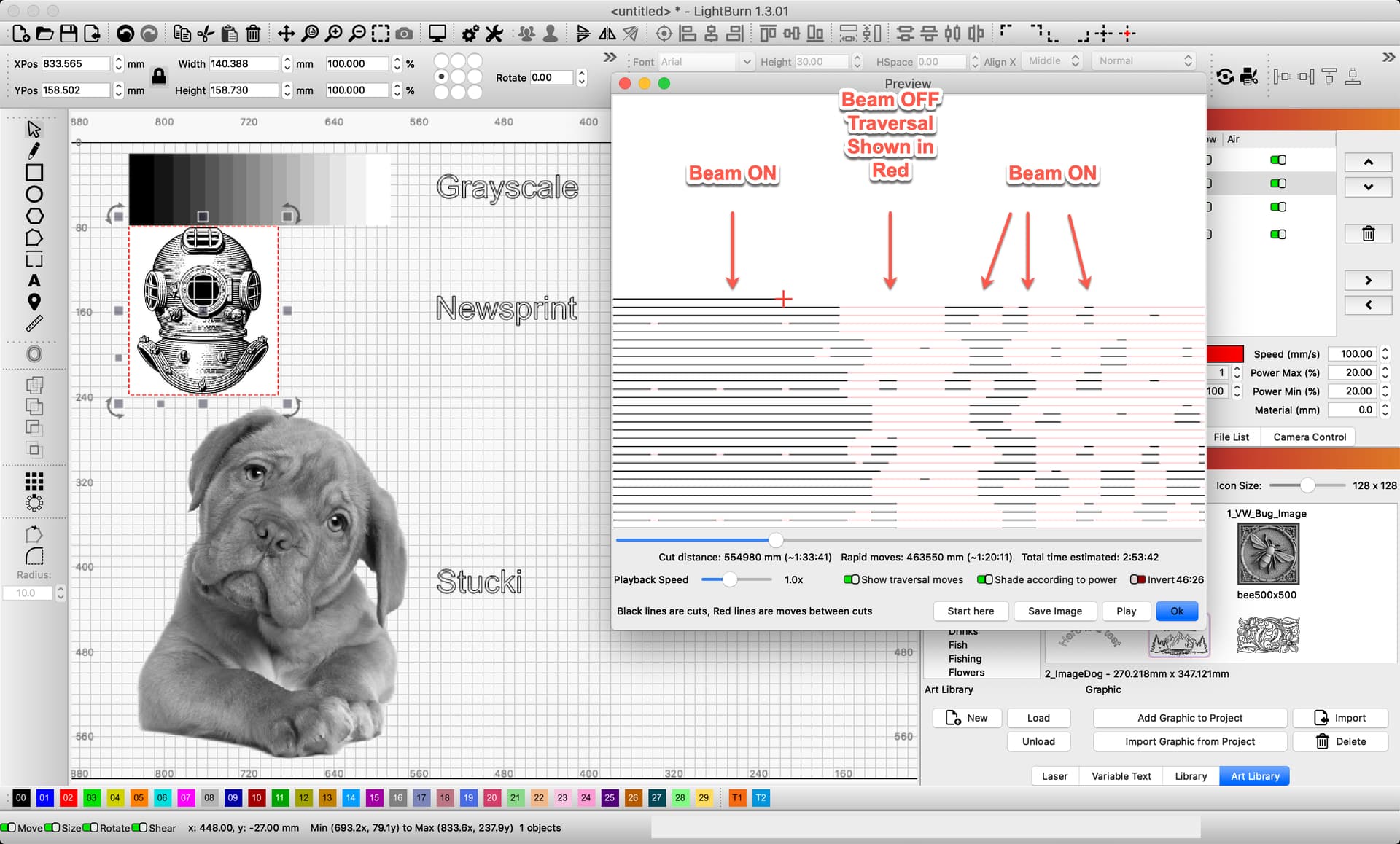
For Newsprint, you can see when the beam is toggled On and Off.
You say, “Grayscale not functioning”, yet we have demonstrated, on our own, internal gear, that it is working, using your artwork.
I would like to see the results of the testing @berainlb requested above,