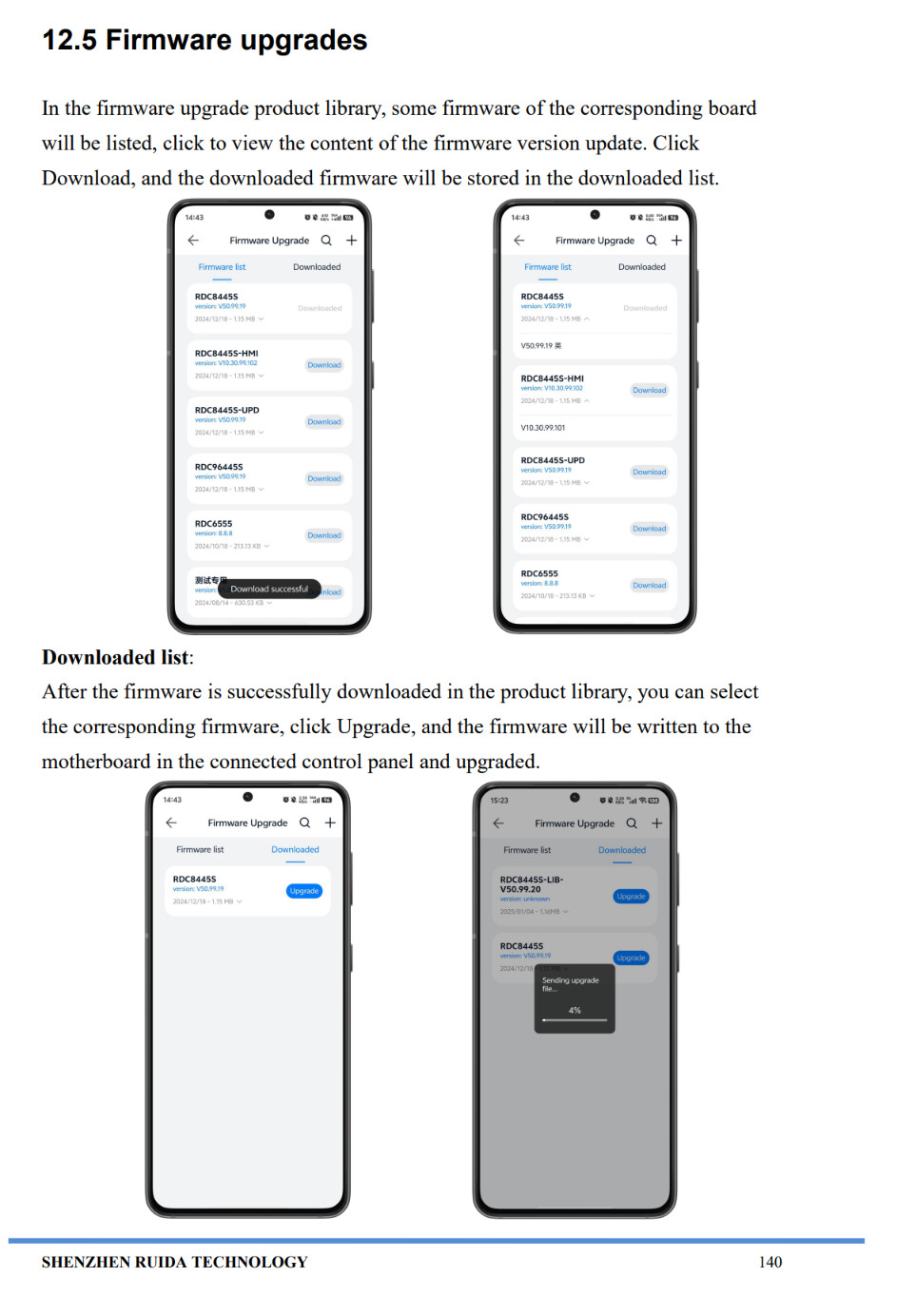
I will attempt to do the firmware upgade today I think thats probably the best and maybe only option to resolve the ongoing issue.
I do have the usb stick with all the factory parameters on it that I can reload. I have checked those params in the machine vs what is on the USB stick and they are all the same, so it doesnt seem as though anything in that part of the machine config has been effected.
The vendor in China, Favo Laser has been immensely helpful through the entire process so far. Offering tech support, remote desktop support for their techs to look and see if they could see anything that would be causing the issue.
I will report back later today once I have had a chance to upgrade the firmware.
For whatever it’s worth, the idea that this might happen to someone has kept me awake at night since the start of LightBurn, and it’s one of the reasons we don’t have the ability to do a firmware update in the software, and why the function for editing machine parameters was so late to go in.
Those are the bits, to me, that could actually brick a machine, and I’ve always treated those bits of the code with the fear & respect it deserves. I’ll be very happy if the firmware update resolves this for you.
Typically you can get it from your laser vendor (who will have access via their connections with Ruida.) - I wasn’t able to find any public facing firmware bundles with a few minutes of searching.
I have received the latest firmware from Ruida RDLC-V50.01.08. Sent the update through RDWorks without issue.
Proceeded to install LB 2.01.02 (Moved everything off the bed just in case this time)
Currentty I am able to send 1 single file across from Lightburn into the machine.
Any other files that I try to send it says the machine is busy or paused.
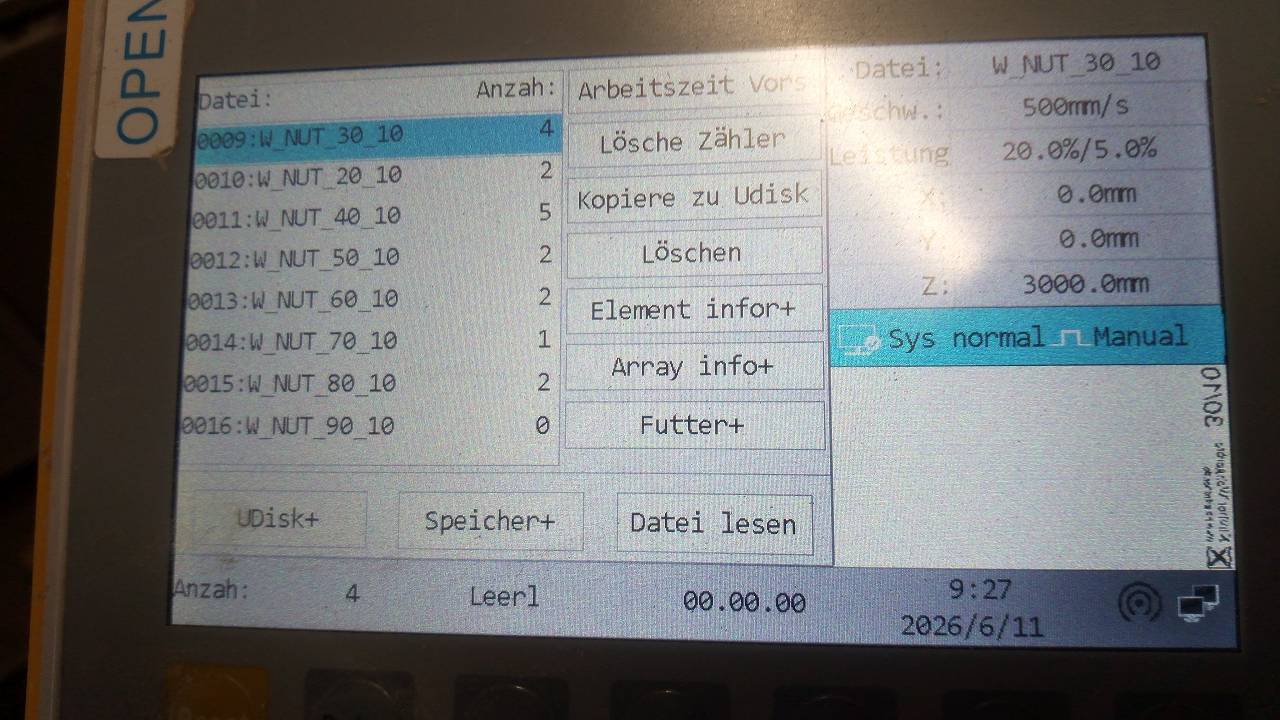
In order to send more files, I have to go through the file menu (on the controller), wipe its memory of files. Then you can send just one more across without having to go through the same process over again.
It will cut the profile, but what it cuts is inverted from what is shown on the screen.
The top parts will be down the bottom and bottom up the top. Like the file has been flipped over.
Regardless of where I set the job origin, it decides it is cutting from the top right of the part. This could be me not understanding how LB works, but in the past if I set it bottom left, once I origin it there, thats where it will take its frame from and go up/right from that point.
On the lightburn main screen the origin was moved to the left top. It has always been top right of the machine as long as I have used it.
I have moved it back top right but doesn’t seem as though that has changed anything.
Sending cut files in RDWorks is seamless and no issues. Origin is always where it shows it to be. Can send file after file without errors.
Maybe this helps. I can manage the files on the controller directly from LB and add new ones whenever I want—it always works. I currently have 35 files on there that are ready for use. Since I do serial production, I need to access these files repeatedly without a PC. As you can see, I use underscores to replace a folder system; this allows me to assign data to specific jobs, and it works perfectly.
Yes, before my initial issue with 2.0.01 I also had no problem transferring or managing all my files from LB without ever having to look at the controller file menu.
I was only made aware of its existence by a local tech that suggested I wipe it to try and remove the “Paused or Busy” error it was giving. Which actually did give me a work around.
At a bare minimum, at least the Z axis is not trying to run itself up any longer.
I dont do long production runs of the same part. I cut 1600X1000 pieces of 10mm acrylic and other Mats which are always full of very different parts, so its no use to me being able to cut from the controller.
I will make a video soon that shows the issue with the LB transfer
I can definitely try that tomorrow. Ive never bothered changing the filename previously (other than trying to only use lowercase for the workaround)
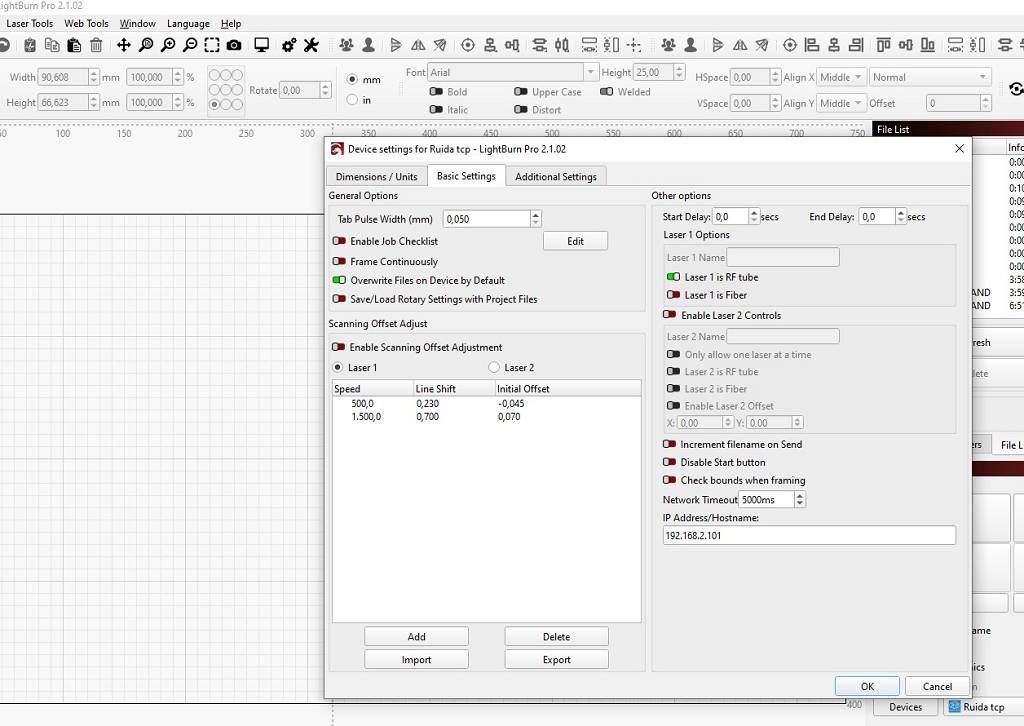
I have tried on USB, Ethernet and WiFI yes. But I can also test all of those connections tomorrow with different file names as well. Thanks for the suggestion.
Something else to try, as a data point: Go to the file menu and delete the previous version of your file manually, instead of using the overwrite option.
If that works, but the overwrite fails, that would point to some kind of sequencing or timing issue in the overwrite code.
If sending a new filename works, but using the same one fails, and deleting / sending again also fails, then there’s something up with the deletion code.
Tested tonight, and yes I can change the file name and it 100% will send the file across. Provided each file has a different name.
Even if there is 10 files in there, and I go and try to send a file with the same name of any of the previous files, it does error out.
If I delete the file manually through the File system on LB. Yes I can then send another file of that exact name across again.
have also now lost the ability to connect to the controller via ETH/network.
This seems to only have occured since both the firmware update and updating LB to 2.1.02 as I was previously trying diagnostic steps using USB/ETH and wifi.
The job origin issue has also been resolved somehow, It now puts the origin where I tell it to after sending each different file across.
So I guess so far, its workable now. Provided I just just change the file name each time I send a file across which isnt really that much of an issue.
I would prefer to be able to use ETH to connect to the machine however.
I can ping its ip address so its definitely on the network and has the listed IP. But lightburn doesnt seem to be able to connect to it.
I had the same problem; we used that program to check if the IP address was actually free—it wasn’t—so we changed it, and then it worked. https://www.advanced-ip-scanner.com
I managed to get the machine to talk to the network again by issuing a static IP to it from my firewall and matching that IP in the controller.
Now that its communicating over ethernet, the overwrite error no longer occurs. So it seems that particular issue is usb related.
Can you please mark this one as resolved.
I guess the underlying cause of what happened was down to old firmware on the machine conflicting with something in LB2.1.01.
Since updating to LB 2.1.02 and updating the firmware, connecting the machine via Network rather than USB. It has since operated flawlessly.
Hopefully someone else out there in the world finds this thread useful in the future should the encounter the same problem.
Thank you to everyone for the help to get it sorted also. Very much appreciate all taking their time to lend suggestions and ideas.