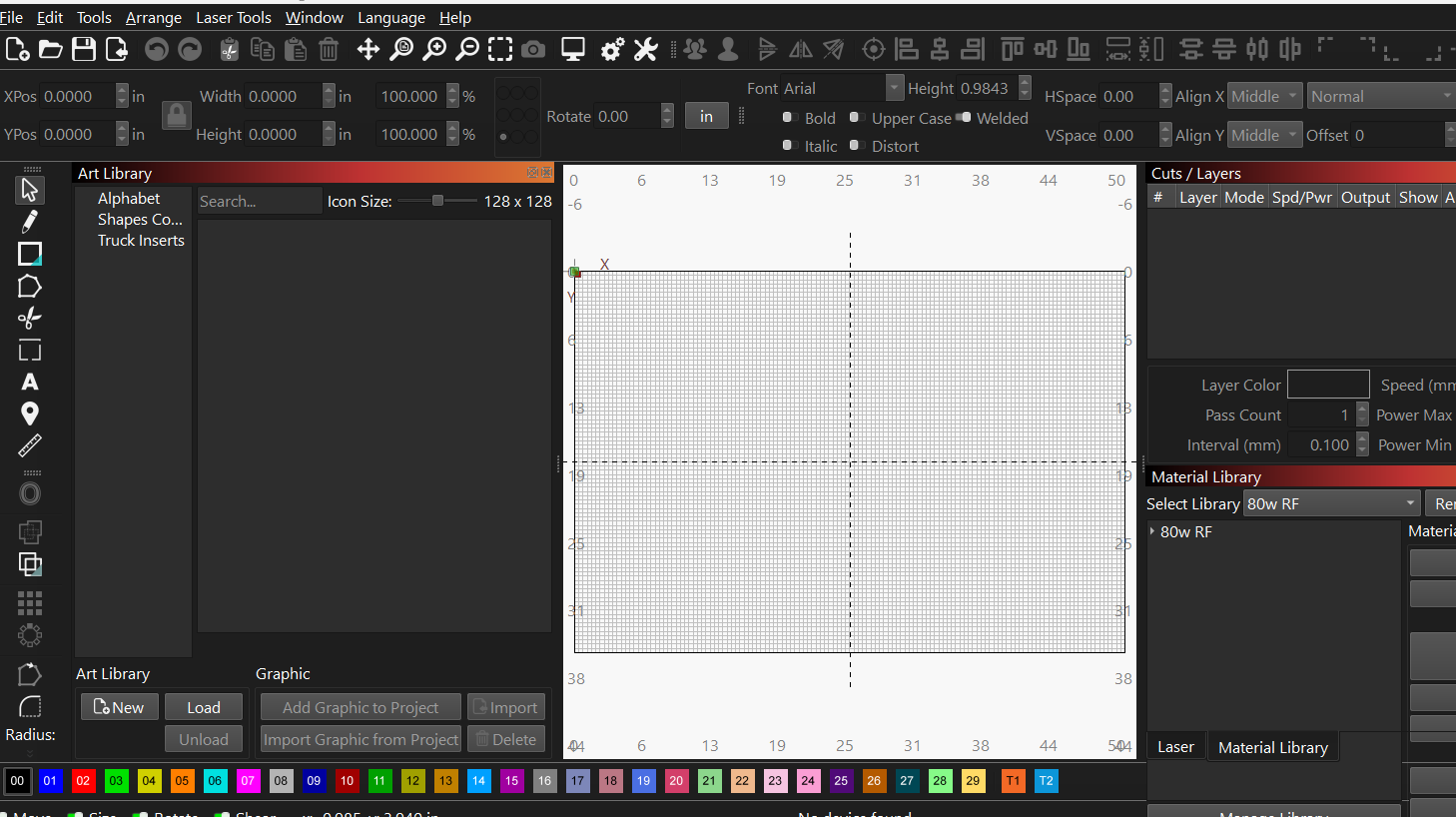
Can anyone help? Got a new laptop & when I re-download everything my Art Library is docking on the left instead of on the right with all of the others. When I try to drag it over, it won’t snap into the folders on the right like it used to. If I double click it just snaps back to the left. It’s blocking a half of my screen. Is this a glitch in the new version? How do I get it back on the right side w/ the others so it’s still there when I need it but not blocking half of my screen?
I’ve already tried Resetting to Default Layout but it isn’t working. And if you remove it & put it back it goes right back to the left.