I have a GWeike lc6090 100w laser which has been working perfectly. I tried to install a homemade rotary attachment with a 2 phase Nema 17 stepper not realizing my laser has 3 phase drivers. OUCH! I have since replaced the y axis driver with an identical driver and dip switch settings. Now on boot up the laser x axis homes to the right as normal but the y axis crawls very slow to home and returns only a couple of inches. When I request the ganrty move 100mm in the y direction on the computer (Lightburn 1.6.03) it only moves about 10mm and very slowly. (as if it’s moving 1/10 the steps and 1/10 the speed). No software setting have been changed. My machine has the Ruida RDC6442S controler. No wiring or connectors show any signs of heat damage and I’m getting consistant ohm readings across all of the y axis stepper motor windings. Does anybody have any suggestions
Welcome Gordon.
Can you post pictures of the “damaged” and the new drivers, front and dip-switches.
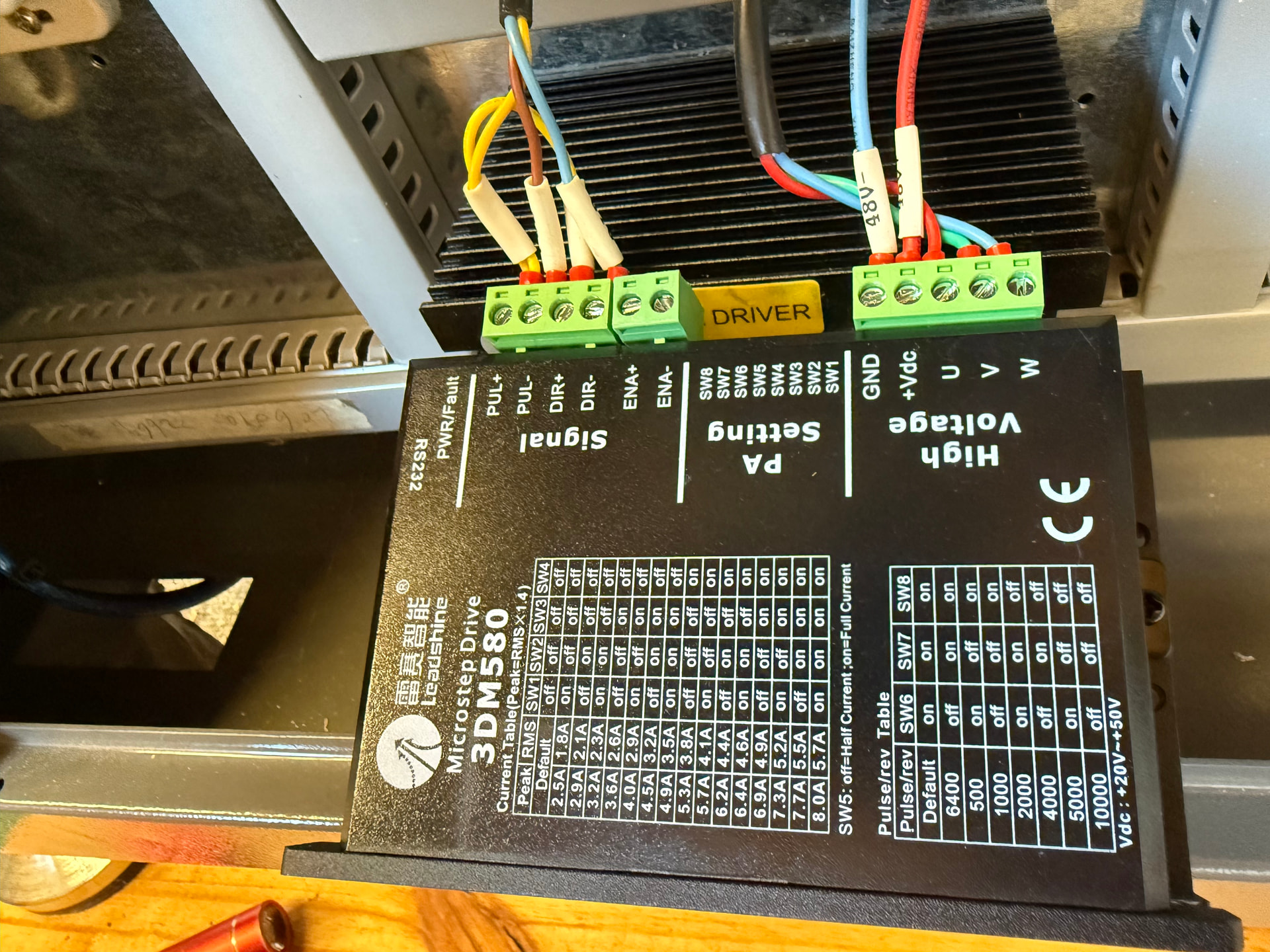
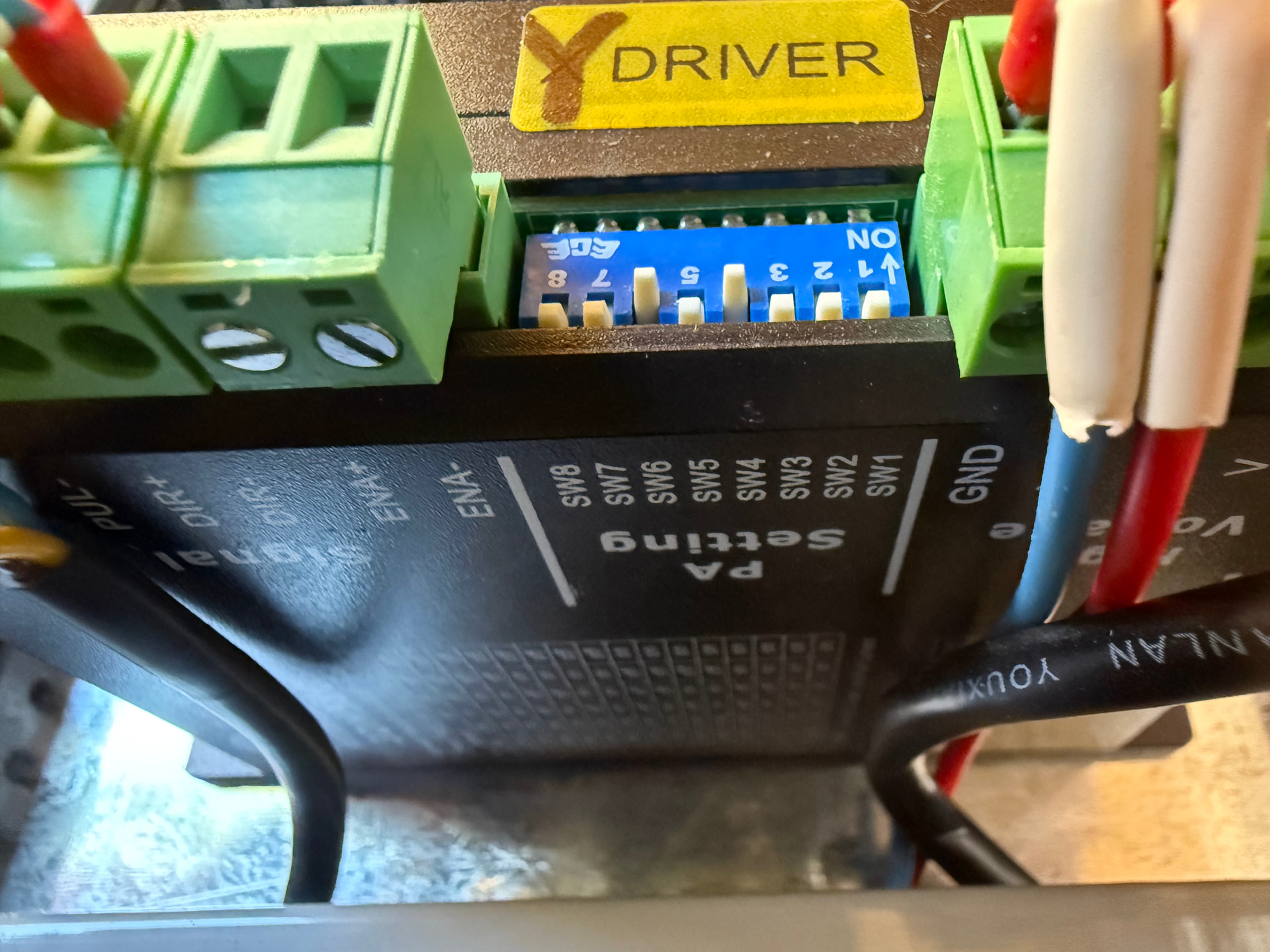
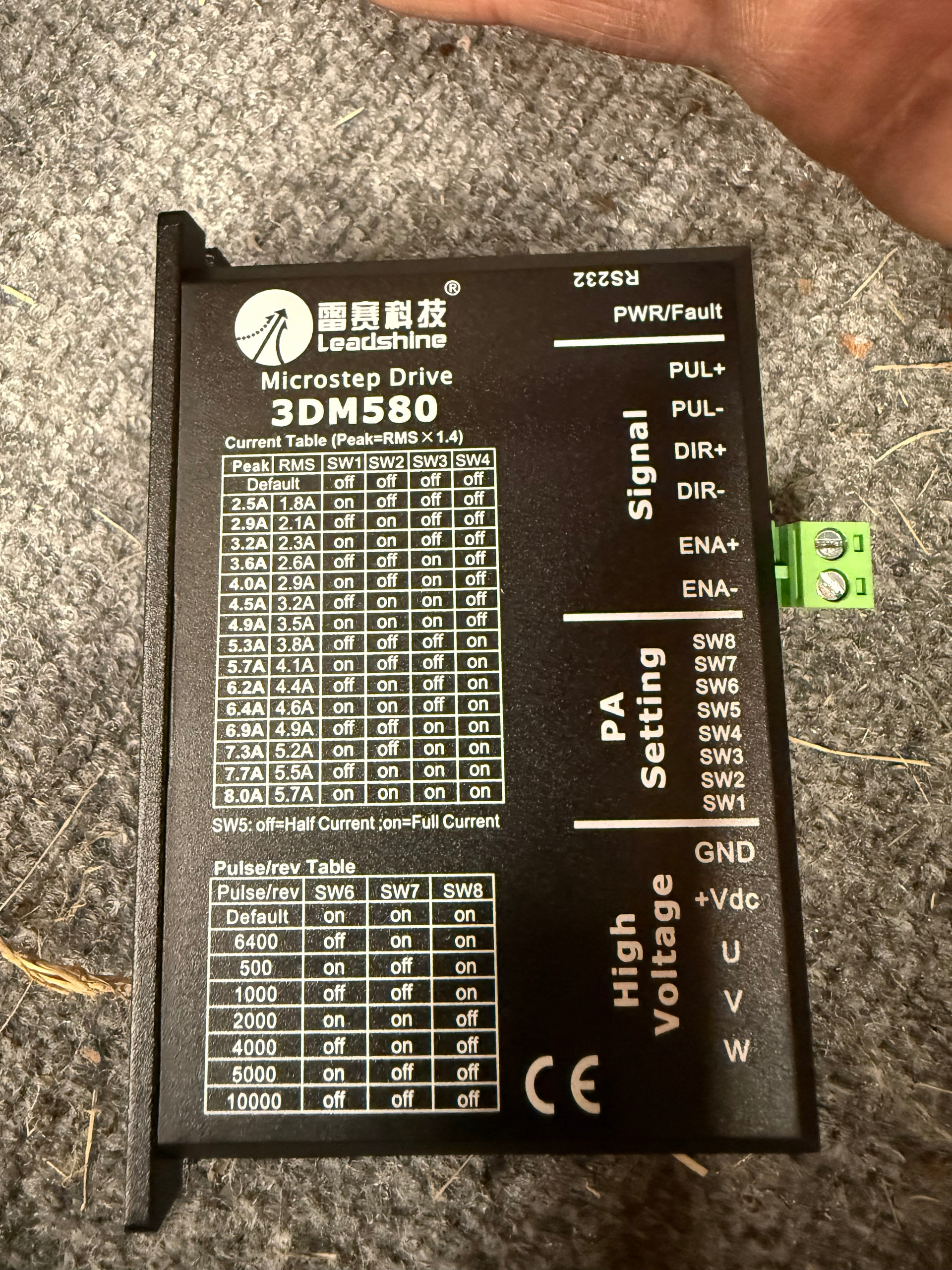
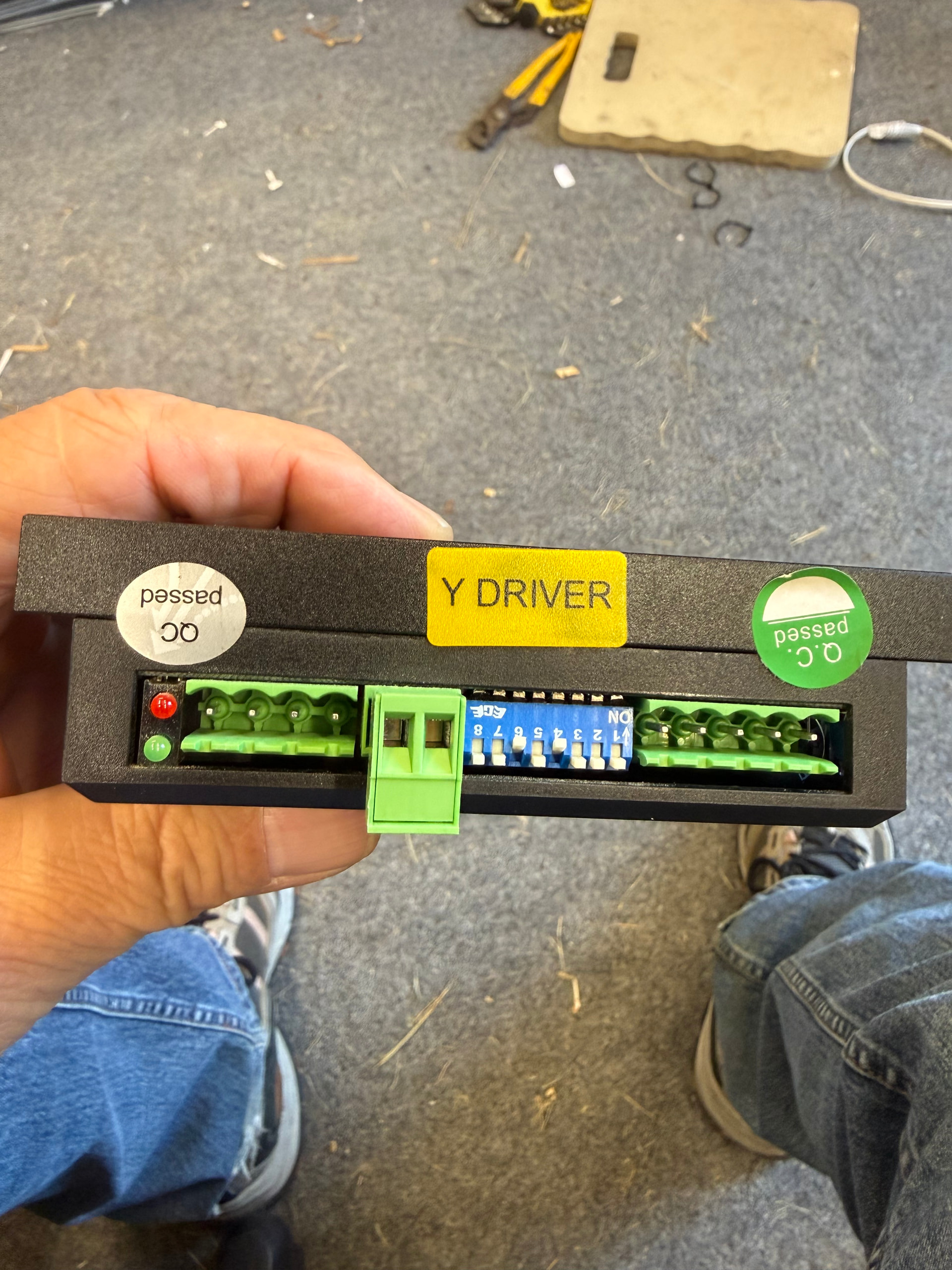
Image 1295 and 1286 are the “damaged driver”, Image 1300 and 1304 are the replacement
Also I am getting no x,y,or z axis movement from the control panel.
I would check to see if the controller is in rotary mode. Mine acts similar when I forget to turn it off.
I actually got excited at the thought it might be something so simple, but I’m not that lucky. It’s not in rotary mode. I really hope I’m not looking at having to replace that controller. Is there a way to test them or repair them?
Check if the X driver is similar, pay attention to connections, switch X and Y drivers and test.

Generally speaking, motor drivers are pretty tough. The output section could be damaged, but I don’t know how you’d wire a 2 phase motor (4 wires) into a 3 phase driver (3 wires). Like what did you do with the extra wire? That should have been a tip off.
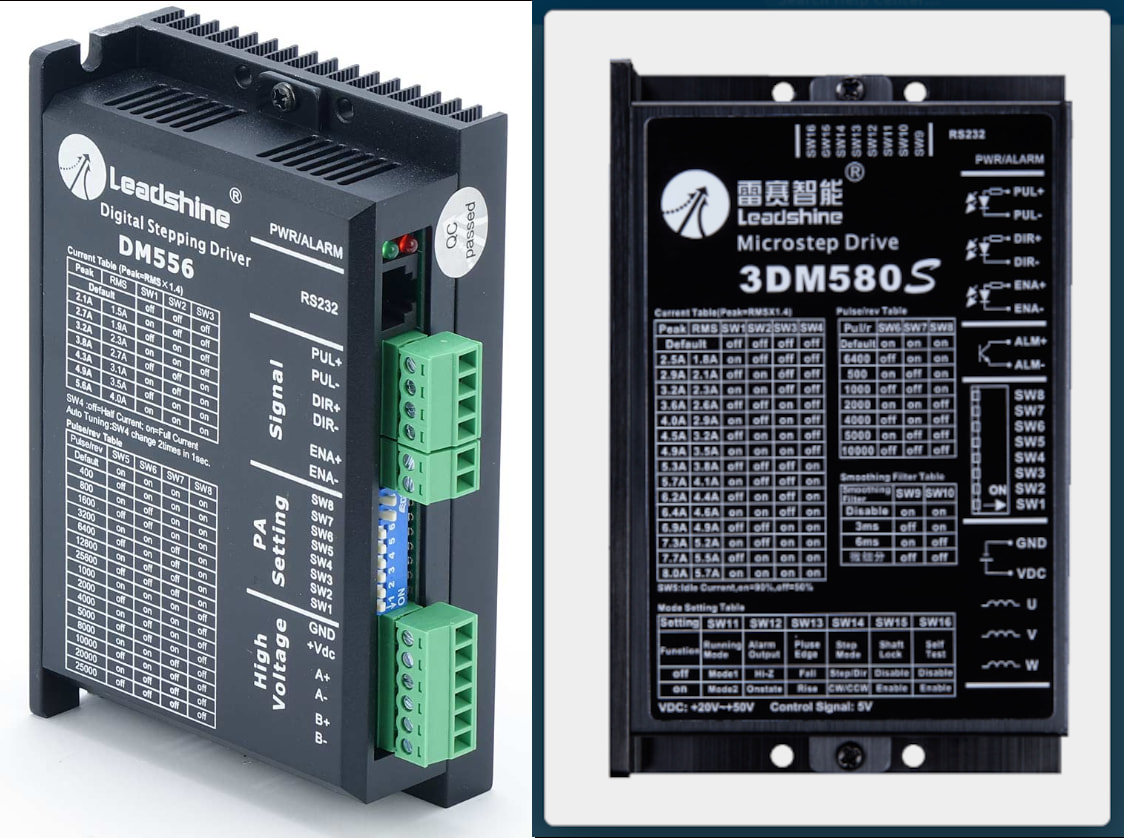
As you can see they have a different label and output nomenclature.
If you did fry the driver portion, they are usually optically isolated from the machine. This means it’s very difficult to to damage anything upstream, so to speak.
Have you wired this up to the rotary, using 2 phase motor after replacing the 3 phase motor driver?
Sounds good, but in this instance I don’t know if he knows what damage has been done. You can also see the outputs have different pin nomenclature. I think a few minutes on the Internet could have prevented this.
My history of fixing things one time went like this. A VA computer operator had 6 disk drives, these were larger commercial disk packs. One of the drives failed. She needed the data from the original disk and moved it to disk 2, and it failed there.
In the end, she had a bad disk pack, so they went merrily along taking all six of the drives down along with the entire machine, so we could rebuild them.
When you damage something like this, start where the machine may have had an issue can cut it out of the system. Then check for operation. It’s not always a good idea to swap things around like this as we don’t know what is ‘bad’.
He’s still using three phase motor drivers, hopefully, so he can’t use the two phase rotary.
I’d say at this point, to remove all the drivers and examine it to see if the controller appears to be working correctly. You might be down to a level you’re looking at leds on the controller. Than add a single part and see if anything changes.
We all screw up, but when the wiring doesn’t match, I wonder?
Good luck.

I had a customer pushing me for a sample so in my hurry I connected a rotary to the 4 pin avaiation plug inside my machice “assuming” it was for a rotary. I did trace it directly to/from the Y driver to the y stepper. It wasn’t until after the fact that I inspected the terminations and realized there were ony 3 wires attached to it. I’ve been kicking myself so much I can’t sit down anymore.
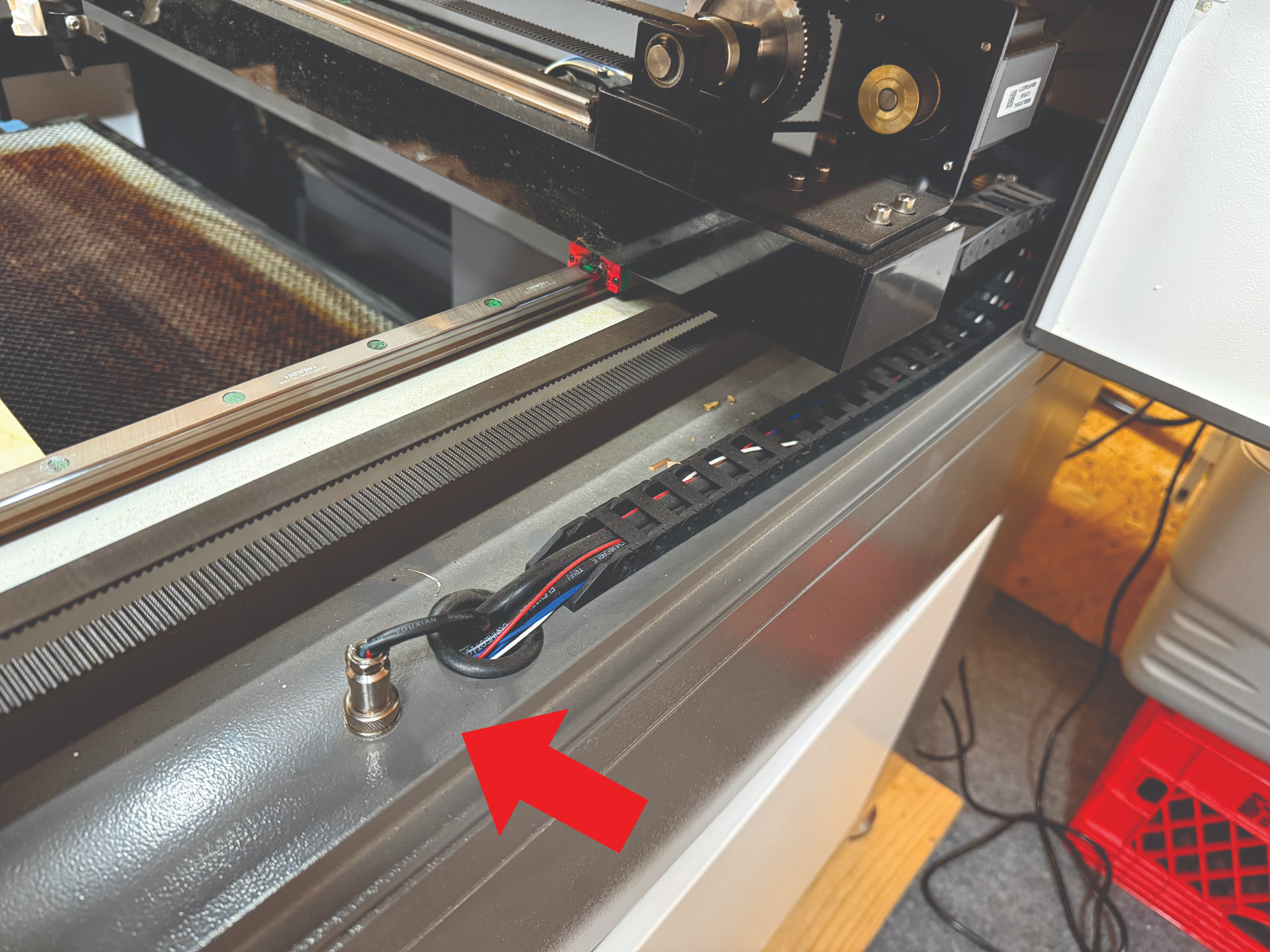
I do have a DM556 driver which I will use if I ever get past this. The rotary has never been attached to the replaced Y driver so I believe it should be ok, I don’t know what else to consider except the controller. I’m just not sure what to do next except replacing stuff.
As far as I know I’d at least remove all the connectors from one end or the other from the Ruida. Then put them back on, one device at a time. You will have to get some idea of how the leds on the Ruida work, signal wise.
Worst case is remove all but one axes and see what happens to it’s operation.
I’ve seen lots of these abused and they are about as tough as nails. Some have survived some serious misinterpretation of the inputs.
At the time, this is the only suggestion I can make. 
Some large / fancy machines have a 36 V power supply for the steppers and a 24 V supply for everything else, including the controller. If the steppers run from a different power supply than the controller, it’s possible the stepper supply had a heart attack.
The red and green LEDs on the stepper drivers indicate their status: if the green LED is Off or the red LED is On / blinking, that’s a Bad Sign™ concerning the power supply.
I thought you’d warn him about making assumptions on anything…
OK, trust me, I deserve everything you guys can throw out. Haha. I’m not at the garage but I do remember all the stepper drivers had green lights if that helps.
So the power supply is probably still good, which may not count as Great News™ under the circumstances.
Nah, I have a lock on that stuff. 
I would also check if the motors are similar, then check if t X configs are similar to Y, and adjust Y accordingly.
The replacement work from 20V to 50V, check for that info on the “damaged” one sometimes they are not the same.
Deleted. I didn’t see the drivers were different.