I tried that adjustment test and found the most noise at 235 mm. Should I re-run the calibration test again?
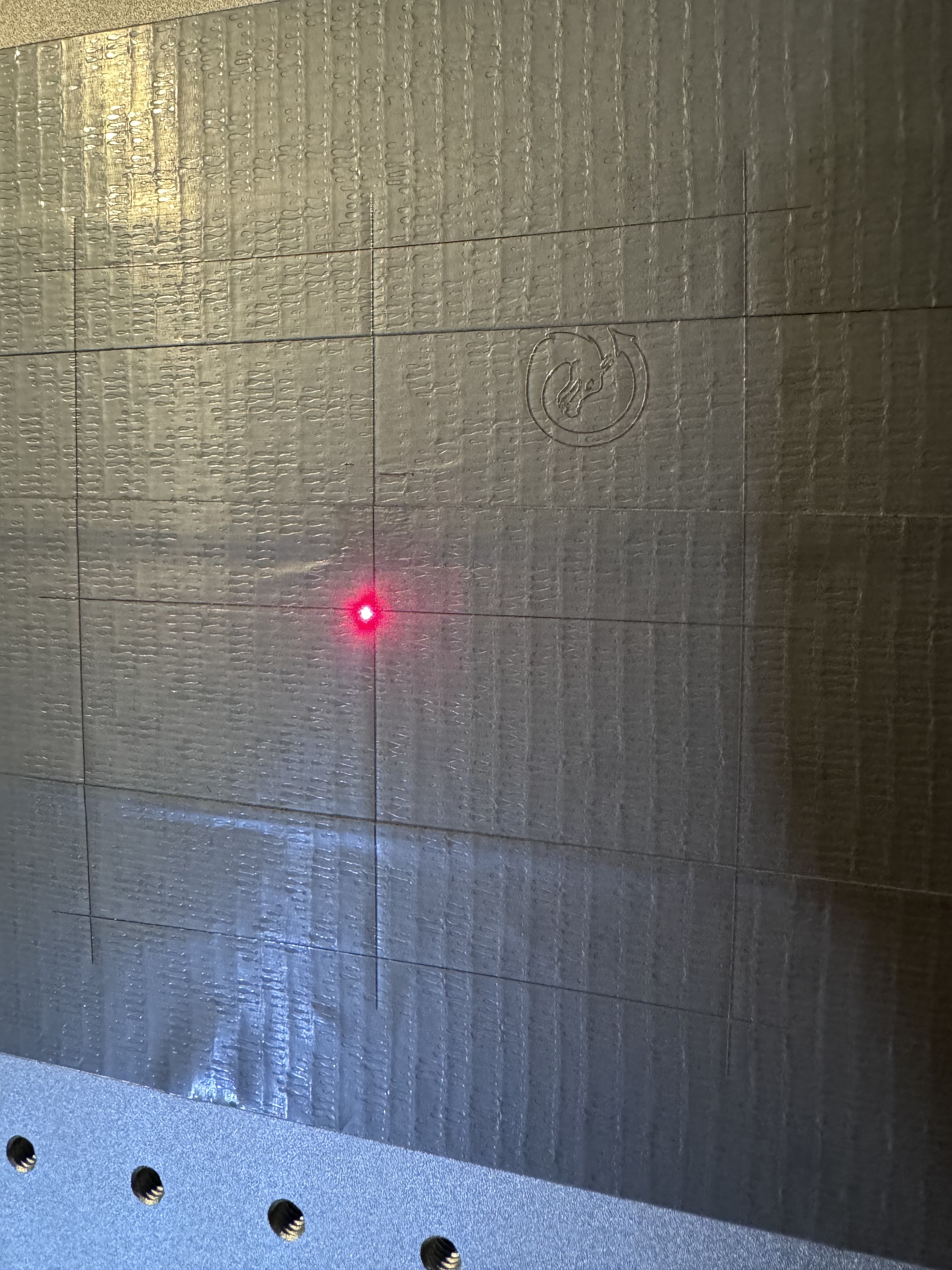
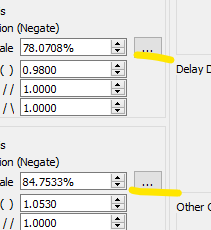
And I see your red light framing laser in the center?
Looks like you are making great progress (thankyou @Albroswift!)
Regarding the framing from have a look in the ‘Ports and Laser Settings’ tab, and try toggling on ‘Red Dot always on’.
2 Likes
That button on top of the head does NOT control the main laser.
It’s there for two fixed red-dot “focus” lasers. This is completely different than the galvo scan red dot. It just needs the control box to have 5v power and then it’s just hooked to that mechanical switch.
The focus lasers are mounted on little adjustable ball joints, you make then converge at the correct focal height and generally you want them to also converge at the center of the bed.
It’s a quick and dirty way to focus. It’s not super accurate but easy to do. It will not accommodate different focal length lenses without manually recalibrating each time.
The galvo red dot preview outline will appear when your machine is powered up and connected correctly, and you click “play”. Despite the label, it doesn’t go directly to a run state. In the next window that appears, check the settings in that window- every once in awhile I accidentally clock “show Tool layers only” and I have no tool layers so you get no outline at all.
Accidentally clicking “show Tools layers only” has happened to me a few times over weeks, just long enough between incidents that I forgot about that problem and start trying to troubleshoot the laser.
2 Likes
I was questioning that button as well. When @Bcorreia said that button turned on the laser, he wasn’t talking about the main source. [quote=“Bcorreia, post:17, topic:168896”]
There is a button on the top of the laser head that just turns the main laser off. I’m not seeing a separate laser for framing. Going to run a test now.
[/quote]
We’ll get him fixed up, just need to ask enough of the right questions!
1 Like
Thanks for all the input guys! I really appreciate all the help. Seems like I still can’t get it to frame out my project. I’m going to try to switch to a windows computer and ditch the Mac. Maybe that has something to do with it?
Sorry for the time delay, lightburn banned me for 9 hours after posting too many times lol
1 Like
Just seeing this, I will double check this later tonight. Thank you!!
1 Like
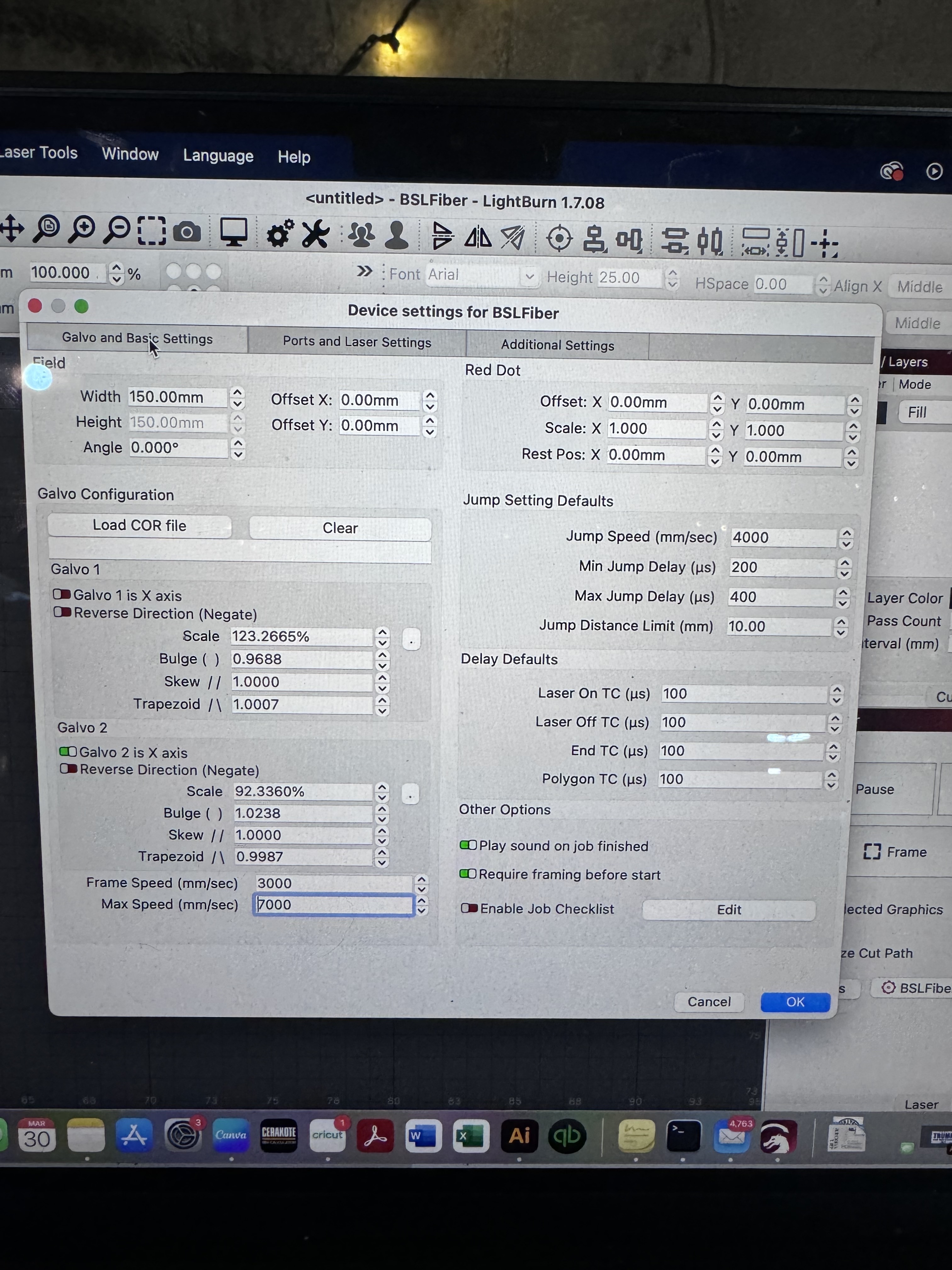
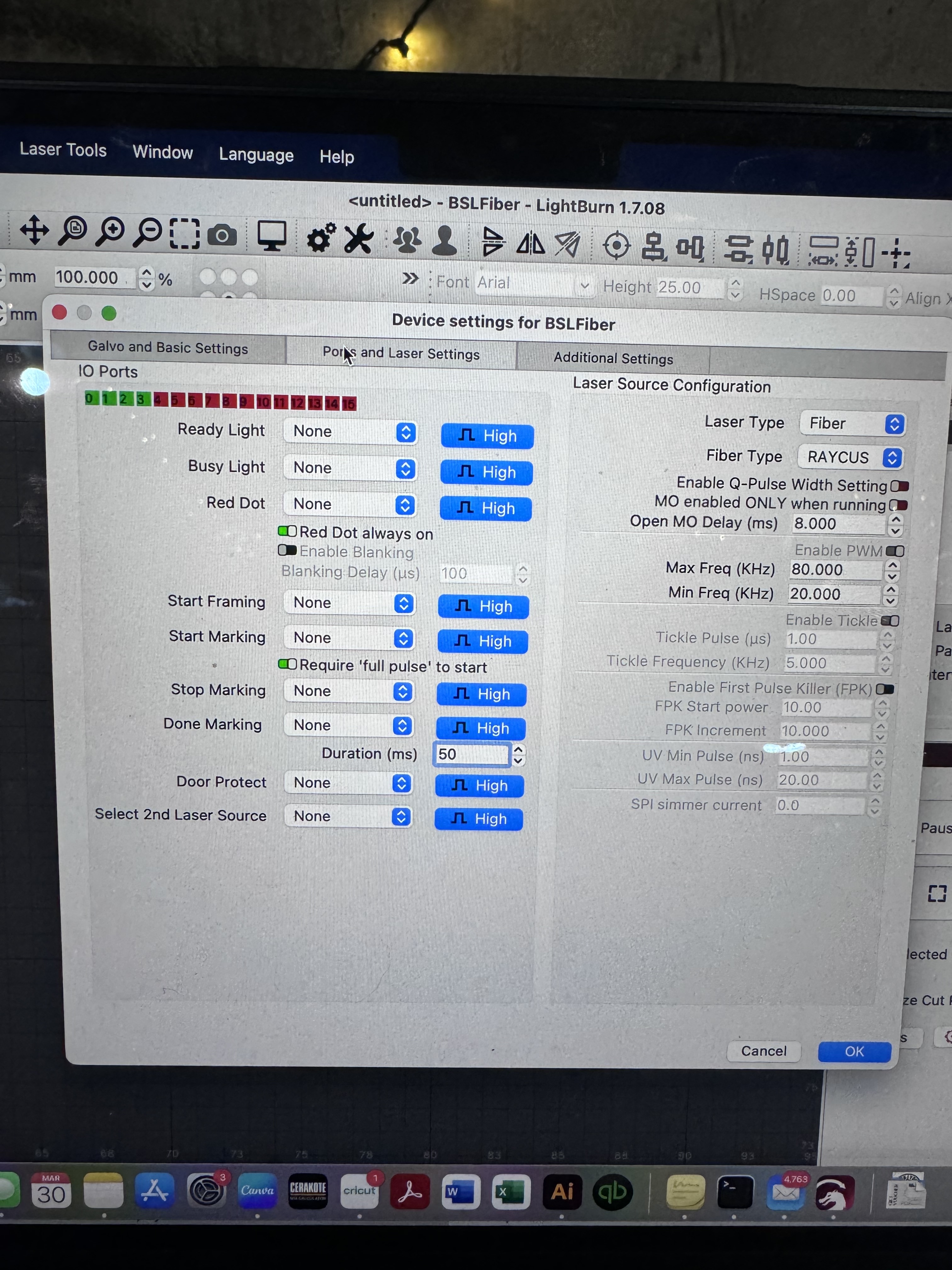
I’ve tried all these suggestions and still getting a buzzing noice in the laser head when I try to live frame with no actual live frame. I’m thinking I may have a faulty machine, which is unfortunate because I just bought it new last week! Will be trying a new computer and if that doesn’t work, I’ll be shipping it back. I appreciate everyone’s help here! I really do
Bummer
If the mirrors are moving during framing but no light, and you are 100% sure there isn’t another button to power the red light laser on I’m stumped. Either the power supply for the red light laser is bad, not connected, or the red light laser is bad. Did it ship from china or US warehouse? If it was mine I would open it up but you shouldn’t without the go-ahead from the manufacturer.
It came from North Carolina (I believe). Definitely the US somewhere. Maybe I’ll try a new outlet too? So odd.
I unfortunately don’t know enough about this thing to rip into it haha I wish I did! But I see you’re a fellow cerakote guy! Only getting a laser to get our cerakote business to the next level. But it’s not off to a great start 
1 Like
you have not selected an io for your red light, seems you have 4, just try one after the other
Can you dumb this down for me? Lol I’m not sure what you mean
I think @Enno is talking about this.
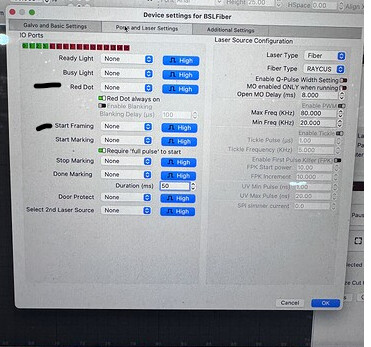
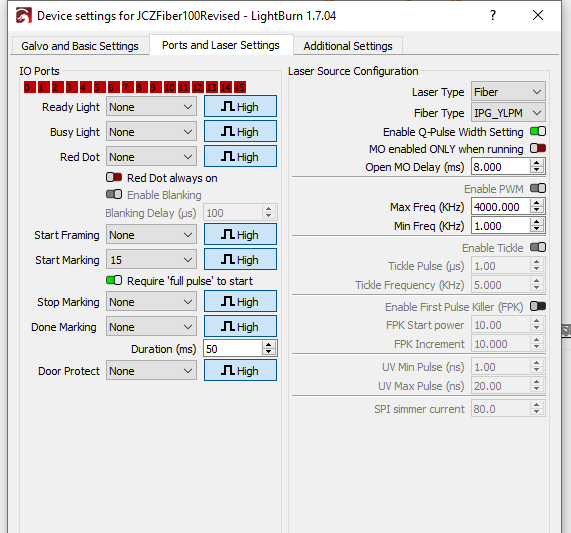
Mine are all “None” except for “Start Marking” “15” as my foot switch is wired to pins related to general input 15. If I change 15 to “Start Framing” the foot switch will start the framing Laser.
I have messed with this a lot and don’t think it is the issue but I’ve been wrong before, wouldn’t hurt to try.
My ports screen:
Gotcha. I’ve tried the start framing option and it just starts firing the laser when I click frame, which is not what I’m looking for unfortunately
You put 15 in Start Framing and when you step on the footswitch it starts marking?
No I don’t use the foot switch. It just starts marking when I hit frame if I have “start framing” on (or anything other than the “none” option).
1 Like
That is not a correct function. Sounds like it’s going to the maker. Do you have a foot switch?
I do have a foot switch!
In the name of science, put 15 in the start framing field, select some object, and press the footswitch.
If nothing happens use 14. Those are the 2 most typical. (With a BJJCZ board) not sure about seacad.