Accelerating is how fast it gets up to the maximum speed. If you have it very high it can cause jerky movements and odd noises - similar to how a car would leave tire burn marks when starting full blast
You can frame with Z in any position. Absolute coords are always relative to 0,0. Think of doing marks on graph paper. X10 will move 10mm to the right. Following with x8 means it will back up 2mm so it is 8mm from the origin. X-8 will move it 8mm into the Home switch, obviously not a good idea. You can get a better handle on this by entering G0 X200 Y200 after homing. Then enter small G code moves, but avoid negative values. Lightburn is all +X+Y quadrant moves.
I suspect the acceleration setting is too high. Try setting $ 120 and $121 amout 10% lower and see if that helps.
@Minithra was exactly right on the accel description.
Ok after I enter the new G10 code there is no noise when it moves. Yay!!! So I ran a job now I have a couple of questions and I think they are just settings that I need to adjust. The laser did not make any mark on my wood so I think I need to slow it way down and maybe bump up the laser power? And once it was finished it went back to the front left corner but went to far and I had to stop it. I really appreciate everyone’s help.
Uploading: IMG_0027.jpeg…
It says one pass but it made several passes. I ran the job again slowed it down and bumped up the poser and got it to work,but it still goes to far to the front left corner when finished.
In the Edit - Device settings window lower right is Return to Finish Position. Right below that is a couple of boxes that hold the “ends at” position. Adjust those or turn off the Return. Curious… what happens if you don’t stop it.
If you only only have one layer and no sublayers, be suspicious that you have one path on top of another.
I agree, you are down to tweaking things now. How does that sense of accomplishment feel?
I unchecked the return to finish box and we’ll see what happens now. It’s an awesome feeling!!! Thanks so much
Y’all helped so much before I need help again. I went to cut a circle and my laser did not make the circle. It made an oval or an elliptical shape.
Make sure that rotary is not enabled.
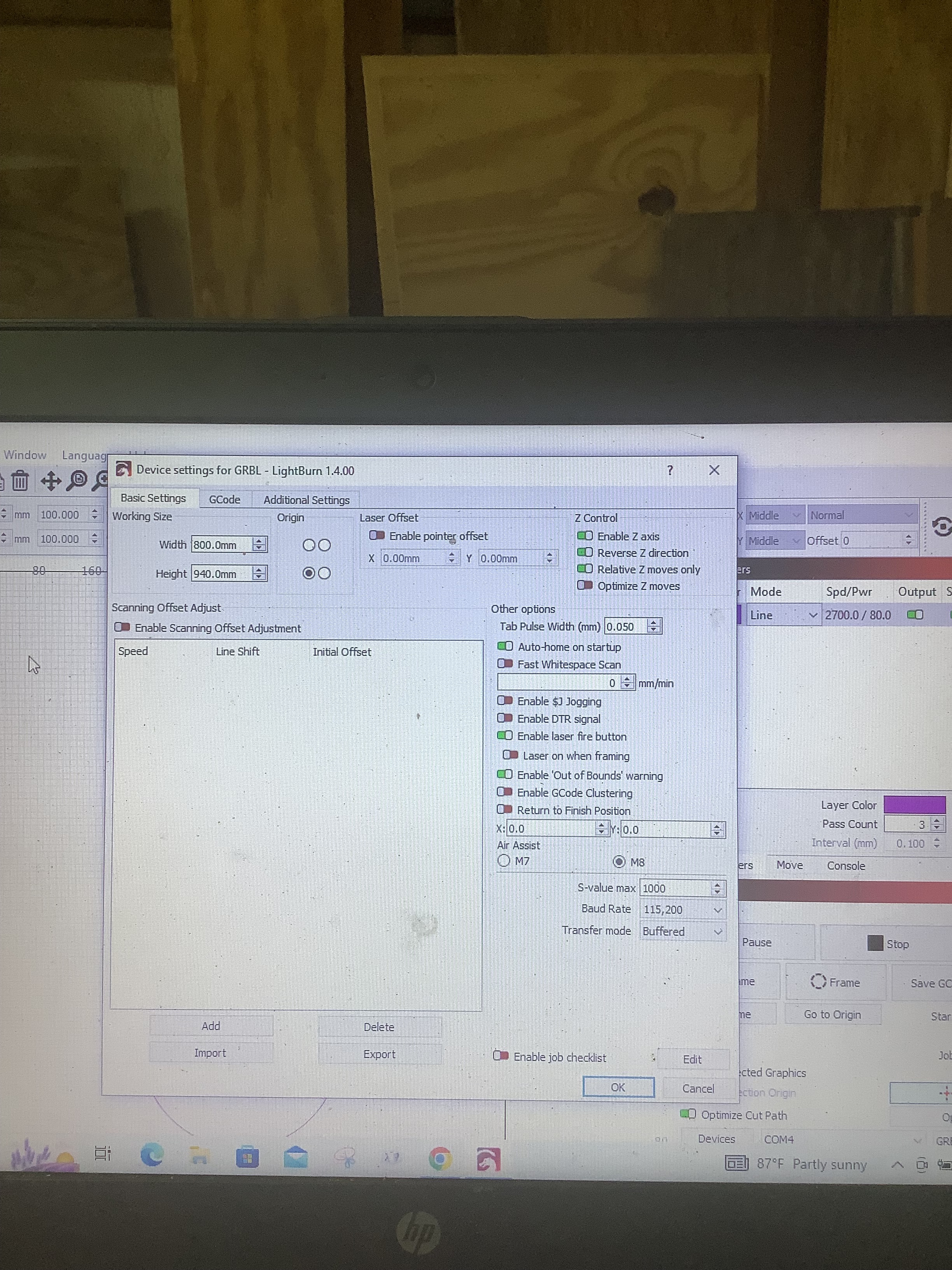
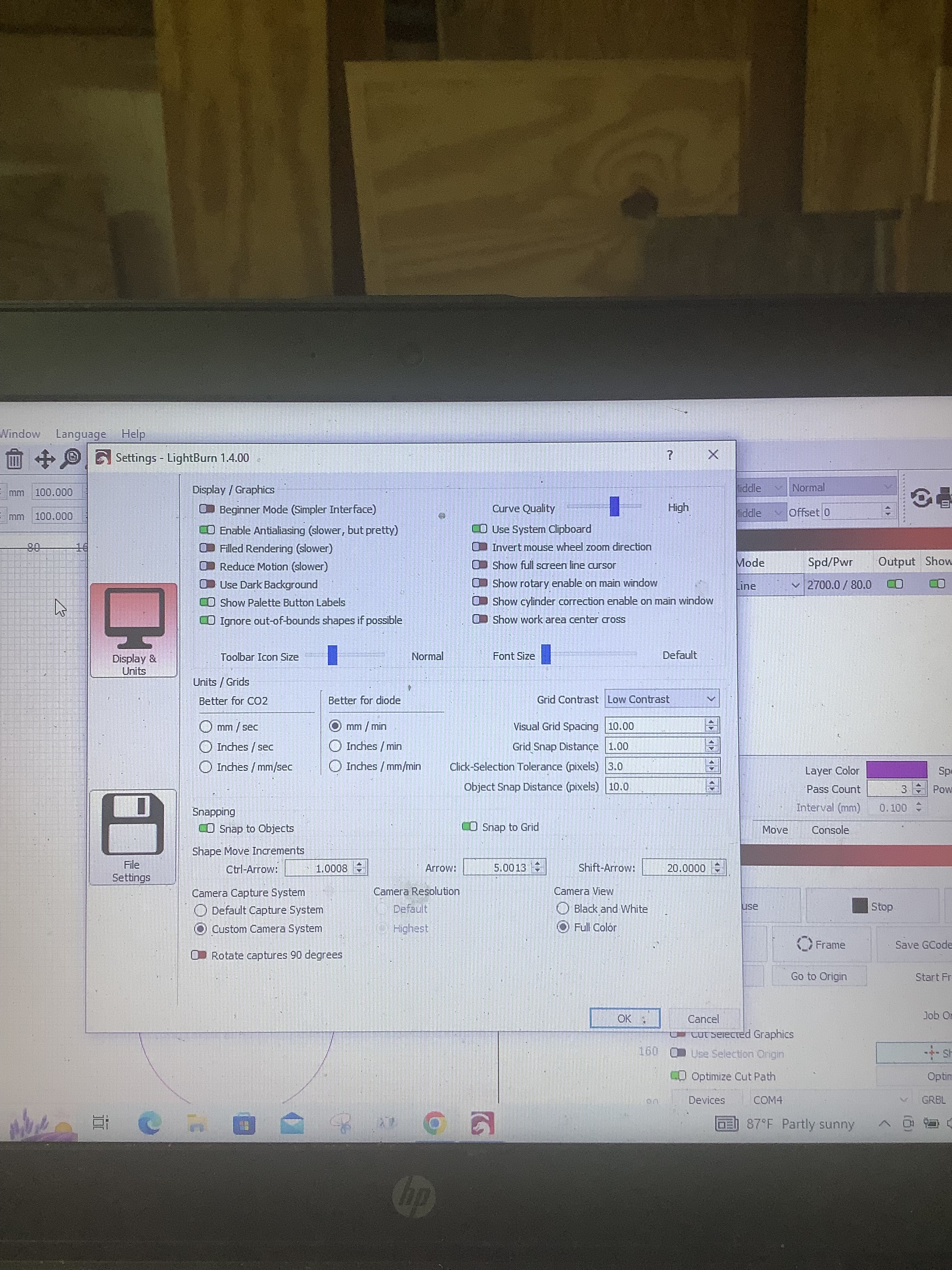
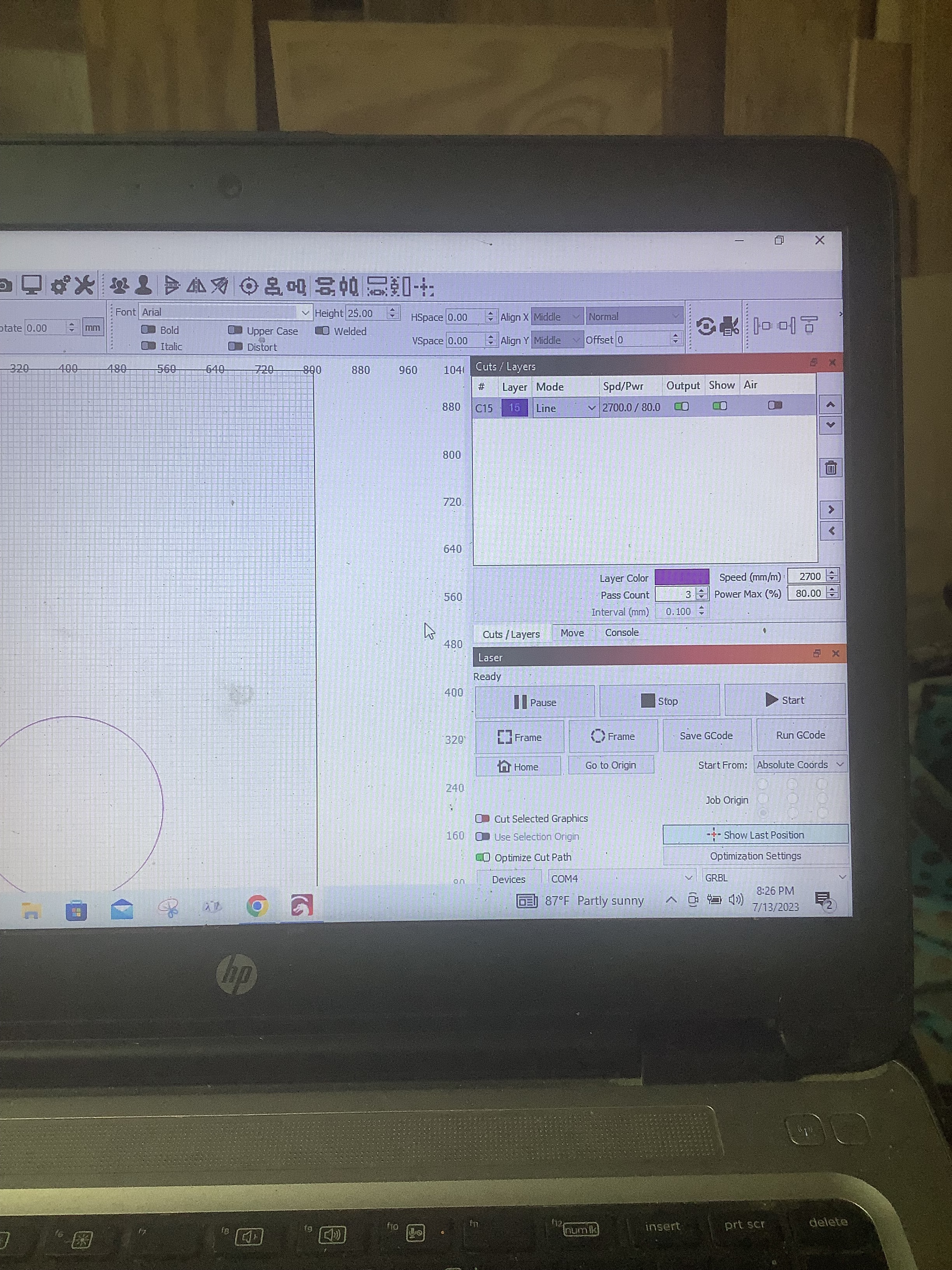
Edit, Settings, in upper right, Show rotary enable in main window. This will make it visible in the Laser window. If it is Enabled, you found your culprit.
If not, we get to play Q&A.
I can tell from the available screenshots that rotary is not enabled.
Are you also aware that a good portion of the bottom of the application is not showing for you? This may be due to limited vertical screen real estate. I would suggest collapsing the two right window panes into a single pane. That should free-up enough vertical resolution to show the entirety of the application.
Also, has this issue with circles coming out as ovals always been there or is this a new issue?
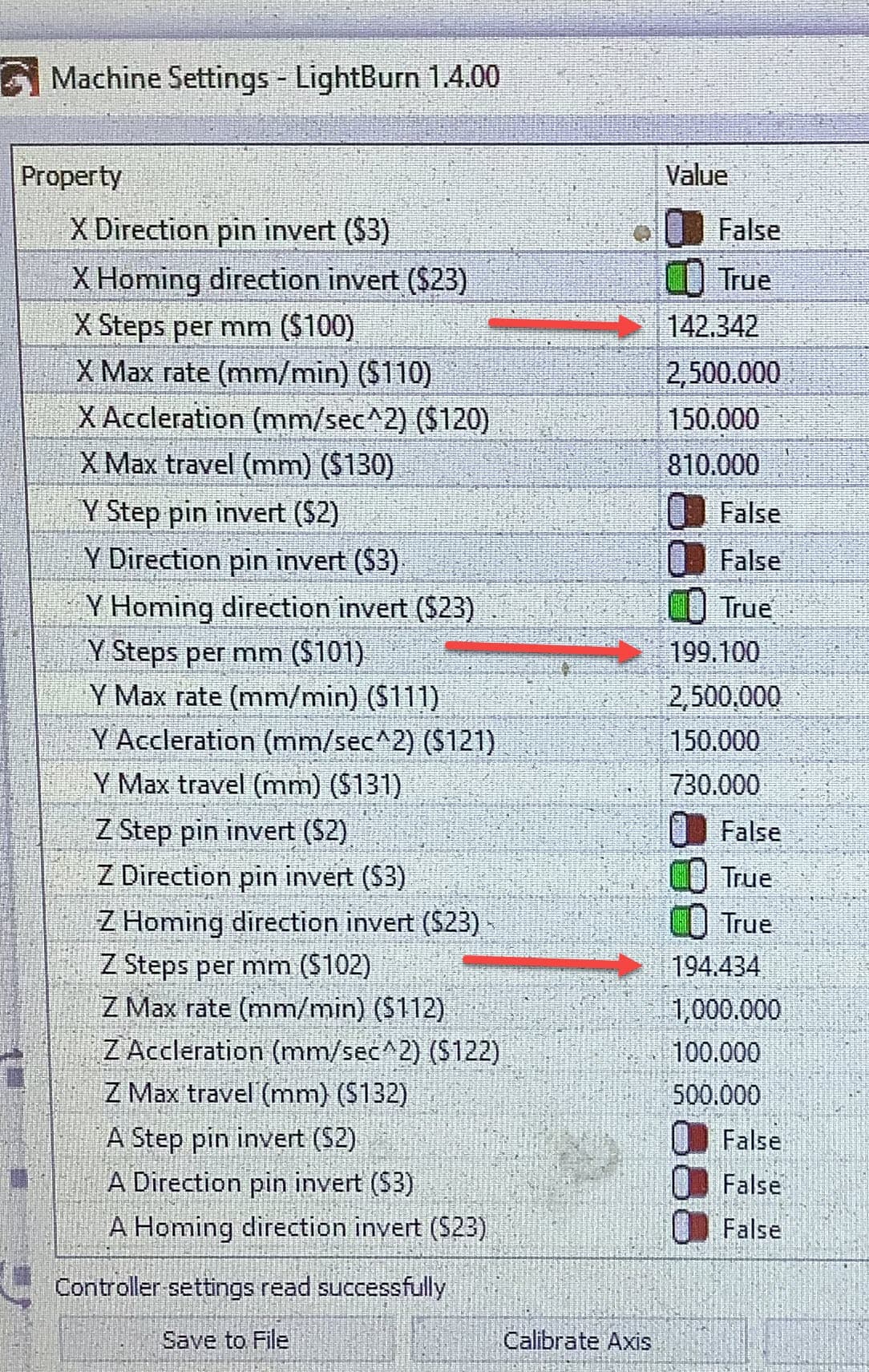
I will check and change them back if they are different and try again. Thanks
That worked I got a perfect circle! Ya’ll are awesome!, Thanks so much