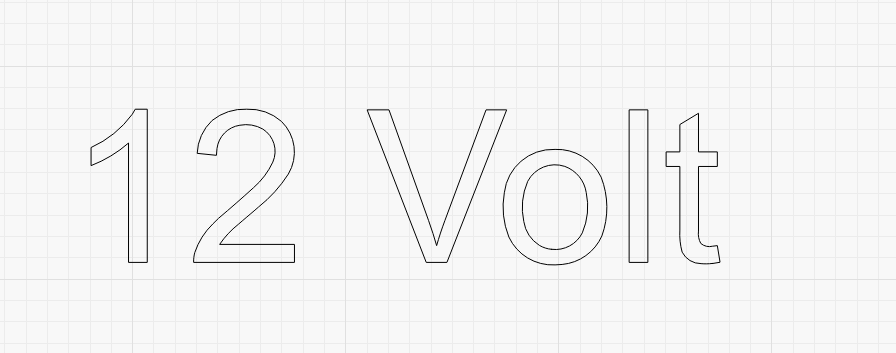
Hi
I would like to cut out the template with words but on th “O” it cuts the whole centre out how do I stop that happening
Hi
I would like to cut out the template with words but on th “O” it cuts the whole centre out how do I stop that happening
Change the text to a path.
Ungroup the inside “circle” of the “O”. Put that inner circle on a different layer, set those settings to a level that will not cut all the way through your media.
Perhaps:
The Boolean subtract would only work when I did individual letters If I typed the word put the rectangle in it would not subtract
You could download a stencil font
It has to be a vector (convert to path). Text is not normally vectors. Attached is a “tutorial” on this. The fairly new Scissors Tool is a blessing for Node editing.
Feel free to use as needed.
PseudoStensil.lbrn2 (154.0 KB)
P.S. I can spell Stencil, I just can’t type!