English
First, make sure that the laser is turned on, the key on the housing is in the correct position, and the emergency switch is not activated. (easy to overlook)
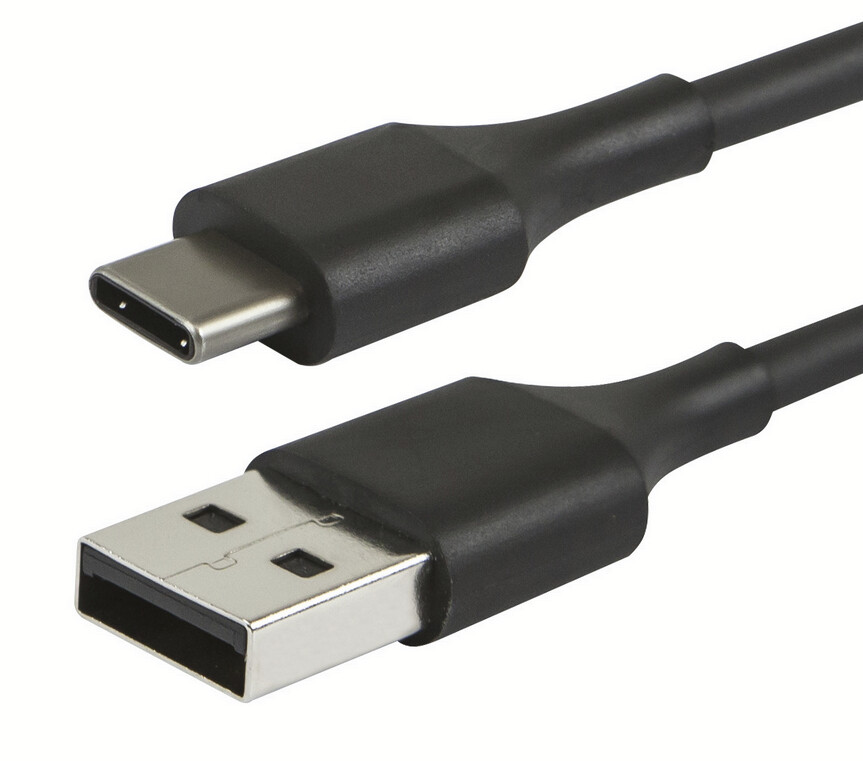
If you are using a USB-C to USB-C cable, this may be the cause. Some devices require a USB-A to USB-C cable because they do not fully support the USB-C standard.
If the connection still does not work:
In the past, certain variants of the CH340 serial chip have stopped working after a Windows update.
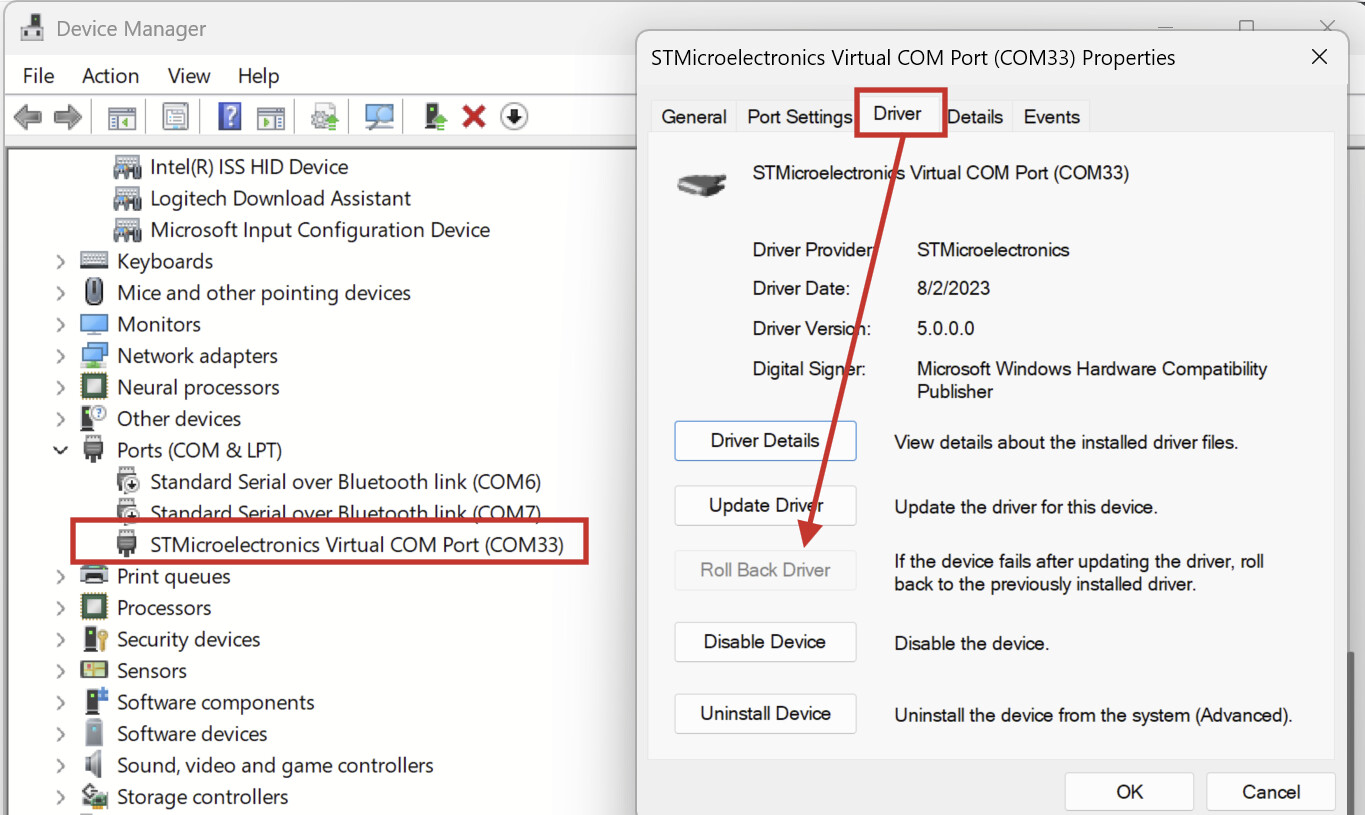
Check if you have the “Roll back Driver” option in the Windows Device Manager:
Stelle zunächst sicher, dass der Laser auch eingeschaltet, der Schlüssel am Gehäuse in der richtigen Position ist, und der Notschalter nicht aktiv ist. (einfach zu übersehen)
Falls du ein USB-C zu USB-C kabel verwendest, kann das die Ursache sein. Manche Geräte erfordern so ein USB-A auf USB-C Kabel, da sie den USB-C Standart nicht vollständig unterstützen.
Falls die Verbindung trotzdem nicht klappt:
In der Vergangenheit ist es schon vorgekommen, dass gewisse Varianten des Serial Chips CH340 nach einem Windows Update nicht mehr funktionierten.
Schaue mal, ob du im Windows Gerätemanager diese Option hast “Roll back Driver”: