You cannot make a measuring tool this precise in wood, whatever the size of the spot, the measurements will necessarily be distorted, because it is wood and dimensionally unstable due to variations in temperature and humidity, nothing replaces a dedicated tool, optometry, caliper, micrometer etc.
PERSONALLY whenever possible I use the superposition method
2 Likes
unfortunately we have to go through illustrator, a function integrated into lb would be a real asset
If you make the tool in the same material as you want to process, it has the same physical properties and is reasonably precise. I work a lot with 0.8 mm veneer, here there is unfortunately, from sheet to sheet, a difference of up to 10% in thickness. Billie’s tool does not take up much space and is quick to make and has not let me down yet.
8 Likes
If you’re looking to turn a font into a path, you can do that in LightBurn using the Convert to Path function.
If that’s not that you were referring to, I’m happy to help otherwise.
1 Like
This tool is for one-off use. It’s not a set of vernier calipers—it’s designed to find the kerf for a specific material and settings, using those settings and that material itself. This makes it as accurate as possible.
Using a different tool introduces extra variables and potential errors.
Measuring a single piece with calipers is less reliable—you risk pinching, denting, or misaligning pieces, or measuring from an area out of focus. And it would be damn near impossible to accurately measure several pieces all at once in the jaws of a caliper.
While wood veneer isn’t perfectly stable, and beam thickness can vary between settings and focus, this tool averages measurements across multiple cuts over a wide (but relatively small) area, using the settings that matter to the intended use, and uses a vernier scale for clear, precise readings.
Since the goal is to fit thin sheet stock together, this method is perfect for testing exactly that. It’s simple, accurate, doesn’t require expensive tools, and works very well—as any marquetry worker here can confirm, as minute errors quickly add up in detailed designs in marquetry.
You don’t have to use it, of course, but it works great. 
9 Likes
Sorry for my late reply! Came back today from vacations! 
The answer I had for you has already been given in several ways.
What I can add is that I completely understand your point of view but,… any of the measuring tools you suggested is more accurate than this method. The difference, in my opinion, that makes this method more effective is that it replicates in the material all the “imperfections” (charring, melting, etc.) that will occur during cutting. And you can’t measure these with precision tools. So the fit between the pieces will be tighter, unless you clean up the “imperfections.”
3 Likes

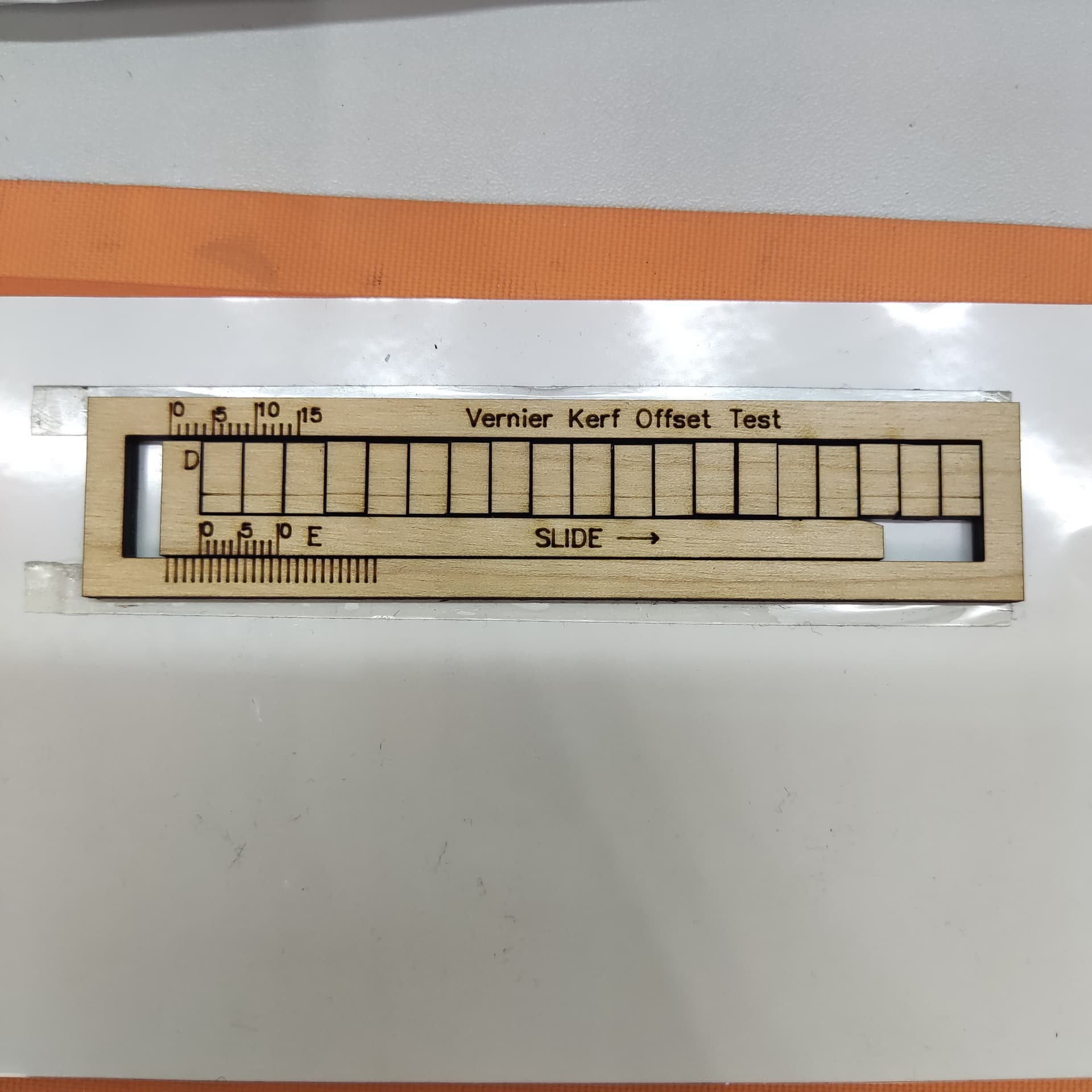
Yes, I’ve found it very nice and even a person with an IQ of 3 can make it work.
I think @BillieRuben needs some sort of trophy for her creation. 

2 Likes
Most likely the only trophy she will receive is the “thank you for sharing the tool”.
But,… is there a better trophy than knowing that you are helping someone in exchange for a thank you?
4 Likes
Dude I only built upon your idea! I just added the Vernier thing.
1 Like
My  wheel was nice to bump along on, but you made it
  and functional.
3 Likes
Ah you’re too kind. 
1 Like
not important, and very late…in step G, it says “to text your new Kerf Offset” but I’m thinking you meant “test”
2 Likes
Thank you! I did indeed! I’m in the process of turning this into a fully-fledged article for our Docs, so I’ll fix that up in there!
1 Like
It works great btw, thank you so much for creating it.
1 Like
You’re so welcome! Thanks for helping me with the spelling!
Finding typos, whether I want to or not, is one of my very few super powers. It’s probably the only useful one It can definitely be helpful, but it also annoys some people no matter how gentle I am with my wording 
2 Likes
Well I’m grateful in this instance for sure!
Mr. Wilborn,
Apologies for the terribly late reply.
Billie’s is a great tool but maybe this will be as useful for others too.
As soon as I can, I’ll test this generator.
This seems interesting to me when you want to evaluate what the best slack is for a given project.
While the generator created by @BillieRuben gives us a precise value for the “kerf,” but without the ability to test tolerances simultaneously. Furthermore, Billie’s continues to work even when there is no internet. 
2 Likes