Hello,
I’ve already searched the forum for solutions, but apparently all the threads were closed after a definitive solution was found.
I own a Monport 90W machine with autofocus and a KT332N controller.
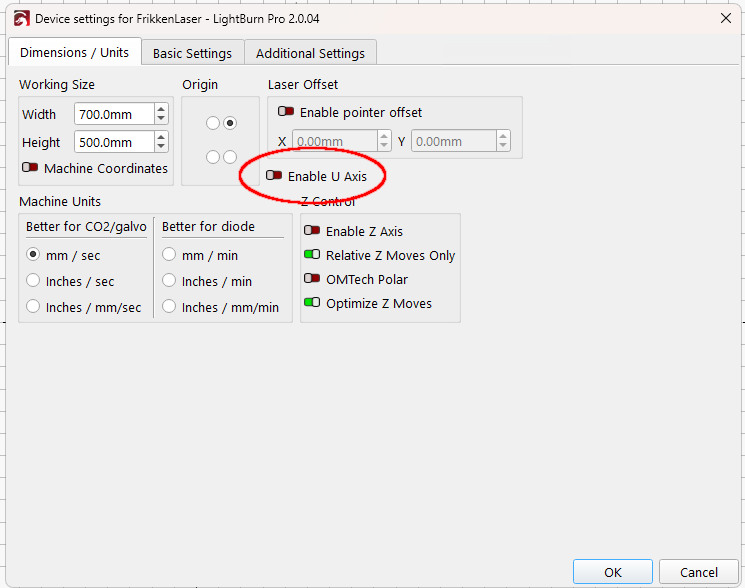
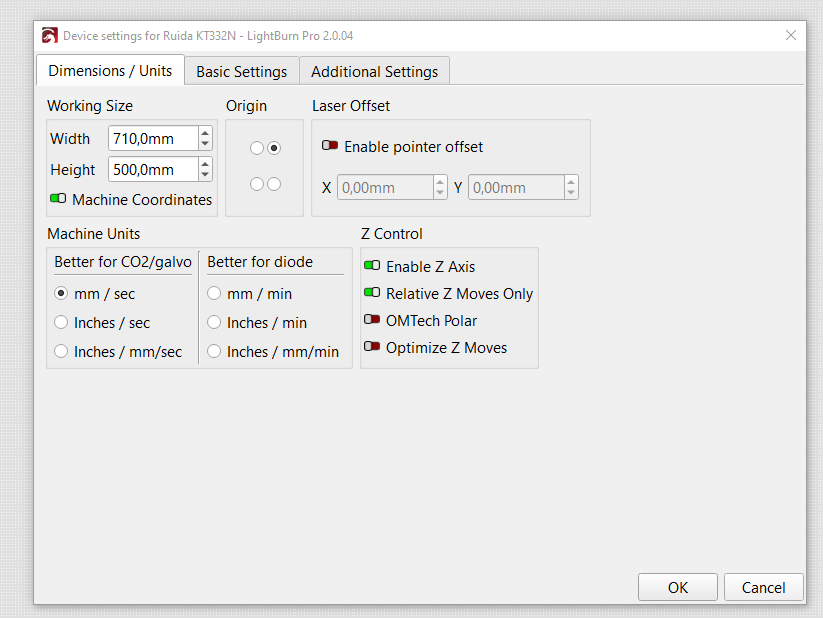
I’ve enabled the Z-axis in Lightburn, and the Z-axis movement works. The autofocus button also works perfectly.
However, I would also like to use the Z offset in the job layers, as I did with my previous GRBL (DLC32)-controlled K40, which I modified myself. However, this doesn’t work with the Ruida controller.
I’ve found several discussions about the Z and U axes of this controller and have found that the Z axis isn’t a true Z axis. Therefore, manufacturers who use this type of controller use the U axis to control the Z functions.
I also discovered that Oz from Lightburn was attempting to access the controller’s U functionality to send commands for Lightburn’s Z-axis offset function, but I haven’t found any confirmation that this software development has been definitively implemented.
Perhaps one of you here has found a workaround to use the Z-offset function with this controller?
I’d appreciate any help!
I made it work in RDWorks - so the controller is definately capable to do it!
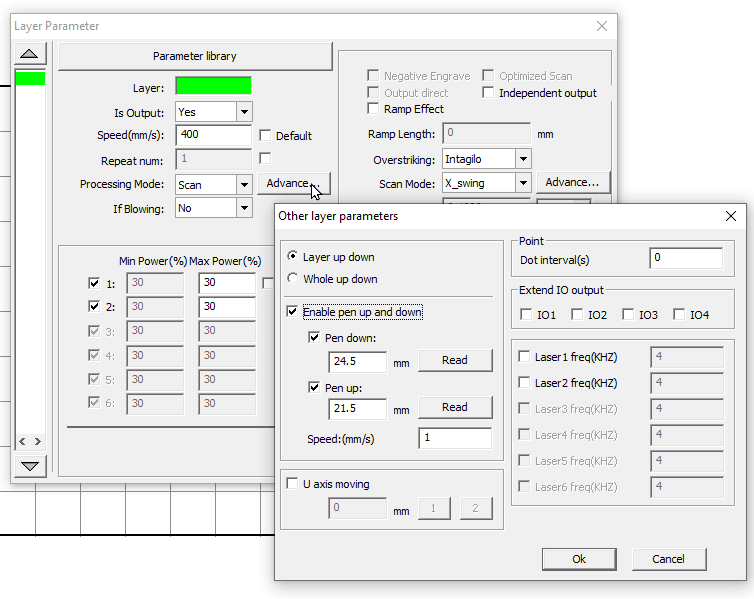
You need to use the Pen Up/Down option and set the target layer height in absolute coordinates.
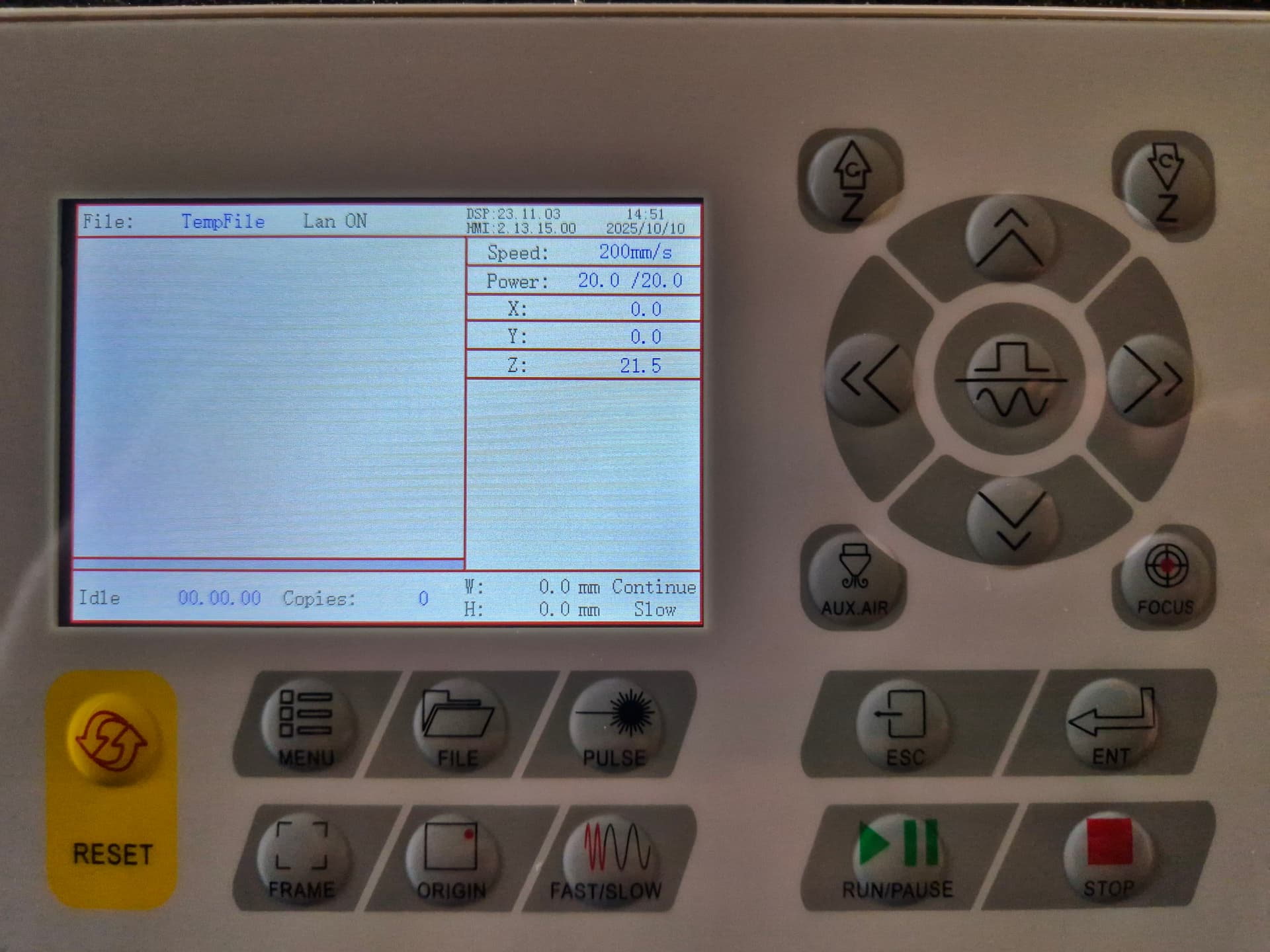
With these settings, the bed moves down from my focal distance (21.5mm) to 24.5mm and the laser dot gets out of focus by 3mm. After the operation it moves up to 21.5mm.
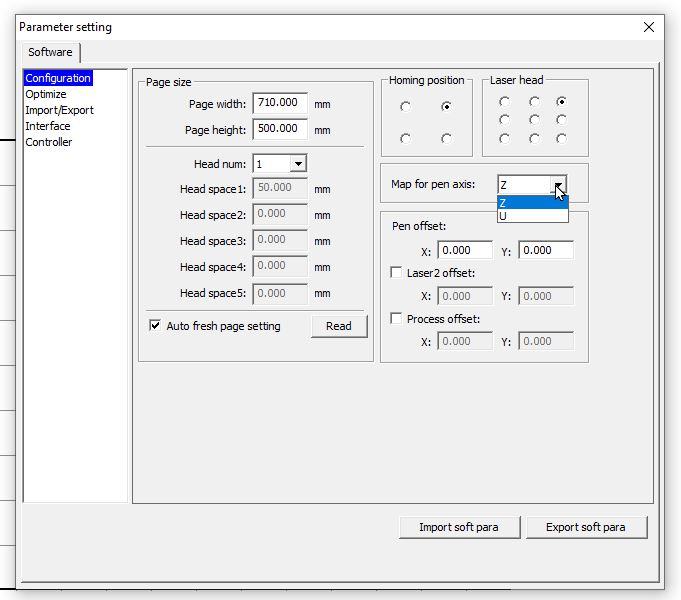
Here is how I set it up
change the map for pen axis to Z in the parameter settings:
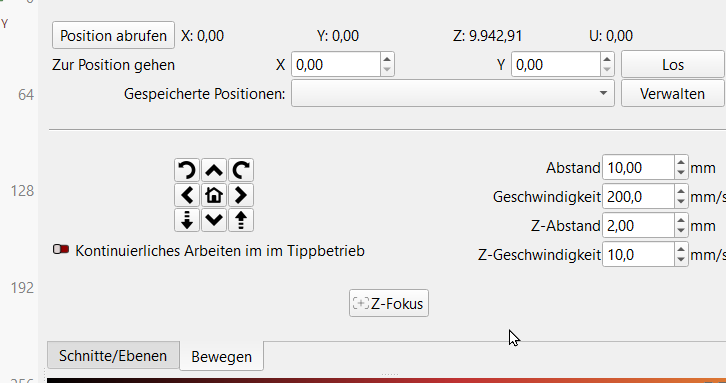
I think there is definately a bug in Lightburn. The software does not even read the right coordinates from the controller on the Z axis. X and Y is right, but Z is not.
RDWorks does read it right, but Lightburn reads Z completely weird… At the time of this screenshot, the Z axis was at my focal distance of 21.5mm
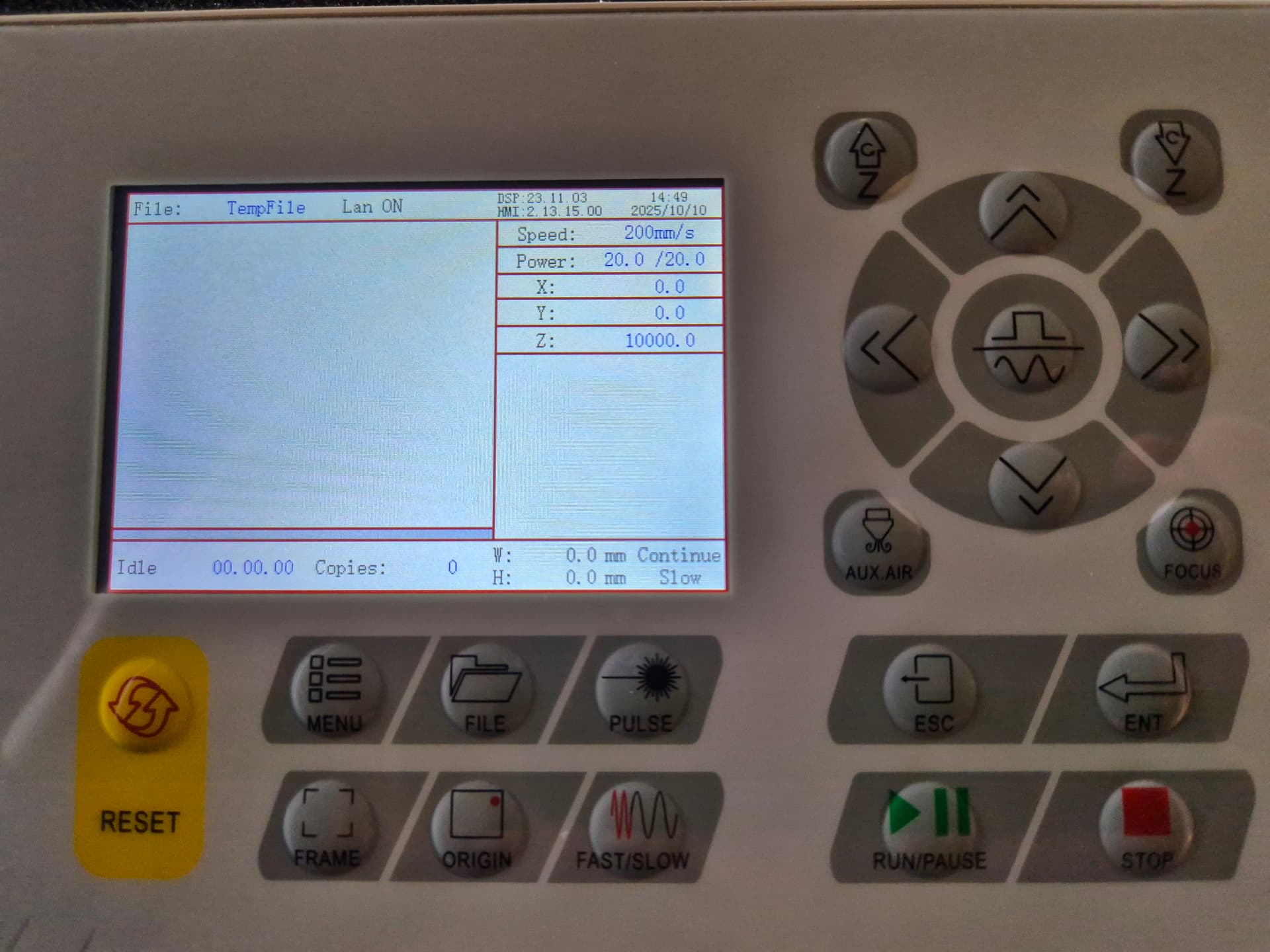
The 9.942,91 mm value for the Z axis indicates it wasn’t homed using the Focus button on the controller display. The default Z axis value before homing / focusing is 10.000,00 mm, so the platform is now 57,09 mm higher than it was when the controller turned on.
Assuming the machine has a “focus pen” = switch on the laser head, hitting the Focus button on the controller will set the Z axis to zero at the switch release point.
The controller settings include both Home Offset and Focus Distance values. I eventually figured out what those do:
Auto-focus isn’t the right hammer for every job, but it works well enough for most of what I do.
Thank you, but I did home Z by using the autofocus. My Monport has one of those laserheads with a spring loaded tube and a limit switch at the backside. So there is no need to take care about a protruding pen style switch.
And it does not matter if I home Z with the button on the controller or in the software. Lightburn does not read Z correctly.
I also tried to divide my focal distance and use both values as described in your link. So I set the focal lenght to 11.5mm and the Z pull off to 10mm.
This also does not change anything on how Lightburn reads the Z coordinates from the controller
Does the controller display show the Z (or U) axis is at 0.0 after homing?
Looks like the different KT332N firmware versions in our machines are really different.
Memo to Self: Do not upgrade the firmware.
Paging @LightBurn: When I got my machine, OMTech said “select 6445G in RDWorks for this controller”. Apparently newer (?) KT332N firmware has diverged enough Make A Difference in the U/Z axis handling.
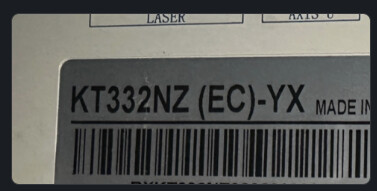
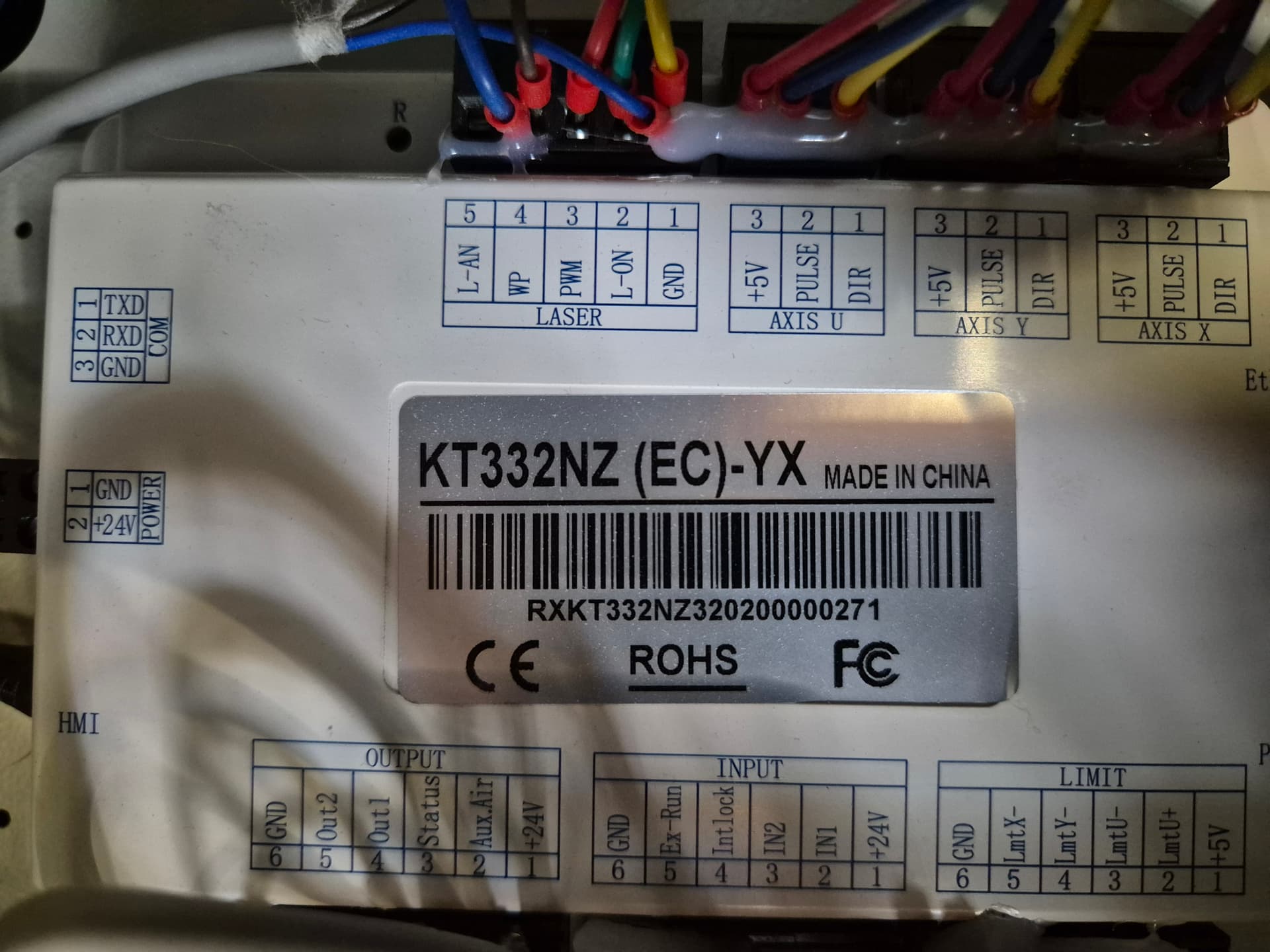
I encountered very similar situation earlier this year with somebody else who had a Monport 60 watt which had a ‘KT332NZ’ labelled controller and the Z axis behaved differently, and was not mapped to U axis.
Unfortunately the KT332NZ identified itself to LightBurn with the same ID as the KT332N, so automatically is treated the same way.