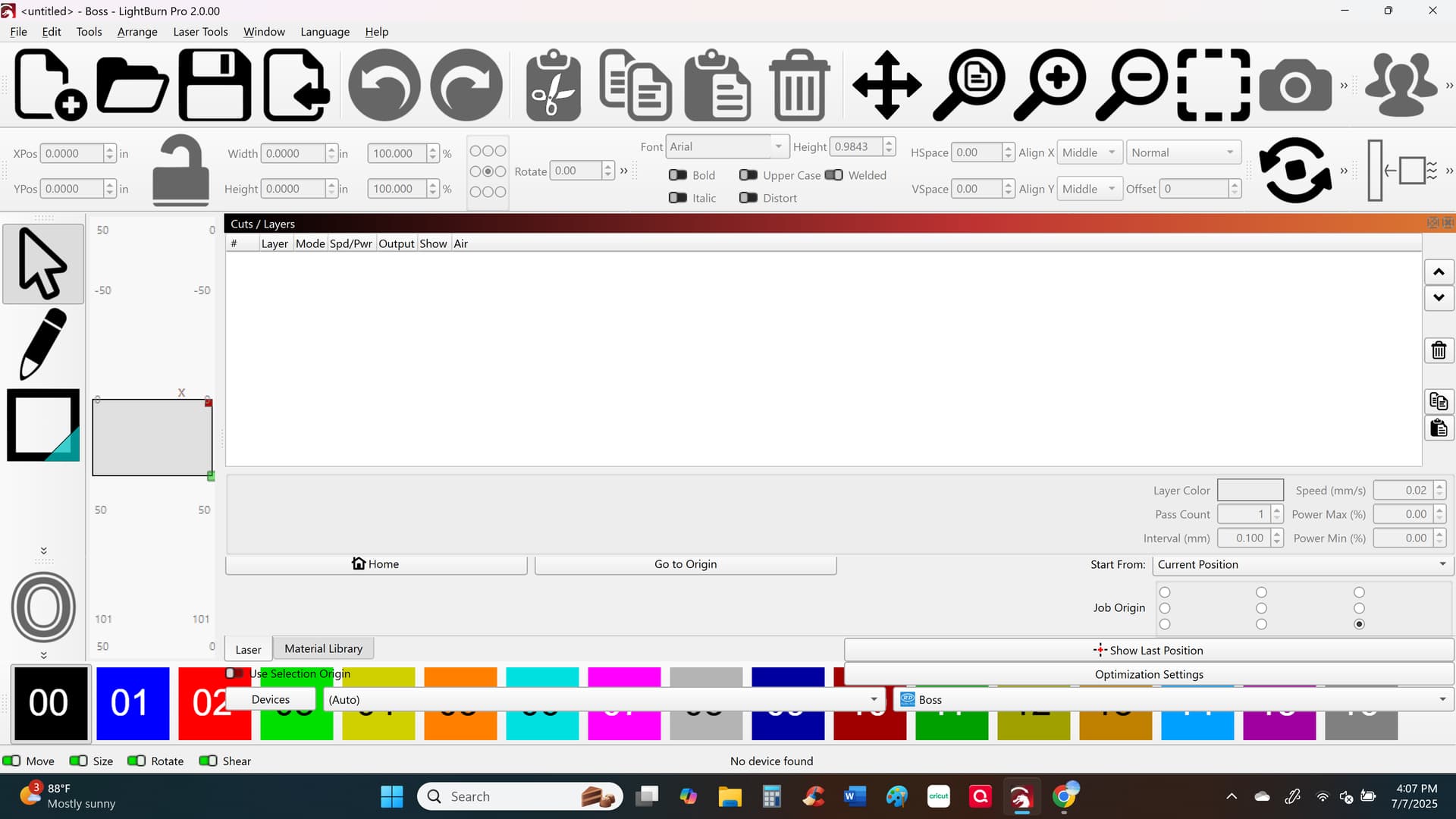
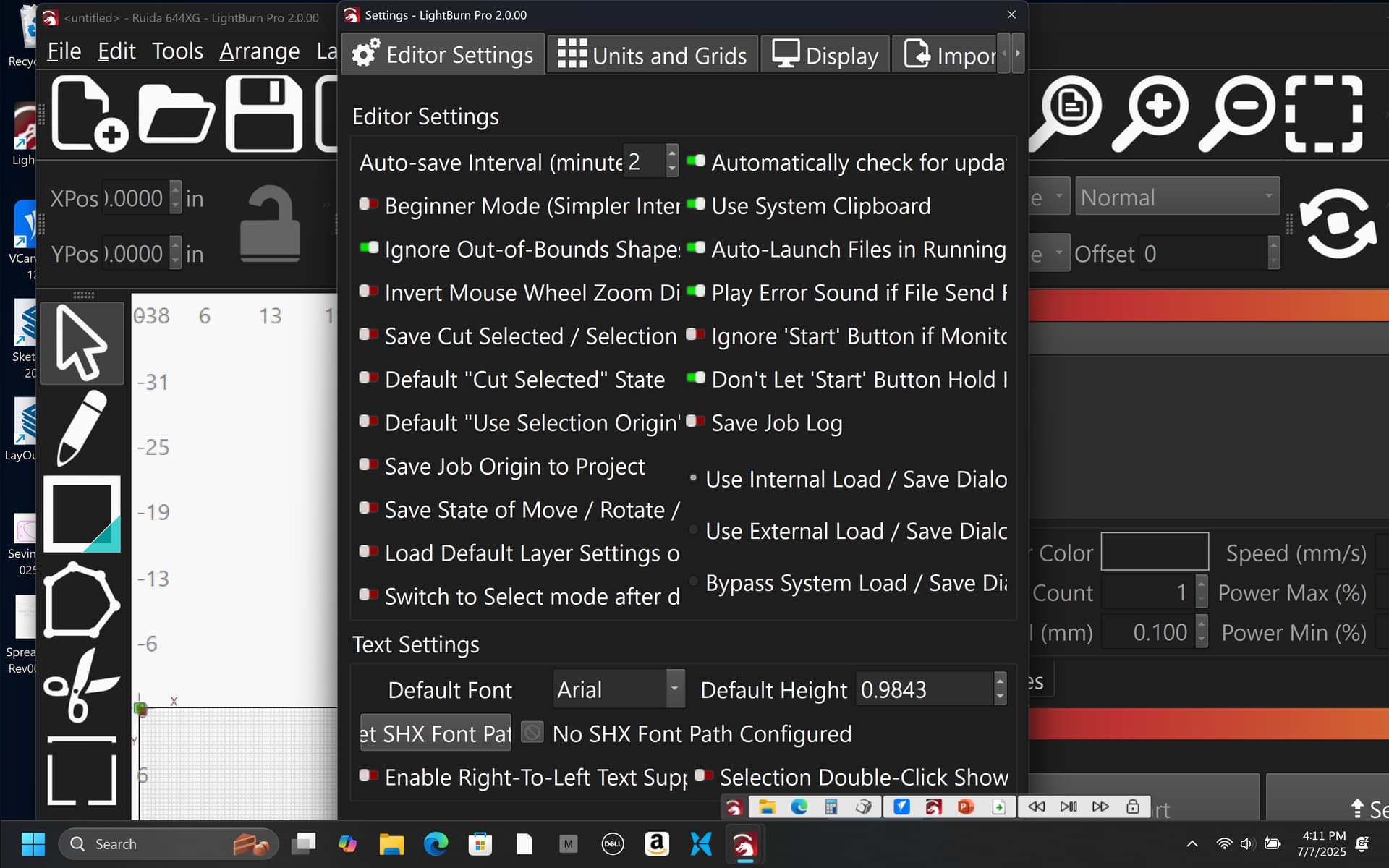
The pop up came on my screen asking me to upgrade. Not a good choice. Can’t even use the program now. Everything is screwed up, proportions are out of whack, no place to revert to previous version (which should be an option). Please run beta testing before putting these updates out - I was able to revert back to a previous version I had on my computer (thankfully). Here is a screenshot of what it did to my screen, as you can see - color codes are out of whack, no place to even include your file because everything is out of proportion.
Hello Tricia,
That is very strange.
Could you tell us please,
a) what version are you using currently?
b) Are you using Windows Scaling
c) Did you change your current version font/button size
(edit > Settings screenshot would help)
Tricia,
Sorry to see you are experiencing this. @gilaraujo will get you sorted out ASAP.
For the record, we have been beta testing this for several months and this is the first time, in thousands of beta and release candidate users, that we’ve seen this issue. I do know there is one other user who has reported similar just now - even with all of our developers and thousands of users helping to test there are hundreds of thousands of possible system configurations. So there are occasionally things we never encounter ahead of time.
The download page always has a link to old versions, so you are never held captive by a new release.
1 Like
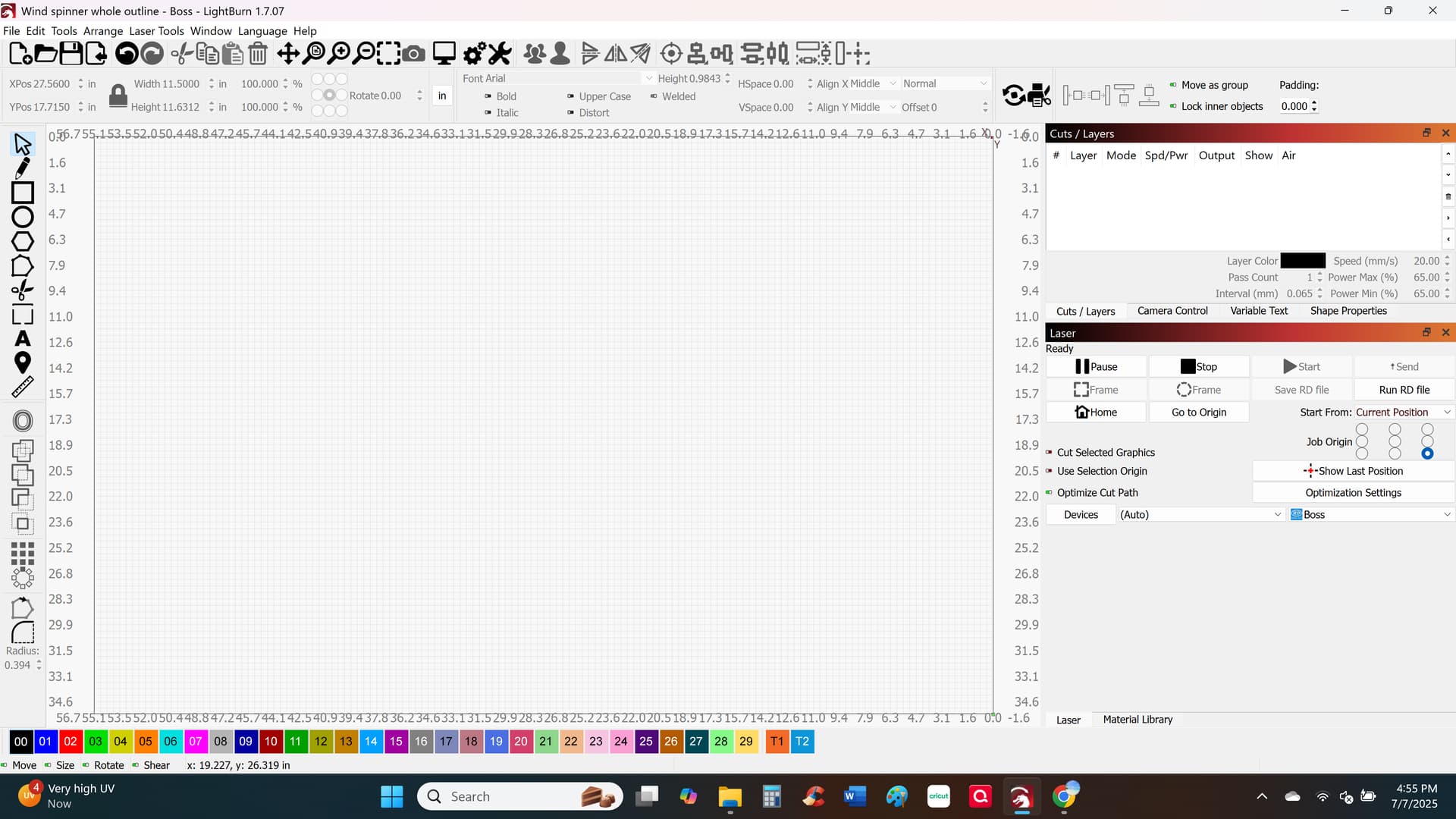
I upgraded to your recent version. I was using version 1.7.07 which looked like this. I didn’t change anything except upgrade to your new version.
1 Like
and that was a screen shot after I reverted back. everything looks fine. If I download your new version it just automatically looks like the screenshot I included.
Thank you Tricia
Favor if I can ask, to help us figure out the issue
In LightBurn go to Edit > Settings on your current 1.7.07
Can you take a screenshot, please?
Also on your windows
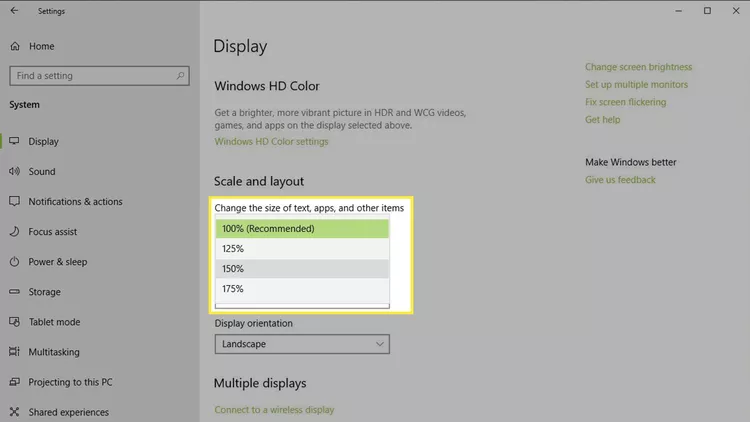
Navigate to Settings > System > Display.
Under “Scale and layout,” you’ll find the current scaling percentage
Can you tell us what it is set at?
Same thing here, resolution is super large on screen. In dark mode as well.
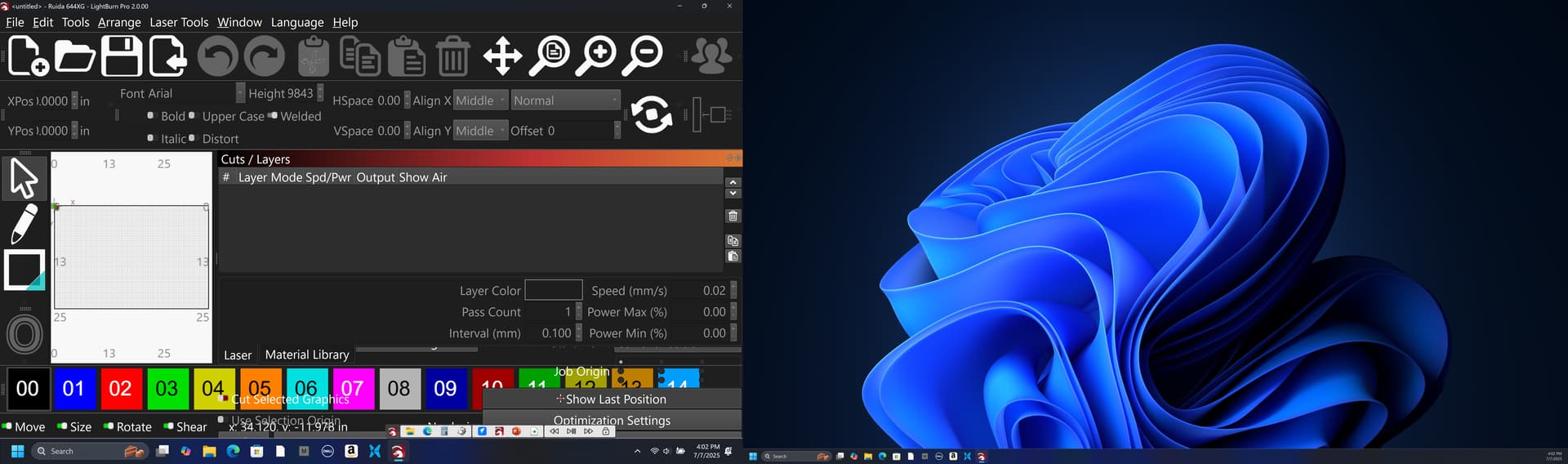
all other programs display fine. Cannot revert back.
1 Like
Could I ask the same items Dave?
https://release.lightburnsoftware.com/LightBurn/Release/LightBurn-v1.7.08/LightBurn-v1.7.08.exe
If you need 1.7.08 installer.
1 Like
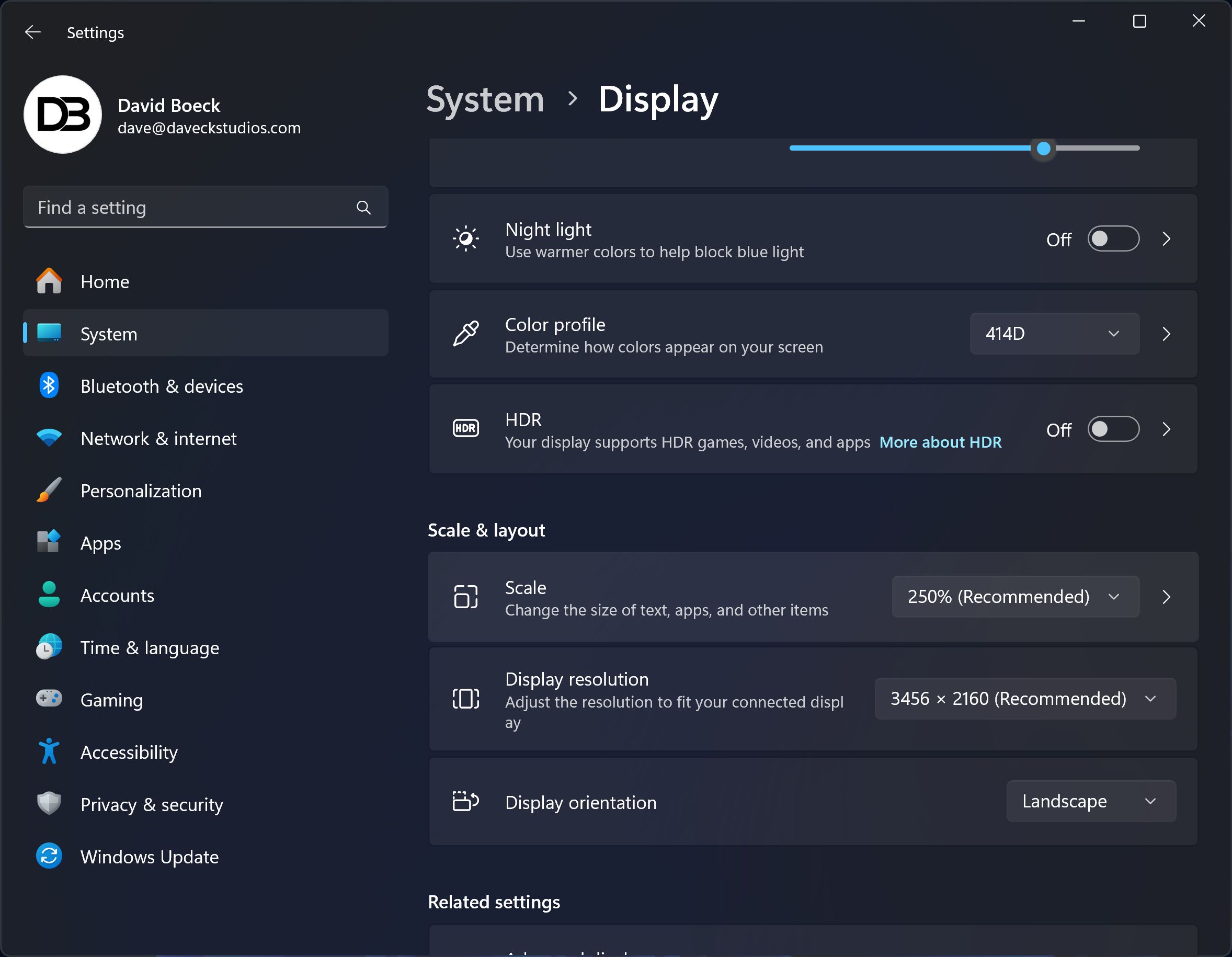
Your 250% scaling might be changing things
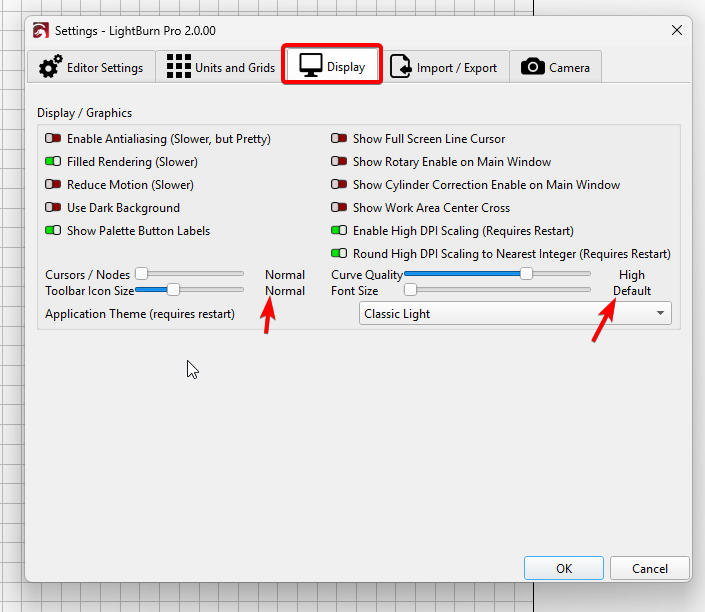
Do you think on LightBurn you can navigate to Display on settings and scroll the values down
ToolBar Icon Size to Normal
Font Size - Default
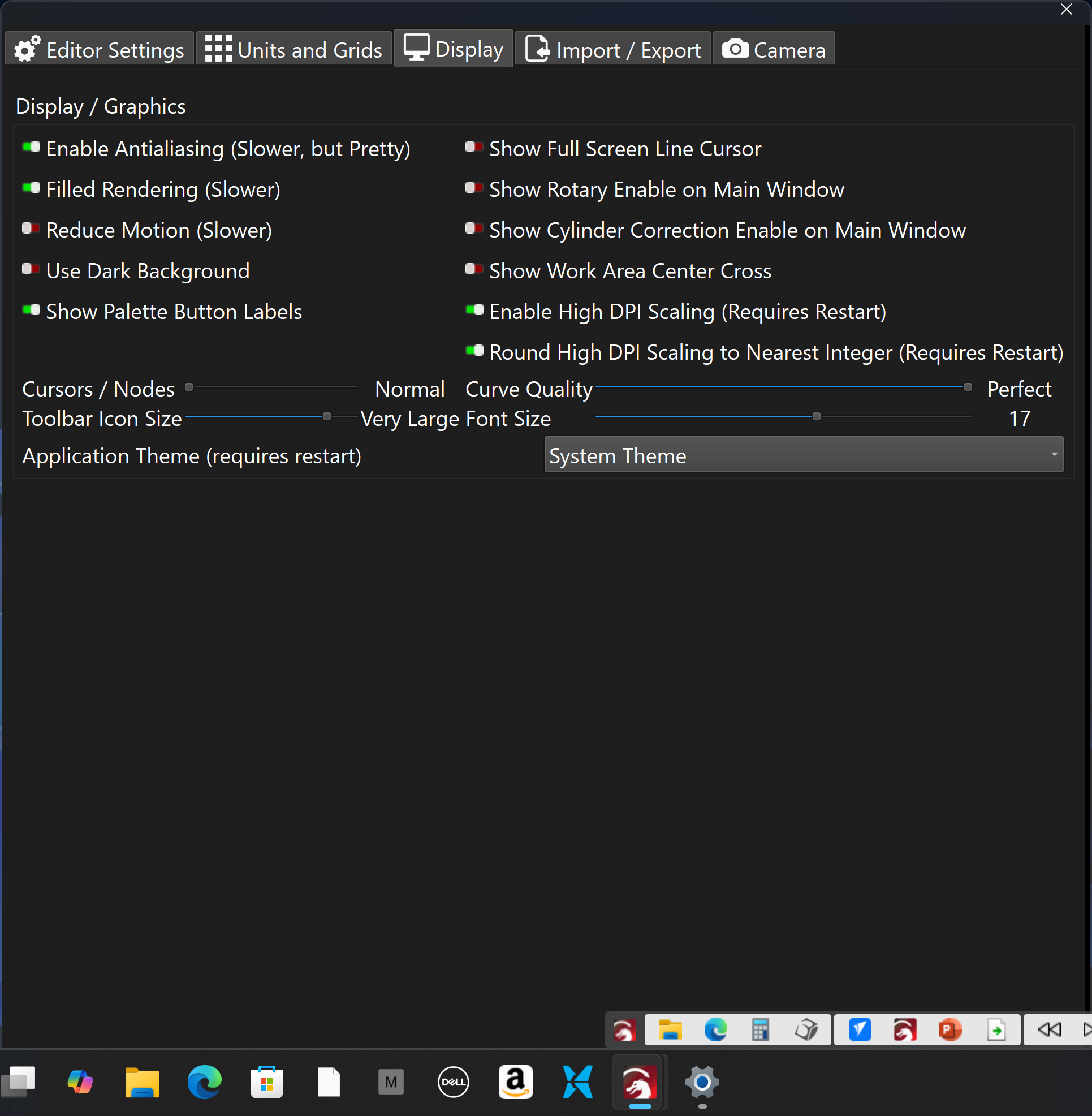
Also show it is in the dark mode now, was light mode before.
Try this for me
Set Toolbar Icon size to - Normal
Font size = Default
system Theme = Light
(your windows is set to dark mode, so LightBurn will try to mimic)
Will that set your icons/text correctly as it was before?
adjusted the suggested setting and it appears to be downsizing on the main window. Cut and Lser menu windows stay rather large
1 Like
Try Window Menu > Reset Default Layout, that should set everything back into place.
If it does work - try this for me as well
Navigate to C:\Program Files\LightBurn
Locate LightBurn.exe and right click > Properties
Then can you tell us what you see in the Change High DPI settings please?
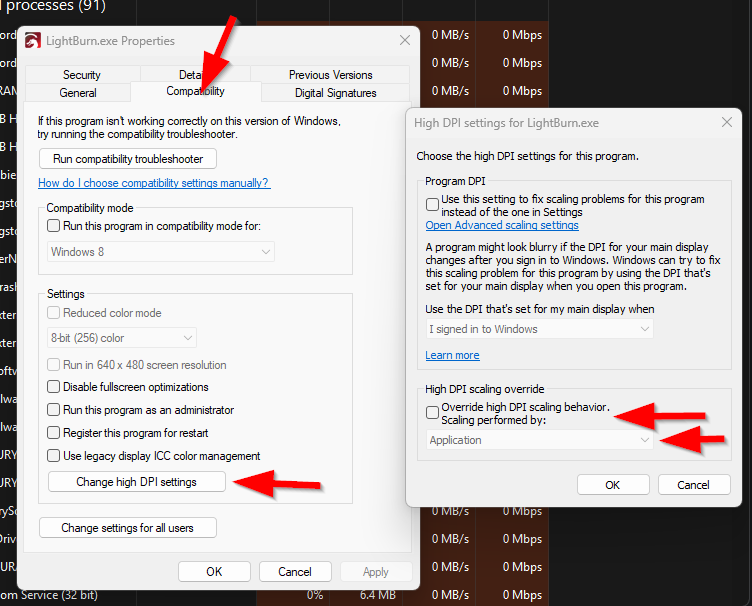
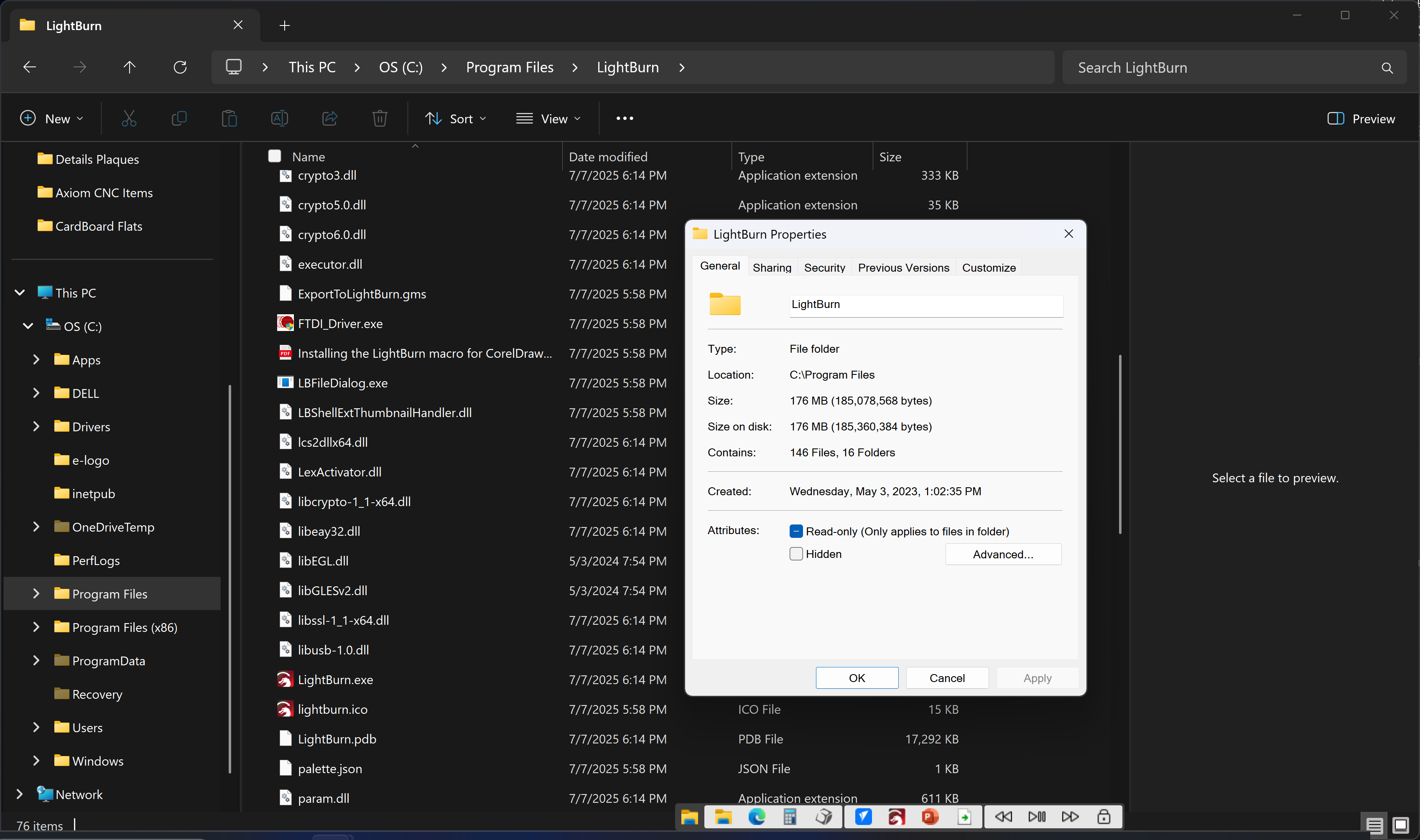
Might have not explained fully
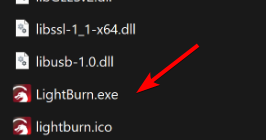
Right click LightBurn.exe → properties
The at the top Tabs, click the Compatibility tab
Click “Change high DPI Settings”
Then can you take a screenshot, as above?
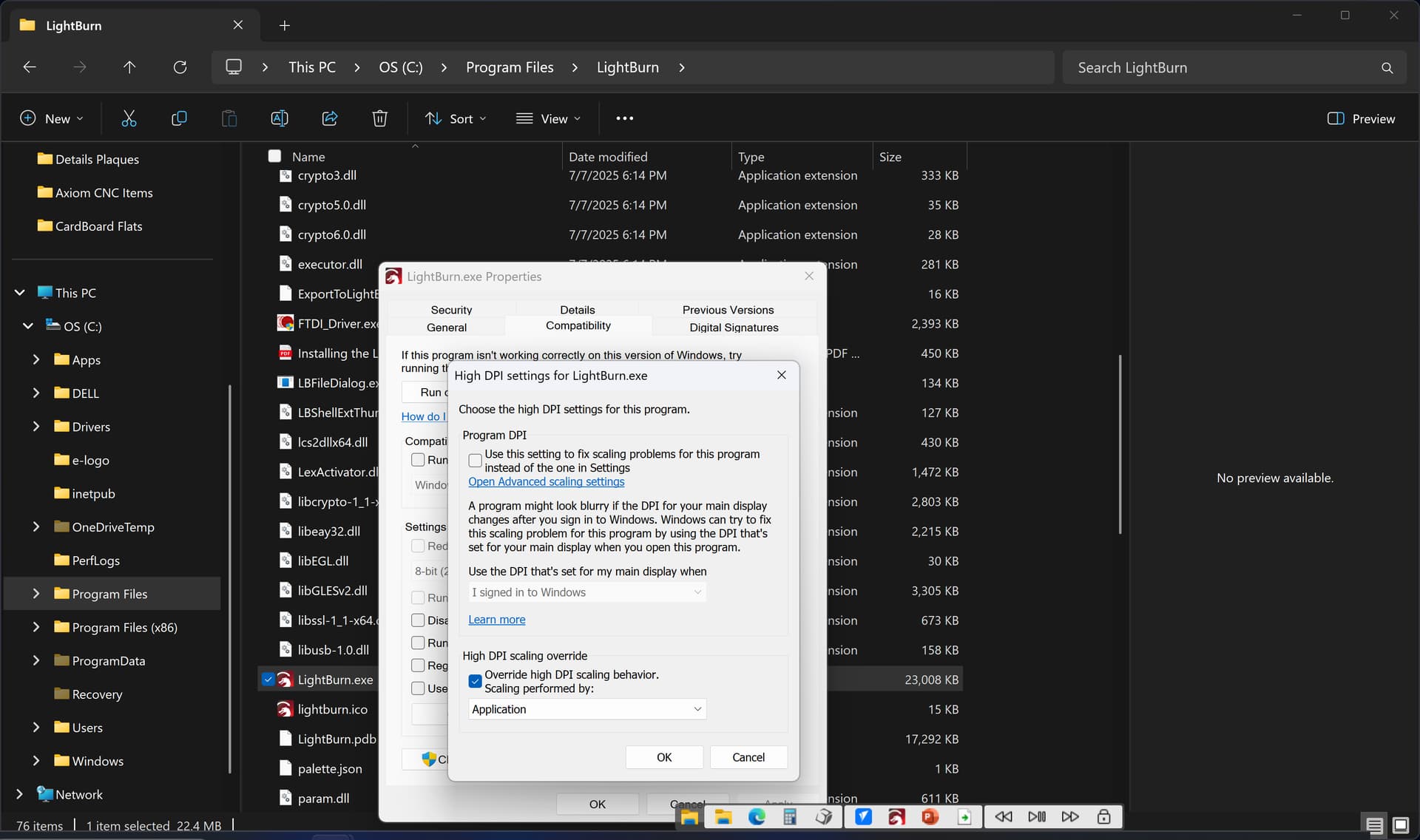
Please uncheck “override High DPI Scaling behaviour”
LightBurn 2.0 will not require that any longer, and is what caused the issue initially - that is my theory at the moment
@GCCD could you also check this please?
2 Likes
That did the trick. Main window and side tab windows correct size now. I readjusted the Icon sizes etc to my preference as well.
1 Like