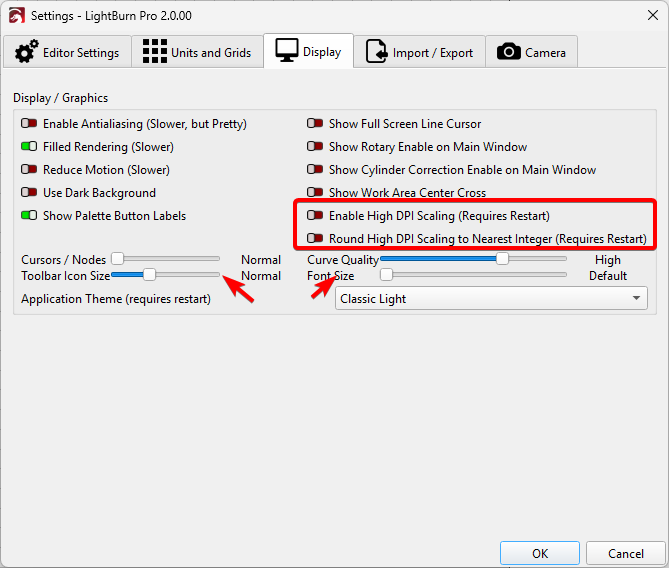
In this case, if you wish to have independent control on scaling From Windows and LightBurn try this
a) set Windows scaling for your preference
b) navigate to Edit > Device settings
Display Tab
Disable both High DPI settings on Edit > Settings
Restart LightBurn
Now the font/Tool bar sliders will scale LightBurn to your preference independent of Windows Scaling: