Lightburn can’t find my laser. I have a Sculpfun S9 and i’m using a laptop with windows 10. Downloaded the latest software (2.0.04) but there is nothing in the list. I’ve been on the Sculpfun website but can’t find a driver anywhere. What am i doing wrong?
Start here: Setting up the software - Diode Laser Wiki
3 Likes
If what @Dskall provided does not get you going, and you are trying to have Lightburn automatically find your Device, then create your Device type manually. It is dirt simple and tales less than a minute.
1 Like
Thank you. I eventually found the driver online and got it up and running. I am however finding a new problem. I downloaded the trial version of lightburn and have watched countless videos of how to set it up etc. I seem to have a few things missing from my version (downloaded directly from lightburn), one being the circle tool on the left hand toolbar, and another is the coloured tabs at the bottom. I am probably doing something wrong but jist can’t figure it out. Any help would be greatly appreciated
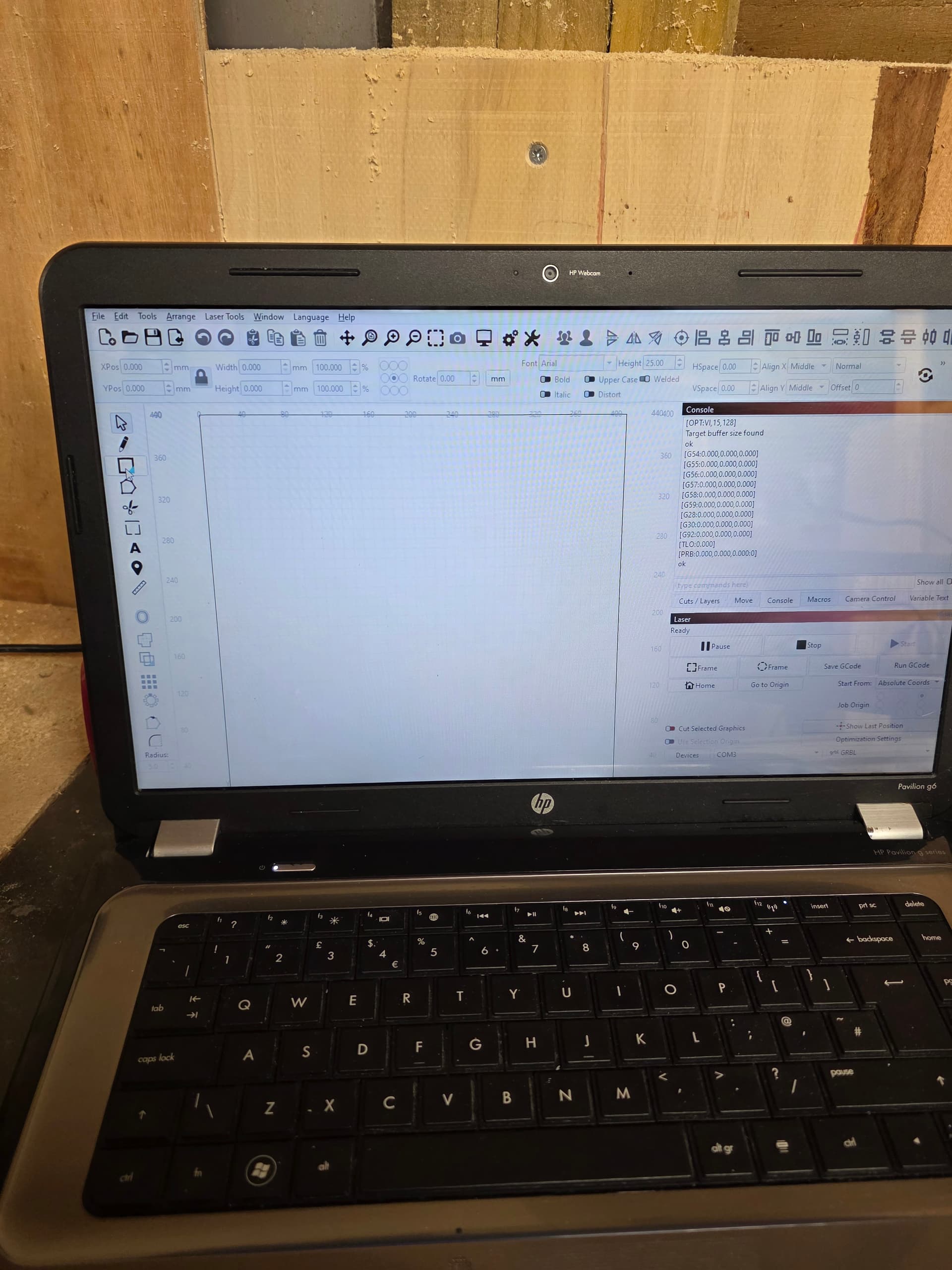
The dev team keeps adding features. The Circle tool is hiding under the default tool. Click the blue corner (lower right) of the Square, the Circle tool should be in a Fly-out. The new default will be Circle.
You aren’t doing anything wrong. You’re doing great and you asked very clear concise questions. 
I can’t see the LightBurn Version on your computer either. Top bar is also missing.
With LightBurn 2.0 and on, the added features are needing more screen area.
I looked up the HP Pavillion G6 and the screen size is something we refer to (in jest) as ‘The Devil’s Resolution’ because of the 3 sixes in the pixel count.
The 15.6-inch display features a standard 1,366x768-pixel resolution and is LED backlit.
Please test the suggestions linked below to rescale LightBurn to fit your monitor.
Please let us know if this gets you up and running again.
1 Like
If you are missing the red Close “X” at the top and the row of Layer colors at the bottom, a quick fix is to use WinKey + UpArrow. This will maximize the window.
2 Likes
Thank you thank you thank you. This fixed it straight away. I can finally try and get to grips with creating.
1 Like
This fantastic community has absolutely helped this ageing technology illiterate fool try and create something. I can’t thank you all enough. 
1 Like
Glad we could get you going.
It’s a great feeling all around.
1 Like
This topic was automatically closed 30 days after the last reply. New replies are no longer allowed.