Hello,
I am trying to use Lightburn with my Wecreat Vision Pro 45w. I was able to successfully load the settings and get the camera to calibrate and work and auto-focus worked correctly. The issues I am having is when engraving;
The laser is not moving to the speed that I have depicted in my layer.
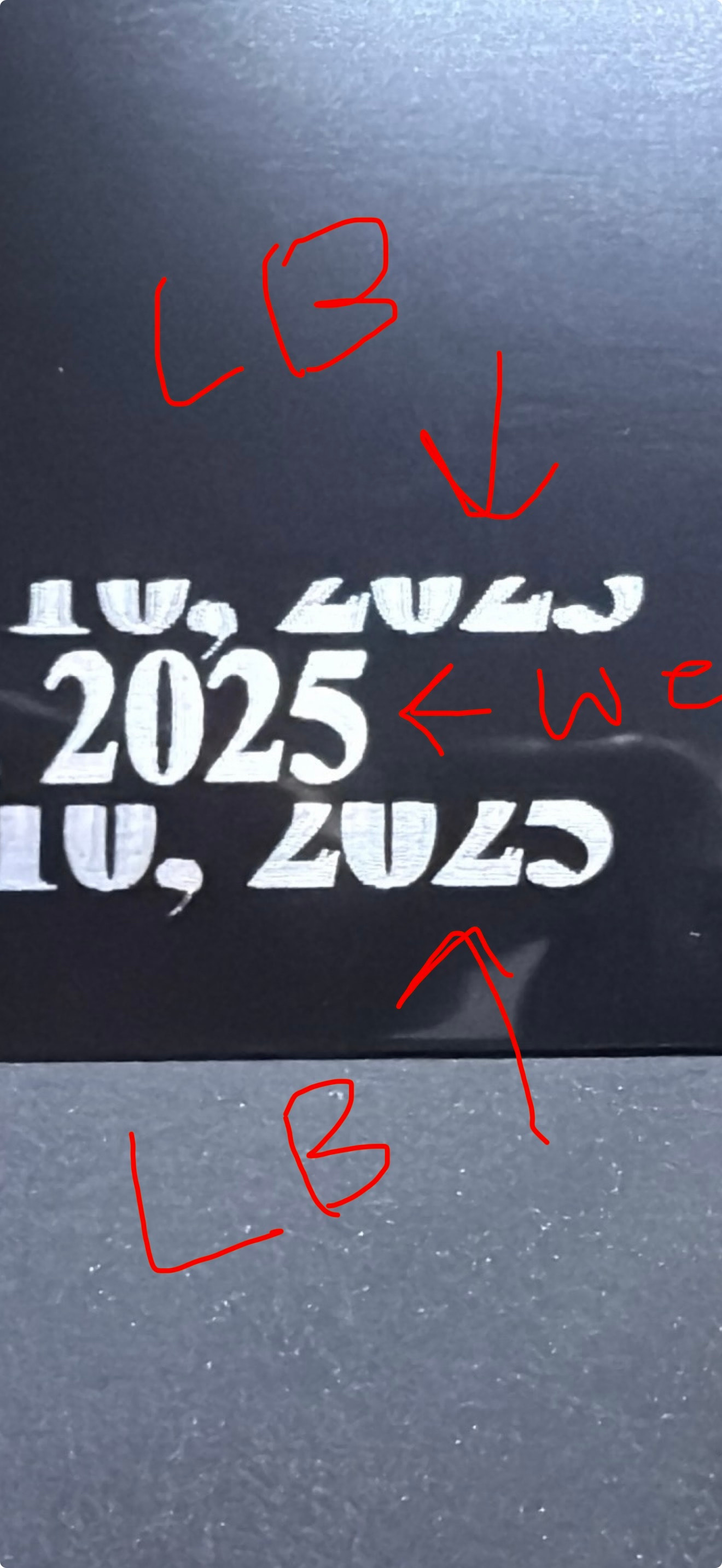
Wording on a flat surface is also coming out with a shadow. Not sure if this is due to using bi-directional or not.
When engraving using the rotary, the x-axis engraved fine, but the y-axis engraved to around 60% of the size in Lightburn.
In the photo, if you zoom in on the top/bottom lines engraved in Lightburn, you can see the shadow I am referencing. The middle line was engraved on Wecreat MakeIt.
As far as the shadow, perform a scanning offset adjustment. It may be built into the wecreate software, not sure. As far as the rotary issue, you need to determine the proper settings for your rotary. You don’t say what rotary you’re using so I can’t advise further.
Thank you for the quick reply. Regarding the rotary, I am using the Wecreat Rotary Pro on the Vision Pro 45w. The diameter of the tumbler was measured using a set of calipers. I am going to perform the Scanning Offset Adjustment to see if that will fix the shadow issues.
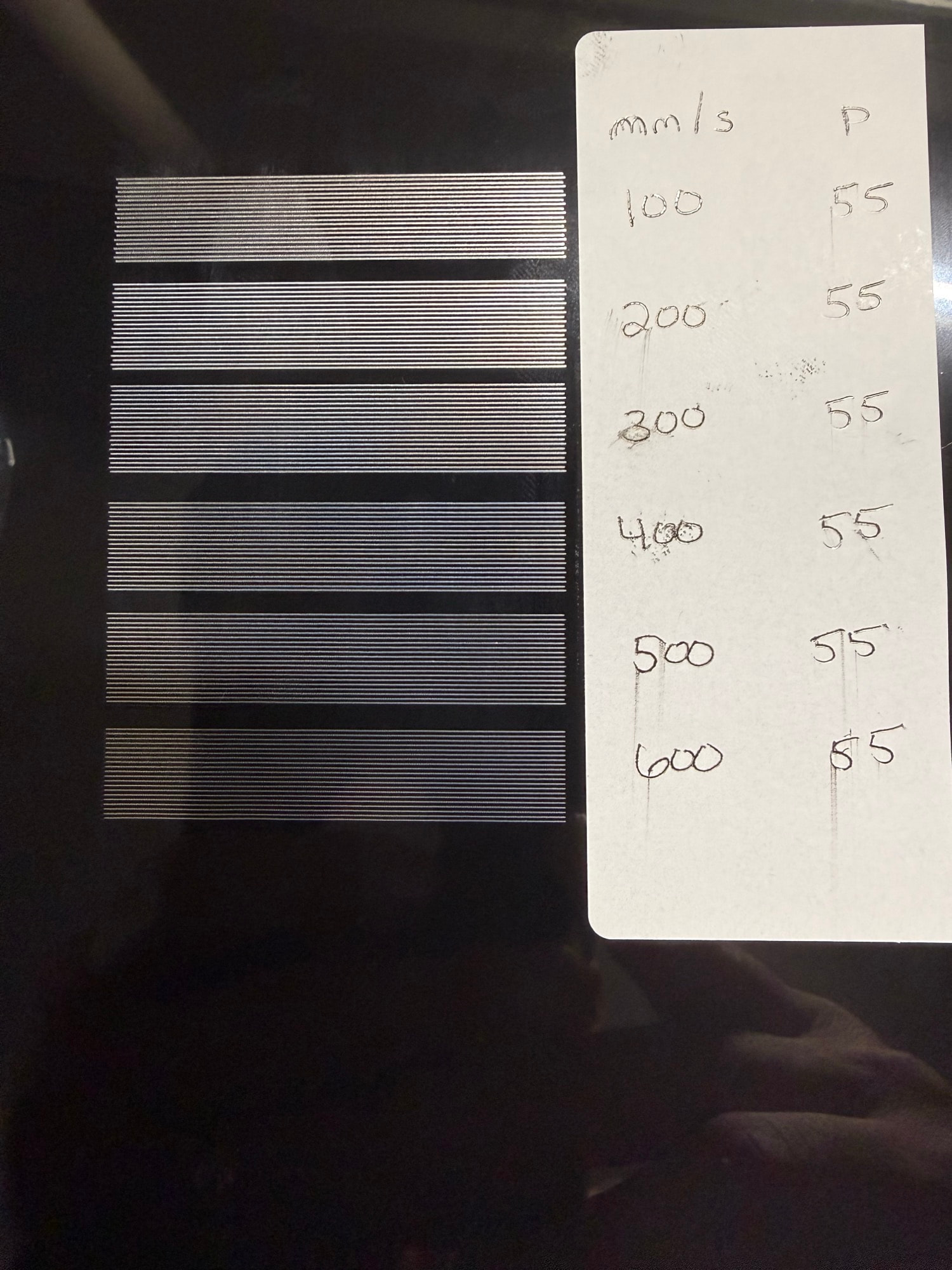
Here is a picture of my Offset Adjustment Test. Seems the faster the speed, the better the engraving. I noticed during the test, the speed from 100 to 200 increased, 200 to 300 increased, but once it got to 400, 400 to 600 seems to move at the same pace.
You may have found the actual highest speed your machine can do at that length of an engraving.
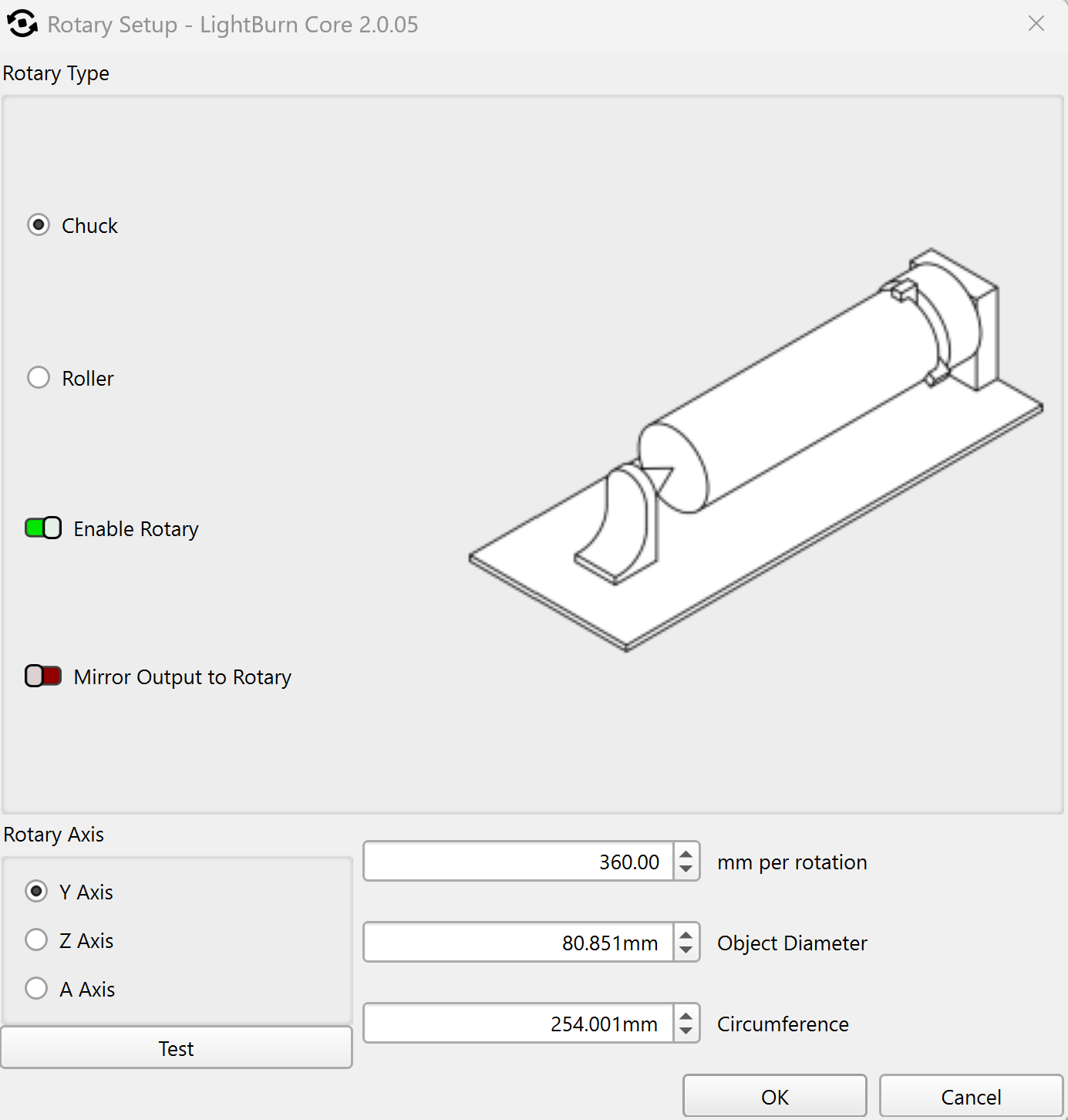
As far as your rotary, ensure that the chuck makes exactly one full rotation when you click the test button. If not, you need to adjust your steps until it does. Then and only then can you expect to get proper sizing.
I have not tested out the rotary just yet, but as far as the offset settings, I have rectified that issue by applying a 0.100 Line Shift @ 100 mm/s.
At the same time, I was able to set the offset for my red dot laser.
The next thing I am going to look into, is having the auto-focus move to where my material is. Right now, it just auto-focuses to a designated coordinate (M130X150Y150).
I’m quite sure, it is.
You might get better results after the scanning offset adjustment Tim posted, but as far as I know, the problem stems from the way the X-axis is structured.
WeCreat MakeIt won’t do Bi-Directional scanning for this reason.
Are you using WeCreat’s device profile?
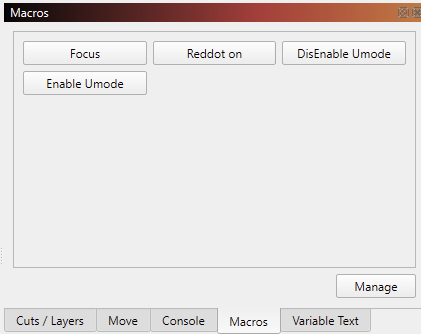
They added these macros, but I don’t find any info on how to use them.
“Umode” suggests that has something to do with the rotary.
You can change this code to only be M130. This is their focus sequence. By omitting the X150Y150 (Center of the machine workarea) it will perform the probing at the current position.
The trick then is to first Frame so that the head is over the material, and then Focus.
Yes, I am currently using these Macros with my 45 Vision Pro. The Focus works to a certain coordinate (coordinate can be changed in the Manage tab). Umode from my experience so far has to do with engaging and disengaging the rotary.
Does that mean, you get accurate engravings without the ghosting with Bi-Directional in LightBurn?
Ah, that makes sense! Thank you.
Reading your initial post again, I believe you didn’t enter the correct “MM per Rotation” value.
The “Test” button in the Rotary Setup window should make it rotate exactly one revolution, and back. - Is that the case?
Offset Adjustment
Correct, using the 50mm x 10mm rectangle, everything is now lined up using the bi-directional engraving. I will test again tonight using the same file I tried previously to see if the ghosting had gone away.
Rotary
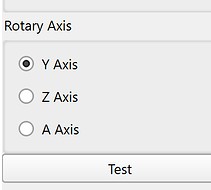
I noticed in the rotary setup, the A-Axis was selected not allowing for the degrees per rotation to be adjusted. I will use the guide you posted to test out the rotary as well tonight.
Playing around a little tonight, selecting either Y-Axis or A-Axis would physically move the laser head during test.
After running the “Enable Umode” (Rotary Lock), the Y-Axis stills move the laser head but the A-Axis actually rotated the rotary jig, but rotates about 580-600 degrees instead of the 360 degree locked setting.