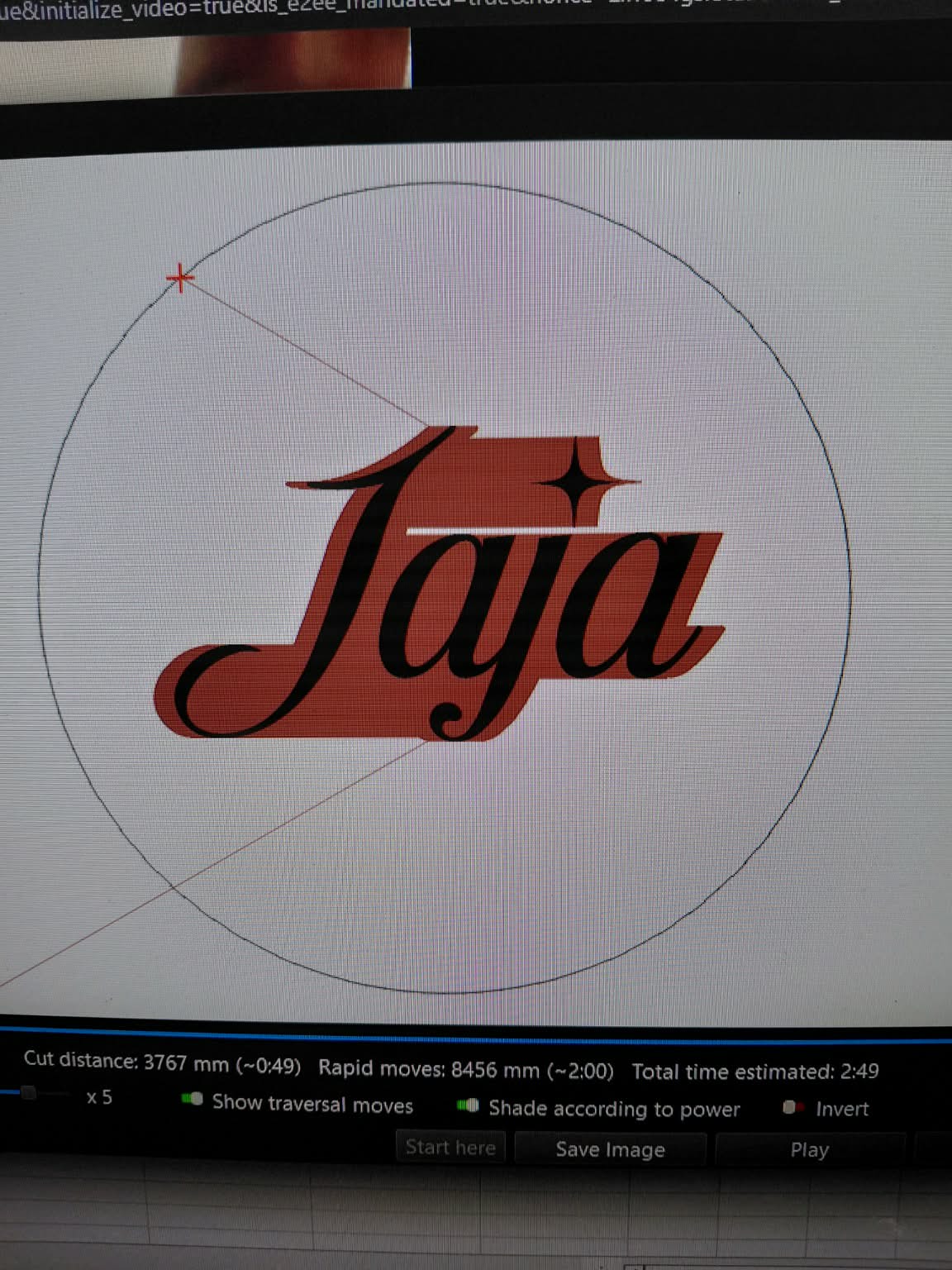
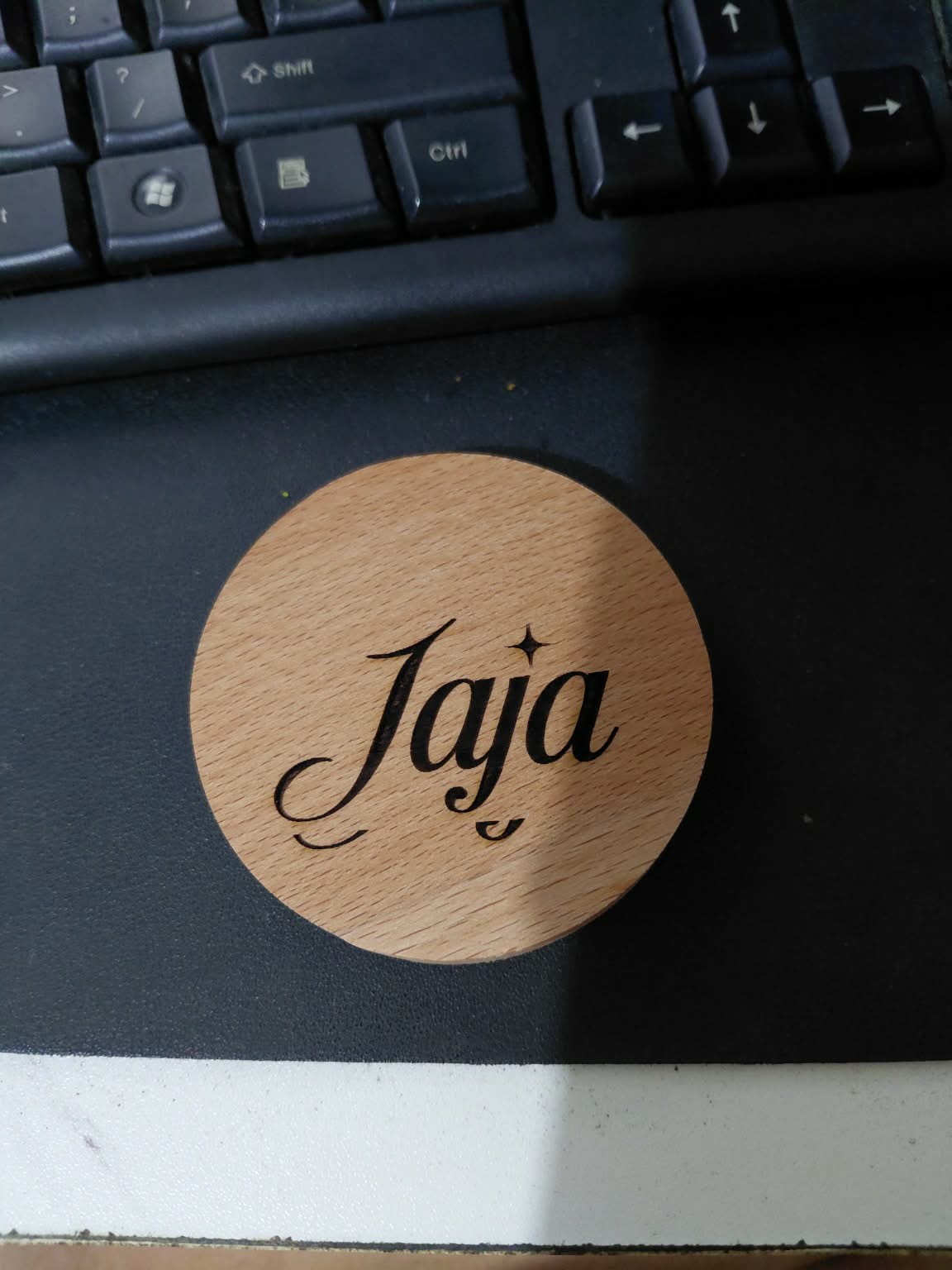
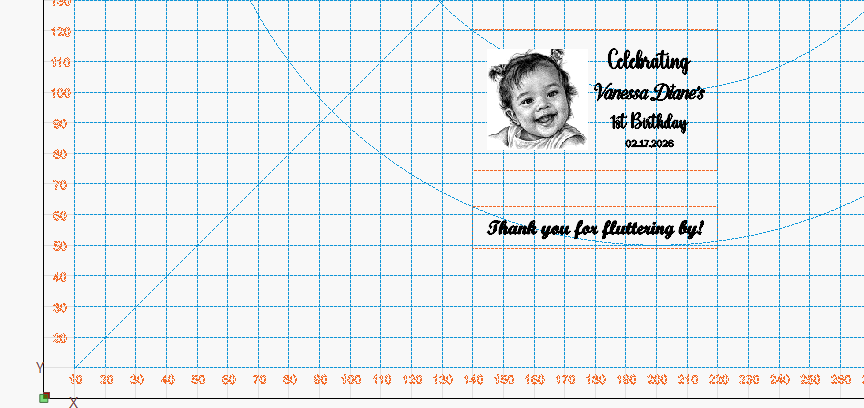
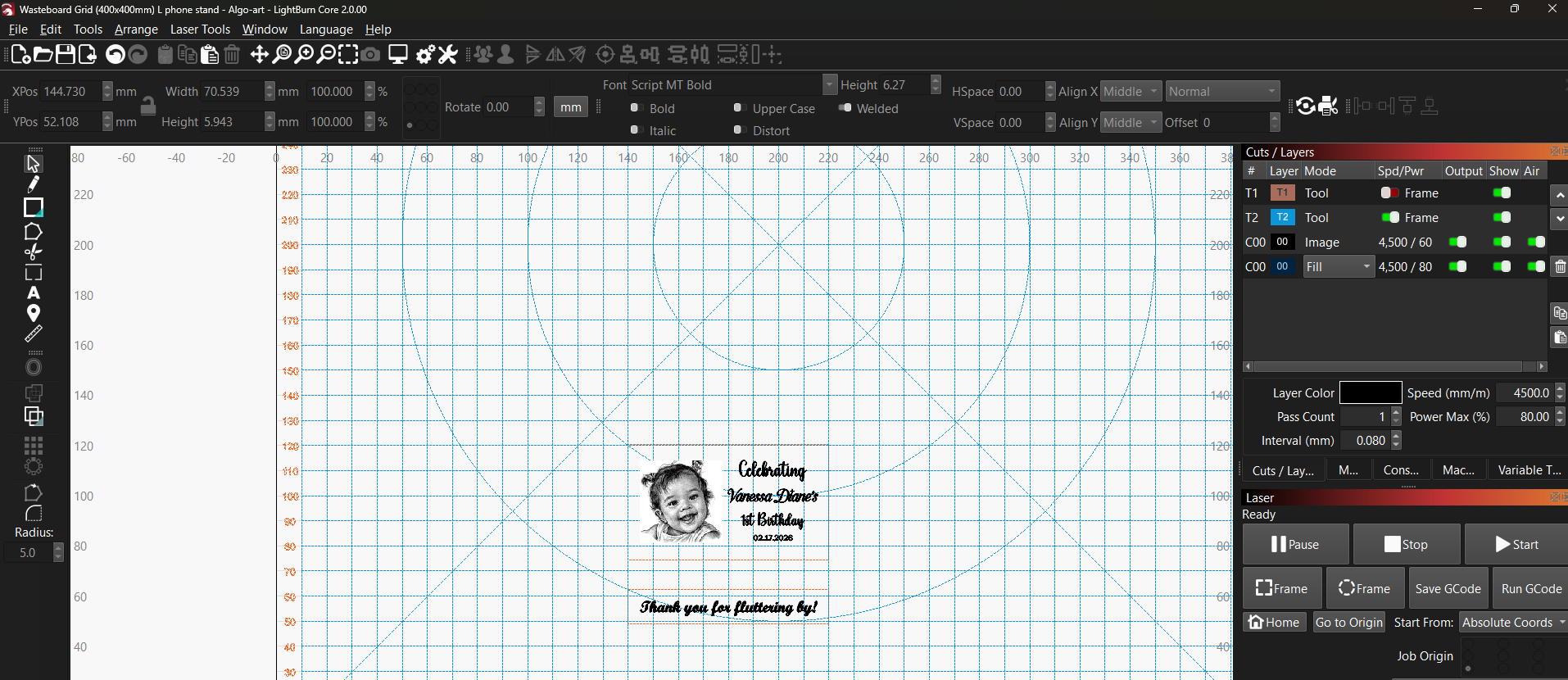
Hi everyone. I’m using 10w algolaser DIY kit, the problem is that in LB preview, the text or image is centered, but when I frame it, it’s different than what is previewed. And when i start the project, the output is not centered.
i have already checked tension belts and eccentric nuts, I have also tried algo app (what is shown and what is engraved is actually centered, so no problem with the app), thus, it seems to be in the lightburn issue?
To me, it looks correct. Did you measure the distances to the outer border? I could only measure it on the screen, but it seems quite fitting. Be aware that fonts sometimes don’t look centered because of the different weight compared to the size. The upper and left lines are very thin, but considered the same as the strong lines from the main letter bodies.
Yes i measured the distances. Also, I also am using wastegrid to make sure that I get to align the item correctly. But even if followed the lines, upon framing, it’s not the correct position. Adjusting it again to make it correct placing but starting the project, it starts to a different spot than the framing.
Have you selected “absolute coordinates” on the laser window?
Have you re-homed the machine?
Be sure that you do not move the laser head by hand, as the program does not follow the location of the laser head, it can only measure where the program has told the laser head to move to, starting from home.
I use a piece of cardboard as a jig to hold my media (wood) in place. I cut a slightly larger outline (+.15mm), and I secure the cardboard to the table to prevent the air assist from nudging the wood during process, and the wood is held exactly where I want it.
Yes, it is on absolute coordinates and job origin is at bottom left (as stated in the manual as well).
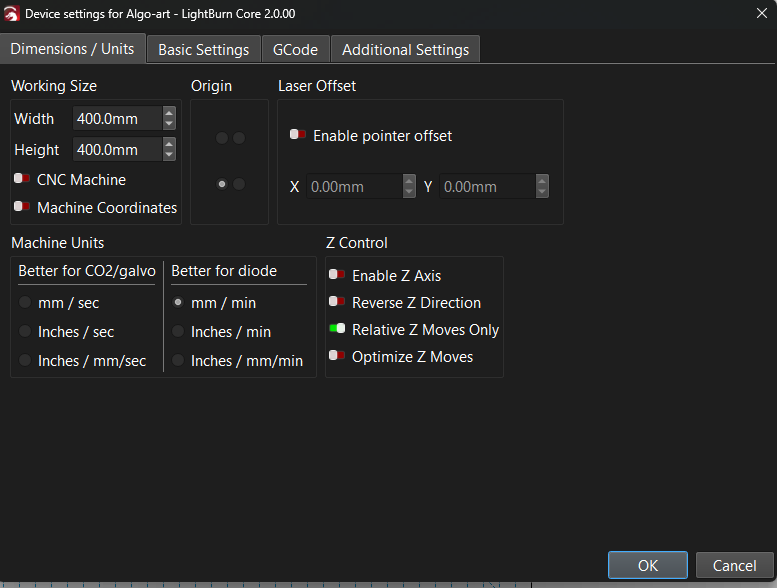
Re-homed the machine, then frame, re-homed again, then start. What happened is that it’s not the same coordinates. Not quite sure as what problem this is. Already disassembled the machine and assembled back again, still getting the same problem.
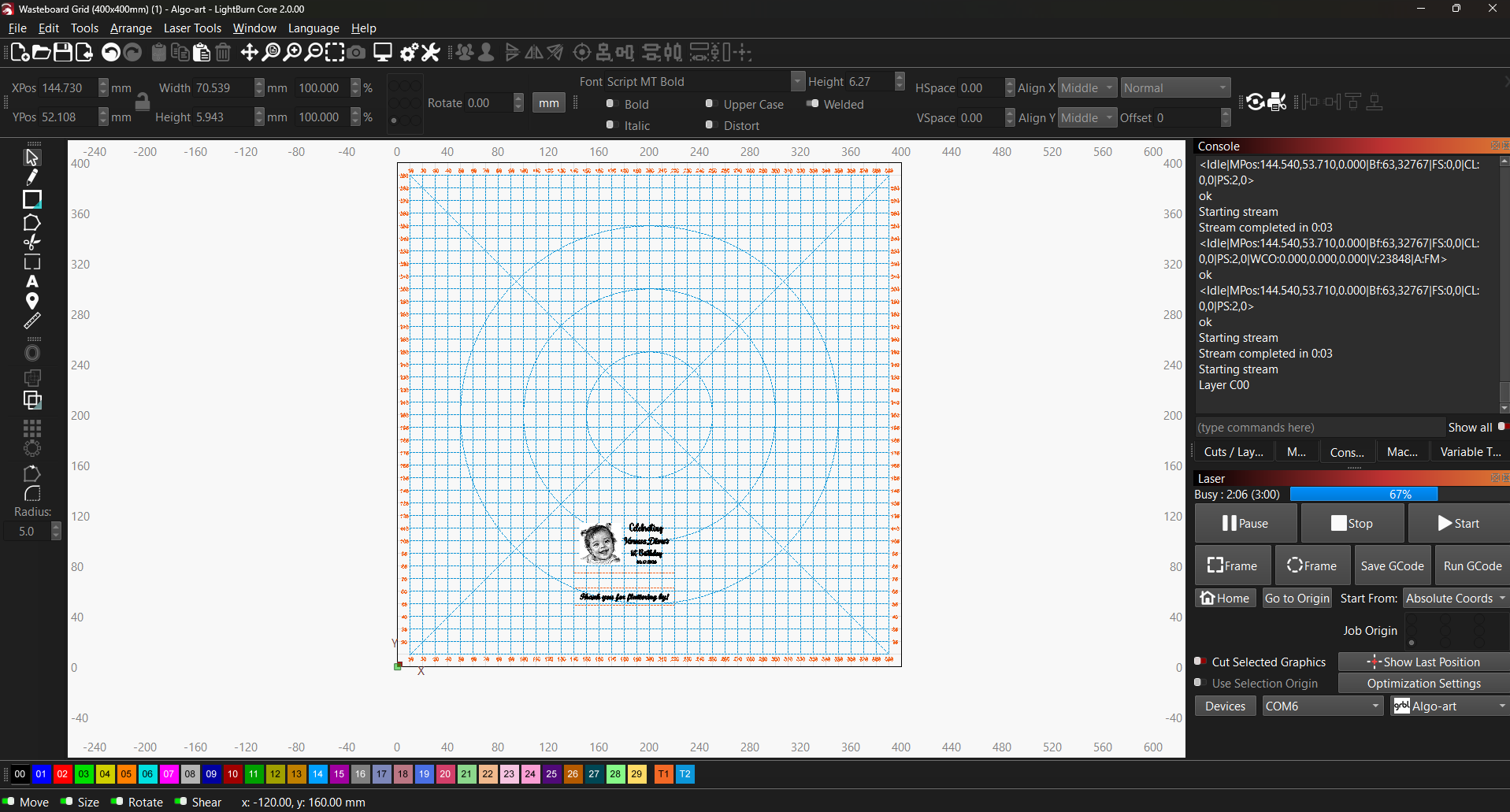
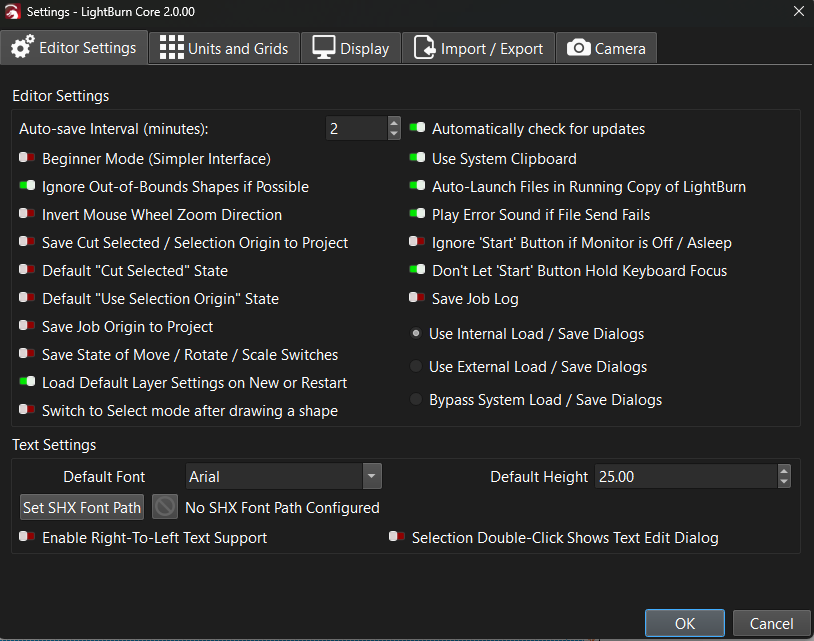
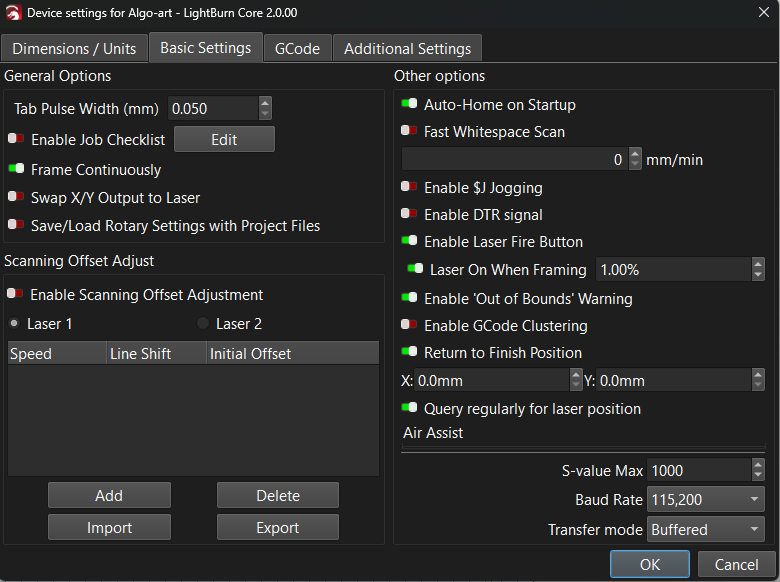
Help us see what you’re seeing. Please post a screenshot (not a cell phone pic) of your entire Lightburn screen with your project loaded and the Cuts/Layers Panel and Laser Panel visible. Also post a screenshot of the Settings Window (Gears icon) with the Editor Settings tab visible and post a screenshot of the Device Settings Window (Wrench and Screwdriver icon) with Dimensions/Units tab and also Basic Settings tab.
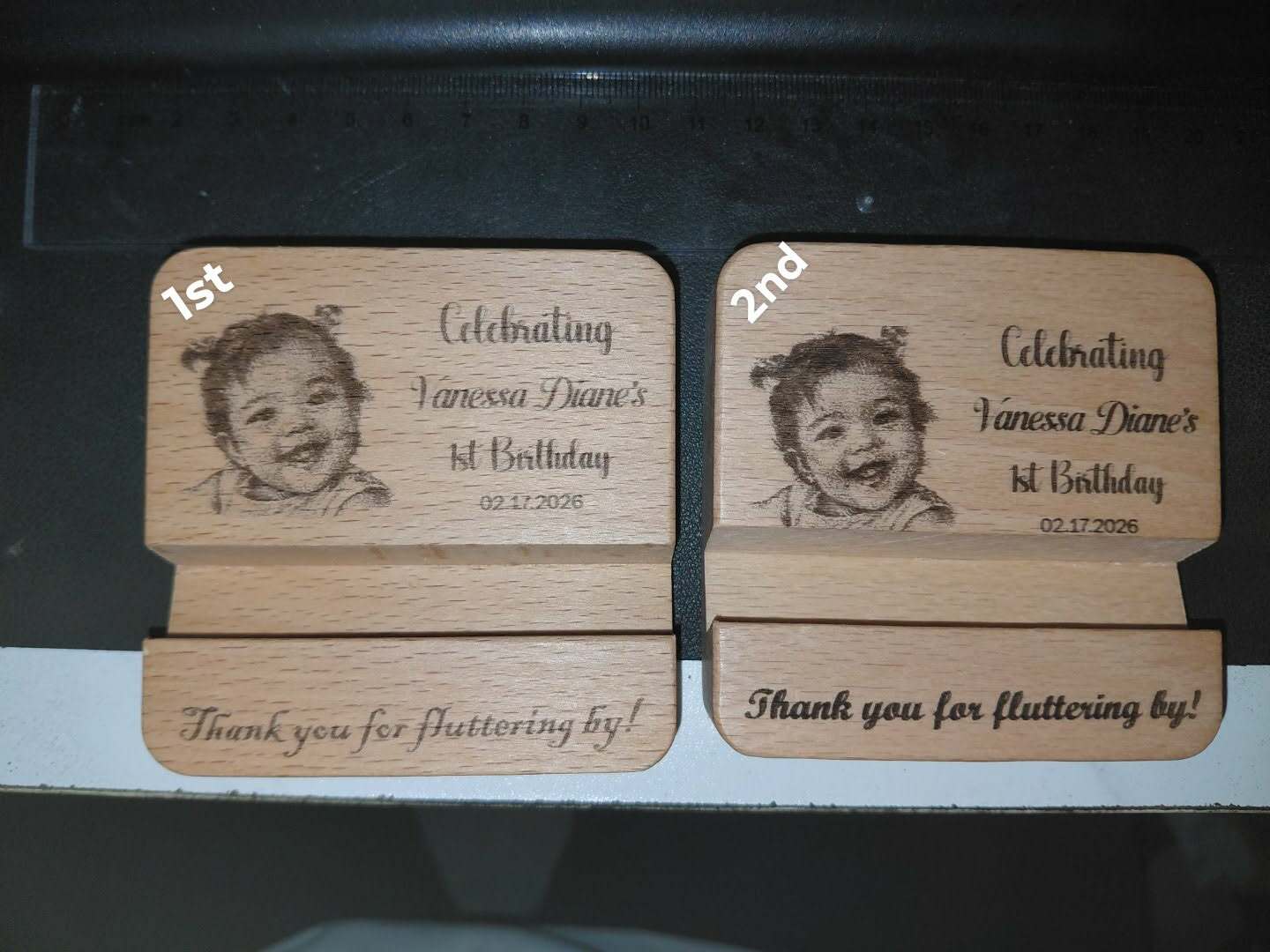
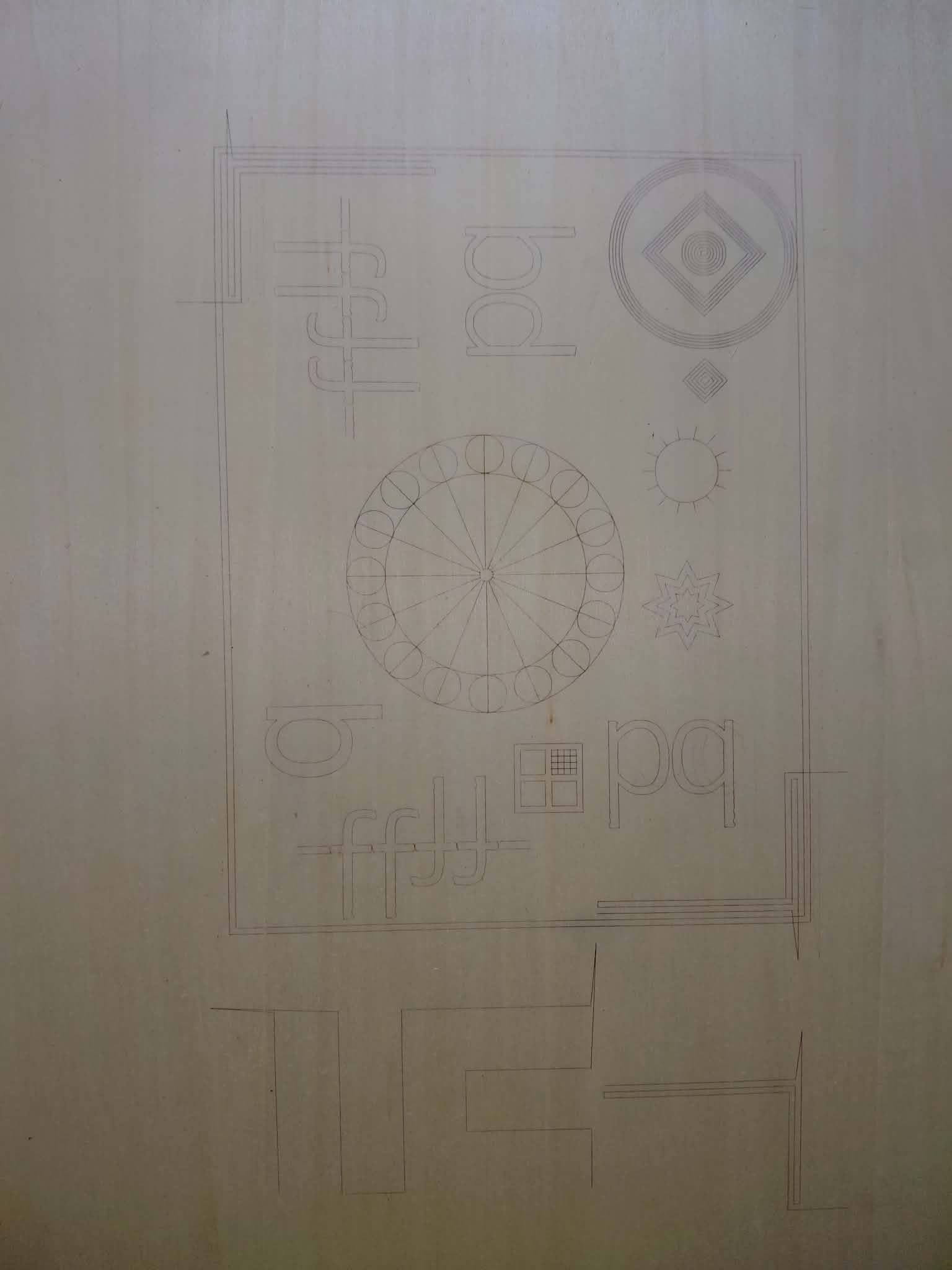
attaching also the 1st output which happened to be okay and aligned, but upon doing the next 2nd output, without moving the image, it showed a different output which is the image and text is lower than the first. I only changed the power and speed but not the placement of the image and text.
The interesting part is the text along the bottom appears the same on both. Did the bottom text engrave first? You didn’t show your cuts/layers panel.
I’m guessing that you’re missing steps on the move from lower to upper section, Y axis. Could be caused by a slipping belt or pulley or possibly incorrect asseleration settings.
This test will help determine if you have a mechanical issue. Load this file, scale it proportionately to fit your bed and run it at high speed with just enough power to get a good mark on cardboard. Any discrepancies from the file will indicate mechanical problems. Upload a photo of the results so we can look with you. BacklashTest.lbrn2 (68.8 KB)
How are you indexing the wood to the waste board? I tried and tried and tried to use my eyeball to line up my work. After struggling for way too long, I admitted defeat and resorted to using location jigs that hold the edge of the wood.
I had issue with mine shortly after I got it. It woud work fine several times in a row, then mess up. I went through it 3 times before finding the problem. It ended up being a loose set screw on one of the motor pulleys. When it was cold it didn’t slip, but after the motor warmed up it would start slipping.
It’s just weird that only the upper section is off and not the lower. I would think both would be off by the same amount, or at least close to the same amount.