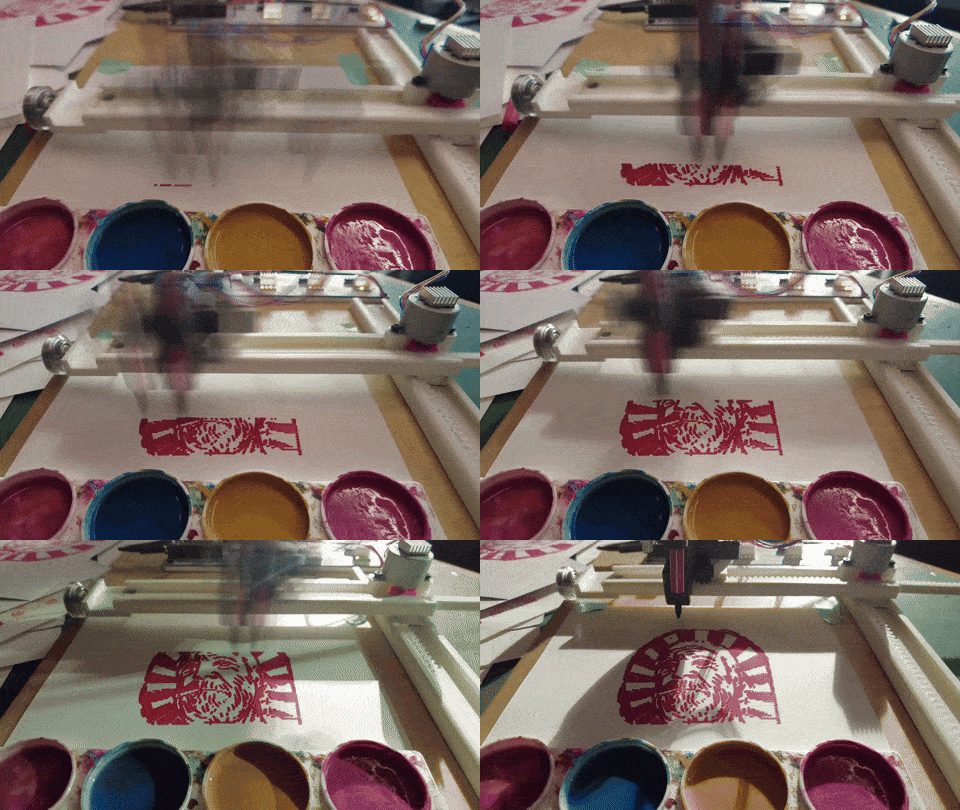
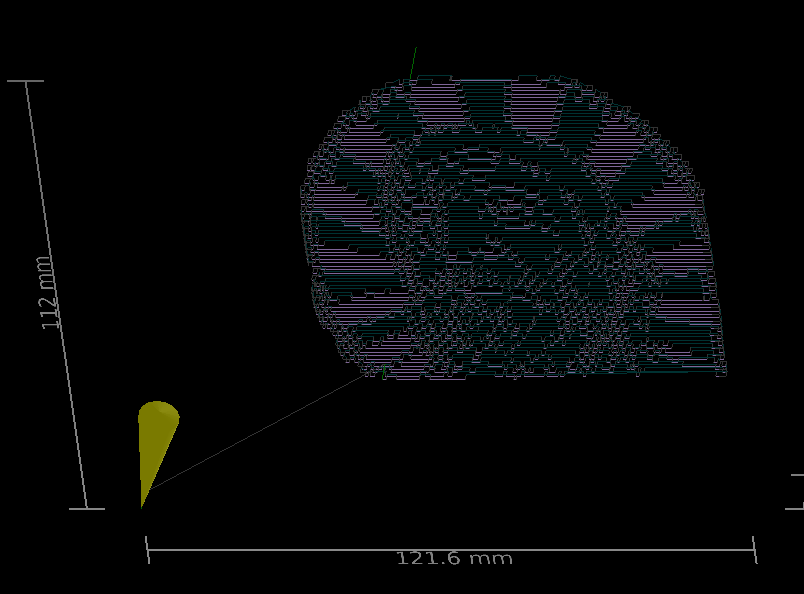
As briefly mentioned, the raster “fill” just uses continuous G1 moves and only adapts the spindle S0 to S1000 (or other non-zero values) to fire the laser.
All the other settings from custom G-Code dont do anything to the output, as far as i have tried. but mbe i am missing out something. anybody has an idea?
Also i am really confused, that the raster “fill” will always make a first absolute move, and then switch to relative moves. i personally would prefer to have absolute coordinates throughout the process. easier to work with in post-processing of the gcode with external scripts.
There are other ways to lift z, using the z-offset in each layer. but again, it only works for cut “line” moves, not even for the “offsetFill”. So i am back to my hack for the Rapid Move:
G0 [Z]3.5[A]{rot}[F]1000
G0 [X]{x}[Y]{y}[Z]3.5[A]{rot}[F]{feed}
G1 [Z]0[A]{rot}[S]{power}[F]1000
it currently overrides the feedrate. but i am fixing this also.
First in custom gcode device, we modified a few things, as described here:
But it didnt help for the raster move… so just draw shapes, choose “fill” in layer, save the g-code and run it through the script above. then run g-code. (sadly Lightburn cannot preview the gcode, so i use UGS to check if all is ok)
Obviously I am missing something since I am software illiterate and can barely switch from CNC to Lightburn, but it seems like plasma and other Z move manipulation would be an easy add to Lightburns repertoire of things it could do without major upgrade.
Because LightBurn was designed for specialized 2D machinery with rudimentary Z axis abilities, it doesn’t handle 3D operations very well at all.
In contrast, MillMage seems intended for generic 3D CNC machines, which makes it a much better candidate for anything without a laser.
Because MillMage exists (or is getting close to existing), shoehorning additional 3D features into LightBurn for anything other than a specific laser probably isn’t going to happen.
This is kinda my argument. If others can manage to get plasma working then it can’t a major problem to implement in lightburn. Would be an added revenue stream.
That begs the question: What is it that you want to be added to Lightburn? Lightburn is already being used. There is a Feature Request section waiting for you.
@MikeyH and @Dskall , I think you are both correct, but for different reasons.
My CNC is a “tri-CAM”, it runs milling, laser, and plasma process; I swap out the Z plate cutting head to convert from process to process. Same grbl controller in all 3 cases.
The jobs that I run on the CNC breakdown roughly as 40% plasma, 40% laser, and 20% wood carving.
LB is my goto 2D CAD for all 3 cases, hands down the best 2D arts/craft CAD available. Onshape (CAD) for 2D engineering and 3D sheetmetal modeling, Aspire (CAD/CAM) for 3D wood carving. LB is laser CAD/CAM. SheetCAM for plasma and 2.5D v-bit or simple wood carving from LB dxf.
I agree with @Dskall that LB is missing a huge market with absence of plasma CAD/CAM. If LB (the company) eventually adds plasma as CAM, I agree with @MikeyH that plasma fits better in MillMage given that has the concept of Tools and Operations, even though plasma cut parameters are a superset of laser and the toolpath is largely identical to laser.
The MillMage Tool library and ability to modify tool and toolpath parameters in an Operation are all high on the list of requirements for easy and complete plasma process CAM. What’s missing from MillMage to compete with plasma specific CAMs, such as Sheetcam, are toolpath rules and the ability to add conditional logic for gcode production in the post processor. The Custom Gcode Templates are a good initial alternative for either LB or MM, but they will remain ‘one size for all fit’ unless LB considers adding an enhancement of conditional logic. Sheetcam incorporates Lua.org to do this. Vote for LB/MM to add it- add Lua language processor to CustomGcode templates. · LightBurn
I have setup Sheetcam with Tools, Rules, and custom Lua post processor such that I can import an LB dxf, assign an Operation per layer (usually just one, three at most) in a few seconds, visually scan and validate the resulting graphic toolpath, then run the post processor to produce machine ready gcode, quicker than it took to read this paragraph. If I have to iterate on the dxf for any reason, its even quicker the second and subsequent iterations. The time saving is the obvious benefit, but the saving on mental toll in having the confidence that the machine won’t crash or I won’t ruin $100 of steel is the huge unseen benefit to this workflow and the LB / Sheetcam combination and features.
You are much more tech savvy than I am. So we arrive at the same place for different reasons. I would like a software that runs all things 2D and 2.5D all off the same CAD and all in one program with minimum learning curve. Whether plasma works best with Lightburn or Millmage there is quite a community of plasma cutters to be tapped into and I have thought about building one, but for me it’s more software to contend with. I literally built two different machines for routing and laser because trying to jump from one program to another was to daunting for whatever reason.
Although both have different output controls, for obvious reasons, Lightburn and MillMage use basically the same development platform. I often copy a design from one to the other while testing and experimenting.
Since I am still kinda programming illiterate I worked around the problem in another way.
I build some search and replace funtioncs with some help of ChatGPT for changing the Gcode in Notepad++.
I can provide the search functions for fill and offset fill. Both were tested but I am not quite sure which settings that I use are relevant for the code generation!
In Notepad++ you can use Search → Replace (Strg+H), set Search Mode to “Regular expression”.
For fill, you can search “^(.S0)$", which finds every line where movement happens while laser power is set to 0, which are the traversal movements. Replace with “Z3\r\n\1\r\nZ-3” puts in a Z up movement in front of the found line and a Z down movement after it.
For offset fill, you can search "^G0\s([XY].)\R?(.)” which also finds every line with movement whiler laser is off, but in offset fill the code for traversal movement is generated with G0 commands and not by just setting laser power to 0%. This search looks for every traversal move command followed by X or Y coordinates.
For some reason it changes betweed absolute and relative coordinates every time it uses G0 commands!
G91\r\nG0 Z3\r\nG90\r\n\1\r\nG91\r\nG0 Z-3\r\nG90\r\n\2 puts Z up before und Z down after the found lines and changes relative and absolute coords around.
Works fine if you just want to fill something with your pen plotter.
I used 3mm Z movement to ensure the pen doesn’t scrape around on the paper.
I would advice to always test scripts for customizing code on small files, like filling one or more 5 by 5 squares, to ensure that moving from line to line and from shape to shape works fine with the custom code.
If someone sees any problem here, feel free to criticize. Use at your own risk.
tl:dr diy version: ChatGPT and Notepad++ work fine together if you want to customize code