RC3 has improved as large greyscale high dpi no longer randomly stops in 22hr job. Need to move a macro button on to Move dialog. Primarily for autofocus. Its a pain to have to switch between three screens.
Keep hearing rumors of a 3D version of LB, what is known about that.
I am tinkering with building a CoreOne and mounting laser in the chassis to do fine engraving and smoothing. 3D LB would be great option.
1 Like
See subject : )
RC3, OSX latest.
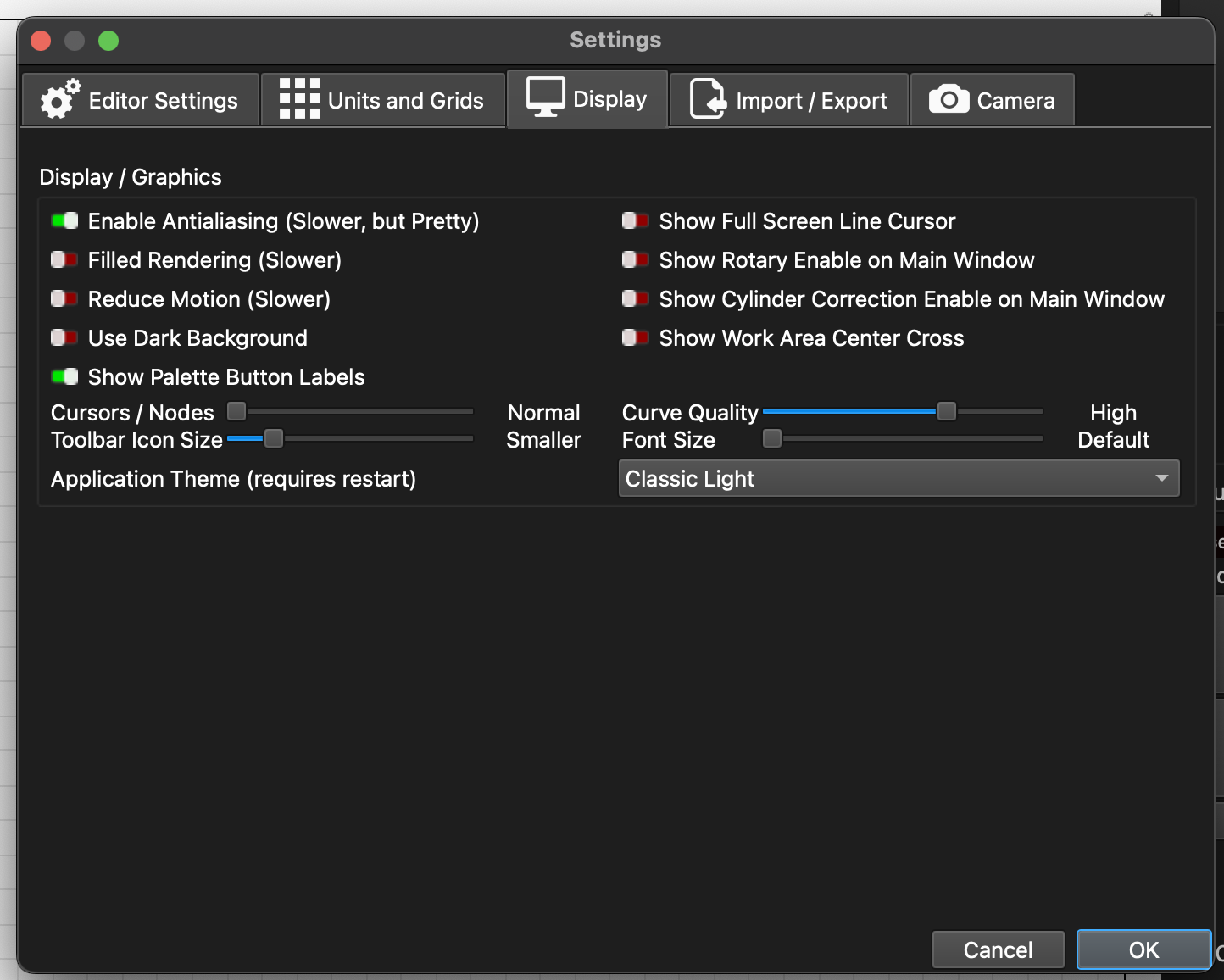
Steps to reproduce (100%): I change it, I note that it says it will require a Lightburn restart, I restart Lightburn, it’s dark again, and the setting has reverted to System Theme.
I can’t believe this is a common issue as there’s no way it would have reached RC3.
In case it helps…
Not here, i.e. I can’t reproduce it.
(MacOS 15.3.1, LB CR3)
Are you running through the wizard JUST to change the device units?
If so, don’t do that. Go to device settings and change it there. There is logic in the wizard that is only meant to be run once.
What subject - forum posts don’t have subjects. I’m honestly not sure what you are saying is wrong?
Just FYI, he originally posted as a separate thread, RC3 reverts to “System Theme” when I try and change it to Light or Dark. Rick merged the post into this thread, which disappeared that subject.
(It’s been poor form since back in the olden days on /. to use subjects as part of the body, and this unfortunate happenstance is illustrative as to why it still is.  )
)
No. It’s only happening when you create a new device. If you edit the device the same way, the bug is not there.
Thank you for your interest, Adam. When my post was moved by admin it lost its title, it was RC3 reverts to “System Theme” when I try and change it to Light or Dark.
Which hopefully is self explanatory.
My knuckles have been rapped for making the title a critical part of the post. Lesson learnt and apologies all round.
2 Likes
Yes, that was me and I forgot to include the post title. Appoliges @adammhaile 
RC3 reverts to “System Theme” when I try and change it to Light or Dark
Cannot reproduce. RC3 on 13.7.4.
I’m able to freely change between System, Light, and Dark and the change will persist between application restart.
Perhaps a prefs file access issue?
1 Like
It seems this is an issue - already identified and corrected for RC4 - that only affects newer MacOs versions
@bdge Next RC will have this corrected.
Thank you for reporting
3 Likes
the materials test for galvo laser shows 2 probs
- it forgets all your settings when you click back to normal mode. this sucks because I’m experimenting with a light raster cleaning pass first that is done as a normal fill. i can restore the test if i remembered to save it before clicking away from it but overall it’s super annoying
- the red dot framing always includes the framing and text, even though i have disabled the cutting of those. including that junk really clutters the red dot framing scan which slows and it’s extra hard to tell where the actual rectangles you’re cutting will go. i played with the options for framing but nothing fixed it. Solution is obvious, don’t pass text and border content to the Play window if they’re disabled
1 Like
Yes, the Material Test Generator will incorrectly frame the text and border even if those options are not enabled (rather than just frame the rectangle matrix which would be the expected behavior when not enabled). It’s as if the those text and border layers get switched to Tool layers so they don’t get output, but the Frame tool layer option remains set within the Material Test tool. Note this still happens whether or not Frame tool layer is on/off on the standard project Tool layers. It also happens on both my galvo and gantry lasers.
Hello Danny
Thank you for the report.
These were identified before and are in the list of corrections to be added in the future RC versions.
Here’s another problem, a bit ugly.
Shapes, some of the new prefabs in LightBurn, are not recognized in the latest Linux version.
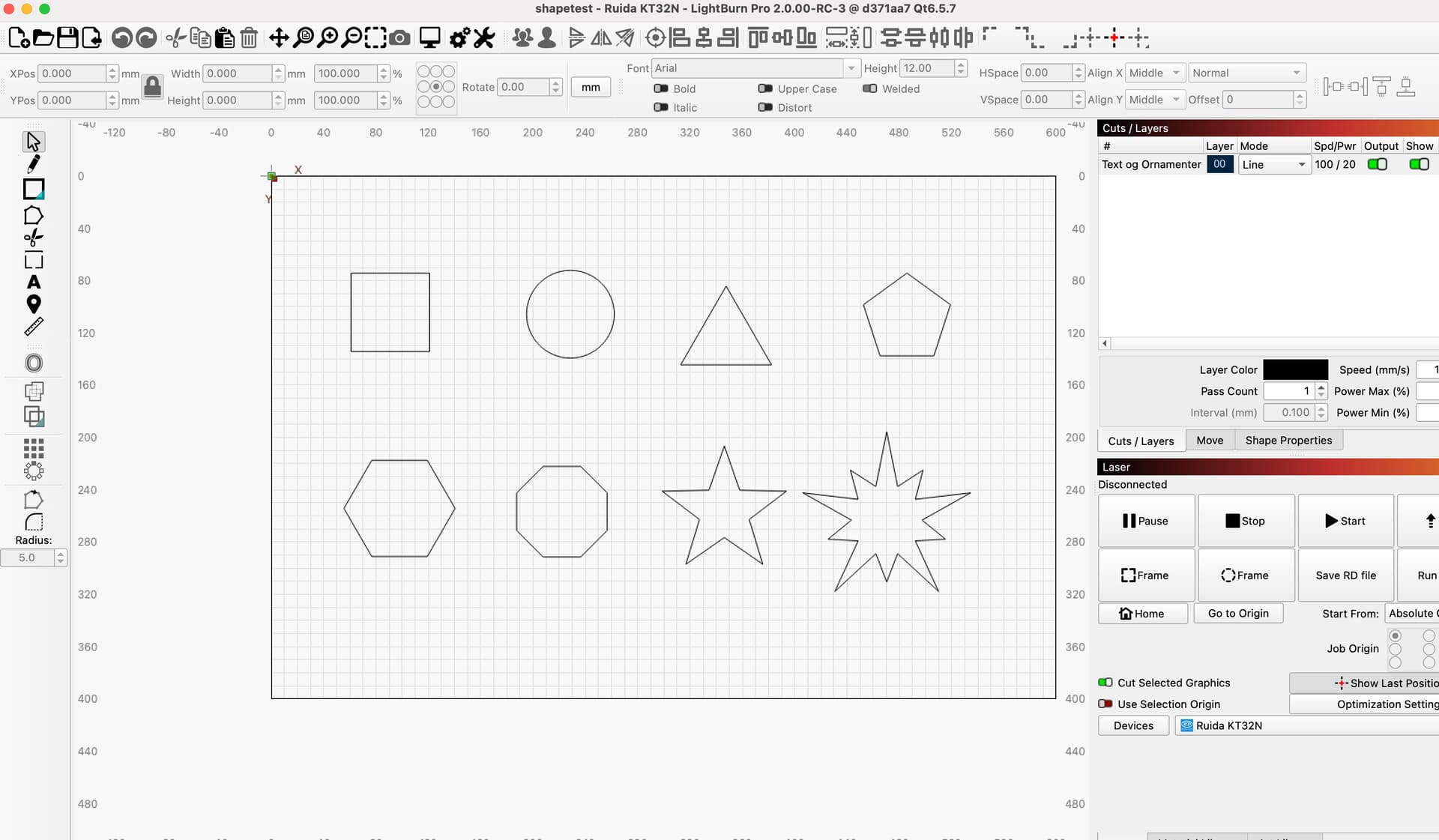
It’s the original, made in RC3 on a Macbook.
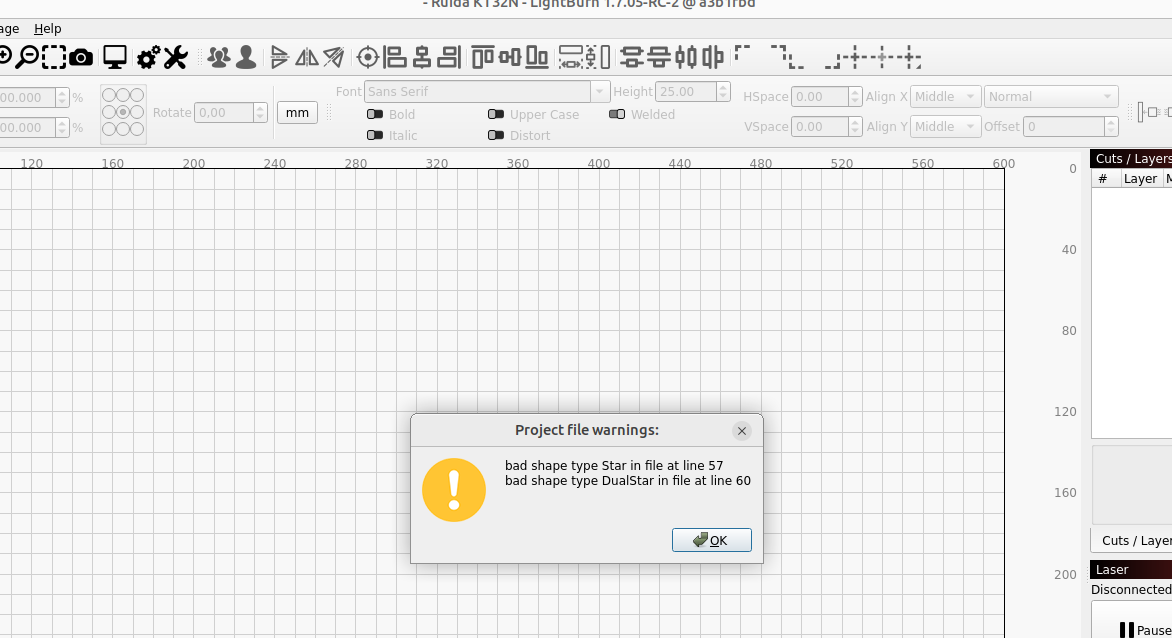
Here is the message when opening the imported file for ver.1.7 on Linux
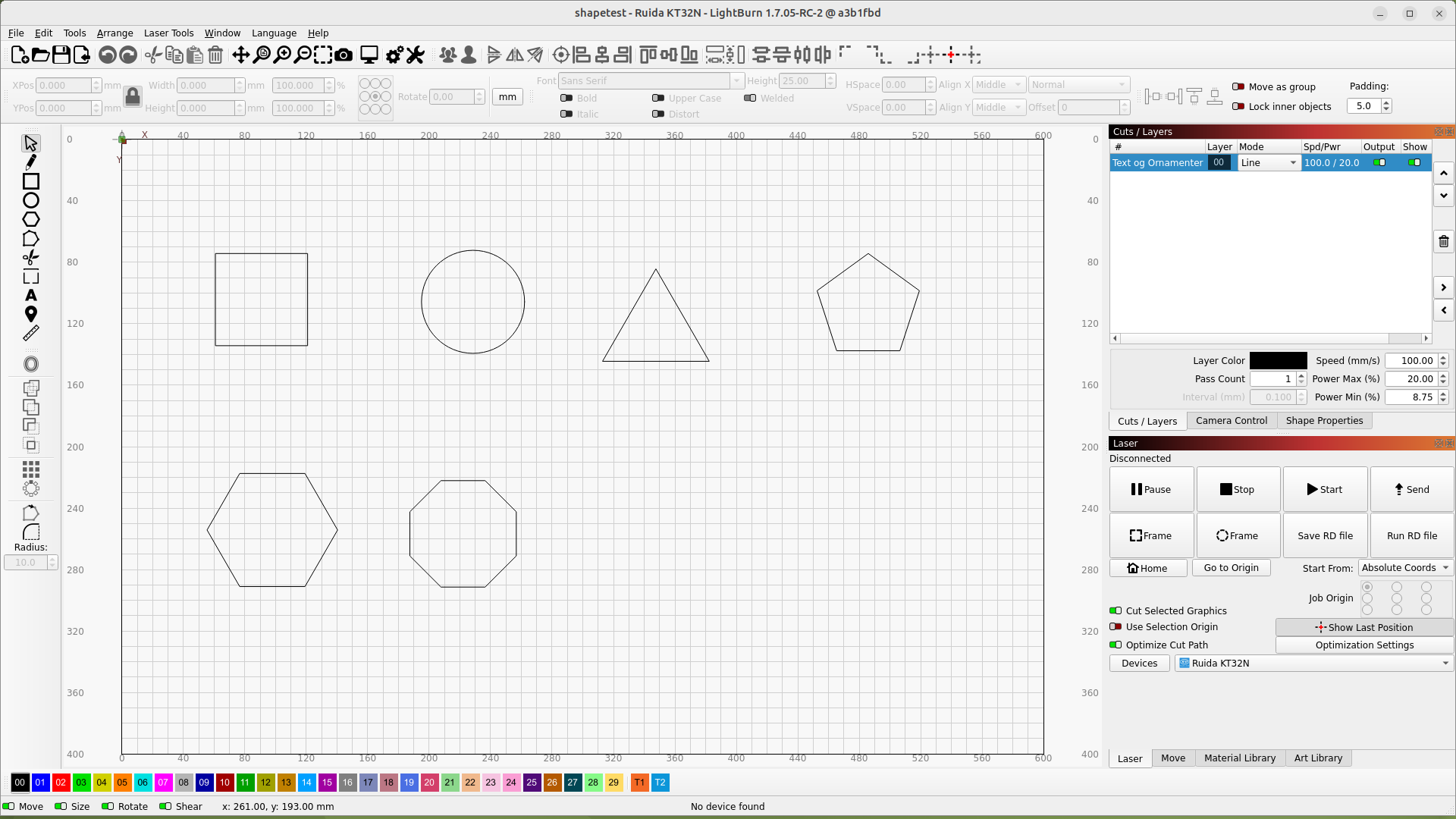
…and the result
export/import file:
shapetest.lbrn2 (14.8 KB)
Hello Bernd
This is a known issue - the way to override it is to convert the shapes to path first.
As they are primitives that do not exist in 1.7.0x, the older versions of LightBurn wont know what to do with the XML data on the LBRN
Ok, thanks for the answer.
Nb. the structure of the feedback for RC versions has gradually become confusing and makes it difficult to keep track of what has been reported and what has not.
3 Likes
RC4 should come soon, so that will clean slate!
On the above, I have some ideas, but I am not sure if they are actually doable.
4 Likes
We have released LightBurn v2.0.00-RC4 Release Candidate.
1 Like