I have what seems to be 40W co2 laser (big chinese blue). I’ve completely taken it apart, gave all hardware a full clean up and paint. New mirrors, new lens. Mirrors aligned.
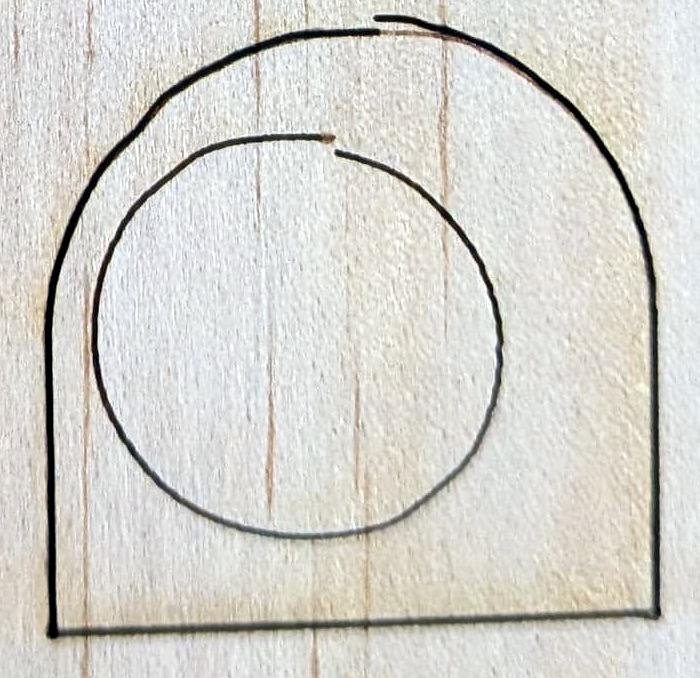
The problem I am having looks like this:
In these final tests I had two layers each with one sublayer (second sublayer does quicker, lighter pass) I did that to show, that when it goes second time (not right after the move) it does move where it suppose to.
The wobbles in the arc suggest the Y axis belt(s) aren’t tight enough.
There may be a loose screw in a motor pulley, although the pulleys are often press-fit to the motor shafts. If there’s a jack shaft across the back of the machine, make sure the screws in the shaft couplers are all tight against the shaft flats.
The gantry must be square with respect to the Y axis linear bearings. If the machine has two Y-axis belts, they must be properly aligned on the drive pulleys and not off by one tooth (or more!).
The entire laser head can be loose on the X axis belt follower, so check those screws, too.
Aaaand it’s possible the screws have stripped threads or the holes are overly large.
If the lock ring holding the focus lens in place isn’t snug, the lens can rattle around inside the head.
Plenty of places to check!
Previous discussions cover those (and more!) problems:
oh yeah! thank you very much. I’ve learned a bunch.
1st - I’ve fixed it. I was surprised to find one of the couplers at the back (from Y axis motor to shafts) was loos. I guess it was carrying a load only on right side and moving left side via X gantry.
2nd - I’ve found this video https://www.youtube.com/watch?v=T8MCU5sn2ow which helped me understand the nature of resulting line.
3rd - Finally I’ve tightened all belts a bit more. Had to replace bolts that pushing idler away for tension for longer ones.
4rd - There is still a bit of slack in the head, which I can see caused by bearing block not being 100% tight. but I might live with that for now, though changing it won’t be a problem.
Needing longer bolts suggest the belts may be stretched or, more likely, the surface has worn. The sides of the teeth may also be worn enough to allow slight slippage, so give the belts a careful look.