Hey Aaron, sorry for hijacking this thread. Is there a specific place where one could get the device profiles?
Since it seems this would be an option to add a yet unsupported machine by hand.
I currently have the Monport Autoforge and would love to be able to use it. The only Setting which gets a reaction out of it is if I use the Settings for the Creality Falcon HTTP. But that uses different HTTP Calls so i would love to change those. Even though that would only partially fix the underlying issue regarding that the Autoforge is a Dual Laser System (Fiber/Diode). But at least Diode should be working then.
That’s up to the manufacturers, really. Some exemplary ones offer working .LBZIP settings files on their support page. (The S1 config file shared by xTool doesn’t work, hence why I’ve sent Jacob a working one that we came up with.)
No, that won’t work. The “Creality Falcon HTTP” GCode flavor is only for that device.
I haven’t seen the Monport Autoforge before, and so far didn’t find instructions on how to add it. They advertise it as LightBurn compatible, so it should work.
Is this a GCode device, or a true Galvo using an EZCad2, or BSL controller?
If you can send me a link to their instructions, or a config file, I’d be curious to find out more.
Yes Lightburn is planned according to the Infos on the Kickstarter and Site. But since this is a new Device which we Backers just received there is nothing yet. No instructions, no config, nothing.
The Device itself seems to be completely controlled by a Webinterface. So everything is sent/received as JSON Request. That should be similar to how the Creality Falcon handles the commands.
I set up a Python proxy to check the responses from Lightburn and the Autoforge Webinterface.
It should be possible to control it by changing the Commands Lightburn sends when using the Creality Falcon HTTP as Device.
The engraving files are sent as GCode so I expect this to be a GCode Device.
The GCode flavor itself, like you say, is a complete different story. That much is true.
But it should be possible to find out how the Autoforge / M-DesignHub handles that compared to what other Lasers use from checking the GCode right?
I found a few catches in the code so far. If the Fiber is used in the Settings of M-DesignHub it sends M6T0 at the start. And i the Diode is used it changes to M6T1. If you need me to I could provide GCode files as well for analysis.
It’s more likely entirely different, because there’s no standard for JSON requests with lasers.
Does the Autoforge have a USB connection?
That should be used for now, before we try talking to it over the network.
As far as I know, we don’t know anything about this laser. MonPort should send you a working device profile if they claim that it’s compatible with LightBurn.
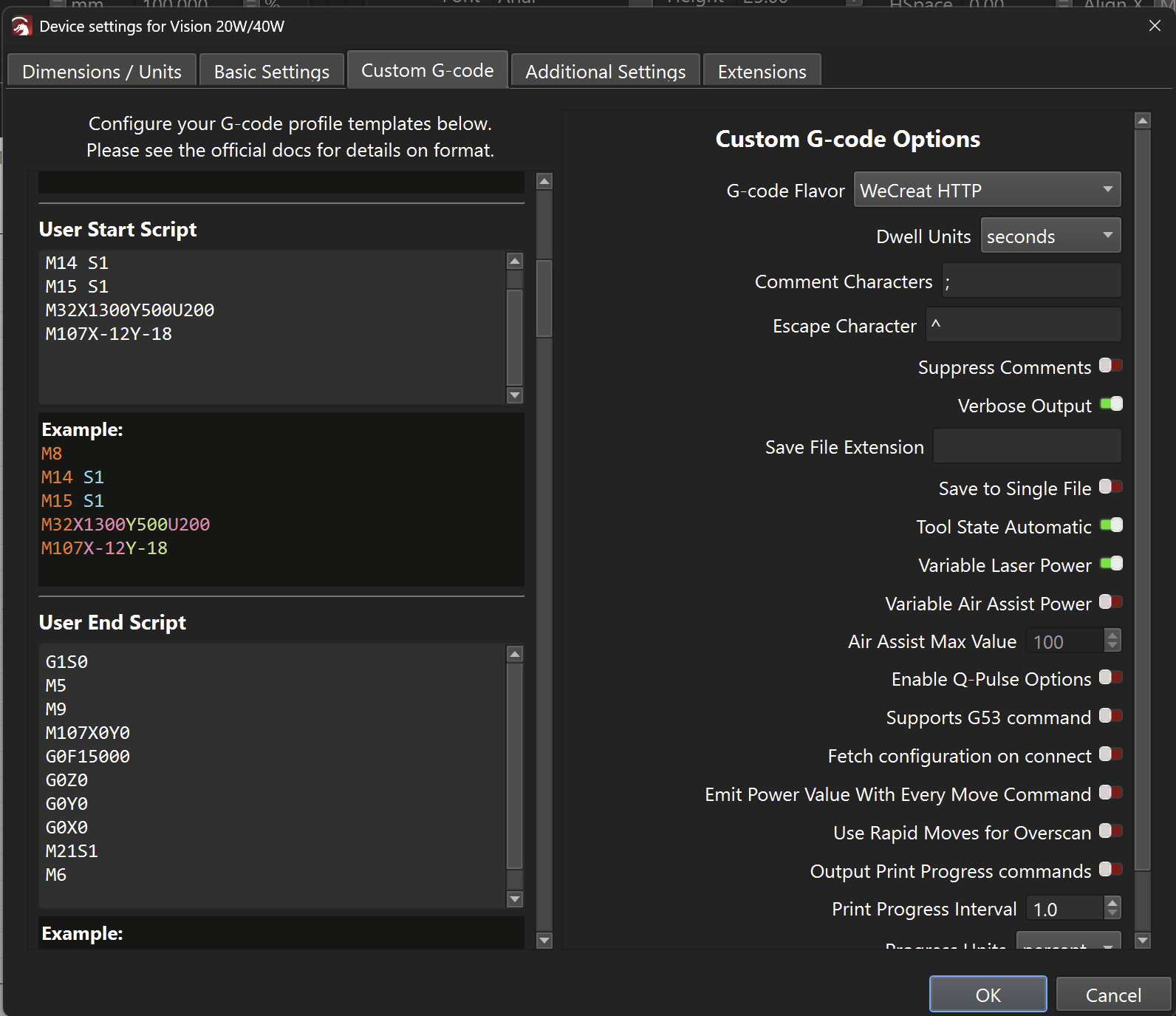
So, it appears to be a GCode device. The “Custom GCode” device type in LightBurn is very flexible. If the laser requires custom commands at start, or to switch between laser sources, those commands can be entered in the Device Settings in the “Custom GCode” tab.
This example is for a WeCreat Vision. They need those start and end scripts at the beginning of a job.
With WeCreat specifically, this was challenging, because they don’t behave according to the GRBL firmware standard as they claim. We therefore created a dedicated “WeCreat Flavor”. Similar to what you saw with the “Creality Falcon HTTP Protocol”
If the manufacturer can’t give you a device profile, can you test this and report back?
Change the GCode flavor to GRBL for now.
Connect the Autoforge via USB (if possible?)
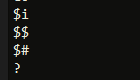
In the Console Window, Console Window enter these commands, one line at a time, and press “enter” after each:
$i $$ $# ?
Once completed, right-click the field again and choose “Select All”
Finally, copy and paste the results into your reply to this message so we may investigate further.
The Problem is that the USB Interface is creating a network Interface through RNDIS. Since there seems to be no direct connection to the boards of both Lasers.
The Reason I keep coming back to the Creality Falcon HTTP is that Lightburn sends the commands for Starting / Stopping / Pausing / Framing etc as HTTP Requests. Thats the same as what M-DesignHub does. This might be true for the WeCreat HTTP as well as RepRap etc. but when choosing those I didnt even get a response in the Console.
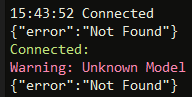
I just tested all the Profiles in Lightburn and the only one getting a response initially was the Falcon Profile which showed.
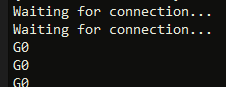
If connecting to the Laser directly via USB and using GRBL I get nothing
If I use show all I get this
I attached the Testfiles I used to get more Insight in regards to the settings coming from M-DesignHub. As you can see in the Code M6T0/1 is the difference when it comes to Diode/Fiber.
The Line after maxPower/freq seems to be for Speed which is handled in steps from 1 to 255. For the Diode that means 3000mm/sec max and for the Fiber 10.000mm/sec.
I’ve been working with Ray’s replacement at MP and was asked why most of us liked using LB when MP profiles free MDH software. “Because it just works! MDH has been being updated for almost 2 yrs now and still cannot do what the sales ads nor the YouTube Influencers’ videos do. Mega/Mega-S/AutoForge” .. and I have all three.
Those that have known me since the MEGA came out know that I don’t hold back, but I also provide honest critiques and assist when I can.
If you power on your AutoForge, you can access the web-interface and do a LOT more there than within MDH. Currently, MDH fails to output a proper material test, but the HTML works perfectly. MDH even if you set the power to 100%, it rarely goes about say 25%? But the HTML background instance allows for some very dark lines and works great with Fiber/Diode.
I should have a new Beta release in the next few days ( I hope ) or MDH, and they ‘promise’ they have fixed the material test while working on integration with Lightburn. Someone ‘supposedly’ at Monport may have reached out to LB programmers to get the ball rolling and I hope that is also true.