I’m running the last version of LB and the nag screen pops up when starting LB. Since my license has expired I’m not able to update. Is there any way to prevent this nag screen from popping up each time I start LB?
Perhaps turning the Automatically check for updates switch Off will do the trick:
1 Like
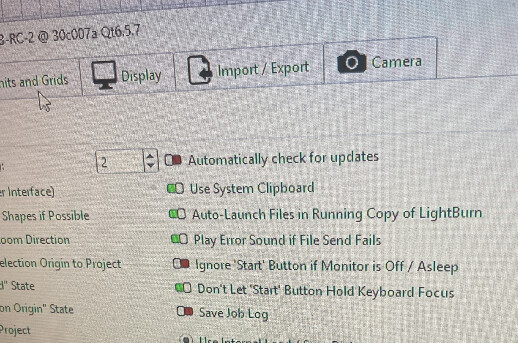
Not quite: you’re running a Release Candidate:
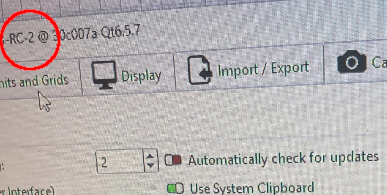
RCs, as it turns out, intentionally ignore that switch so you can’t inadvertently run an old RC after a new one comes out.
If you install whatever the most recent full release that your (expired) license covers, then that switch does what we both expected.
3 Likes
Thank you, the last full release does all I need anyway. I’ll roll it back. Thank you for the help
Ken H>
This morning I installed the Ver 2.0.03 (no “R”) and the nag screen isn’t there. Thanks a lots.
Ken H>
2 Likes
This topic was automatically closed 30 days after the last reply. New replies are no longer allowed.