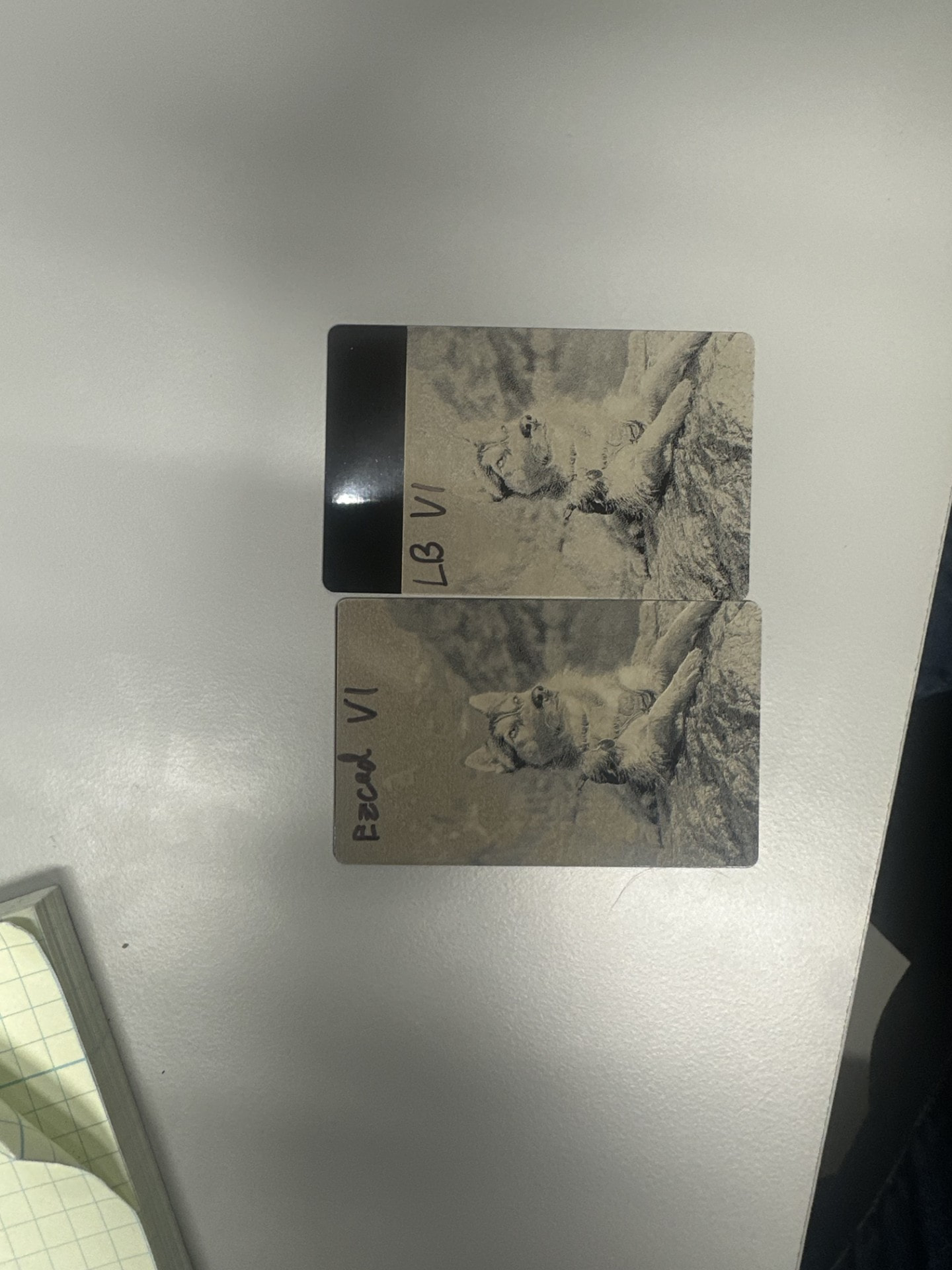
Hello! I have a Perfect Laser PEDB-400B 30W fiber laser with what I believe is a JCZ controller. Im running the RAYCUS fiber type in both EzCad2 and Lightburn and have the following settings in both applications:
Speed: 1600mm/s
Max Power 35%
Frequency 64 KHz
The image is 500DPI in both instances, and its the exact same bitmap file for both instances. In Lightburn I have the DPI set to 500, with the Jarvis image mode and a dot width of 0.008.
Why is it that the Lightburn instance is visibly more pixelated and lower quality, as well as being completely blown out in terms of brightness? (see attached image)
Was the bitmap processed for engraving first before you loaded it? If it was, you need to select Passthrough mode in LightBurn. If you select Jarvis, you are double processing the image, which could lead to those results. Just a guess.
Thanks for the reply! Ive tried with passthrough enabled and disabled to no avail. seems regardless what I do the image comes out grainy and overexposed, despite using the exact same settings as EzCad2, which provides fairly decent results. I have been processing the images first in photoshop and have tried just importing a png or jpg to see what that does but I still have issues with it. The link Jkwilborn posted is super helpful as a goalpost though, so I know its possible, just gotta find the right things to tweak.
I havent had time yet to watch the video yet (its on my to-do list for sure!), but I think I figured out most of my specific issues! Turns out my speed was WAY too high (1600mm/s) so setting it down to about 600mm/s fixed it right up and the cycle time is only a little bit longer. I also whipped out my microscope and found out that my timing settings are very messed up (lots of dragging between cuts and overexposure on certain points) so it looks like a calibration session is in order
thanks for the help/suggestions, and I hope you have a marvelous day!
That being said, if any of yall have suggestions/recommendations that may help image quality in the future, please let me know