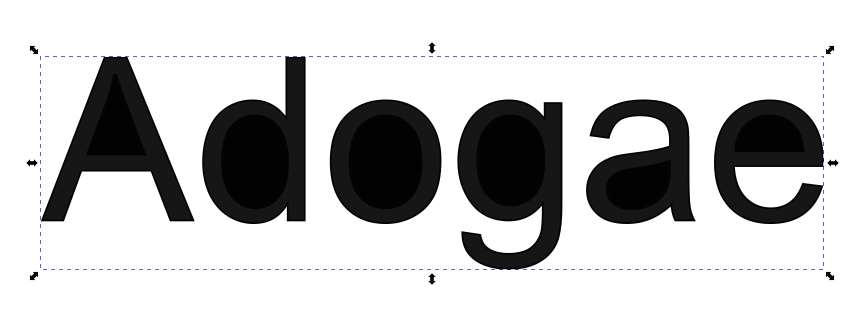
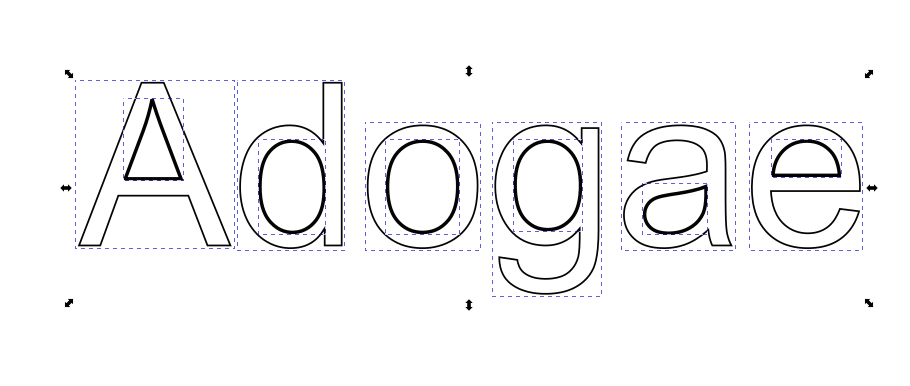
This seems super basic yet I cannot figure out what I’m doing wrong and I’ve been using LBRN for years. When I create a text design in a font that others may not have, I have always converted it to a path and welded it. I can then export as SVG. When I do this, it looks and acts as expected in Lightburn but when I upload the SVG to either Inkscape or Cricut Design Space, all of the counters (holes) in the letters are filled in. I have tried welding all the counters as one group and the rest of the text as another and then subtracting but that doesn’t work either. I feel like this should happen automatically with weld. In the screenshot, you’ll see LBRN on the left and Inkscape on the right. What am I missing or doing wrong? Is there a setting somewhere? I’ve searched for this issue online but I only get results for all other font/text related issues and tutorials and nothing about this. Help please.
I repeated your steps and don’t have the same issue. Try it without converting to path or welding. I don’t believe font info carries through from Lightburn when exporting to svg.
See if using the GROUP command gets you different results from the WELD command.
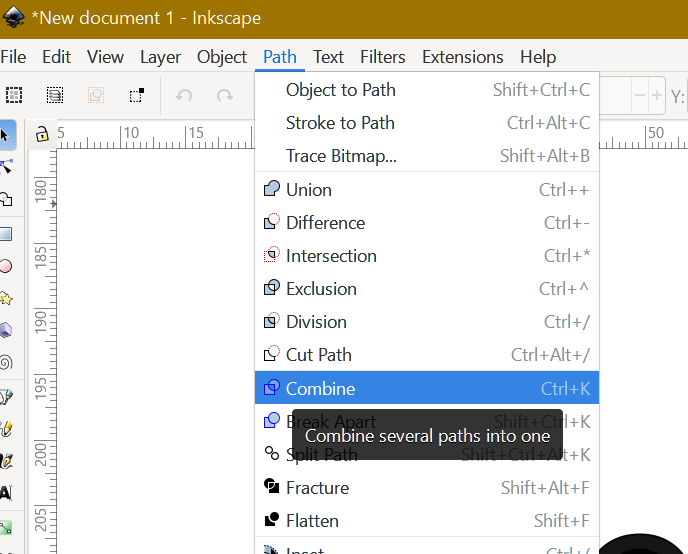
If I understand correctly, when you convert to path you make the text into Vector graphics, which would disconnect the inside shapes -“counters” from the outlines of the letters (which are now shapes. There are subtle differneces between Weld and Group that I do not have the technical expertise to elaborate for you. Give it a try, see if I got it right
I need to be able to convert it to a vector because I sell my designs and users will often not have the font installed on their computer. I’m on a Mac. Had the other issue the other day with copy and paste commands. Starting to wonder if it’s my setup or a bug. Will tinker some more tomorrow. Thanks guys for your input.
Thanks for the idea. Ideally, I don’t want to have to go to Inkscape for any reason (we don’t get along well) aside from checking my files to make sure that buyers can upload them without issue. Having to add this step would be a big pain and time consuming for me BUT it did lead me to discovering how I can avoid it. First, I wanted to make sure it was across all fonts so I tried it in another and had the same outcome. As I often use offset fill for my filled text, that is what I had the cut layer set to when saving to SVG. When I tried it in fill mode, it came out just fine! Thanks for helping me out and leading me to a workable solution. Now I just have to remember to change modes before exporting.
I’m going to leave this open for a short while in hopes that a developer will chime in and let me know if this behavior is expected in offset fill mode and if so, why or if it’s actually a bug. I use offset fill mode a lot and the likelihood of me forgetting to change modes before saving is high. It would be nice if this issue didn’t happen at all but at least I know a workaround now.
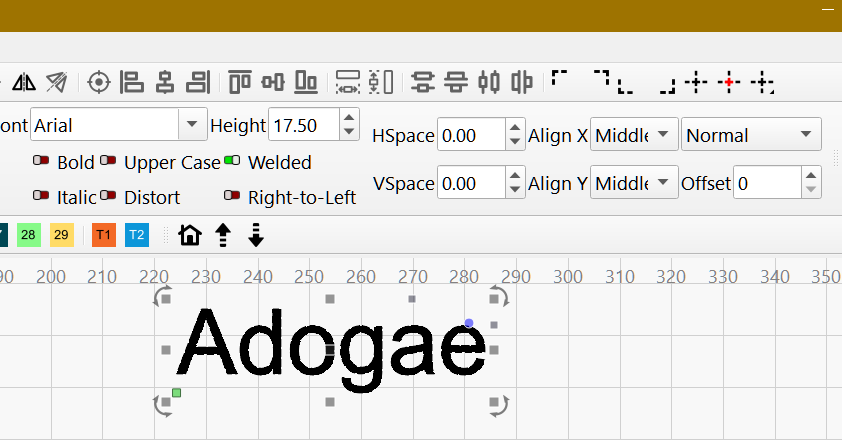
Well, the font in my example is plain Arial filled welded and converted to path then into Inkscape.
Could you share a simple .lbrn2 file with just two or three letters where this happens?
So we can analyze it and detect what went wrong.
I was about to reply this morning, but saw that Tim wrote the same thing I would have written.
I don’t understand why the text needs to be welded to export it afterwards to SVG. When I export text there is no “donut effect” in Inkscape.
Have I missed any of the problem?
When I move a file from one computer to another (when the second computer does not have the same font files) - the text is automatically rendered into a path on the second computer when I open the LB file. I do not have any other graphic programs, so I do not know how the files will react in Adobe or other programs.
If the end customer wants to be able to edit the text in the file, I can see why this is needed.
In my simple world, a customer who buys an Etsy digital file won’t need to edit the file text. I am not sure the file creator owes the customer the ability to edit a file that is sold as-is.
The need and justification issue aside, why would Fill and Offset file behave differently?
My original example shows the text (not Arial) that has been welded while in offset fill mode in LBRN2 (shown on the left). On the right is that same file in Inkscape that was converted to SVG from that LBRN2 file. When I switched the original to fill instead of offset fill and repeated the convert to SVG, the Inkscape file was correct and looked exactly As the original. I’m at work for the rest of the day so I won’t be able to provide much more until I’m home tonight. Thanks for your assistance all.
A point I was attempting to make last night is ‘there is no reason to convert the text to a path, or go through the whole welding process. The act of exporting to a svg, from Lightburn, does that.’ The font information is not in the svg file, only the path of the font.
It does not matter if the person downloading the file has the font on their system because it is NO LONGER a font, it is a path, shape, curves, whatever term your particular software uses.
This behavior is different than if you go the other way. If you create a file with text in Inkscape or other graphics software, Affinity in my case, there are options to export the text as text or as curves. If you export as text and the other user doesn’t have that font it can be an issue depending on what they open the file with.
Now, if you are saving as a Lightburn file, the user will get a warning, when opening the file, if the font is not on their system, but Lightburn will then convert to shapes upon import. So again, not an issue.
Here is an interesting find. I took a vector with text, exported from Lightburn as svg, opened in Affinity, added a word and exported from Affinity as svg with text enabled(not convert to curves). I then opened the file in Lightburn and everythin was there and the text I added in Affinity was still editable text. The text I exported from Lightburn originally was a path, as expected. I then uploaded the same file to Cricut Design Space and the text created in Affinity was not there. Apparently Design Space cannot import fond data in an svg.
The file I exported from Lightburn.
When you export a SVG from Lightburn, LB converts all text to paths. However, LB can import SVG files that contain text entities, and they remain text entities within LB provided you have that font.