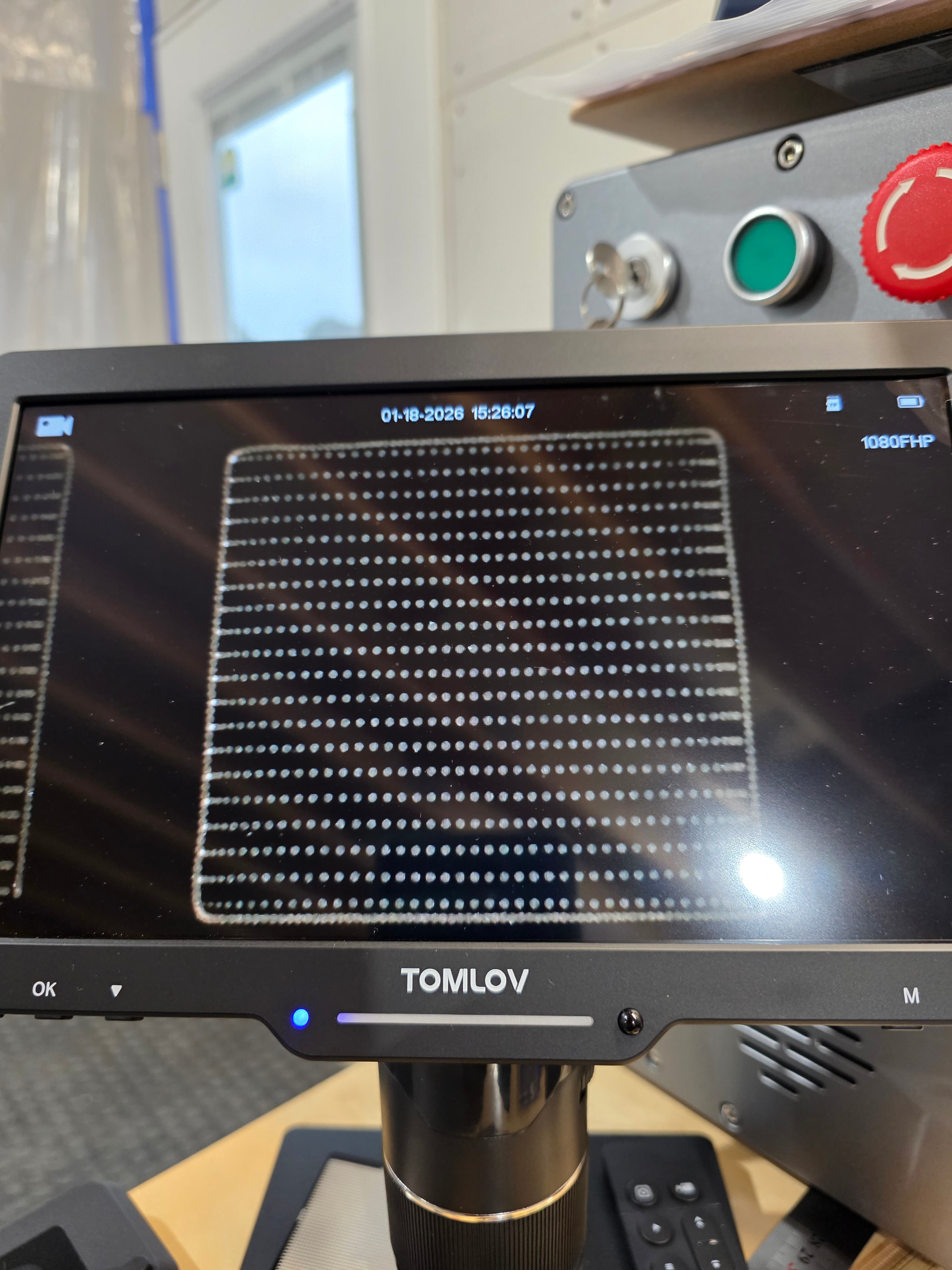
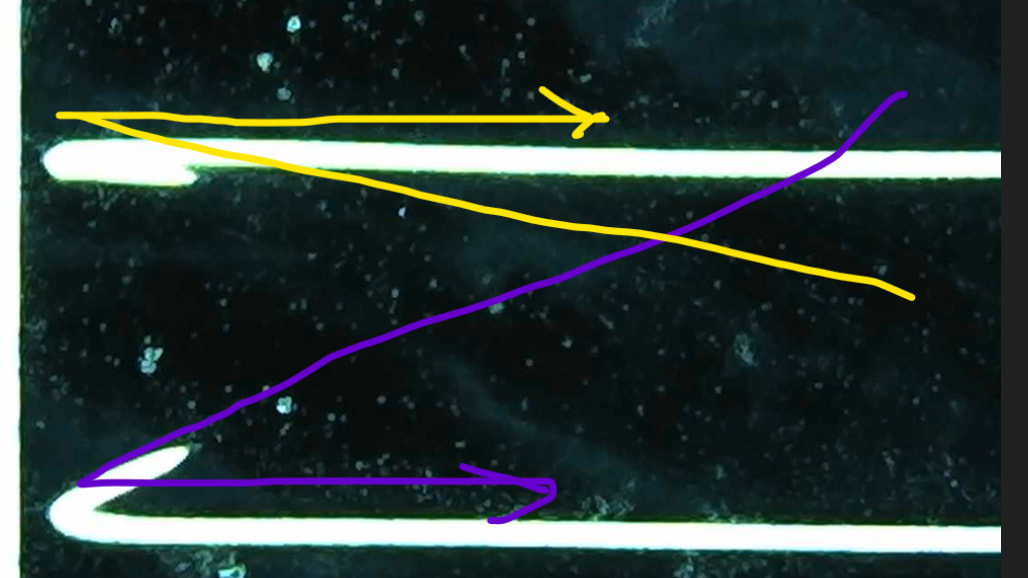
The image is exaggerated with high speed and low frequency just to display what I am referring to, but it still happens until very low speeds and high frequency at different amounts depending on settings.
Thanks and hopefully someone at LB will have an idea. I’ll give it a week or two and then just try emailing them i suppose.
Are your timing and frequency settings within the capability of your source? What is the exact make and model of hardware you’re working with, so I can have a better idea?
Source is JPT M7 E2 60w, that came in the commarker “titan”
The image on the picture is very exaggerated at 7k mm/sec, 30k frequency
I am seeing this density show up in slower speeds at various frequency. When doing material testing i can actually see the very edges of the test squares show up earlier than the full square will mark due to the density change.
The tighter-spaced dots at the beginning of each line are the mirrors starting to accelerate. Plus, maybe some ringing and burn-in at the end of the lines when the mirrors come to an abrupt stop.
The left side of the edge appears to show white dots, which indicates a too long “Laser Off TC”.
Can you run these two files, please?
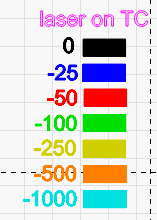
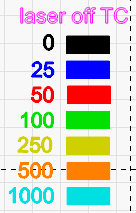
This will show the different timings. (They have bi-directional disabled, so that each line interval starts on the left and ends on the right side.) laser ON TC calibration-negative.lbrn2 (66.4 KB)
Agree overscan on a fiber galvo would be useful, I’ve got my timing and delay dialed in but get similar results to your photos in certain instances. I think I’ve seen it in feature request or somewhere else with an explanation of why it is not possible with our boards.
Having recently deep dived into the lmc driver, I may have some insights.
There are 2 separate delays modes available at the protocol level to the JCZ boards: the regular global TC on/off, polygon etc, and an inline delay mode that is specifically for this scenario (actually 2 different ones, one for power ramping/timing delays, and one for clamping power output).
(Note: possibly not on all boards, but the v4 and fiber seem to have it)
EZcad uses this secondary delay AND inserts overrun vectors to prevent this specific issue. I think it also may zero out the static delays to purely use the secondary mode.
Lightburn seems to also use the secondary delay mode, but, crucially, doesn’t inject the additional overrun jump moves for accel/decel, and keeps the original static timing delays. This explains some of the weirdness in the previous thread regarding how start and end were treated, as with a properly dialed in tc off, the influence of the ramping part is hidden, and why the error occurs.
I’m waiting for my new digital microscope (thanks OP! I didn’t realize they had actually gotten good. Tomlov TM4K-AF Max on the way!). After this I should be able to confirm and run some experiments on clamp mode Vs ramp mode Vs static timing delays
Also, there may be a way to use a board clocked axis mode for seamless rotary engraving, but that’s another topic.
Will gladly run the files this weekend when I can alot time to do this in depth.
The file i showed was run with a box line vector and a box fill vector at a 0degree scan left to right with a wide line spacing. The bright spot is when the ON is timed to barely coincide with that line. But no matter far I move this time I either just burn in deeply if too short or leave an OBVIOUS gap before the ramp is removed …
Will gladly run the files this weekend when I can alot time to do this in depth.
The file i showed was run with a box line vector and a box fill vector at a 0degree scan left to right with a wide line spacing. The bright spot is when the ON is timed to barely coincide with that line. But no matter far I move this time I either just burn in deeply if too short or leave an OBVIOUS gap before the ramp is removed …
If i increase the poly time then I see more burn in the corner… It does correct the angel, but at the expense of variation in burn…
So EZCAD has a solution for this already if I am reading your post correctly?… I started straight away with LB on a gantry and now went straight to LB pro with the galvo because I thought it was supposed to be superior and more user friendly… but if EZCAD can correct this dot density issue that will be a hands down better option than LB for anyone doing high speed color marking or trying to do precision coating layer ablation…
Yes the little digital microscope is actually quite useful. I opted for the 1000,1500,2500 with 10” display and currently regret nothing
Love my high power USB microscope. Really would like to see overscan for a galvo. The timing and delay just seems like a band-aid. And here is something to note, unless I’m mistaken, ezcad applies jump delay to the end of a pass where as LB applies it to the start of the next scan.
I think “snowmageddon” is going to interrupt my testing this weekend, but I found you and DannyM went several rounds looking at this whole issue a bit. If I need to read again, but does seem like raster was the method he was getting the issue worked around and timing set up “correctly”
I will have to try to read it all again and see if I can conclude how to get the matched marking speed / jump speed he spoke of and use raster to make a work around for color marking at speed.
Color and layer ablation could be done at orders of magnitude higher production rate if there was a way to remove the ramping …
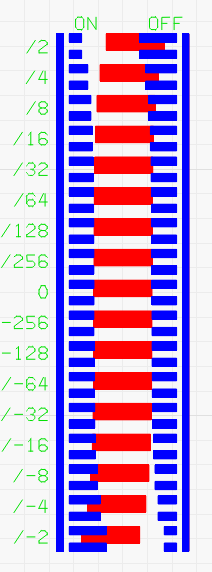
Getting this calibration perfect is essential to getting high quality rasters. Using bidir or rotation with a ton/toff error will misalign the lines over each other and destroy fine detail.
There is a pair of layers for Fill, and another for Image raster in the tesy.
Instructions in the LB file itself. This test came out really excellent and, no matter how bad off it is, you just follow the instructions and it will get you to the max possible accuracy within 8 iterations. Zero guesswork
It’s got a dedicated left-going layer, and a dedicated right-going layer. There are gaps/overlaps which double in size for each row. Each time you make a correction, you halve the possible error until you’re down to microns, When it’s perfect, the Ton/Toff gaps just touch on the middle “0” line.
To get it there, you do a test burn, and find the rows for Ton and Toff where they’re closest to touching. Make the correction for the best Ton row and the best Toff row and fire again.