Still testing… Black and white pictures or line drawings the method works well, as all you want is a clear difference between the blacks and the whites. But it (or ?I )seems to mess around with grey scales.
As a test I took a picture and have it 4 times on a tile. This is how the workspace looked:
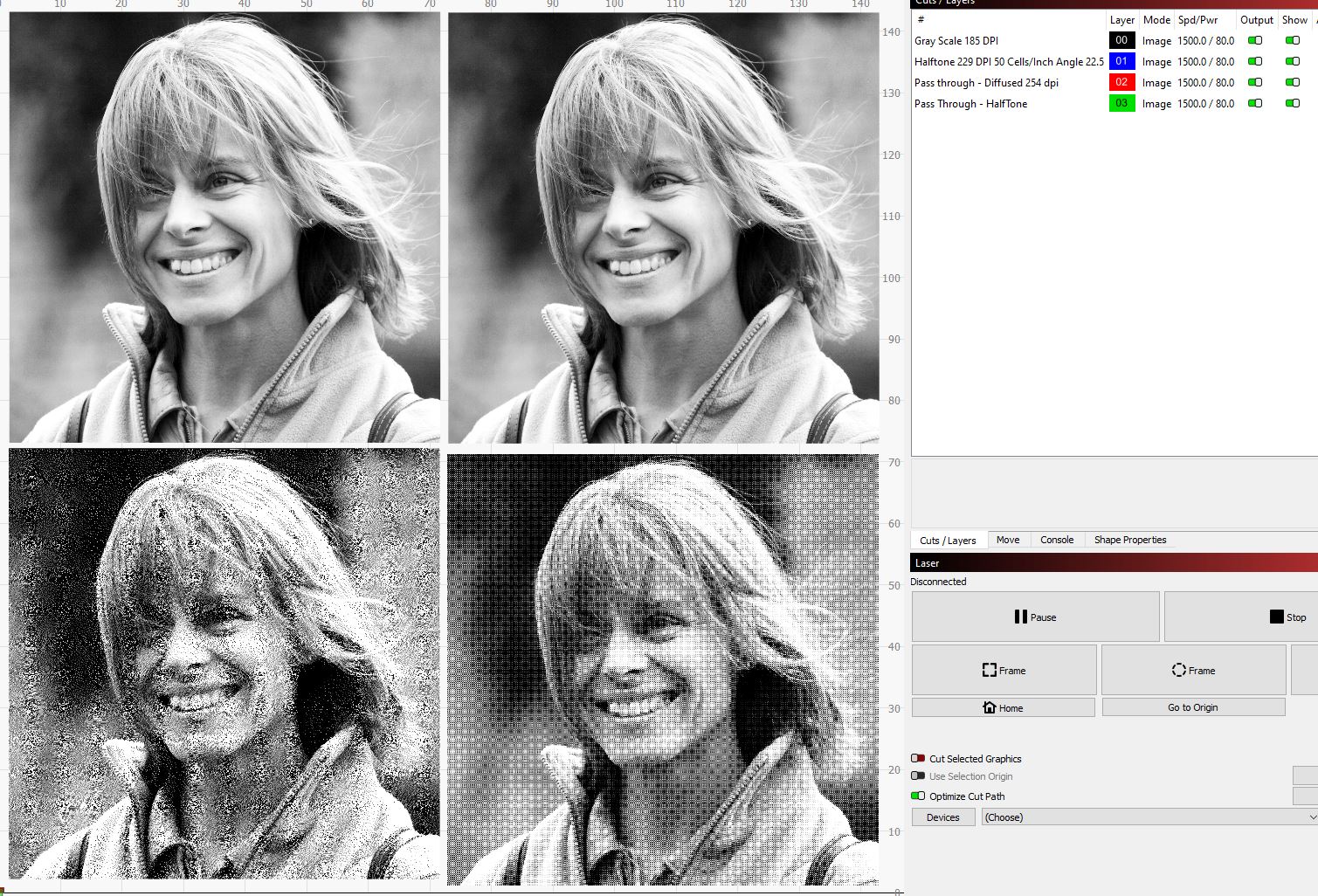
Top left is Grey Scales, Top Right is Halftone, Bottom left i pass through, but in photoshop I used diffused and bottom right is also pass through and in photoshop I used halftone.
In the preview mode it looks like this:

I prepared 2 white tiles, one with the RonClarke Methode (on the right) and one where I used water soluble white paint, which I diluted (with water) on the left.
This is the result:
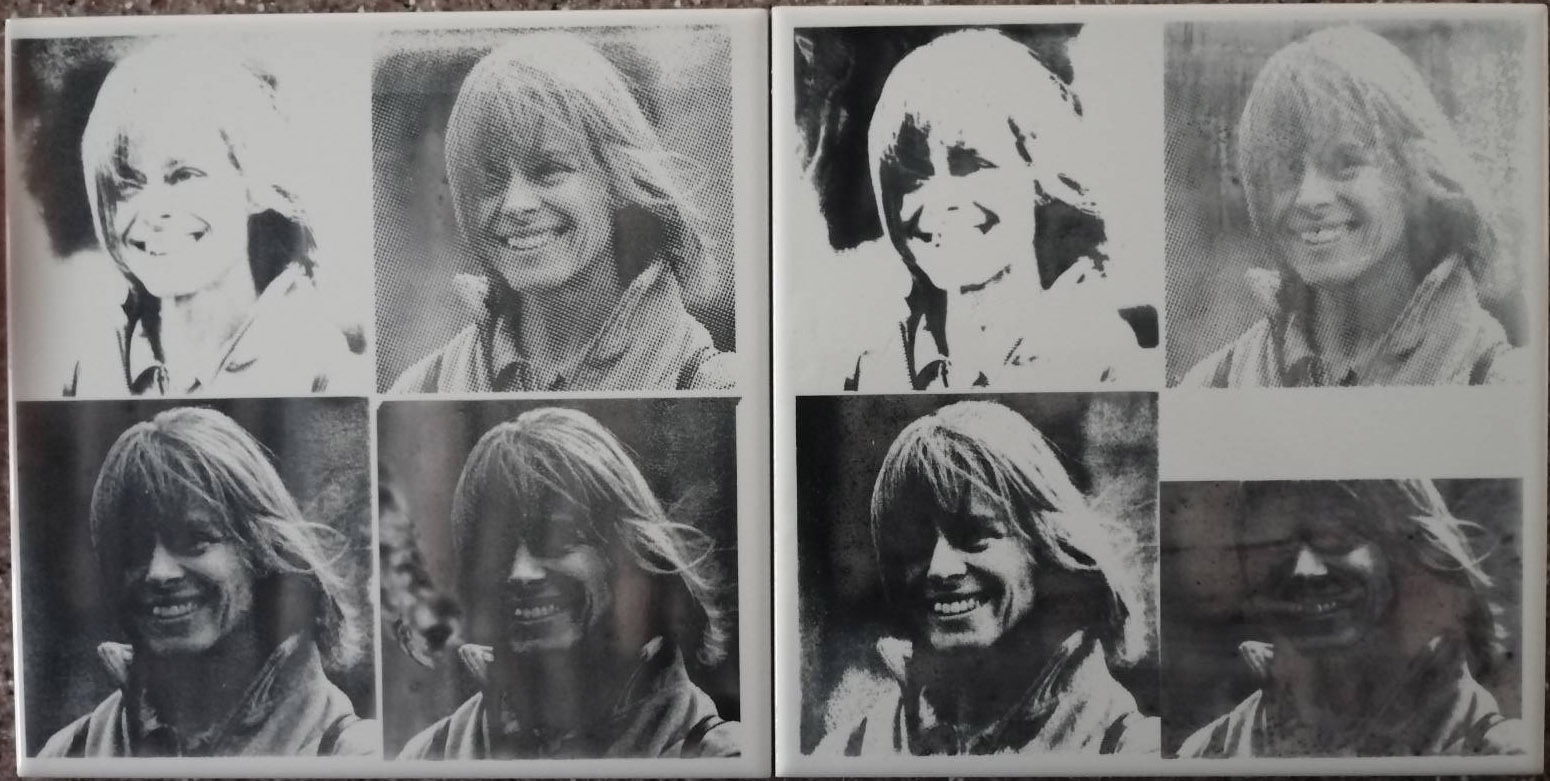
My computer stopped halfway the last one, so that is why the top half isn’t printed.
But what I find interesting to see:
- What you see is not what you get… it proofs that the preview doesn’t represent the result on the tile at all. It is just trial and error and a bulk load of tiles, to get it right. And each photo might need different prep work and to see if you have it just right, you need to burn tiles…
- Between the two tiles, the difference in detail is interesting. The only difference between the tiles are the preparation! It seems I am losing details with the RonClark Methode.The blacks are more black and the whites are more white.
I would appreciate to hear your thoughts on the above
By the way, yesterday, I came across another method for white tiles, using Cold Galvernising Spray. The working element is now Zinc, stepping away from titanium dioxide… 
https://youtu.be/LR9CDz8y_LA