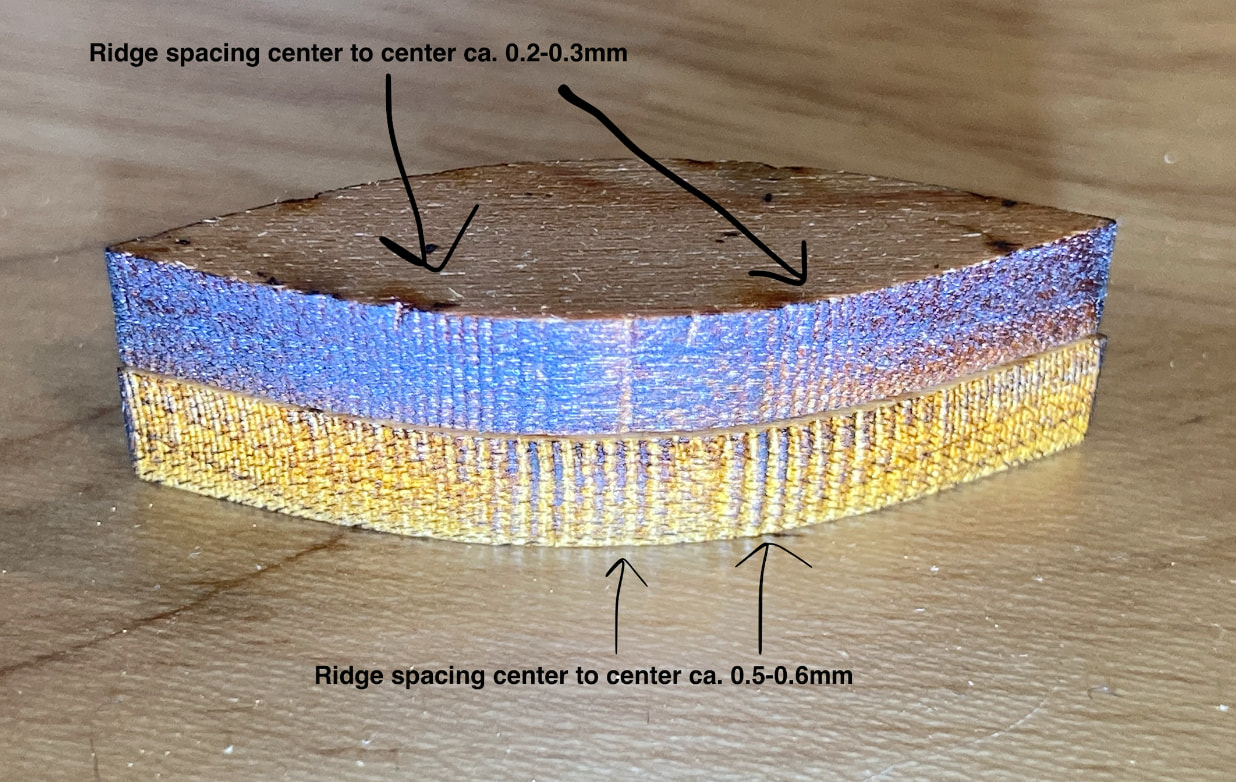
Hi everyone. My CO2 laser cuts strange ridges instead of what should be smooth curves. I’ve tried everything to make it go away and spent days reading online about others with the same issue and got nowhere. I’ve attached an image of the issue where the bottom is my normal cut speed (20mm/sec 75% power) and the top is slower (12mm/sec 45% power.)
The most promising threads on the subject were both here on the Lightburn forums: thread one and two. The advice in thread one is to fix stepper/driver mismatch. I tried every combo of microstep settings and got nowhere - no visible change. The second thread OP didn’t post a fix, but he got advice to check various loose hardware, which I have done several times and found nothing.
At this point I’m at my wits end trying to diagnose this issue. Dropping cut speed does help on certain files, but it doesn’t get rid of the ridging entirely, is not a real solution and with a lot of materials I bump up against the minimum tube power.
If anyone has any idea of what to try, I would be incredibly grateful.
Laser specs: 1060, Ruida RDC6445G(EC) with firmware V15.01.19, M415DRV driving 17HA801Y-22P2 NEMA 17 2.2A rated steppers on both X and Y.
Yes, imported from a DXF that I exported from Fusion. The same file cut smoothly on my diode laser some months ago, so I doubt that it’s the file; I’ve also seen the same issue with Lightburn native circles. I think the fact that the speed makes the ridging appear different is an additional indicator that it is probably a hardware cause (?)
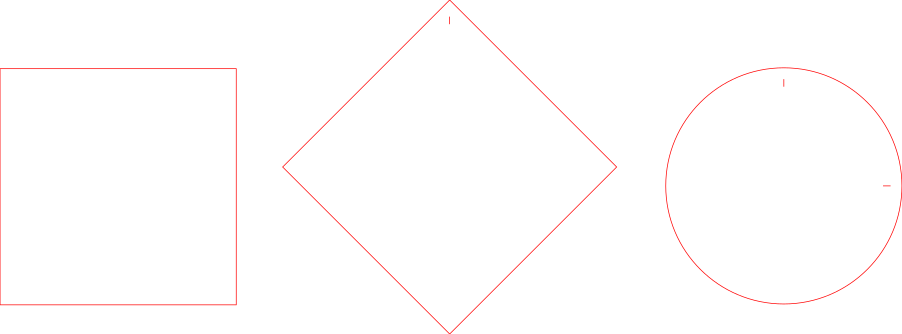
What do the edges look like for a straight line move at the same speed (20mm/sec 75% power), same material, same air, in X only, Y only, a 45deg, and a full circle?
If you use this SVG file, I’ve made small marks on the circle so if the ridges are worse in a particular area we will know where. And on the diagonal so we can easily differentiate it from the square once out.
There is a lot that can go astray using these. You don’t know how many times we’ve heard that here and it’s fixed by tightening something up somewhere the user didn’t even know was there.
Since you’ve changed all the software settings to deal with different size steps, I’d conclude, it’s a mechanical issue. I’ve had this same thing with acrylic, where it really sticks out. It was a belt tightness issue.
I don’t know what you’re using for minimum power or what you machine has the ability to lase. Power percentages are really not helpful is we don’t know the lasers power. Nevertheless, you are within the start speed range. If the Ruida start speed is <= to the actual head speed, all you get out is minimum power… You need to be aware of it, if that’s the problem or not, I don’t know. This effects power, not speed.
If the start speed is set to 20mm/s or 12mm/s, my Ruida start speed was set to 20mm/s so you would be in this range. I set mine to 5mm/s.