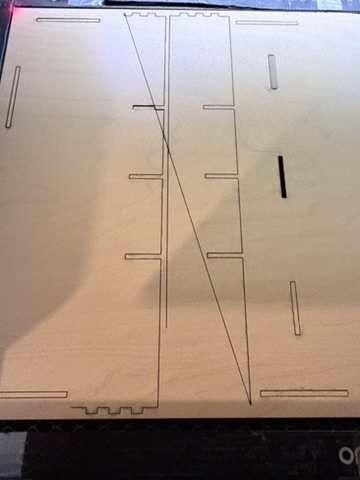
Wondering if anyone can help me with whatever temper tantrum my machine seems to be having. About 30 minutes before this, everything was working completely fine. As you can see from the first picture, it was cutting this font completely normal. I am using Monserrat (which is cutting fine) and Sunday Romantic which has all of a sudden started cutting no where near the path it’s supposed to.
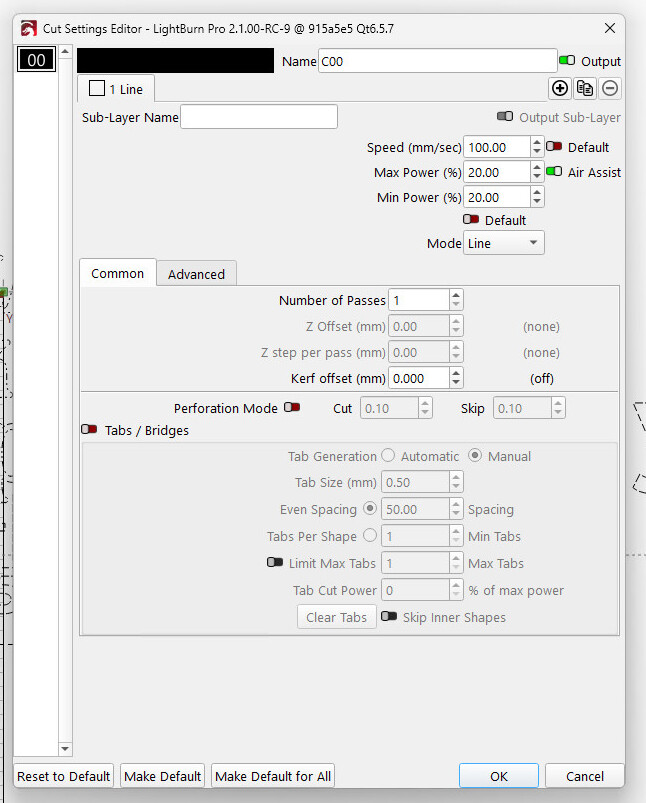
Perhaps there’s an (inadvertent) Kerf Offset applied to that layer.
Is the Preview of the offending path correct? If so, then the problem is in the laser or its communications. Otherwise, something happened to the design.
Okay how would I find out if those apply? Also I found something else very weird. It seems that the letters cut correctly IF there is another letter or object being cut at the same time… so I cut the Y by itself and it turned out like the photos, but when I cut it with a few other letters, it was fine.
Because I do not have those fonts installed, the text becomes paths.
Assuming the Ruida controller is connected to the Mac with a USB cable, intermittent problems can come from a failing cable, worn-out connectors, or sometimes Apple-vs-USB contention.
The first step is using a known-good cable from a reputable supplier (one who does not also carry swimwear and pet toys), with ferrite cores. IMO the cores may not do much, but they tend to justify a higher price that also includes a bit more production QC.
If that doesn’t resolve the issue, then using the Ruida’s Ethernet connection, rather than USB, generally does.
Several previous discussions explain the situation:
That is an entirely different problem, typically caused by a failing high-voltage power supply:
The solution is replacing the power supply, which is straightforward because the connectors are standardized. Unplug everything, unscrew the power supply from the backplate, screw in the new one, plug everything in again, and you’re set.