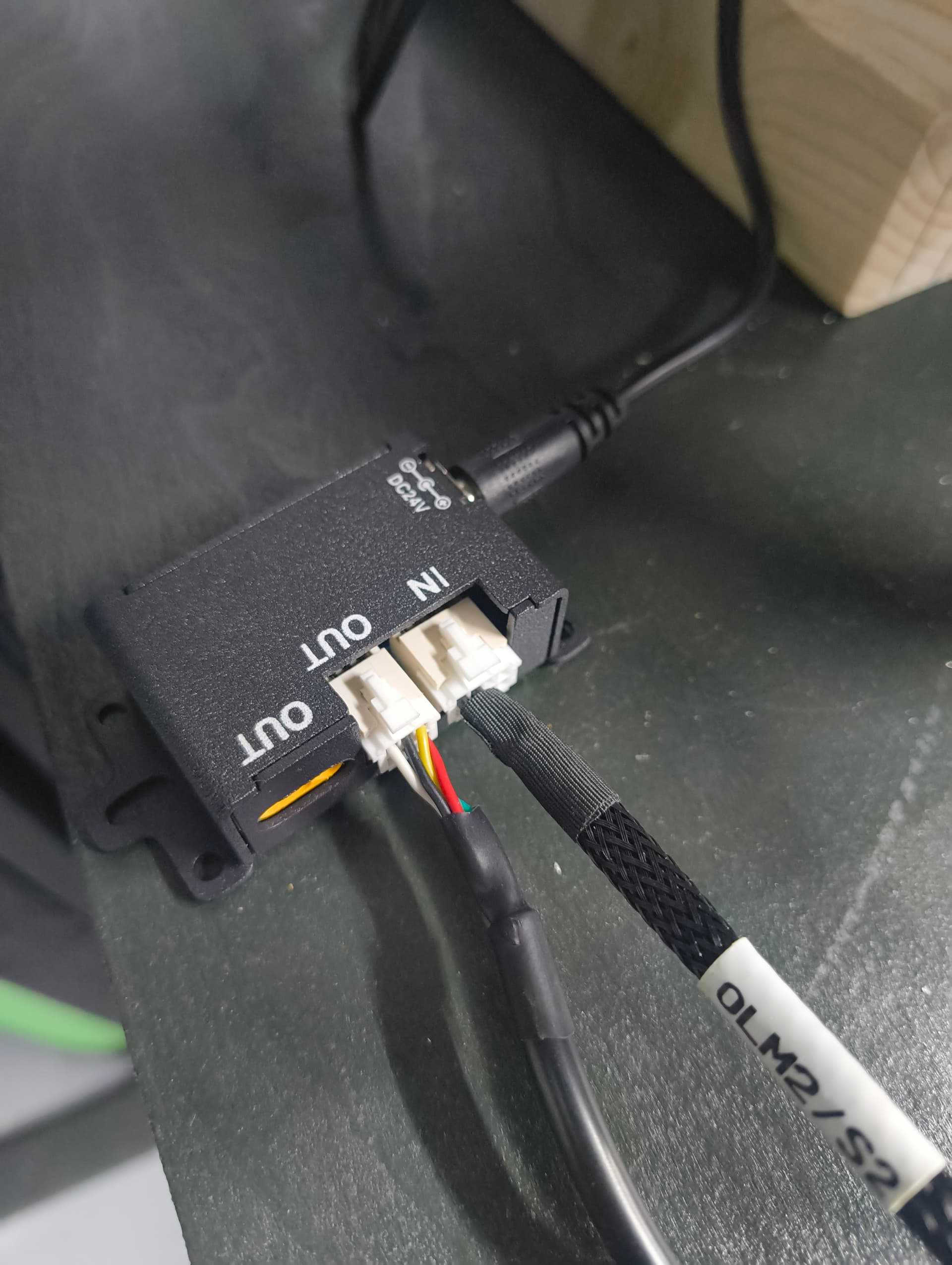
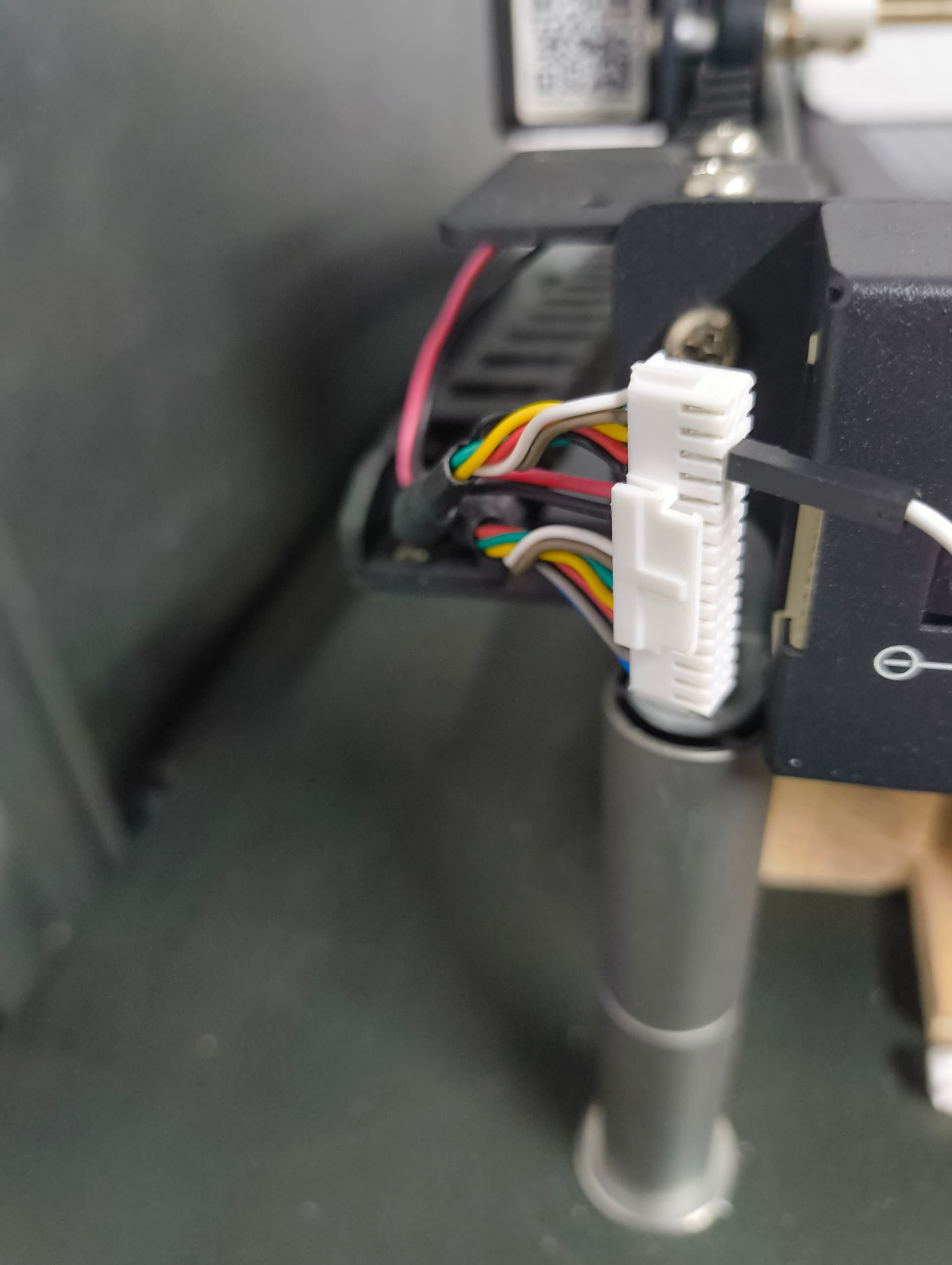
I have an Ortur Laser Master 2 Pro (I believe it’s a S1) with a LU2-4 module. I recently bought an LU2-10A kit to upgrade it.
To my surprise the cables did not fit straight out of the box (I should have done more research).
The motherboard is already running on 24V so I connected the PWM cable coming from the motherboard to the OUC v2 that came with the new laser module.
Laser moves as it should but does not fire. I double checked all cables and can’t get it to fire. I then reconnected the old laser but it also not firing, which is strange.
Is it possible that something is now damaged with the motherboard (OLM-ESP-V11)?
I did the same thing in Feb of last year, and documented my trials and tribulations in this post. Well, ain’t that a &!$@# - Community Laser Talk - LightBurn Software Forum. Most of the issues I had were caused by the fact that I had an early version of the OLM2P (S1) and the adaptor was expecting an S2. I ended up putting Ortur’s OUC V2 on a shelf and designed my own. This allowed me to use a separate power supply for the 10W module (using the 24V from the controller to activate a relay to supply laser power). If your original 5.5W is no longer working, I would grab a Volt/Ohm meter and do some checking. If you don’t have one now is as good a time as any to get one. All in all, I’m happy with the upgrade. Hopefully you haven’t fried something and you can get it up and running.
I have checked the original laser connector, black/ red wire is outputting 24.1V.
I have checked the “Out” of the OUC, black/red wire is outputting 23.8V.
The fan on the new laser turns On and the red light on the module is On but it does not fire.
Any idea what other checks I can do and if it’s possible to check the PWM wire?
Well, it sounds like it’s getting power. That would leave the PWM signal. PWM should be between 0V and 5V depending on what percentage of output power you’ve requested, i.e. 2.5V should result in 50% laser power output (this is a rough approximation, YMMV). Based on this ratio, pick a low output power percentage and see what the PWM voltage is. The trick is to do this in as safe a manner as possible. I would search for a post on how to test the PWM voltage vs. power percentage. There should be a way to test this without actually firing up the beam. If there is no PWM voltage, then that would explain why it’s not firing. Hopefully Jack or someone else with a bigger brain than mine will chime in.
If I may ask, where did you check the voltage at? I would do a continuity check of the PWM (yellow) wire from the two farthest points, just in case there’s a wiring (or OUC) issue. The first OUC adapter Ortur sent me was bad. Here’s the pinout on the plug.
Based on your thoughtful and thorough troubleshooting, it would appear that something got fried on your controller. Several years ago, I decided to replace the controller on my OLM2 Pro (S1) with an aftermarket one designed and built by Tim Rothman, called the B-N-B 3 (Black-N-Blue 3 GRBL Laser Controller with wifi and sd | LaserUpgrades). The original controller would randomly stop mid engrave (I ruined a lot of tumblers) so I started looking for an alternative. I’ve been running the B-N-B 3 for a couple of years now, and I couldn’t be happier. It has Wi-Fi and an SD card slot, which I found very useful. He makes a number of versions depending on what type of OLM2 Pro you have, and they are running about $132 USD. For me, it was money well spent. Good luck.
I will research those B-N-B 3, as it will most likely be similar price to a new original motherboard (probably not even able to find one anyway).
Many thanks for all the advice
You are welcome. I just got so tired of getting halfway through a tumbler engrave and having it stop. I wasted a lot of cups. The B-N-B 3 has been rock solid since I installed it. Good luck on getting yours squared away.
It does sound like a decent upgrade.
I have sent a message via his website just double checking it is compatible with my laser connectors and how many controllers I need.
Just waiting for a reply now.
We both have the 32-pin (S1) connector. The B-N-B 3 I bought from Tim has a 16-pin (S2) connector. Since I knew this going in, I was able to get Ihab (https://www.etsy.com/shop/IhabLaserDesigns) to make me a replacement cable for an OLM2 Pro (S2). Tim’s website has a dropdown box that shows S1/S2, but I think it still has the 16-pin connector. That’s something you’d probably want to ask Tim about if you decide to move forward. Swapping the cable harness was pretty easy, just followed the same steps from the first time I put it together. I’m reusing all the spare parts that were left over from the 10W upgrade to build a large format (I bought some 700mm 20X20 extruded aluminum frame) laser with the original 5.5W module. Gives me something to do and keep me off the streets at night.
Hi Paul
I am still waiting to hear from Tim so I might send him a new message.
That new project of yours sounds interesting, it will definitely keep you busy
I found that I was more successful with communicating with him through Facebook Messenger. I also was able to reach him at his G-mail address (troth530”at”gmail”dot”com) but I’ll deny any knowledge of having given it to you (although he does list it in the contact info on his laser upgrades website). He seems to travel a lot so it’s not surprising that it sometimes takes a while for him to return messages. It pays to be persistent.