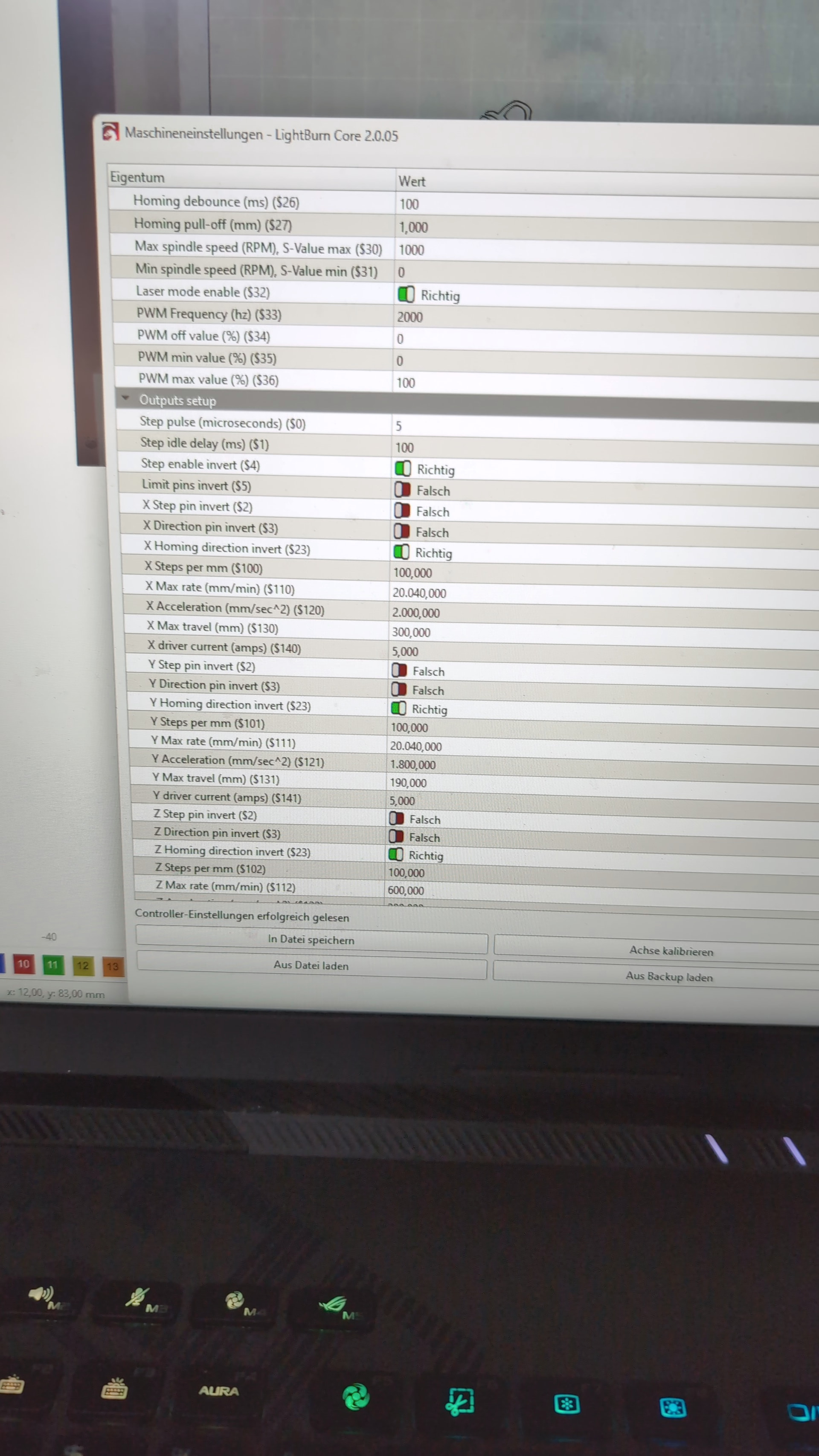
I’ve recently started getting this error message in LightBurn when I click the Home button. I haven’t changed any settings on my Ortur R2, except for switching the laser module from 20W to 1064W and back again.
Before the switch, this message didn’t appear:
ALARM:9
Return to home position failed. Limit switch within search range could not be found. Defined as 1.5 * max_travel during the search and 5 * subtraction during search phases.
Hi @Tolzi_Woodwork
Alarm:9 relates to the limit switches, as you say. If you’ve recently changed some hardware on your machine, make sure that you have reseated all the wiring as carefully as possible. It is possible that your new, more powerful module is generating electrical noise that could be affecting the limit switches.
If you have a tangle of wiring around the new module wiring, try separating it a bit. You can, of course, also approach Ortur’s own tech support. This issue is very much about the hardware of your machine, but we’re happy to help, to the best of our ability.
Move, or Jog. the laser until it is sitting on the limit switches. Then enter ? in the Console window. Now move the laser off the limit switches and do the same thing again.
Copy/paste both lines containing “|MPos:” in your reply. This is to confirm the controller is seeing both switches.
I looked up your model laser and I am believe it has limit switches for Homing. But please check to make sure.
There were supposed to be 2 MPos lines. With only one, we do not know if you were sitting on the switches or not. You may have to hold the switches with your finger.
This is something like what we are looking for (my Yaxis switch was held closed by finger):
<Idle|MPos:105.350,62.160,0.000|FS:0,0|Pn:Y>
There will be no “Pn:” if a switch is not closed. Hopefully your controller reports in the same way.
This is what we were looking for. Previously you posted:
I hope this is for when nothing was activating the switches. With that assumption, your limit switches are being activated and detected by the controller.
What all of this suggests is that the machine is not reaching one of the switches. Maybe a switch came loose. Just a coincidence that it happened when changing from the diode to the IR module. I am guessing when you put the 20w back on, you still got the Alarm 9 message.
In the first post with the “?”, I didn’t hold down any limit switches. So the limit switches are working, right? What could be causing the “Alarm 9” message?
Move the laser head to the home position and enter the ? command. If you don’t see Pn:XYD| then your switches are not being contacted properly by the laser and are not activated.
The previous test where you activated with your fingers shows the switches are functional, but that test doesn’t prove if the laser is making contact with the switches in the home position.
Yes, the normal homing sequence is something like this. You click the home button in LightBurn, it sends $h command. The controller takes over sending both axes toward the limit switches quickly, when one is contacted, movement in that direction stops until the other switch is contacted and that movement stops as well. Then the controller slowly moves the both axes away until the switches clear, moves back until contact is made and finally moves them back a small amount. This is your 0,0 position.