Not sure what I’m doing wrong here, I’m trying to engrave an image onto a round piece of wood. Any suggestions?
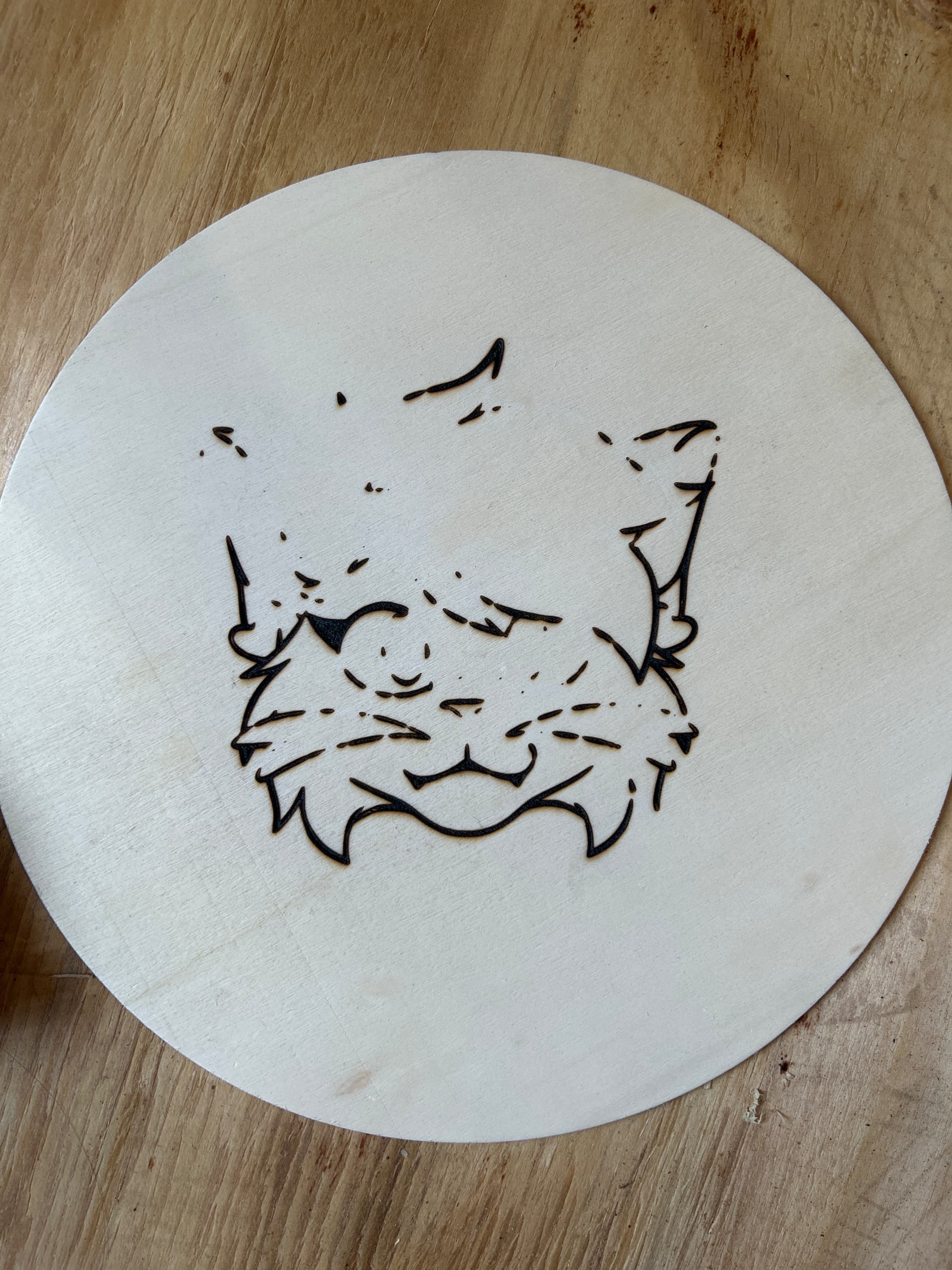
Neither do we. Need more info to provide any kind of answer.
Upload a screenshot(not a phone pic please) of your entire Lightburn screen with the Cuts/Layers Window visible. Also upload a screenshot of the Preview window.
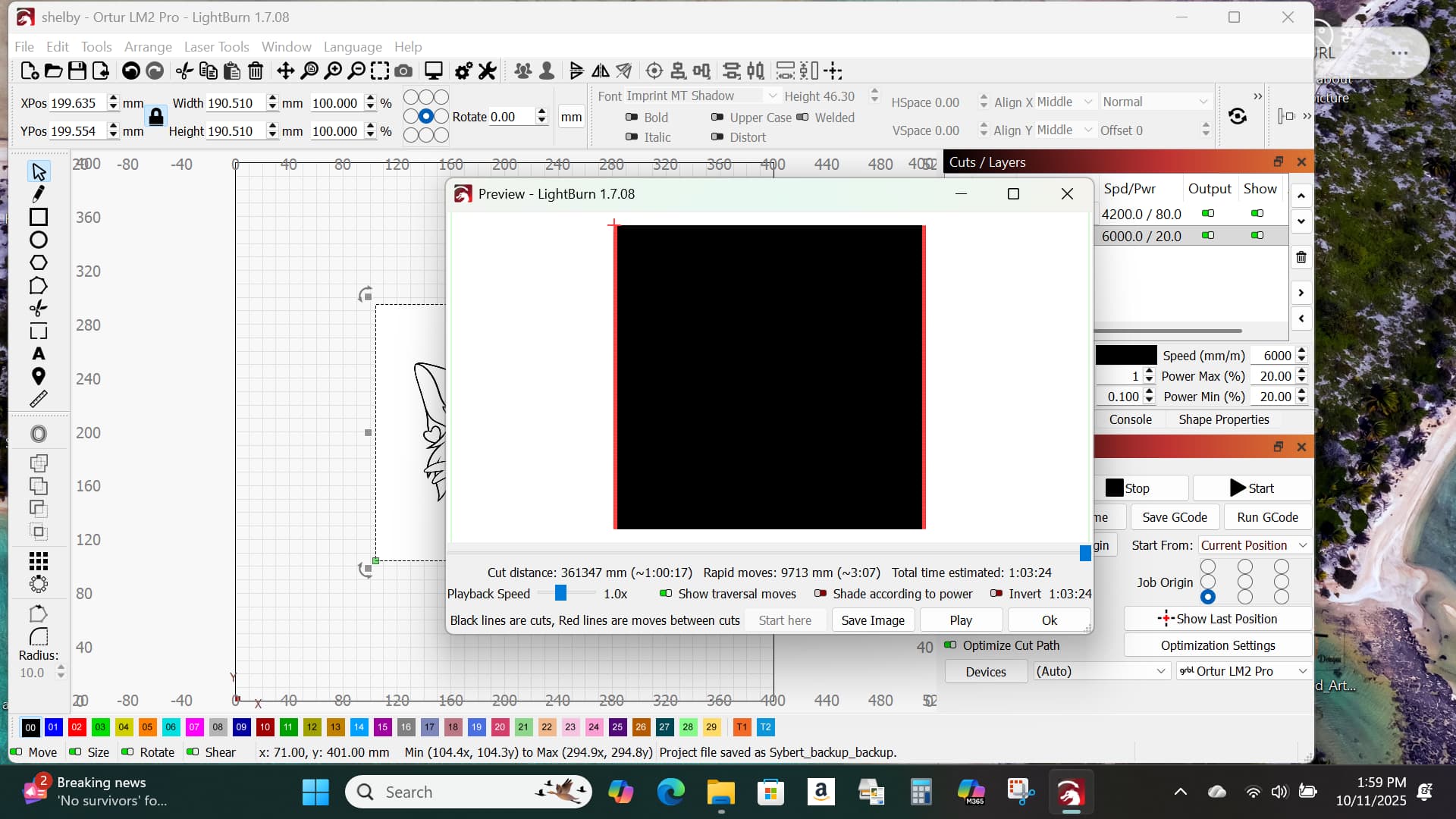
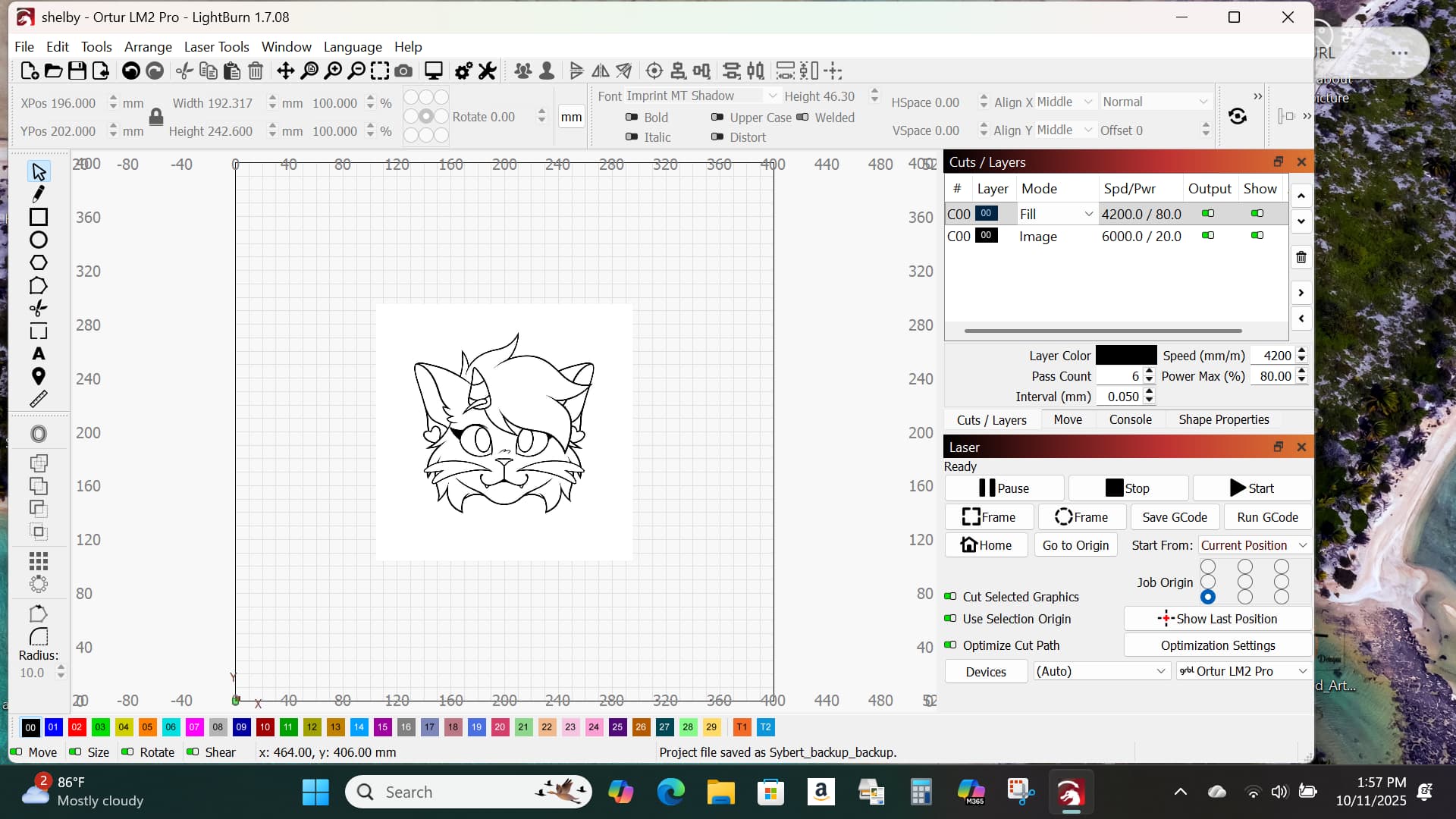
In what you posted, you have a fill layer active and the image cannot be seen in the preview. Disable output of the fill layer or change it to line mode.
What image mode are you using for the image? Threshold works great for simple line art like this.
I was using grayscale, I will try threshold and see what happens!
How do I disable output of the fill layer?
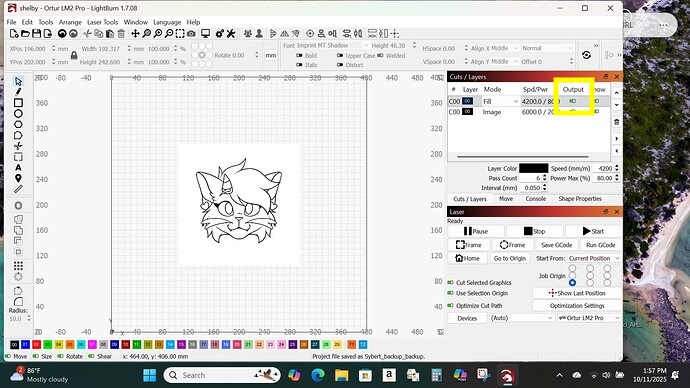

Yes. If you uncheck show traversal moves, the red shading will go away.
I thought you had abox around the image on the fill layer, but it’s because you were using Grayscale that everything was black. You must have an item offscreen, outside the visible area on Layer 00.
There is an image underneath it, one I don’t use (but if I delete it and only use that image that’s showing, the line mode goes away)
And do I need to up the speed/power or is it okay where it is?
That, I can’t tell you. Only testing with your machine and material will give that answer. I would try running a portion of the project on the ruined piece and adjust settings until you get a look you’re happy with.
Thank you for your help.
Although now when I press play, it isn’t lasering anything at all.
Explain. Is the laser scanning back and forth but not burning, or not moving at all? Did you disable the other layer?
Edit: Although, you’re using cut selected, so unless you select that other item also, it won’t output.
Yes it’s going back and forth but not burning anything. I disabled the line layer as if I disabled the image layer it would erase the image I’m working with
The preview image is still the same as above
In that case, I would slow your speed and increase power. What laser are you using & what power?
Laser is ortur if that’s what you mean, power is at 100, speed is at 6,000
What wattage is the laser module?
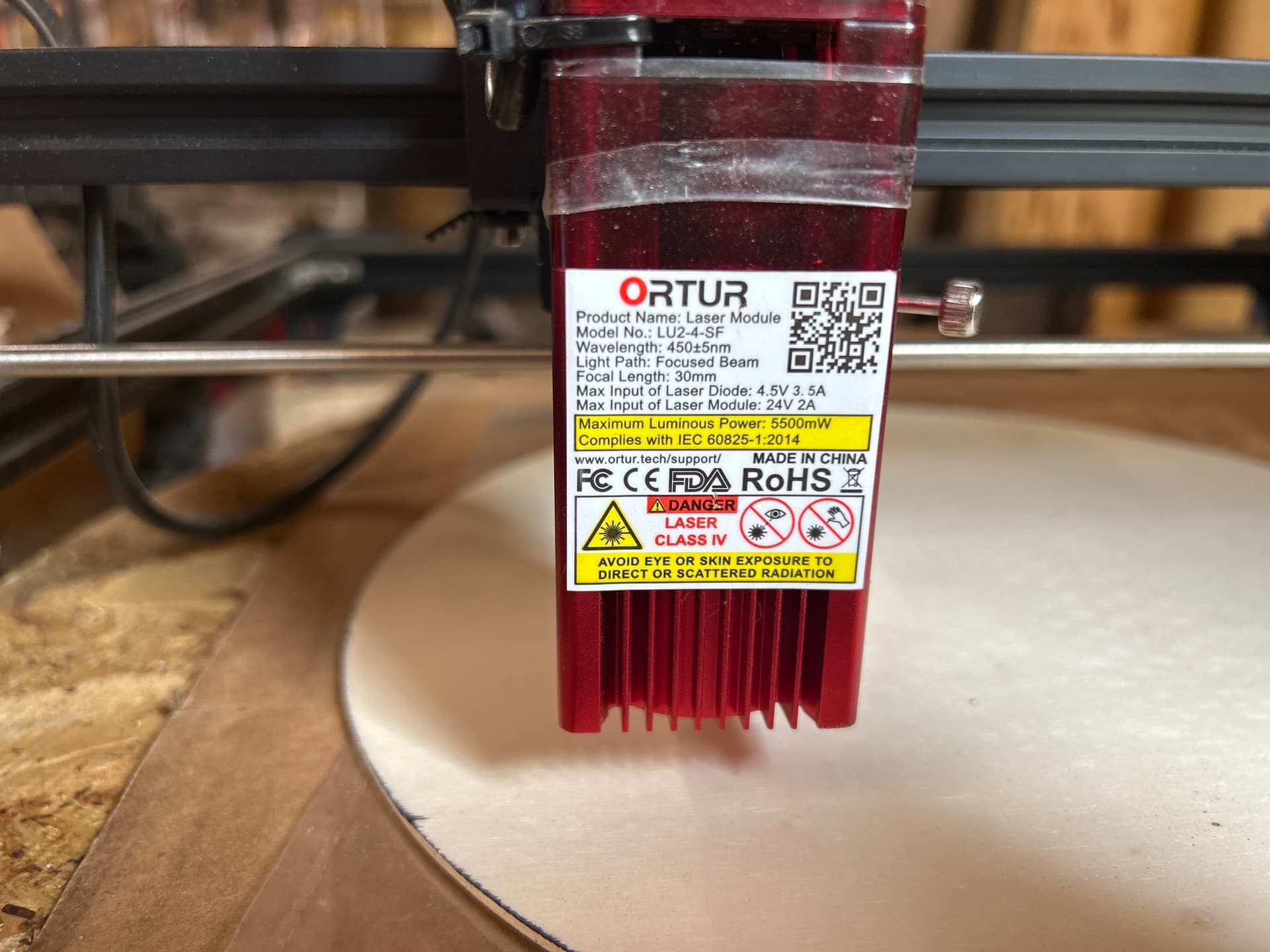
It’s a 5.5 watt module. You are probably going to need to slow down quite a bit. I suggest runnning a material test in engrave mode to find the proper settings range.
How do I put it in engrave mode? We’re kinda new to the laser engraver in case you couldn’t tell lol!