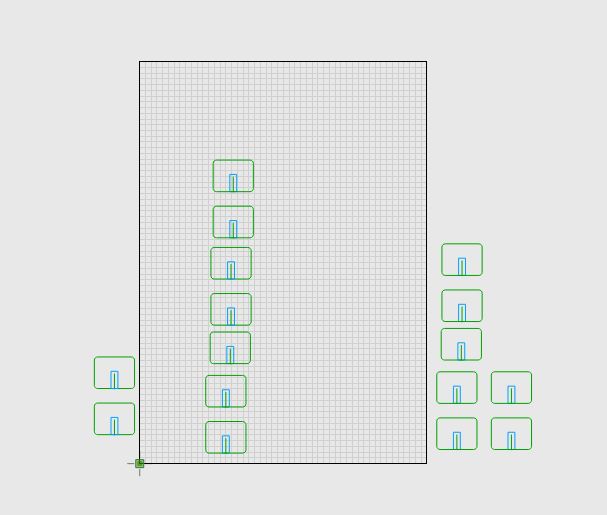
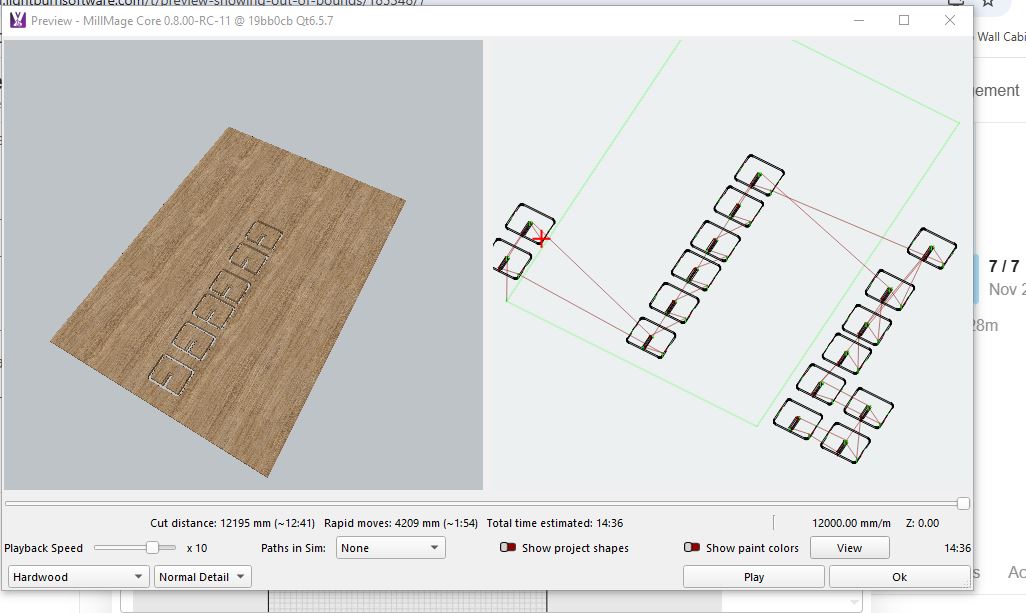
RC 10
box shows ignore out of bounds click yes, than preview shows it cutting out of bounds?
havent had this in previous RCs
same file where Z is diving
RC 10
box shows ignore out of bounds click yes, than preview shows it cutting out of bounds?
havent had this in previous RCs
same file where Z is diving
New posting, same issue?
I ran your file and see that the Preview shows why it is calling Out of Bounds. If the Developers read this posting, I like this much better than how Lightburn does it (where it just hides the faulty path leaving you wondering).
By the way, you should have chosen other text, which you figured out with the redacted images above. Text substitution would have been quite easy, and more appropriate for the Forum which I think it is rated PG.
why would i chose another text , theses are what my customers wanted on their signs and by changing it after the fact may not show the issue,
i scribbled over some of the letters on the preview, as i know some people are precious, it went for approval before it got posted
Could you provide us with the file, either by DM or to Support@lightburnsoftware.com?
yip ill email it to u later
its this file thats in this post
i rolled back to RC8 and ran that job with none of the issues that were happening in my last 3 posts re diving, out of bounds , and Z heights
it appears its something to do with auto use layer , if auto layer off its fine even though all pieces have operations assigned to them
pvc wall hooks.mage (26.7 KB)
auto layer off
auto layer on
Thank you, Terry,
You definitely found a genuine bug there.
I will create a report.
And yes, the Auto-Use function happens after the code that discards the out of bounds shapes. I’ll fix.
ur welcome glad to help 
We really appreciate the help! You’re making MillMage better
glad to help, as said before I’m loving MM, it has taken away a lot of frustration and time, not having to use multiple platform to create the same finish
I’m sort of enjoying finding issues, makes my brain work , which is a good thing , doesn’t mean you can add problems to every RC haha
may have found another little issue , but need triple check bit more. make sure all ducks are lining up and its not a me thing