Not getting is the correct answer. You must use Lightburn for moving, never by hand or remote panel. The controller does not announce the distance, bot only it had moved if commanded by Lightburn.
Without the camera, there is nothing to recognize. You Jog to the first and click to record that point. Then you Jog to the second and click again to record that point.
If it gives you an error, screen capture the message (WinKey+SHFT+S) and add it to your reply.
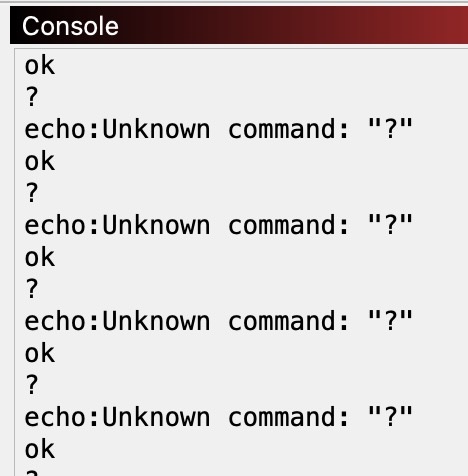
Can you show the console window output? If you turn on “Show All” in the console you should see everything LightBurn sends to the machine, and all the responses it receives.
It’s quite possible the position query sent to the device is either not answered, or is incorrectly parsed. To test that, try just clicking the ‘Get Positions’ button in the Move window - Do the reported coordinates match where the laser is? Do they change if you move the laser and ‘Get’ again?
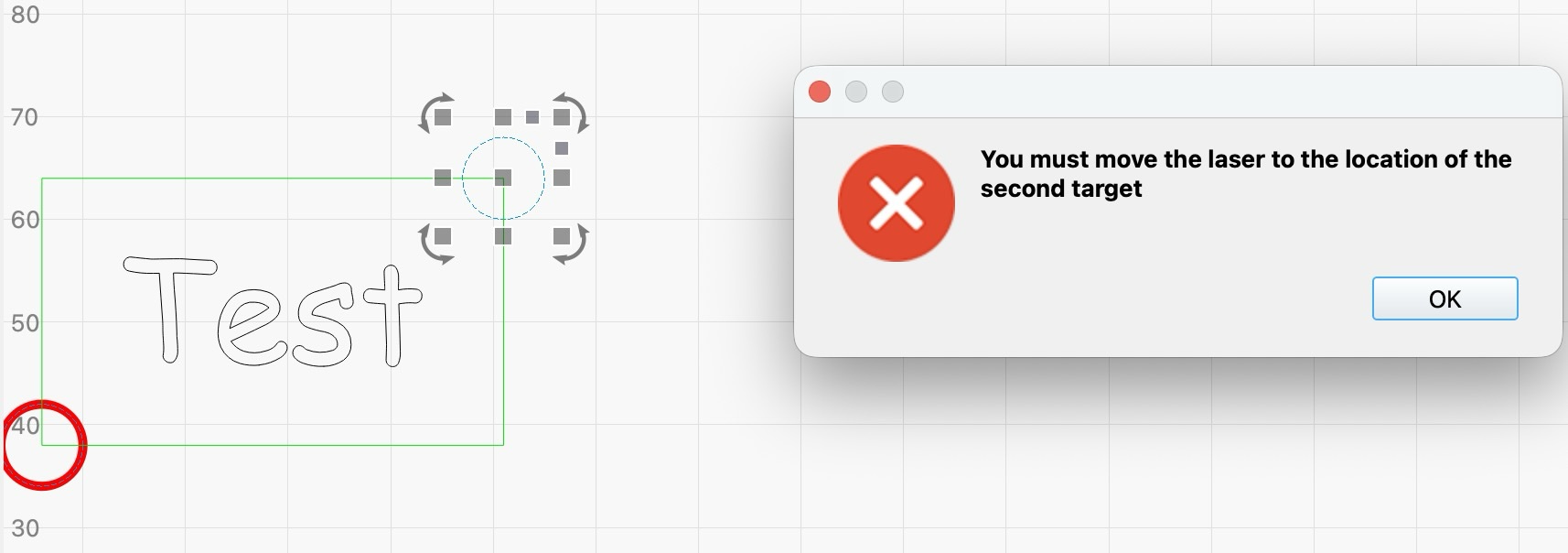
OK, I homed machine, selected 1st registration object (on lightburn design screen), then moved via Lightburn Move to first target position, clicked “Set first target position”, selected 2nd registration object (on lightburn design screen), moved to 2nd position via Lightburn Move, clicked “Set second target position”. Then I got the attached error “You must move the laser to the location of the second target”
Its like I never moved the laser via lightburn Move
I have not used PnC, but everything I have seen: You cannot use the design for the registration marks. If you view the online Docs, you will see the marks, typically a circle with a cross in the middle, as marks separate from the project. Also space them as far apart as possible.
Thanks for reply. I have used a two circles as a registration mark and assigned them to T1 Tool layer. The first target mark register OK, the second once it the problem. I have used videos in youtube and followed the same designs and registration marks, I think Lightburn simply doesn’t recognise the movement of the laser so its doesn’t think you moved it, even though physical laser has moved.
To use Print and Cut, you must align your laser to two Target Positions in a previously output design,…
You are using your Lightburn workspace to set up the PnC points. These must be previously marked on the workpiece instead. You have to align the laser to them, very accurately. You did not mention the Lightburn Docs, so I am providing the link for your review.
Make a detailed list of every step you take, in the order you do it. Leave out nothing, and go from start to finish where you get the error. Be explicit, like whether or not you are doing it in Lightburn or on the laser.
This appears to be the entirety of the problem - LightBurn is sending a query command to your controller to ask it “what coordinates are you at"?” and the controller is responding with “unknown command” instead of the location.
What kind of controller did you choose when you set up the laser? Marlin is what older SnapMaker’s used to use, and the current ones are now GRBL - it looks like yours is trying to use the GRBL query command. It’s possible we got that wrong, or you’ve chosen the wrong device type.
Marlin is very flexible, but that also makes it complicated to support at times. The “inline” option is to use an S value much like GRBL, instead of using an argument to M3 or M106 to set the power value, but it has to be enabled in the firmware for it to work, and a lot of Marlin options are enabled at the point the firmware is compiled.
Mine seems to work better with inline, so i’ll stick with that.
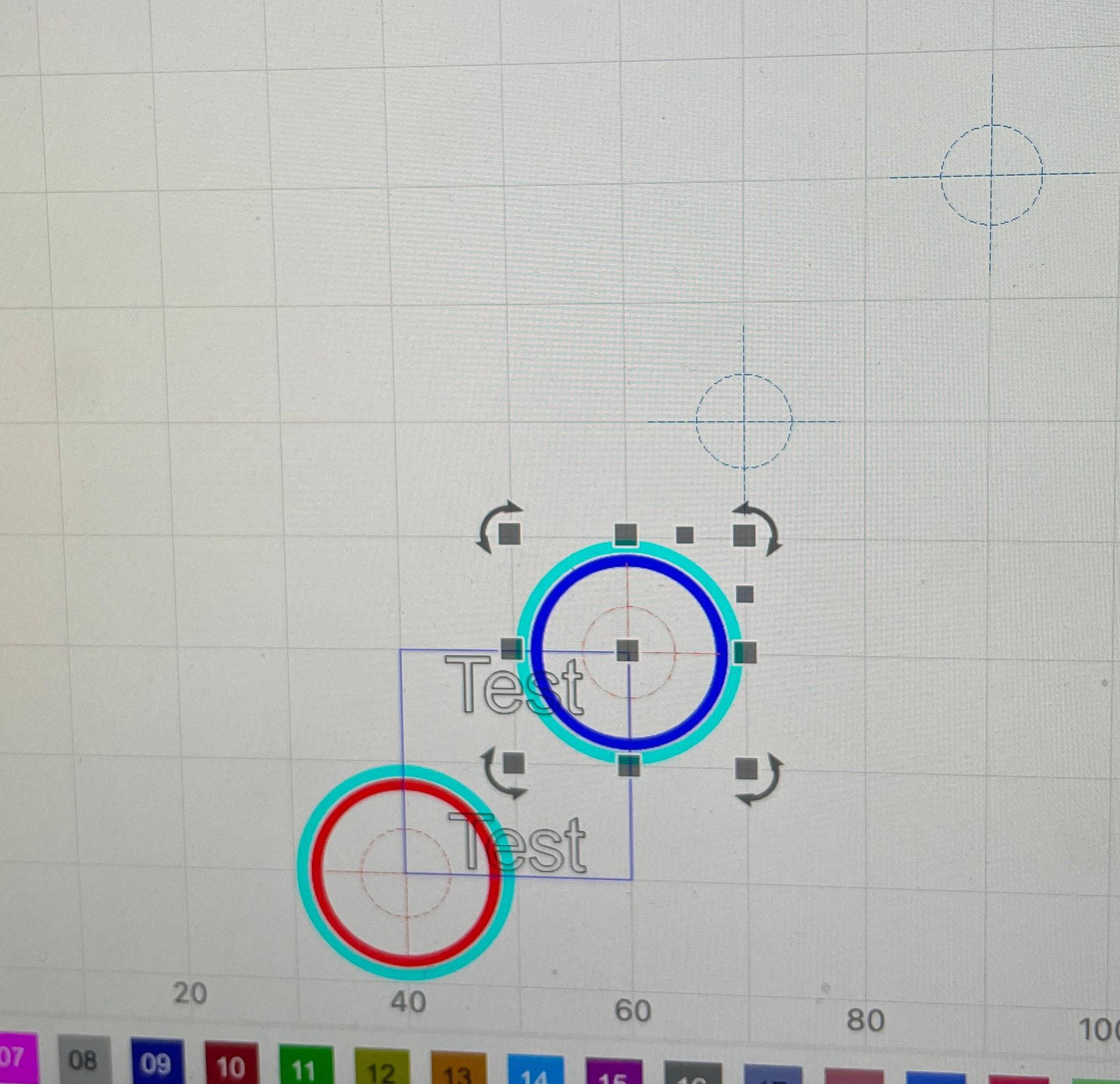
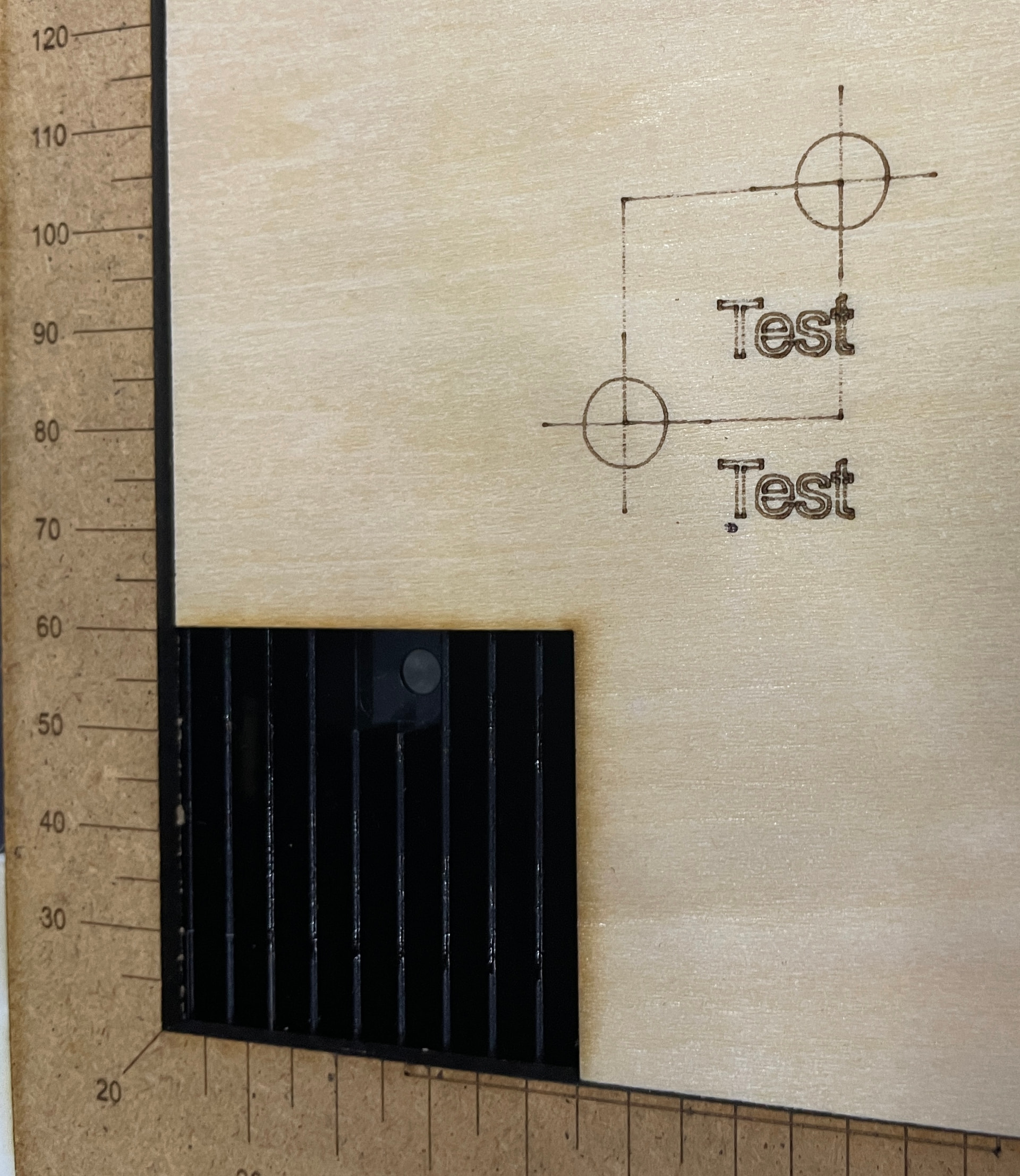
Got the Print & Cut to work but it doesn’t line up with the the spots I moved the laser to (registration marks) I printed the egistration marks and the sqaure to show where the text should go into to help with explain problem. The original designed square was set at very high speed so didn’t show.
You can see text is below and to the right of the first registration mark The laser is calibrated as the test square burns in the exact position it was meant to as well as the registration mark.
I printed the square seperatly and retrieved the “Get Postion”
Am I doing anything wrong as i’ve followed the guides an youtube videos.
Not sure what you are trying to accomplish here. PnC is normally to be used when you move a board to burn areas not normally reachable by the laser (aka PassThru). Your square does not indicate the need for PnC. It will help if you show us what you want to actually accomplish with images, programs, or drawings.
You do not say which videos, but I recommend sticking with Lightburn videos or those done by @thelmuth. A lot of videos confirm something can be done, but are short on the how-to detail.