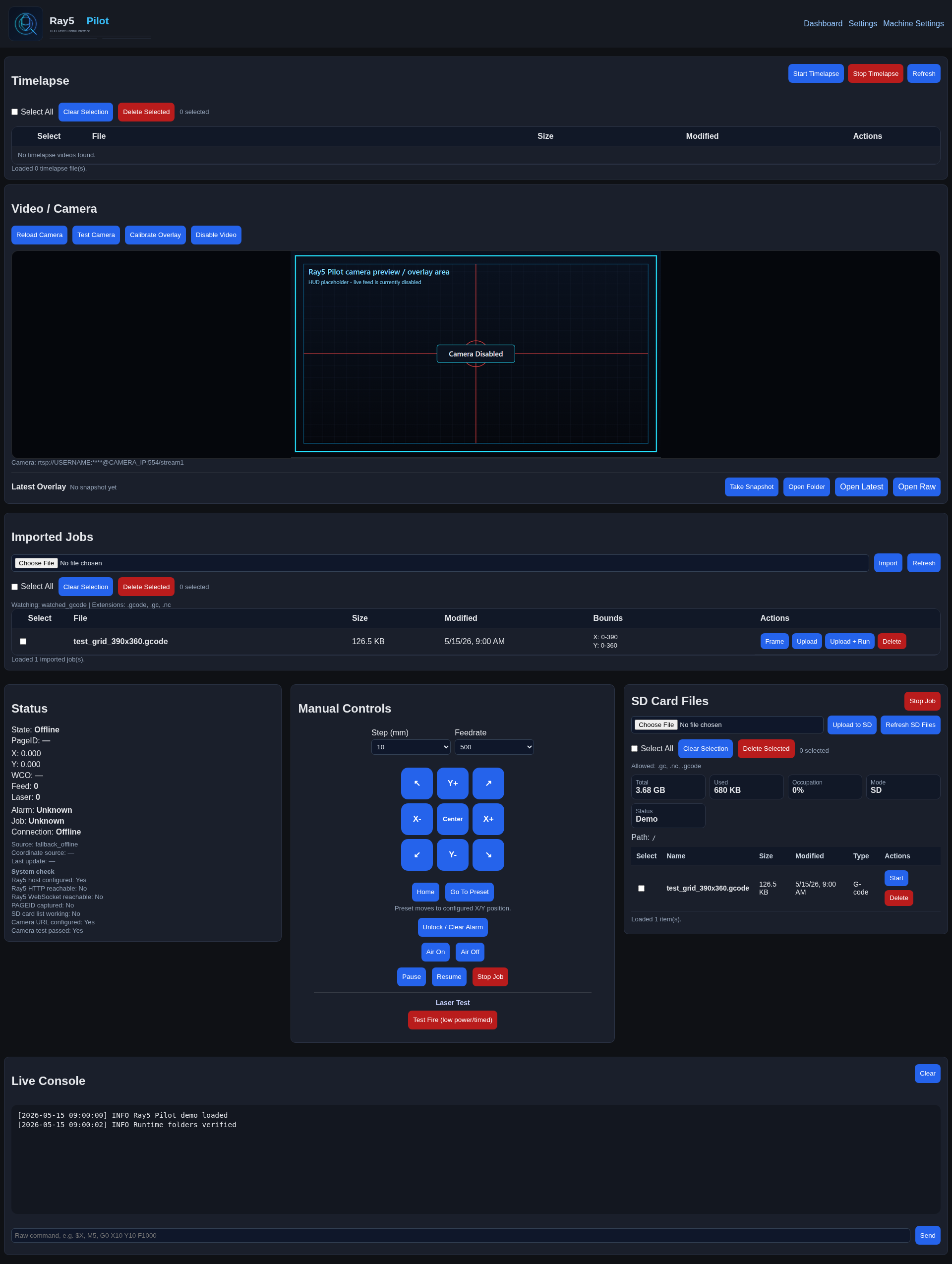
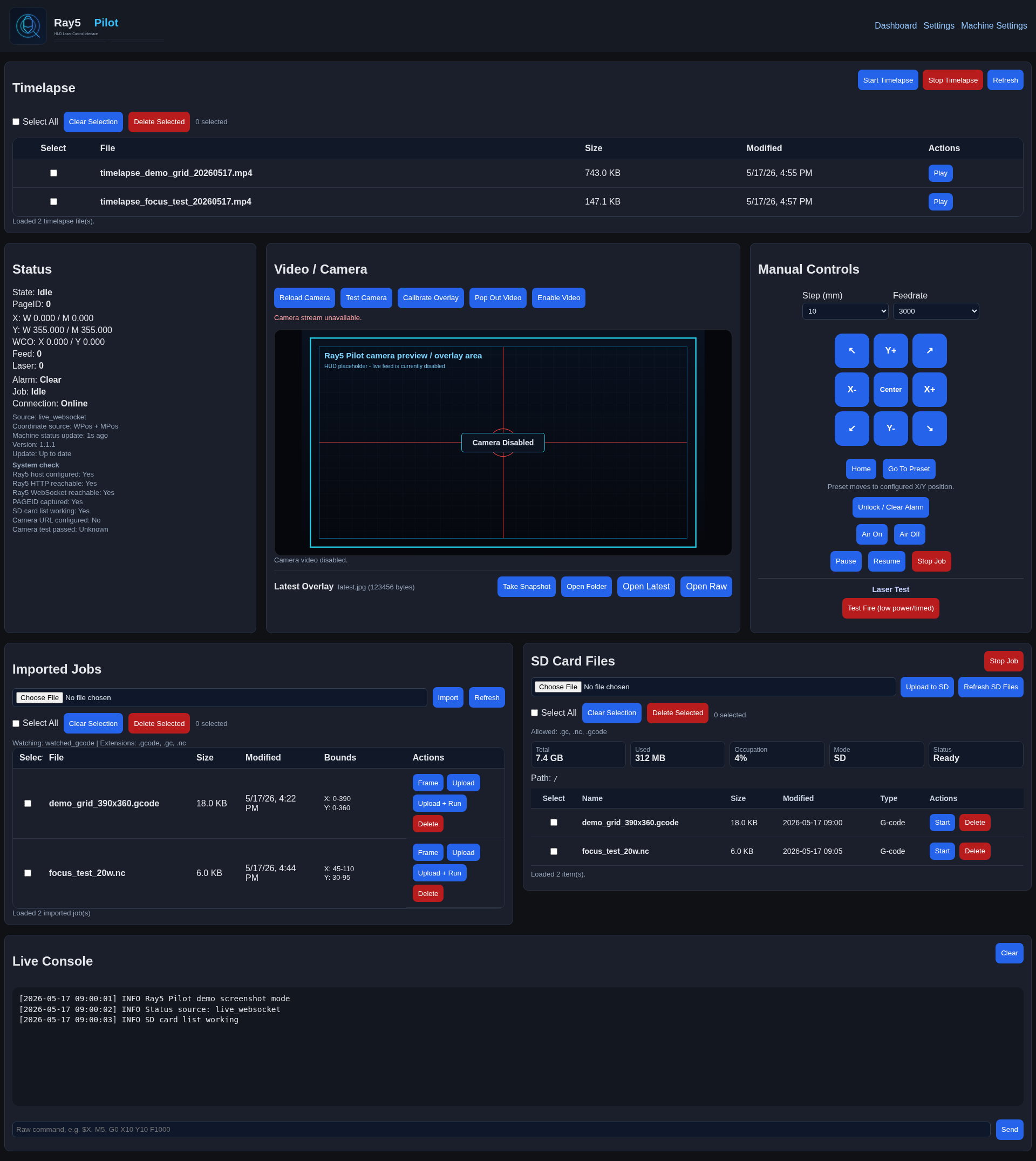
I built a free local web controller/helper for Longer Ray5 engravers called Ray5 Pilot.
It is not a LightBurn replacement and it is not an official LightBurn plugin. It is a local companion dashboard for Ray5 users who want better visibility and control around the ESP3D/Ray5 web interface.
Main features:
Live Ray5 status using the ESP3D WebSocket interface
X/Y live machine position display
Manual jog controls
Pause, resume, and stop/abort controls
Unlock / Clear Alarm using M5 + $X
SD card file list, upload, start, delete, and refresh
Version 1.0.4 has been released. Ray5 Pilot v1.0.4 focuses on file management, timelapse control, camera calibration accuracy, and safer dashboard behavior.
Highlights
Added multi-select file management for Imported Jobs, including Select All, Clear Selection, selected count, and Delete Selected.
Added multi-select file management for SD Card Files, including Select All, Clear Selection, selected count, and Delete Selected.
Added a full-width Timelapse dashboard card above the Video/Camera card.
Added Timelapse file listing, multi-select delete, selected count, and per-file Play controls.
Added Timelapse playback inside the existing top Video/Camera card.
Added manual Start Timelapse and Stop Timelapse controls.
Added automatic Timelapse arming for Imported Upload + Run and SD Card Start when Timelapse is enabled.
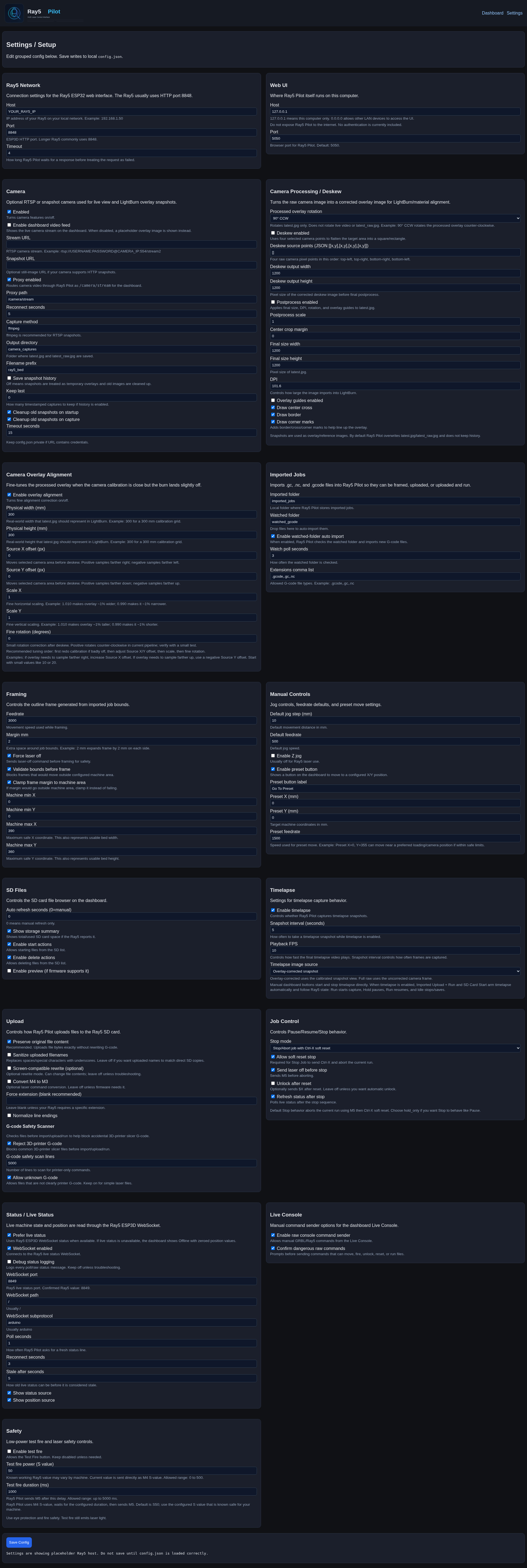
Added Timelapse Settings controls for enable/disable, snapshot interval, playback FPS, and image source.
Added Timelapse image source selection for either overlay-corrected snapshots or full raw camera frames.
Timelapse improvements
Manual Timelapse mode is now controlled only by the Start/Stop buttons.
Job Timelapse mode follows Ray5 machine state:
Run starts capture
Hold pauses capture
Run resumes capture
Idle stops and saves/builds output
Timelapse capture interval and playback speed are now separate settings.
Timelapse MP4 generation now uses playback FPS instead of treating the snapshot interval as frame duration.
Timelapse sessions now use stable session IDs.
Successful MP4 builds safely remove the matching session frame folder.
Deleting a Timelapse video also attempts to safely remove the matching session folder.
Timelapse messages now use one consistent bottom message line in the Timelapse card.
Camera and calibration fixes
Fixed embedded Camera Calibration click alignment when the calibration image is resized in the dashboard.
Fixed camera postprocess scale so values below 1.0 work correctly.
Improved postprocess scaling by applying source-area scaling before deskew when deskew is enabled.
Added camera capture locking to reduce race risk between manual snapshots and Timelapse captures.
Ray5 Pilot v1.0.6 focuses on reliability, status accuracy, camera health checks, and release cleanup.
This update tightens Camera System Check behavior so camera health is only marked working after backend-confirmed real camera frame/test/capture success. It also preserves live status stale timing through Settings saves, improves Status/System Check consistency when the Ray5 goes offline, keeps SD Card Files tied into System Check auto-refresh, and aligns current version/cache references to v1.0.6.
Runtime folders are now created automatically on startup, so tracked .gitkeep placeholders were removed while runtime/generated contents remain ignored.
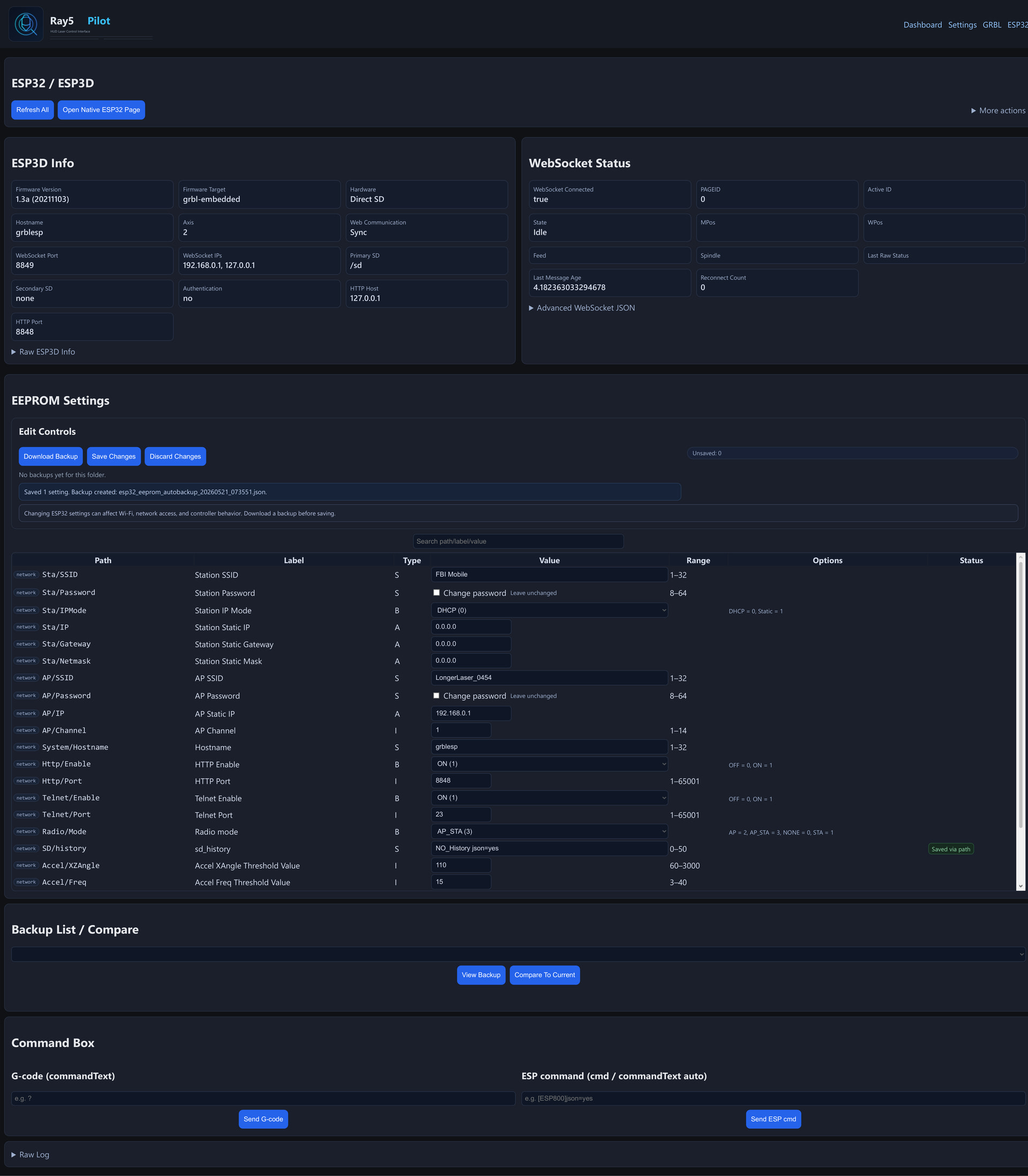
Added a dedicated Machine Settings page for Ray5/GRBL controller settings.
Added support for reading controller settings with $.
Added automatic parsing of GRBL-style settings such as $0=10, $30=1000, $130=400.000, and similar.
Added a uniform editable Machine Settings table with setting number, description, current value, new value, unit/notes, and status.
Added known descriptions and units for common GRBL settings.
Added Download Backup for raw $ machine settings output.
Added changed-only Machine Settings save support using safe $number=value commands.
Added strict validation for Machine Settings saves to prevent arbitrary commands or reset commands.
Added a raw $ output/debug section to help diagnose devices that return settings asynchronously.
Added diagonal jog buttons to Manual Controls for all four diagonal directions.
Added a Center button in the jog pad to move the laser head to the configured bed/work-area center.
Added combined XY jog support so diagonal moves are sent as one jog command instead of two separate axis moves.
Changed
Manual Controls now use a full 3x3 jog pad:
diagonal jogs in all four corners
X/Y jogs on the sides
Center button in the middle
The previous center Home button was moved below the jog pad.
Home and Go To Preset now sit together in a centered row below the jog pad.
The preset helper text now reads: “Preset moves to configured X/Y position.�
Machine Settings now handles Ray5/ESP3D asynchronous $ output by collecting WebSocket response lines after the command is sent.
Machine Settings save results are preserved after refresh instead of being overwritten by “Loaded X setting(s).�
Camera System Check behavior was tightened so cached latest.jpg / latest_raw.jpg files no longer mark the camera as working.
Camera test status is now based on backend-confirmed real camera operations only.
README screenshot formatting now uses clickable thumbnail-style images.
README wording was broadened from LightBurn-specific wording to general laser software wording where appropriate.
Fixed
Fixed Machine Settings initially loading zero settings when the HTTP command response returned only ok and the real $ output arrived asynchronously through the WebSocket stream.
Fixed Machine Settings input fields jumping or losing focus while typing.
Fixed Machine Settings save messages being overwritten by automatic reload messages.
Fixed cached camera snapshot serving from incorrectly marking Camera test passed as Yes.
Fixed Manual Controls diagonal jog button labels showing ? instead of proper diagonal arrows.
Fixed Manual Controls layout so Home is no longer mixed into the jog pad.
Fixed diagonal movement so each diagonal button sends one combined XY jog command.
Notes
Always use Download Backup before changing machine settings.
Machine Settings save only sends changed rows and only allows validated numeric $number=value commands.
Factory reset commands such as $RST=$, $RST=#, and $RST=* are not exposed on the Machine Settings page.
Diagonal jog commands use the selected Step and Feedrate values.
The Center button uses configured machine/work-area limits to calculate the bed center.
Improved communication-loss safety lockout for active/recent jobs.
Added Clear Safety Lockout support.
Paused SD auto-refresh and SD system-check probing during unsafe/locked-out machine states.
Cleaned up camera/video stream lifecycle handling.
Improved video pop-out behavior.
Prevented video enable/disable from restarting unrelated watcher/WebSocket/runtime services.
Consolidated Video / Camera messages into the correct message area.
Added setup guards and clean messages for Enable Video, Pop Out Video, Calibrate Overlay, Take Snapshot, Open Latest, and Open Raw.
Moved timelapse stop/save/build work into a background worker.
Added timelapse.final_capture_delay_seconds with default/range handling.
Improved final timelapse frame reliability with capture locking, unique filenames, and retry logic.
Made Manual Start Timelapse safer by requiring live Ray5 Run state.
Added confirmation for Manual Stop Timelapse.
Fixed real-time GRBL pause/resume command handling for ! and ~.
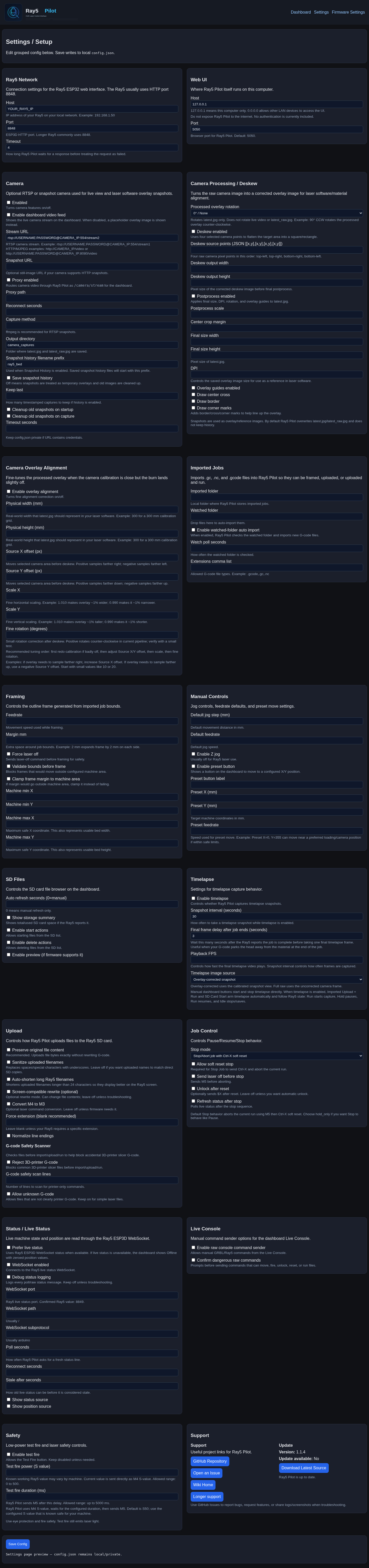
Renamed user-facing “Machine Settings” wording to “Firmware Settings” while keeping internal routes/API/files unchanged.
Reworked Settings Support card into Support and Update columns.
Removed manual Check for Updates button and reused startup/cached update status.
Settings Support card now reads the same cached GitHub update-check state as the Status card and no longer uses stale updater/apply-update status for normal availability display.
GitHub update status now refreshes at startup and when Settings opens, with stale-safe background refresh while Ray5 Pilot is running.
Updated Longer support link to https://eu.longer.net/pages/download-firmware.
Added/updated tools/safety_check.py for no-hardware release validation.
Updated wiki/release documentation package for v1.1.3 wording and support changes.
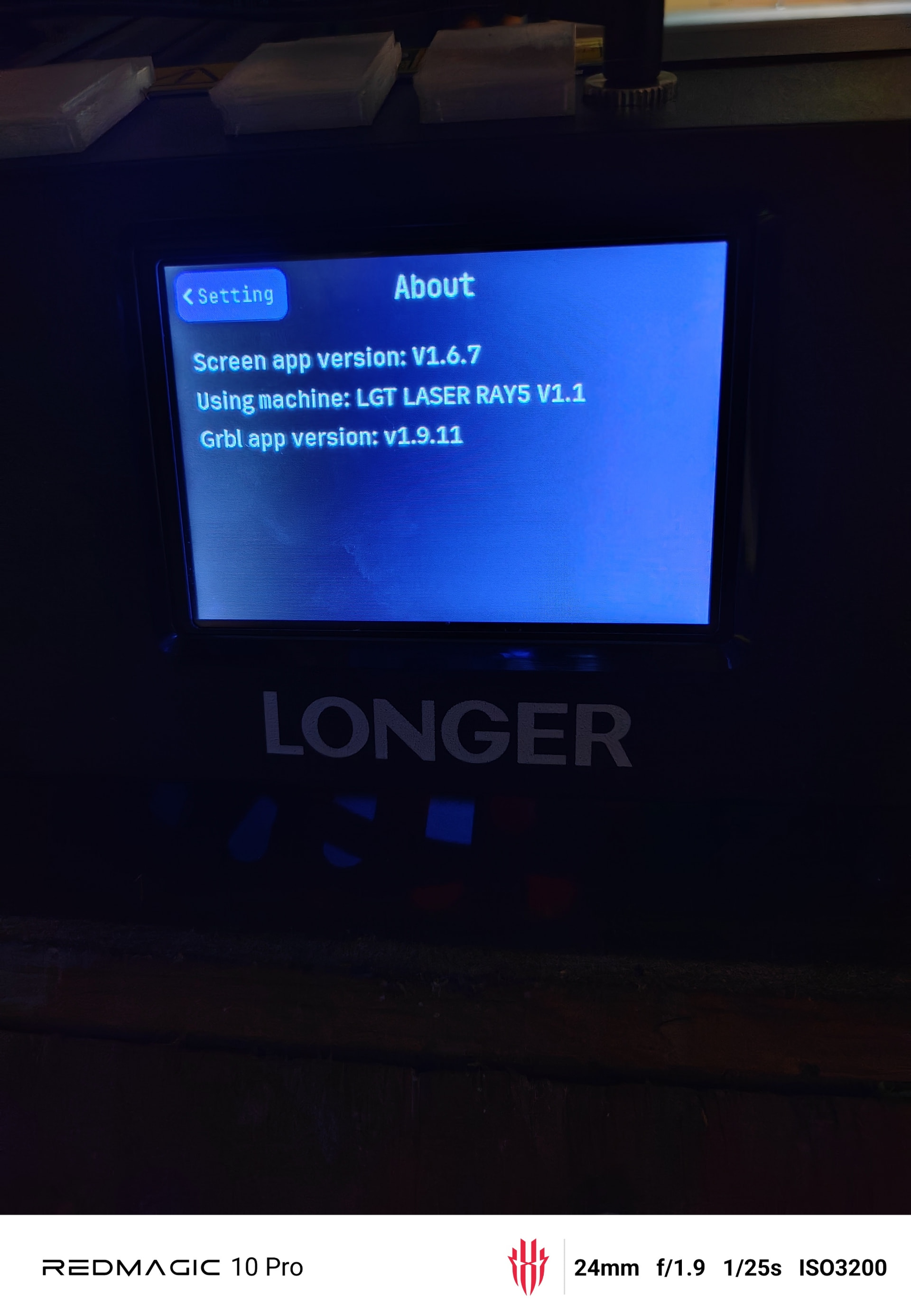
I am using a longer Ray5 20w. This should work with any longer ray5 series, and any watt. But that is also why I am hoping others will be willing to test for me and give feedback.
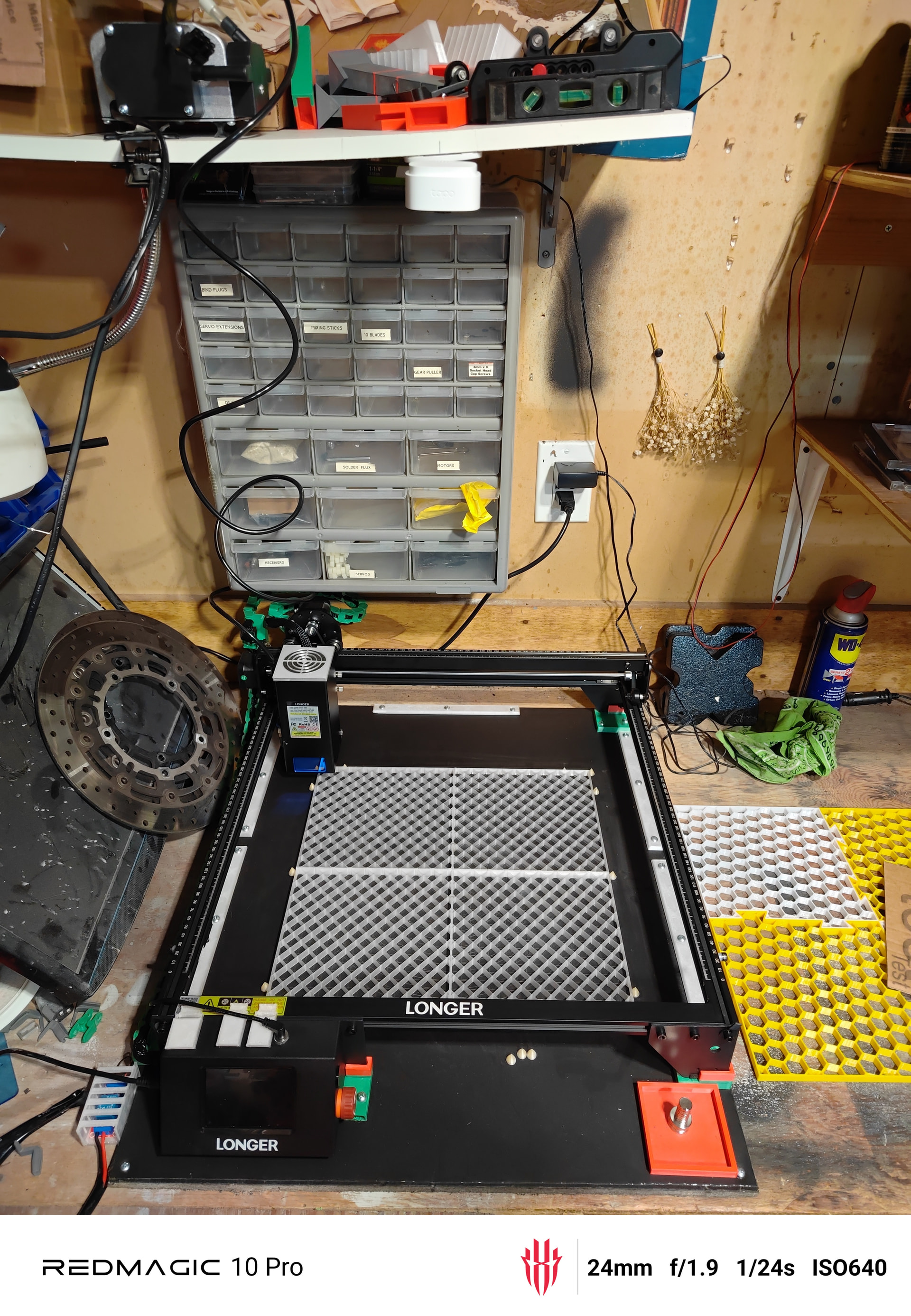
Here is my simple little setup. Don’t mind my mess ATM. But I have my camera mounted above centered. so I can use that for timelapse, camera feed and overlay. I then drag and drop that skewed image into Lightburn and use it as a material guide to see were I am placing my runs to material.