Now I get the Water Protect error and no fire
I was going to mention that you will get a water protect. That’s what you wired it to previously…
I think you mentioned you have a chiller… How is it wired up…?
You can disable wp from the Ruida console or from within Lightburn ‘Edit → machine settings’. You will have to ensure that coolant is flowing.

OK Ill try that 
What?
Are you going to try…
Just disabled and now it fires variably like it is suppose to. Makes me a little nervous but I will make a big sign to turn on chiller. The chiller is not wired to anything, just connected to the water ports and the flow sensor
What is the flow sensor wired to?
Don’t get in a hurry and sizzle this thing… Do it right, you won’t have to mess with it or it with you.
I wired my chiller to the Ruida directly. You should be able to do the same with your sensor, if that’s the stock one.
All I know is that it is wired to the controller. I am not very good at this so please forgive me
I have been wanting to wire my chiller to the controller too but don’t know how
You’re doing great, we’ll have you up pretty quick, I think…
For right now I’d suggest just using the stock one until it’s up and I’ll help you connect your chiller…
Can you send me a picture of the flow switch?
sure can!! give me a minute. I will have to crawl under the cabinet. I have a very bad back and it will take a minute or two…lol
Take you time, don’t hurt yourself…
1 Like
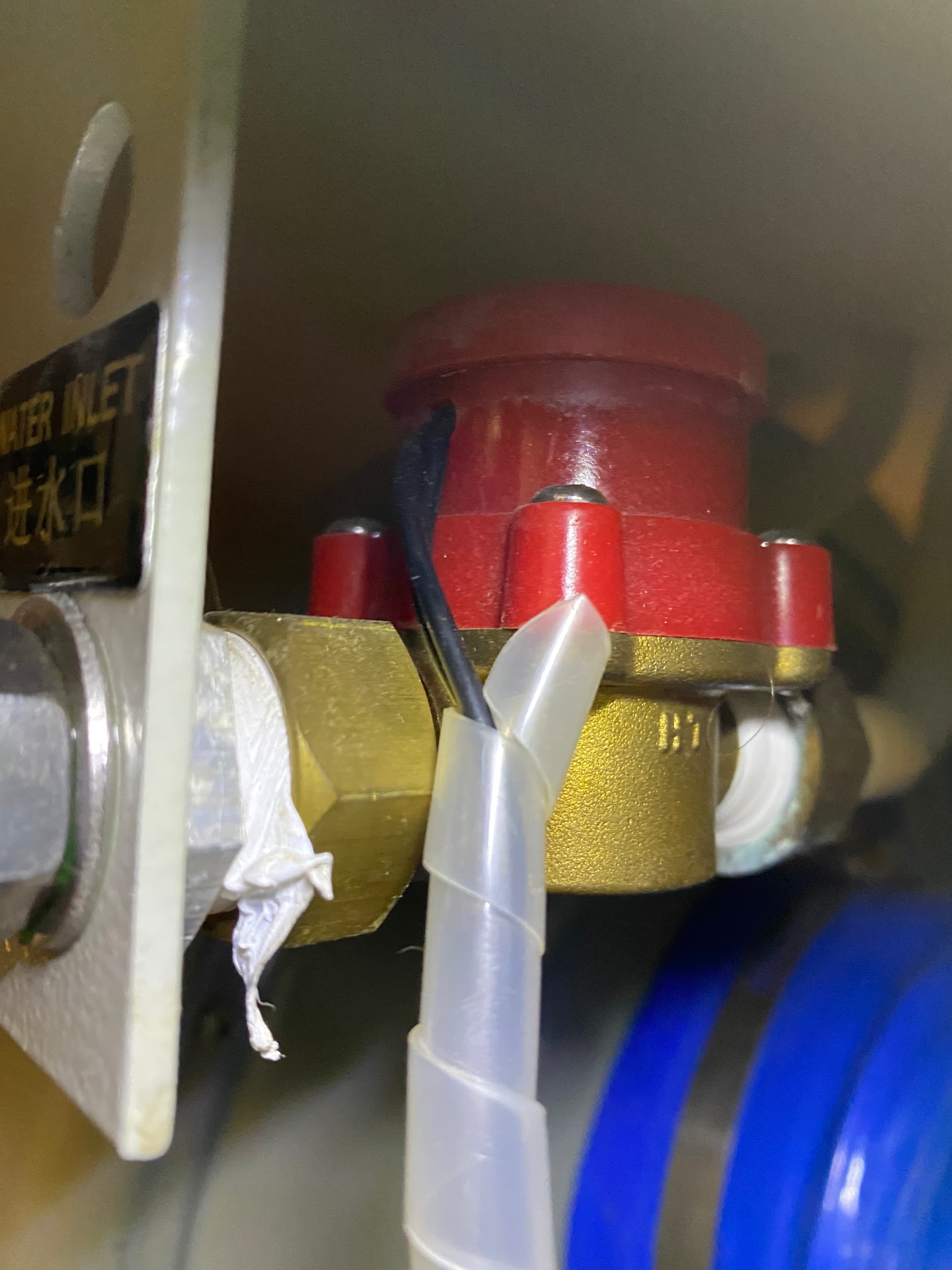
From the photo I can’t tell what type you have. More expensive than what was in mine.
Can you follow the wires?
I’m assuming one side goes to ground or +V, where does the other end up?
Where does the WP (white) wire in the lps photo go.?
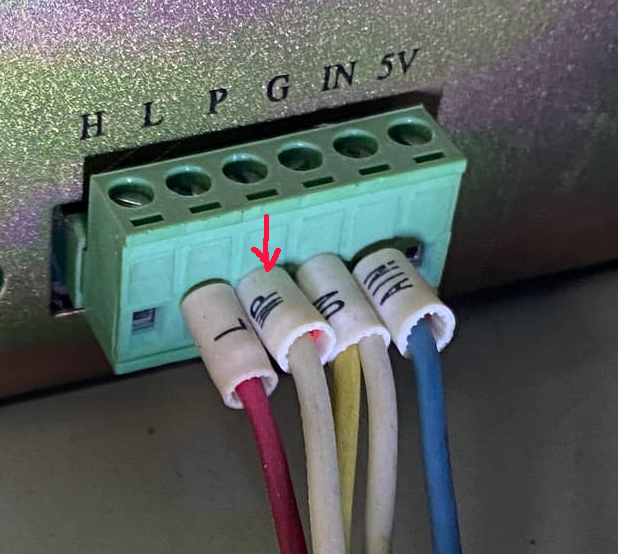
This could be another way to enable a water protect scheme. This would disable the lps or prohibit the lps from firing.
Let me try to follow the wires for ya
The sensor is actually the two inside white wires
It appears to me that the flow switch is wired to the lps.
The P input is water protect and needs to be pulled low to fire the laser.
This will serve as a laser protection, as far as firing.
The controller will not know there is an issue and all the ‘stuff’ in the laser will be operating as if nothing is wrong, but you won’t get the laser firing… if this makes sense.
When you have time I’d suggest grounding the P connection and moving the WP wire to the WP1 input. You would also have to enable the Ruida wp sensor.
I will try that tomorrow morning if you don’t mind…lol
I’d go ahead and run it… I think the WP on the lps is sufficient for the time being.
Take care…
Thank you so much for taking the time out to help me and for being EXTREMELY patient as well
do you have any suggestions to take care of the wide sweeps when engraving?