I ran into issues with space on the stock RDC6442G-LY-B(EC) controller that came with my Thunder Nova 51/130. Husband found the 1GB RCD8445S(EC) on sale brand new with an upgraded display for 1/2 the price of the 1GB drop in controller from Thunder which is the RDC6442G-LY-1G(EC).
I did reach out to Thunder and they said that if I went with the one my husband got I am on my own, so I do own that part and not looking for comments related to that please. I do love the support I get from them so this is not anyway a bash on Thunder.
They stated: “You will run into issues with the stock firmware and TL timer interface that controls your air assist/exhaust/stacklight/rotary mode etc, we do not have a Thunder Specific firmware for that model controller with the proper outputs configured. Since we have not tested it (and no plans to), you will be on your own to get the machine and all its functions running which may require some tinkering and such and the operation may be different (mainly around the rotary axis…that is a big unknown). Please note, given the nature of this one off installation, we cannot support it like we do our regular stock controller machines. Any oddities that result from the install will only make it harder to support and troubleshoot down the road.”
I am not too worried about that part as I am sure I can work through it all as my husband and I have build CNC machines from the ground up and feel this may be just something that may take us some time to configure it.
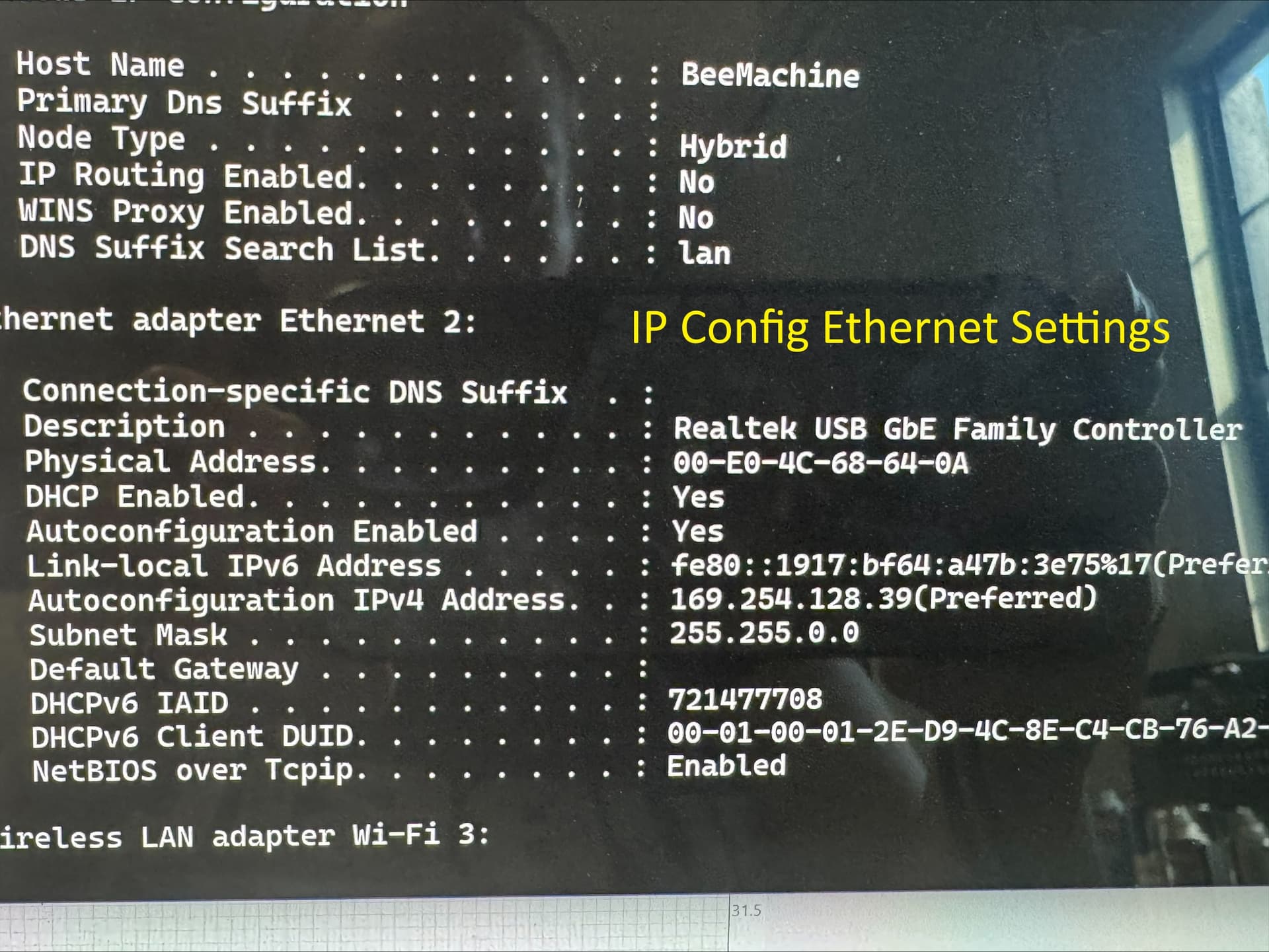
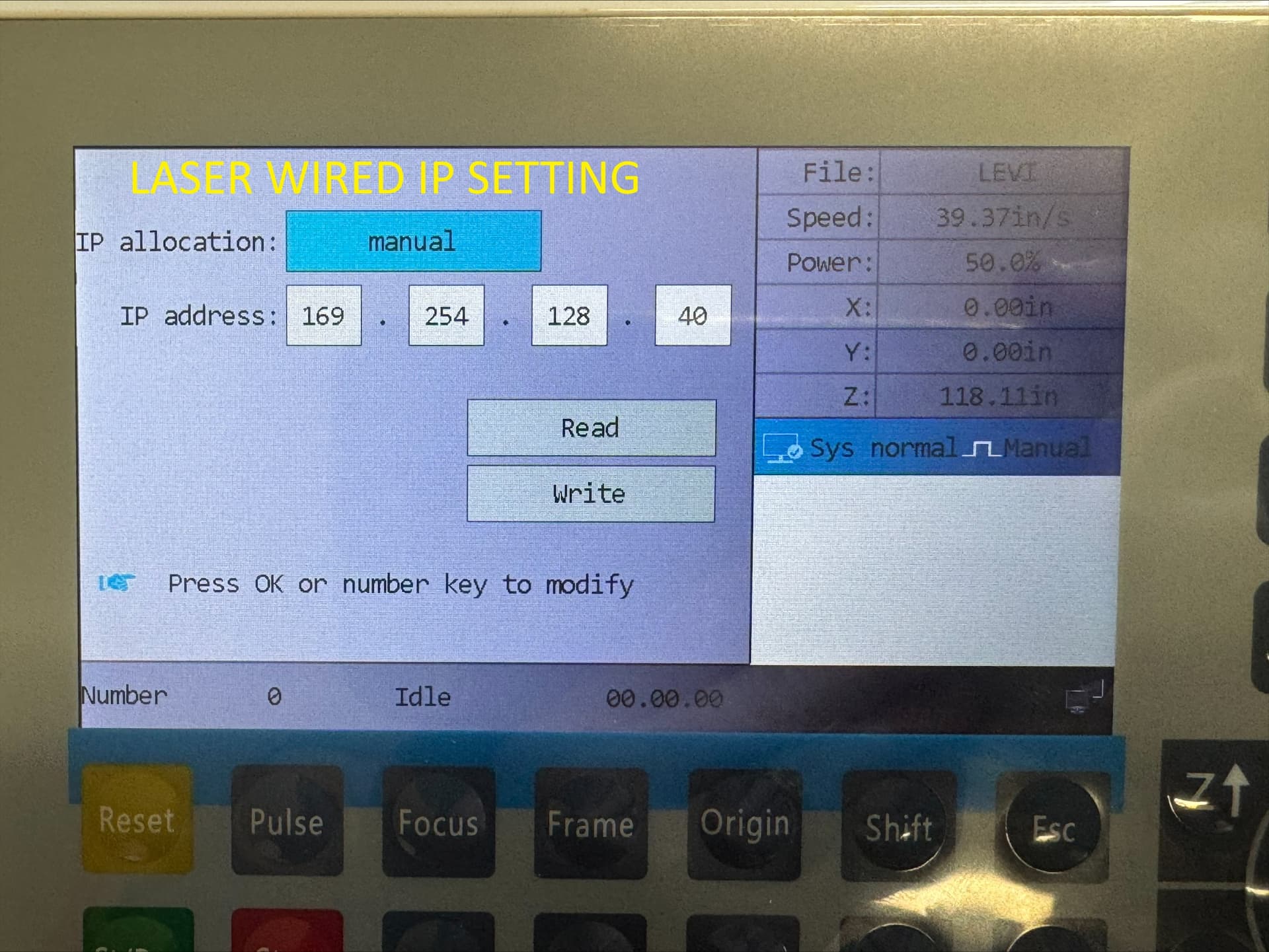
The switch out of the controller and display is pretty much just unplug and plug back in the new controller. No issues there. I did do a backup of my machine settings before I removed the old controller. I have the machine on and changed the new controller to English. I have changed the wired settings to use my Ethernet settings I had on the prior controller. When using the display, I can move the laser head around, but it goes in opposite direction of arrows. I know before using it I will need to put my machine settings in.
Here is where the issues start. I am not able to “see” my laser in Lightburn. I have tried connecting it through Ethernet and also through USB with no luck. I did notice several posts about earlier this year Lightburn did not support RCD8445S(EC), but I have seen posts recently stating that others were able to connect after a recent update. I do have the latest version of Lightburn: 2.0.04. Any guidance or advice (aside from return and get one from Thunder, lol)?
I was able to finally get it connected through USB after some trial and error. I would love to go back to Ethernet though. I can get the laser to pulse and can move on the x axis, but the y axis isn’t responding. The Z axis is responding and moving up and down, but those limit switches aren’t triggering so some work to do there.
I still have work I am needing to complete so I temporarily hooked backup my RDC6442G-LY-B(EC) controller to make sure no settings were missed. Its running ok, but I can’t send files to the new display and am having to run through my ethernet connection to the laser. Luckily those files aren’t too big so I’m not worried about packet losses. I would love to see if anyone has any input of what machine setting may be missing for my Thunder Nova for the Y axis and limit switches.
Y Axis mystery solved. It was related to an alarm on one of the boards. Restarted laser again and switched back to the new controller. Was able to run an engrave from my surface pro, but the machine settings are still needing to be worked on as the file settings I saved from original controller are not allowing me to use the entire bed. I also tried sending file to controller and get “communication error” message even though it shows my file name on it. Is there possibly any “hidden” item in Lightburn I am missing to allow this controller to use ethernet?
If you’ve gone through the Ruida networking processand picked an IP address for the laser that is not assigned to another device, then It Should Just Work.
Presuming, of course, that the teeny Ethernet cable from the controller to the machine’s panel isn’t junk, which Is, alas, sometimes not the case, so try plugging the network cable directly into the controller. The machine display should then show the “network connected” icon in the lower right corner, LED12 on the back of the controller should be on to indicate the link is active, and LED11 should be blinking merrily to indicate network activity.
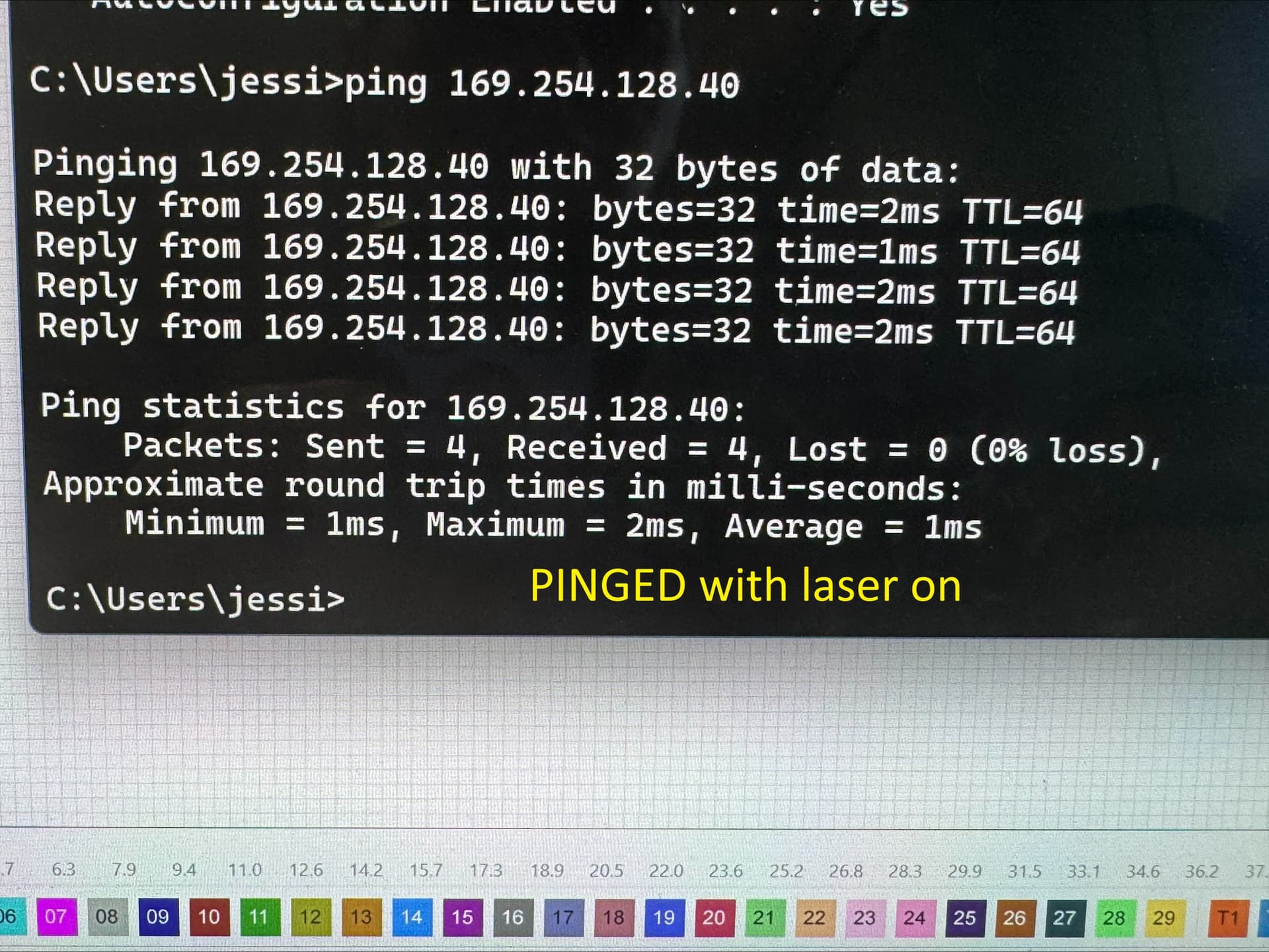
Some previous discussions cover subtle network problems due to the network router assigning another device to the laser’s address and how to ping the laser to verify it’s where you think it is:
Thank you for your reply. I am sure the network cable is ok as it immediately picks back up when I put the old controller on. I see that light 15,12, and 9 are on and light 14 is blinking. After checking this, I did change the IP on the laser and then changed it in my lightburn configuration for the laser. There is no change as lightburn still doesn’t “see” the laser.
Thank you. I appreciate your help. Attached are the images requested. The board shows the wired connection light lit, but not the communication light. The image with the board was caught and shows pin 14 on, but that is because it is a still image. That pin is flashing.
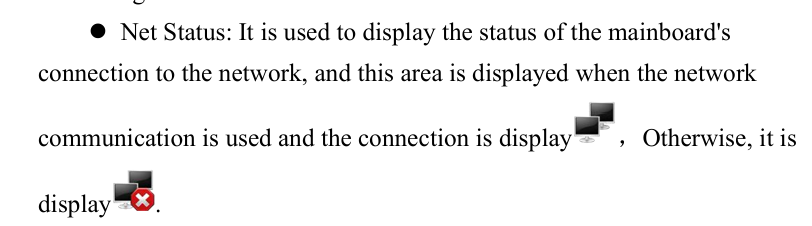
Based on the documentation on the controller, the display does show the two computers without the red circle and x so it is reflective on having connection to the network.
The 8445S is not supported at this time in LB. I purchased one back in July. Support is supposed to be coming, but it’s glacial. USB is the only connection method that works currently. Even RDWorks will not work with the 8445S in ethernet mode. Just USB. Sad but true.
“Works” is doing a lot of heavy lifting in there, but if USB is the only choice, then it’s like that and that’s the way it is.
Thanks for helping: your experience definitely outweighs my guesswork!
The only quibble I had with the setup was the PC’s IP address, which is a default link-local address. AFAICT those addresses will only work with a direct network cable from PC to laser, not through a router on a LAN.
If you wanted to use the laser on a LAN (and it worked with Ethernet), you’d set its IP address to the same subnet the router assignes to the PC, typically be something like 192.168.0.x. But that’s for the future, should Ruida ever makes it work as everybody expects it should.
Can confirm that USB is the only connection currently supported. We are working on the network connections for it now and currently are waiting on Ruida to answer some of the last questions. We are shooting for full support in 2.1 in the new year.