I just got new LS1416 Boss. Everything works except the rotary. Laser fires but rotary doesn’t turn. I have rotary setup as Boss says. Rotary is enabled. If I send the same file with rotary disabled it does work (but is distorted on the tumbler) so I know the y axis is working. Any help would be appreciate. Ive spent hours on phone with tech support and no luck
Which Ruida do you have…?
I have no clue as to the rotary type you are using… a link is always good.
I don’t know how Boss says to do it… A link or a description of what ‘setup’ means in this context.
How are you attaching the rotary to the machine… I assume via the Y axes?
This isn’t tough, but it’s more difficult when I don’t know what machine I’m advising about.
This link may help you ensure the steps/rotation are correct…
Give us some more clues and we can probably help you out…

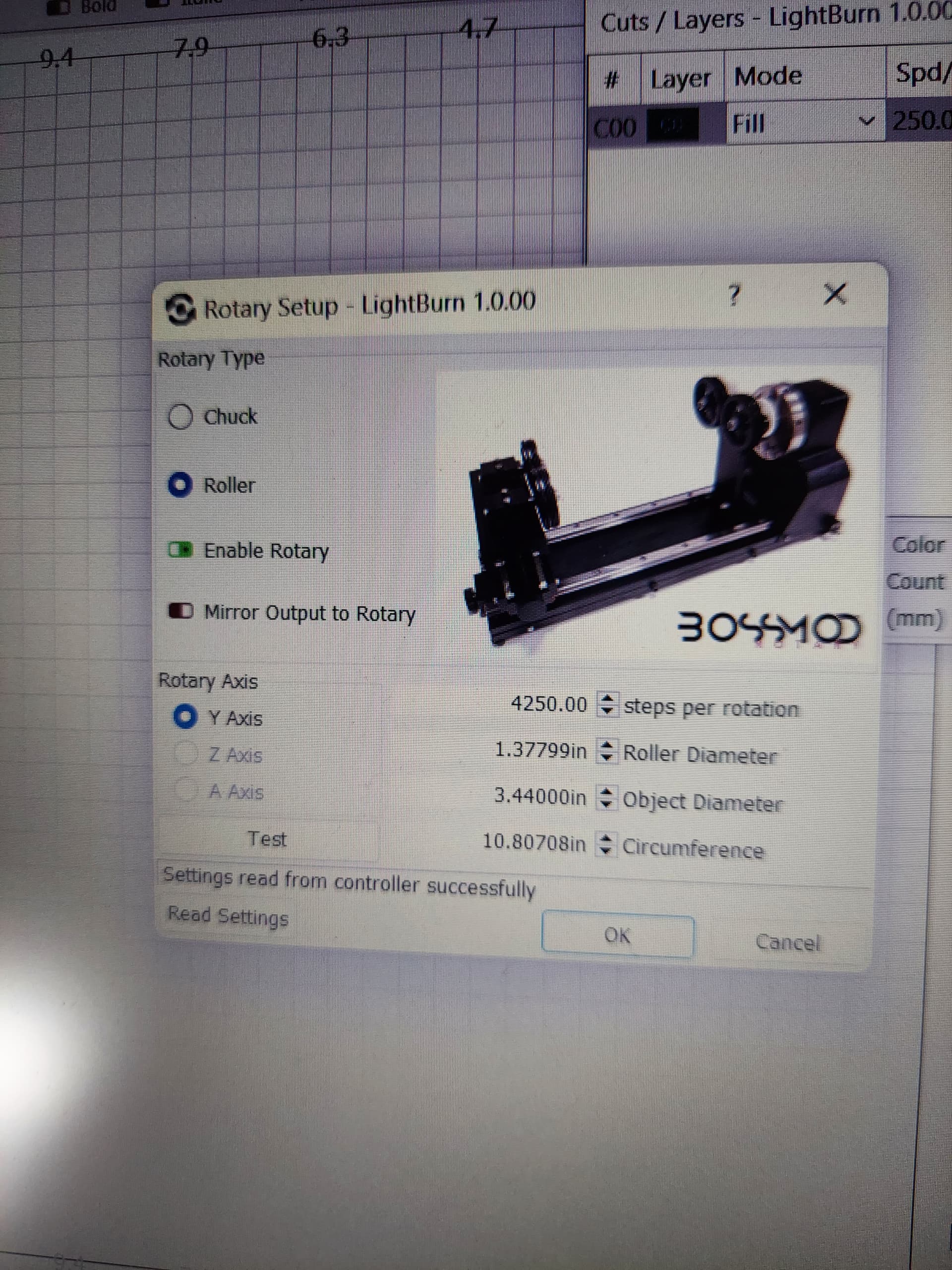
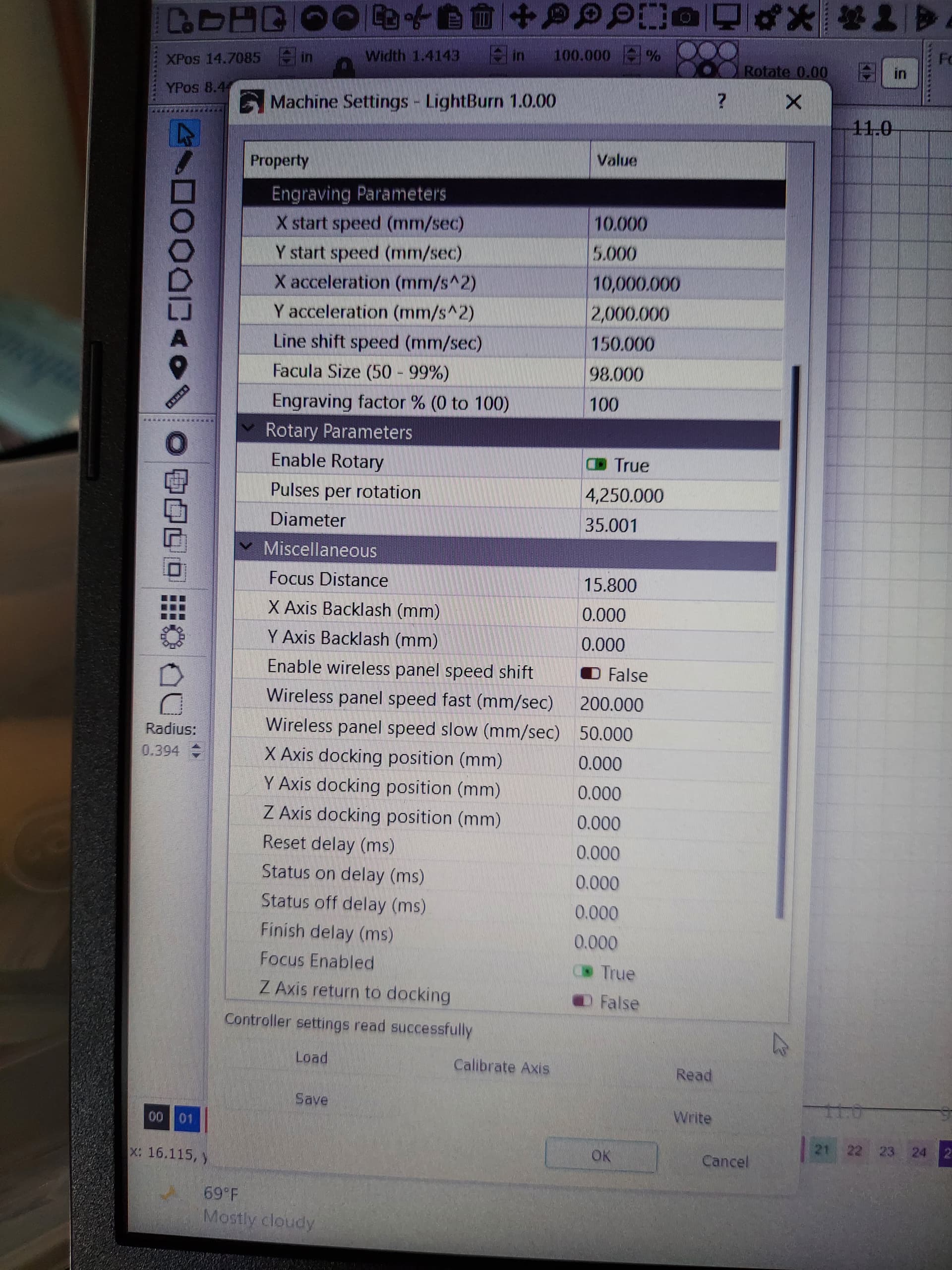
I uploaded couple pics of my settings and its a Ruida 6445S running off Y axis. Thank you for trying to help
Do you know what firmware version your controller is running? You can check by going to ‘Edit’ > ‘Get Controller Info’ in Lightburn. You may need to change your controller’s firmware version to V26.01.16 for Y axis rotary use.
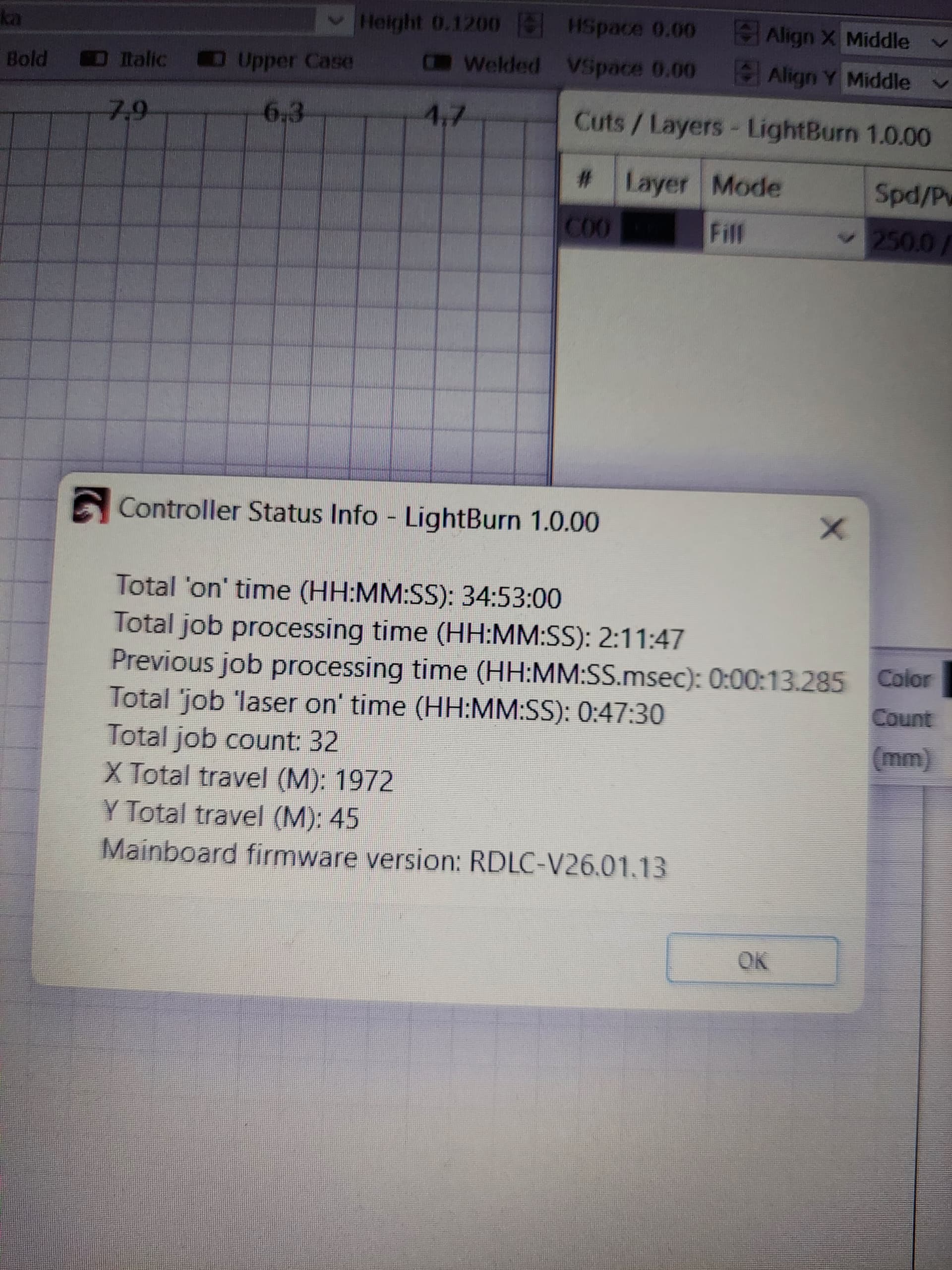
At this point, I would set it up properly then look for other issues rather than messing with firmware. I only upgrade it when I have a problem and it’s the known issue.
The basic setup has to be correct for anything to work no matter what firmware.
How did you come by the steps/rotation?
What is the gear ratio between the motor and the driving wheel?
How does the posted setup compare to the ‘boss’ one you followed.
firmware fixed it. thanks for the help