While editing a drawing to change text I have had Lightburn randomly change the speed settings to something astronomical. This has occurred several times and Lightburn will not let me change the setting. I have to close out of the program and restart to get my saved settings back.
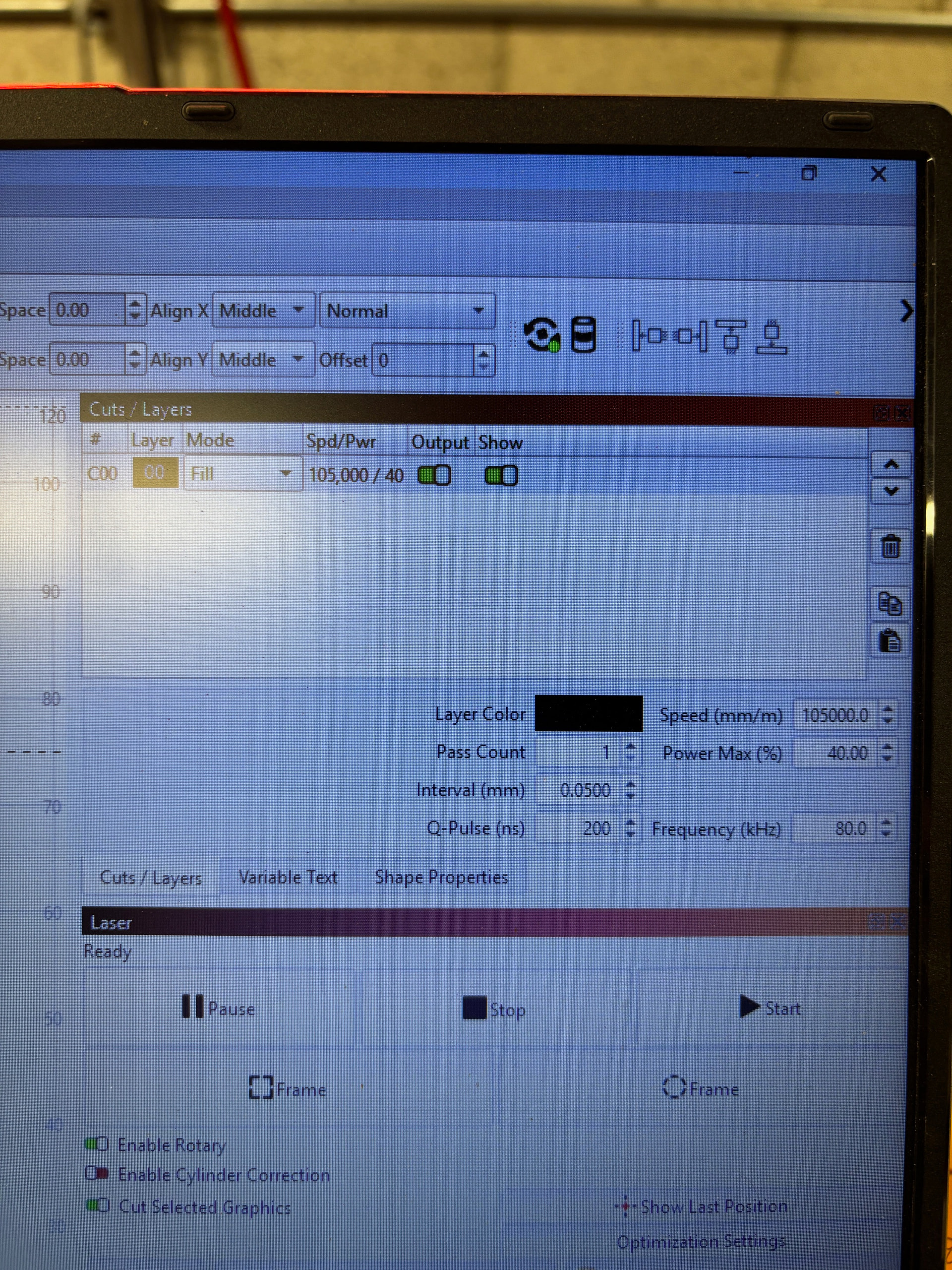
Perhaps the Windows Region (or whatever they call it today) is set to a country using a comma as the decimal separator:
You’d change that in Windows, not LightBurn, because it applies to all programs: LightBurn follows the Windows character selection.
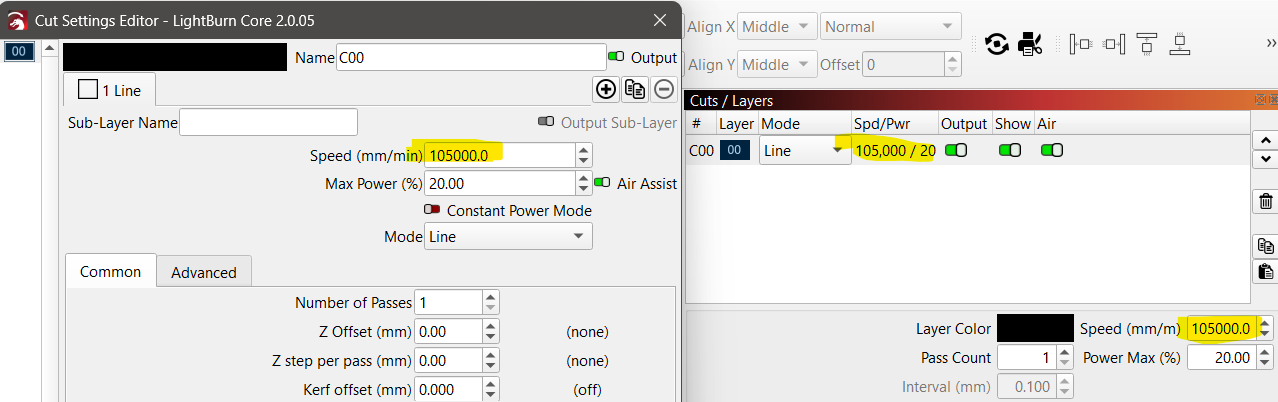
I have noticed the different ways speed settings are shown between the Cut Layers display and Cut Settings Editor As you see the Cut layers are seperated by a Coma, and in Cut edit not coma is used until it become a decimal of a whole number.
The acual values are still the same. The speed you show at 100,500 mm/min is the same as 105000.0 it is just the way it is represented in the different fields, unless you are seeing a totaly random astronomical number not relating at all to what you have entered.
Yeah, thanks for that response but the number that was in that box was 1750 mm/sec.
Lightburn just randomly changed it or Windows did. And it is random, cannot duplicate the issue.
So you are saying it changed from mm/min to mm/sec as the reference, as well as the value in the field changing?
Yes it changed the value and from mm/sec to mm/m